Genesis G90 (2017 year). Manual - part 20
 

  Index      Genesis     Genesis G90 (2017 year) - manual in english


Search            copyright infringement  


Content      ..     18      19      20      21     ..


Genesis G90 (2017 year). Manual - part 20


5-79

05

When the system is canceled using the
CRUISE/

button or the CRUISE/

button is used after the engine is turned
on, the SCC mode will turn on.

Smart Cruise Control speed

To set Smart Cruise Control
speed

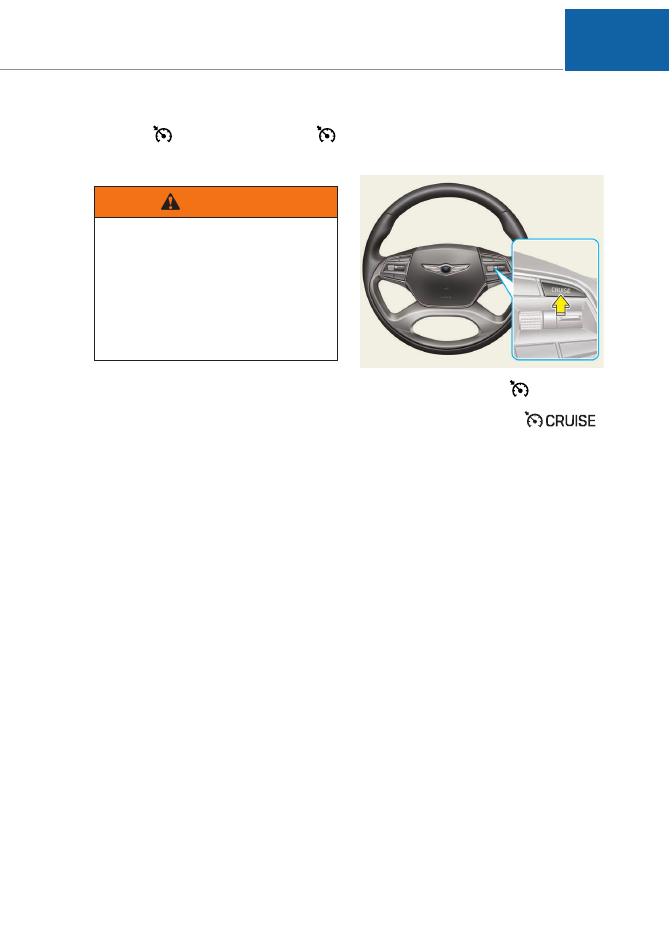
1. Push the CRUISE/

button on

the steering wheel to turn the sys-
tem on. The cruise (

)

indicator will illuminate.

2. Accelerate to the desired speed.

The Smart Cruise Control speed

can be set as follows:
• 30 km/h~200 km/h: when there

is no vehicle in front

• 0 km/h~200 km/h: when there is

a vehicle in front

OHI056069

When using the Cruise Control
mode,

you must manually

adjust the distance to other
vehicles by depressing the
accelerator or brake pedal. The
system does not automatically
adjust the distance to vehicles
in front of you.

WARNING

-------------------------------------------------------------------------------------------------------------------------------------------------------------

5-80

Driving your vehicle

3. Push the toggle switch  down

(SET-), and release it at the
desired speed. The Set Speed
and Vehicle-to-Vehicle Distance
on the LCD display will illuminate.

4. Release the accelerator pedal.

The desired speed will automati-
cally be maintained.

If there is a vehicle in front of you, the
speed may decrease to maintain the
distance to the vehicle ahead.
On a steep grade, the vehicle may
slow down or speed up slightly while
going uphill or downhill.

Information

Vehicle speed may decrease on an
upward slope and increase on a down-
ward slope.

To increase Smart Cruise
Control set speed

Follow either of these procedures:
• Push the toggle switch  up (RES+),

and hold it. Your vehicle set speed
will increase by 10 km/h. Release
the toggle switch  at the speed you
want.

• Push the toggle switch  up (RES+),

and release it immediately. The
cruising speed will increase by 1.0
km/h each time you move the tog-
gle switch  up in this manner.

• You can set the speed to 200 km/h

(113 mph).

i

OHI056071

Check the driving condition
before using the toggle switch.
Driving speed sharply increas-
es, when you push up and hold
the toggle switch.

CAUTION

OHI056070

-------------------------------------------------------------------------------------------------------------------------------------------------------------

5-81

05

To decrease the Smart Cruise
Control set speed

Follow either of these procedures:
• Push the toggle switch  down (SET-),

and hold it. Your vehicle set speed
will decrease by 10 km/h. Release
the toggle switch  at the speed you
want.

• Push the toggle switch  down (SET-),

and release it immediately.The cruis-
ing speed will decrease by 1.0 km/h
each time you move the toggle
switch  down in this manner.

• You can set the speed to 30 km/h

(20 mph).

To temporarily accelerate with
the Smart Cruise Control on

If you want to speed up temporarily
when the Smart Cruise Control is on,
depress the accelerator pedal.
Increased speed will not interfere
with Smart Cruise Control operation
or change the set speed.
To return to the set speed, take your
foot off the accelerator pedal.
If you push the toggle switch  down
(SET-) at increased speed, the cruis-
ing speed will be set again pedal.

Information

Be careful when accelerating tem-
porarily, because the speed is not con-
trolled  automatically at this time even
if there is a vehicle in front of you.

i

OHI056070

-------------------------------------------------------------------------------------------------------------------------------------------------------------

5-82

Driving your vehicle

Smart Cruise Control will be
temporarily canceled when:

Cancelled manually
• Depressing the brake pedal.
• Pressing the CANCEL/

button

located on the steering wheel.

• Depress the brake pedal and press

the CANCEL/

button at the

same time, when the vehicle is at a
standstill.

The Advanced Smart Cruise Control
turns off temporarily when the Set
Speed and Vehicle-to-Vehicle
Distance indicator on the LCD dis-
play turns off.
The cruise (

) indicator is

illuminated continuously.

Cancelled automatically
• The driver's door is opened.
• The shift lever is shifted to N

(Neutral), R (Reverse) or P (Park).

• The EPB (Electonric Parking Brake)

is applied.

• The vehicle speed is over 210

km/h (130 mph)

• The vehicle stops on a steep

incline.

• The ESC (Electronic Stability

Control), TCS (Traction Control
System) or ABS is operating.

• The ESC is turned off.
• The sensor or the cover is dirty or

blocked with foreign matter.

• When the vehicle is stopped for

more than 5 minutes.

• The vehicle stops and goes repeat-

edly for a long period of time.

• The driver starts driving by pushing

the toggle switch  up (RES +)/down 
(SET -) or depressing the acceler-
ator pedal, approximately 3 min-
utes after the vehicle is stopped by
the Smart Cruise Control System
with no other vehicle ahead.

• The driver starts driving by pushing

the toggle switch  up (RES +)/down 
(SET -) or depressing the acceler-
ator pedal, after stopping the vehi-
cle with a vehicle stopped far away
in front.

• The accelerator pedal is continu-

ously depressed for more than one
minute.

OHI056072

-------------------------------------------------------------------------------------------------------------------------------------------------------------

5-83

05

Each of these actions will cancel
the Smart Cruise Control opera-
tion. The Set Speed and Vehicle-to-
Vehicle Distance on the LCD dis-
play will go off.
In a condition the Smart Cruise
Control is cancelled automatically,
the Smart Cruise Control will not
resume even though the RES+ or
SET- toggle switch  is pushed.
Also, the EPB (Electronic Parking
Brake) will be applied when the
vehicle is stopped.

Information

If the Smart Cruise Control is can-
celled by other than the reasons men-
tioned, we recommend that the system
be checked by an authorized retailer
of Genesis Branded products.

Smart Cruise Control canceled

If the system is cancelled, the warn-
ing chime will sound and a message
will appear for a few seconds.
You must adjust the vehicle speed by
depressing the accelerator or brake
pedal according to the road condition
ahead and driving condition.
Always check the road conditions.
Do not rely on the warning chime.

To resume Smart Cruise Control
set speed

If any method other than the cruise
toggle switch was used to cancel
cruising speed and the system is still
activated, the cruising speed will
automatically resume when you
push the toggle switch  up (RES+) or
down (SET-).
If you push the toggle switch  up
(RES+), the speed will resume to the
recently set speed. However, if vehi-
cle speed has dropped below
approximately 30 km/h (20 mph), it
will resume when there is a vehicle in
front of your vehicle.

Information

Always check the road conditions
when you push the toggle switch  up
(RES+) to resume speed.

i

i

OHI056070

OHI056071

OHI056082L

-------------------------------------------------------------------------------------------------------------------------------------------------------------

5-84

Driving your vehicle

To turn Cruise Control off

Push the CRUISE/

button (the

cruise (

) indicator light will

go off).

Smart Cruise Control Vehicle-
to-Vehicle Distance

To set Vehicle-to-Vehicle
Distance

When the Smart Cruise Control
System is ON, you can set and main-
tain the distance from the vehicle
ahead of you without pressing the
accelerator or brake pedal.

Each time the button is pressed, the
vehicle to vehicle distance changes
as follows:

For example, if you drive at 90 km/h
(56 mph), the distance maintain as
follows:

Distance 4 - approximately 52.5 m
Distance 3 - approximately 40 m
Distance 2 - approximately 32.5 m
Distance 1 - approximately 25 m

Information

The distance is set to the last set dis-
tance when the system is used for the
first time after starting the engine.

i

Distance 4

Distance 3

Distance 2

Distance 1 

OHI056069

OHI056073

-------------------------------------------------------------------------------------------------------------------------------------------------------------

5-85

05

When the lane ahead is clear:

The vehicle speed will maintain the
set speed.

When there is a vehicle ahead
of you in your lane:

• Your vehicle speed will slow down

or speed up to maintain the select-
ed distance.

• If the vehicle ahead speeds up,

your vehicle will travel at a steady
cruising speed after accelerating to
the set speed.

OHI046199L

OHI056084/OHI046158

OHI056085/OHI056086

Distance 3

Distance 1

Distance 2

Distance 4

-------------------------------------------------------------------------------------------------------------------------------------------------------------

5-86

Driving your vehicle

If the vehicle ahead (vehicle
speed: less than 30km/h) disap-
pears to the next lane, the warn-
ing chime will sound and a mes-
sage "Watch for surrounding
vehicles" will appear. Adjust
your vehicle speed for vehicles
or objects that can suddenly
appear in front of you by
depressing the brake pedal.
Always pay attention to the road
condition ahead.

CAUTION

OHI056088L

When using the Smart Cruise
Control System:
• The warning chime sounds

and  the Vehicle-to Vehicle
Distance indicator blinks if
the vehicle is unable to main-
tain the selected distance
from the vehicle ahead.

• If the warning chime sounds,

depress the accelerator or
brake pedal to actively adjust
the vehicle speed, and the dis-
tance to the vehicle ahead.

• Even if the warning chime is

not activated, always pay
attention to the driving condi-
tions to prevent dangerous
situations from occurring.

WARNING

OHI056087

-------------------------------------------------------------------------------------------------------------------------------------------------------------

5-87

05

In traffic situation

• In traffic, your vehicle will stop if the

vehicle ahead of you stops. Also, if
the vehicle ahead of you starts
moving, your vehicle will start as
well. However, if the vehicle stops
for more than 3 seconds, you must
depress the accelerator pedal or
push up the toggle switch  (RES+)
to start driving.

• If you push the advanced smart

cruise control toggle switch (RES+
or SET-) while Auto Hold and
advanced smart cruise control is
operating the Auto Hold will be
released regardless of accelerator
pedal operation and the vehicle will
start to move. The AUTO HOLD indi-
cator changes from green to white.

Sensor to detect distance to
the vehicle ahead

The Smart Cruise Control uses a
sensor to detect distance to the vehi-
cle ahead.

Warning message

Smart Cruise Control disabled.
Radar blocked

When the sensor lens cover is
blocked with dirt, snow, or debris, the
Smart Cruise Control System opera-
tion may stop temporarily. If this
occurs, a warning message will
appear on the LCD display. Remove
any dirt, snow, or debris and clean
the radar sensor lens cover before
operating the Smart Cruise Control
System.

OHI056089L

OHI056062

OHI056090L

-------------------------------------------------------------------------------------------------------------------------------------------------------------

5-88

Driving your vehicle

The Smart Cruise Control system
may not properly activate, if the radar
is totally contaminated, or if any sub-
stance is not detected after turning ON
the engine (e.g. in an open terrain).

Check Smart Cruise Control System

The message will appear when the
vehicle to vehicle distance control
system is not functioning normally.
We recommend that you take your
vehicle to an authorized retailer of
Genesis Branded products and have
the system checked.

• Do not apply foreign objects

such as a bumper sticker or a
bumper guard near the radar
sensor.

Doing so may

adversely affect the sensing
performance of the radar.

• Always keep the radar sensor

and lens cover clean and free
of dirt and debris.

• Use only a soft cloth to wash

the vehicle. Do not spray pres-
surized water directly on the
sensor or sensor cover.

• Be careful not to apply unnec-

essary force on the radar sen-
sor or sensor cover. If the sen-
sor is forcibly moved out of
proper alignment, the Smart
Cruise Control System may not
operate correctly. In this case, a
warning message may not be
displayed. Have the vehicle
inspected by an authorized
retailer of Genesis Branded
products.

• If the front bumper becomes

damaged in the area around
the radar sensor, the Smart
Cruise Control System may not
operate properly. We recom-
mend you to have the vehicle
inspected by an authorized
retailer of Genesis Branded
products.

• Use only Genesis/Hyundai

Part to repair or replace a
damaged sensor or sensor
cover. Do not apply paint to
the sensor cover.

CAUTION

OHI046138L

-------------------------------------------------------------------------------------------------------------------------------------------------------------

5-89

05

Limitations of the system

The Smart Cruise Control System
may have limits to its ability to detect
distance to the vehicle ahead due to
road and traffic conditions.

On curves

• The Smart Cruise Control System

may not detect a moving vehicle in
your lane, and then your vehicle
could accelerate to the set speed.
Also, the vehicle speed will
decrease when the vehicle ahead
is recognized suddenly.

• Select the appropriate set speed

on curves and apply the brakes or
accelerator pedal if necessary.

Your vehicle speed can be reduced
due to a vehicle in the adjacent lane.
Apply the accelerator pedal and
select the appropriate set speed.
Check to be sure that the road condi-
tions permit safe operation of the
Smart Cruise Control.

On inclines

• During uphill or downhill driving,

the Smart Cruise Control System
may not detect a moving vehicle in
your lane, and cause your vehicle
to accelerate to the set speed.
Also, the vehicle speed will rapidly
decrease when the vehicle ahead
is recognized suddenly.

• Select the appropriate set speed

on inclines and apply the brake or
accelerator pedal if necessary.

OHI056200

OHI056201

OHI056202

-------------------------------------------------------------------------------------------------------------------------------------------------------------

5-90

Driving your vehicle

Lane changing

• A vehicle which moves into your

lane from an adjacent lane cannot
be recognized by the sensor until it
is in the sensor's detection range.

• The radar may not detect immedi-

ately when a vehicle cuts in sud-
denly. Always pay attention to the
traffic, road and driving conditions.

• If a slower vehicle moves into your

lane, your speed may decrease to
maintain the distance to the vehicle
ahead.

• If a faster vehicle which moves into

your lane, your vehicle will acceler-
ate to the set speed.

Vehicle recognition

Some vehicles in your lane cannot
be recognized by the sensor:
- Narrow vehicles such as motorcy-

cles or bicycles

- Vehicles offset to one side
- Slow-moving vehicles or sudden-

decelerating vehicles 

- Stopped vehicles
- Vehicles with small rear profile such

as trailers with no loads

A vehicle ahead cannot be recog-
nized correctly by the sensor if any of
following occurs:

When the vehicle is pointing

upwards due to overloading in the
trunk

- While the steering wheel is operat-

ing

- When driving to one side of the lane
- When driving on narrow lanes or on

curves

Apply the brake or accelerator pedal
if necessary.

OHI056208

OHI056203

-------------------------------------------------------------------------------------------------------------------------------------------------------------

• Your vehicle may accelerate when

a vehicle ahead of you disappears.

• When you are warned that the

vehicle ahead of you is not detect-
ed, drive with caution.

• When vehicles are at a standstill

and the vehicle in front of you
changes to the next lane, be care-
ful when your vehicle starts to
move because it may not recog-
nize the stopped vehicle in front of
you.

• Always look out for pedestrians

when your vehicle is maintaining a
distance with the vehicle ahead.

• Always be cautious for vehicles

with higher height or vehicles car-
rying loads that sticks out from the
back of the vehicle.

5-91

05

OHI056209

OHI056204

OHI056210

OHI056205

-------------------------------------------------------------------------------------------------------------------------------------------------------------

5-92

Driving your vehicle

The Smart Cruise Control System
may not operate temporarily due
to:
• Electrical interference
• Modifying the suspension
• Differences of tire abrasion or

tire pressure 

• Installing different type of tires

NOTICE

(Continued)
• The Smart Cruise Control

System may not recognize
complex driving situations so
always pay attention to driv-
ing conditions and control
your vehicle speed.

When using the Smart Cruise
Control take the following pre-
cautions:
• If an emergency stop is nec-

essary, you must apply the
brakes. The vehicle cannot be
stopped at every emergency
situation by using the Smart
Cruise Control System.

• Keep a safe distance accord-

ing to road conditions and
vehicle speed. If the vehicle to
vehicle distance is too close
during a high-speed driving, a
serious collision may result.

• Always maintain sufficient

braking distance and deceler-
ate your vehicle by applying
the brakes if necessary.

• The Smart Cruise Control

System cannot recognize a
stopped vehicle, pedestrians
or an oncoming vehicle.
Always look ahead cautiously
to prevent unexpected and
sudden situations from occur-
ring.

• Vehicles moving in front of

you with a frequent lane
change may cause a delay in
the system's reaction or may
cause the system to react to a
vehicle actually in an adjacent
lane. Always drive cautiously
to prevent unexpected and
sudden situations from occur-
ring.

• Always be aware of the select-

ed speed and vehicle to vehi-
cle distance.

(Continued)

WARNING

-------------------------------------------------------------------------------------------------------------------------------------------------------------

5-93

05

This Lane Departure Warning
System detects the lane with the
sensor at the front windshield and
warns you when your vehicle leaves
the lane.

L

LA

AN

NE

E  D

DE

EP

PA

AR

RT

TU

UR

RE

E  W

WA

AR

RN

NIIN

NG

G  S

SY

YS

ST

TE

EM

M  ((L

LD

DW

WS

S))  ((IIF

F  E

EQ

QU

UIIP

PP

PE

ED

D))

OHI056074

Take the following precautions
when using the Lane Departure
Warning System (LDWS):
• ALWAYS check your sur-

roundings and the road condi-
tions before changing lanes.
The LDWS does not control
the vehicle to change lanes or
to stay in the current lane.

• Do not make abrupt maneu-

vers or turn the steering
wheel suddenly if the LDWS
alerts you that the vehicle is
departing from the lane.

• If the camera recognition sys-

tem does not properly detect
the lane, the LDWS may not
notify you if the vehicle
departs from the lane.

• The LDWS does not operate

until the vehicle speed reach-
es approximately 60 km/h (38
mph).

(Continued)

(Continued)
• The LDWS camera recogni-

tion system is located in front
of the rear view mirror at the
center of the front windshield.
Do not spray water or any
type of liquid near the camera.
The system may become
damaged.

• Do not attempt to repair the

LDWS camera and do not
remove any parts.

• Do not place objects that

reflect light on the dashboard
while driving.

• The operation of the LDWS

may be affected by several
factors including environmen-
tal conditions that affect the
ability of the camera to detect
the lanes in front of you. It is
the responsibility of the driver
to pay careful attention to the
roadway and to maintain the
vehicle in its intended lane at
all times.

WARNING

-------------------------------------------------------------------------------------------------------------------------------------------------------------

5-94

Driving your vehicle

LDWS operation

To activate the LDWS:
With the ignition switch in the ON
position, press the LDWS button
located on the instrument panel on
the lower left hand side of the driver.
The indicator in the cluster display
will initially illuminate white. This indi-
cates the LDWS is in the READY but
NOT ENABLED state.
Note that the vehicle speed must be
at least approximately 60 km/h (38
mph) to ENABLE the LDWS. The
indicator in the cluster display will
illuminate green.

If your vehicle speed exceeds 60
km/h (38 mph) and the LDWS button
is ON, the system is enabled. If your
vehicle departs from the projected
lane in front of you, the LDWS oper-
ates as follows:

OHI056075L

OHI056137L

OHI056136L

Lane line detected

Lane line undetected

-------------------------------------------------------------------------------------------------------------------------------------------------------------


Content      ..     18      19      20      21     ..