Volvo XC60 (2021 year). Manual in english - page 30
AUDIO, MEDIA AND INTERNET
}}
505
Switch between phones
connected via Bluetooth
It is possible to switch between Bluetooth-
connected phones.
1. Open the phone tile.
2. Tap
Change
or pull down Top view
and tap
Settings
Communication
Bluetooth Devices
Add device
.
> A list of available Bluetooth devices will
be displayed.
3. Tap the name of the phone you would like
to connect.
Related information
•
•
Connecting a phone to the car via Blue-
tooth for the first time (p. 502)
•
Settings for Bluetooth devices (p. 509)
•
Disconnecting a Bluetooth-connected
phone (p. 504)
•
Disconnecting Bluetooth-connected devi-
ces (p. 505)
Disconnecting Bluetooth-
connected devices
Phones or other devices in the list of regis-
tered Bluetooth devices can be removed.
1. Tap
Settings
in the Top view.
2. Tap
Communication
Bluetooth
Devices
.
> A list of registered Bluetooth devices is
displayed.
3. Tap the name of the device you would like
to remove.
4. Tap
Remove device
and confirm.
> The device is no longer registered in the
vehicle.
Related information
•
•
Connecting a phone to the car via Blue-
tooth for the first time (p. 502)
•
Disconnecting a Bluetooth-connected
phone (p. 504)
•
Switch between phones connected via
Bluetooth (p. 505)
•
Settings for Bluetooth devices (p. 509)
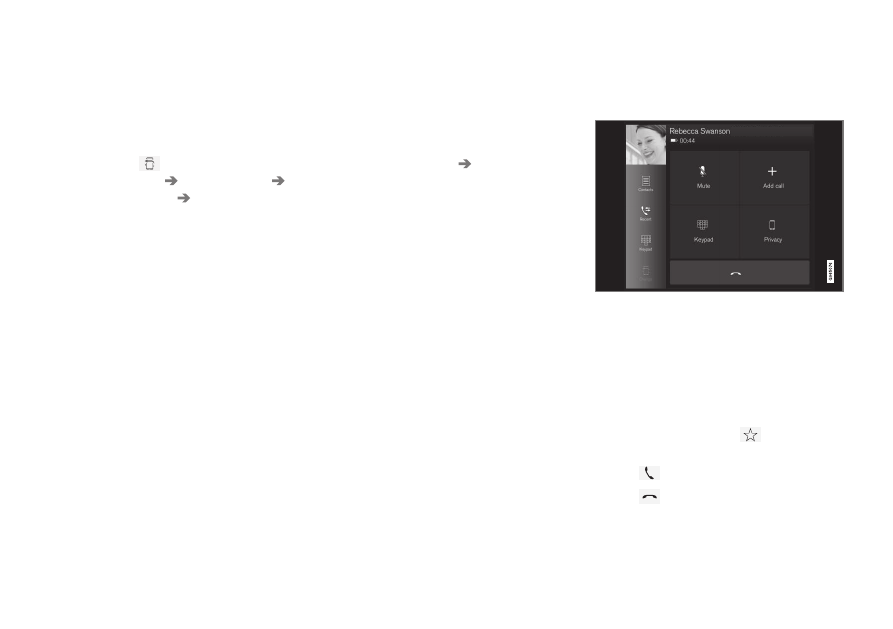
Handling phone calls
Handling phone calls in the vehicle for a
Bluetooth-connected cellular phone.
Generic illustration.
Making calls
1. Open the phone tile.
2. Initiate a call by selecting the phone num-
ber from the recent calls list, entering the
number on the keypad or selecting a num-
ber from the phone book (list of contacts).
You can search or scroll to find a contact
in the phone book. Tap
in the phone
book to add a contact to
Favorites
.
3. Tap
to make a call.
4. Tap
to end the call.
Calls can also be made from the list of recent
calls using the app menu, which can be