Volvo XC40 (2021 year). Manual in english - page 26
||
AUDIO, MEDIA AND INTERNET
* Option/accessory.
442
5. The song/artist/team will now be added to
the list of alerts. Favorite sports teams can
also be added to the list using “Game
Alert” in the SiriusXM satellite radio set-
tings.
> When your choice is being broadcast
on a channel, you will be informed by a
pop-up.
iTunes tagging
From the center display's Top view, tap
SiriusXM Settings
. Tap the
iTunes Tagging
menu. Tap the
iTunes Tagging
box to acti-
vate/deactivate this function and tap
Close
to
return to Home view. Tap
Tags List
to display
a list of all tagged songs.
If the function is activated, the
iTunes tag
button will be displayed in Home view. If a
song is played that you would like to buy in
the iTunes store, tap this button while the
song is playing to tag it. If a song with
iTunes
Tagging
information is available, the button
will be selectable. Tap the button to tag the
song. If you would like to buy a tagged song
via iTunes, Tap the iTunes tag button.
To buy a song in iTunes, begin by connecting
an iPhone/iPod/iPad to the USB port in the
tunnel console. The iTunes tagging list will
automatically be transferred to the device and
removed from the list in the vehicle. If the
device is connected when a song is tagged,
the data will automatically be saved in the
device. To purchase the song, consult the
iTunes support page.
Related information
•
•
Entering characters, letters and words by
hand in the center display (p. 125)
•
•
•
Connecting a device via the USB port
(p. 456)
Settings for SiriusXM
®
Satellite
radio
*
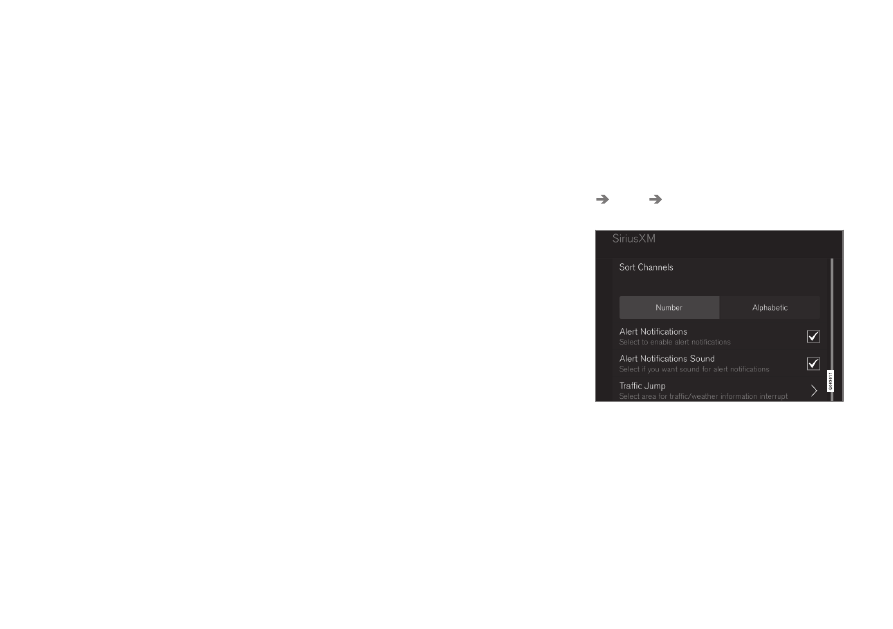
There are numerous settings that can be
made to enhance your SiriusXM
®
Satellite
radio listening experience.
Settings
Drag down the top view and tap on
Settings
Media
SiriusXM
. The following alterna-
tives will be displayed: