Volvo S90 Recharge Plug-in Hybrid (2021 year). Manual in english - page 7
DISPLAYS AND VOICE CONTROL
130
Changing system units
Units settings are defined in the centre dis-
play's
Settings
menu.
1. Press
Settings
in the top view in the cen-
tre display.
2. Continue to
System
System
Languages and Units
Units of
Measurement
.
3. Select a unit standard:
•
Metric
- kilometres, litres and degrees
Celsius.
•
Imperial
- miles, gallons and degrees
Celsius.
•
US
- miles, gallons and degrees Fah-
renheit.
> The units in the driver display, centre
display and head-up display are
changed.
Related information
•
Overview of centre display (p. 107)
•
Other settings in the centre display's top
view (p. 130)
•
Changing system language (p. 130)
Changing system language
Language settings are defined in the centre
display menu
Settings
.
Changing the language in the centre dis-
play may mean that some owner's informa-
tion is not compliant with national or local
laws and regulations. Do not switch to a
language that is difficult to understand as
this may make it difficult to find your way
back through the screen structure.
1. Press
Settings
in the top view in the cen-
tre display.
2. Continue to
System
System
Languages and Units
.
3. Select
System Language
.
Languages that support voice recognition
have a voice recognition symbol.
> The language in the driver display, cen-
tre display and head-up display is
changed.
Related information
•
Overview of centre display (p. 107)
•
Other settings in the centre display's top
view (p. 130)
•
Changing system units (p. 130)
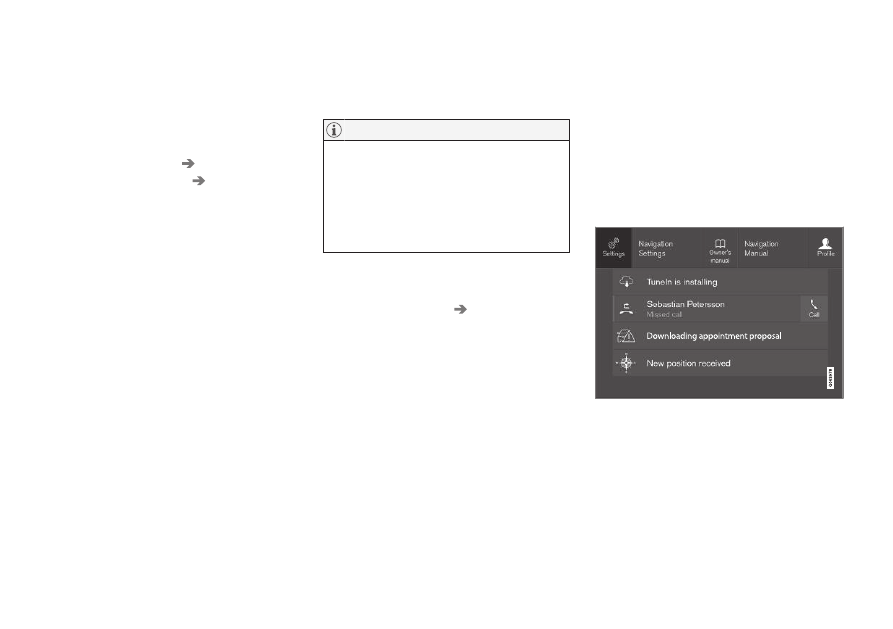
Other settings in the centre
display's top view
You can change settings and information for
many of the car's functions via the centre dis-
play.
1. Open the top view by pressing on the tab
at the top or by dragging/swiping from the
top downwards across the screen.
2. Press
Settings
to open the settings menu.
Top view with button for
Settings
.
3. Press on one of the categories and the
subcategories to navigate to the required
setting.
4. Change one or more settings. Different
types of setting are changed in different
ways.
> The changes are saved immediately.