Volvo XC90 Twin Engine (2020 year). Manual in english - page 8
DISPLAYS AND VOICE CONTROL
145
The active profile can then be linked to the
key.
1. Press
Settings
in the top view in the cen-
tre display.
2. Press
System
Driver Profiles
.
3. Select the desired profile. The display
returns to the home view. The
Guest
pro-
file cannot be linked to a key.
4. Drag down the top view again and tap on
Settings
System
Driver Profiles
Edit Profile
.
5. Select
Connect key
to link the profile with
the key. It is not possible to link a driver
profile to a different key than the one cur-
rently being used in the car. If there are
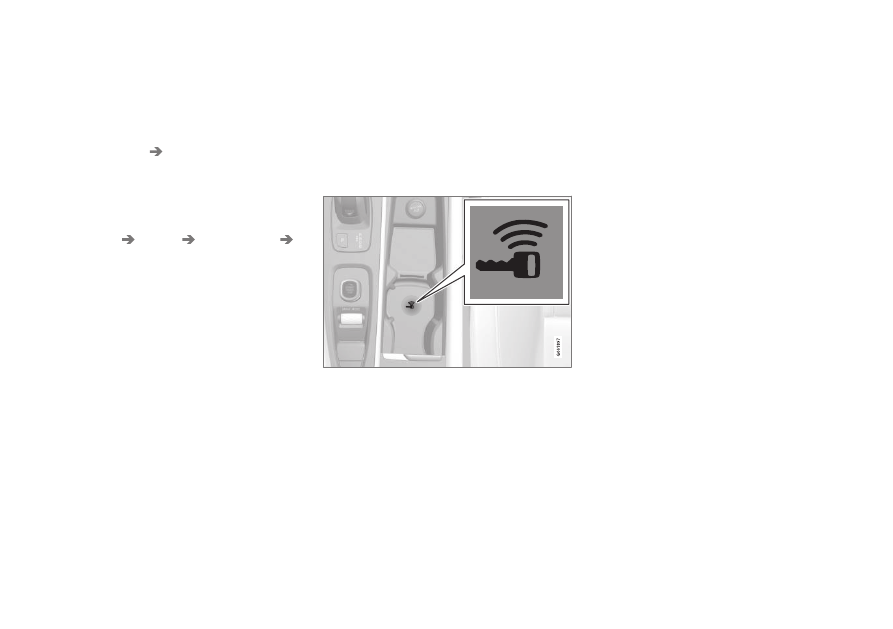
multiple keys in the car, the message
More than one key is found, put the key
you want to connect on backup reader
will be displayed.
Backup reader's location in the tunnel console.
> When the message
Profile connected
to key
is shown, the key and the driver
profile are linked.
6. Press
OK
.
> This key is now linked to the driver pro-
file and will remain linked as long as the
Connect key
box is not unticked.
Related information
•
•
Renaming a driver profile (p. 143)
•