Volvo V90 (2019 year). Instruction - part 14
KEY, LOCKS AND ALARM
}}
* Option/accessory.
239
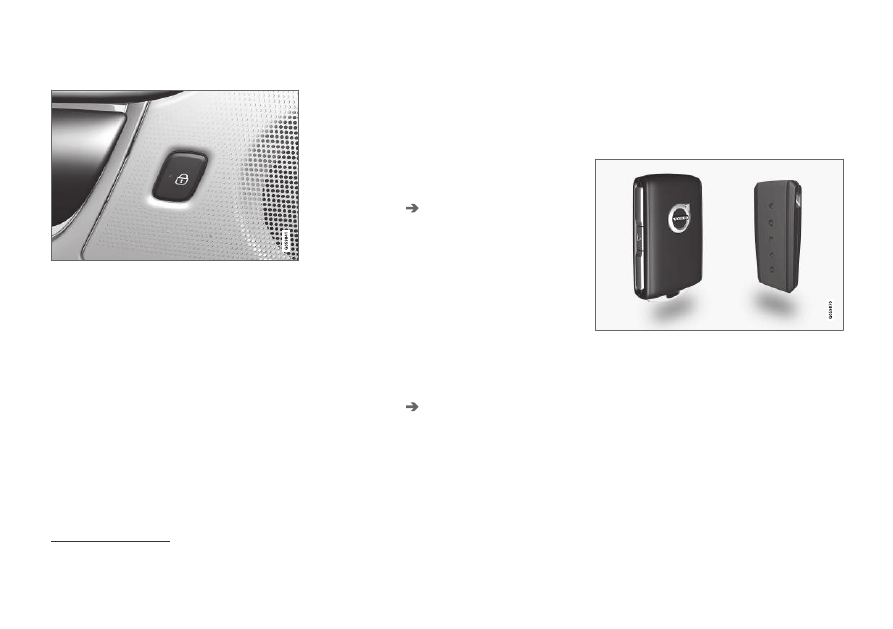
In rear door*
Lock button with indicator light in rear door.
Illuminated indicator lights in each door indicate
that that particular door is locked. If any door is
unlocked and opened, the indicator light in that
door will go out. The lights in the other doors will
remain illuminated.
Related information
•
Lock confirmation settings (p. 239)
•
•
Using home safe lighting (p. 164)
Lock confirmation settings
Settings for how the vehicle confirms locking
and unlocking can be adjusted in the center dis-
play's Settings menu.
Locking response:
1. Tap
Settings
in the center display's Top
view.
2. Tap
My Car
Locking
.
3. Tap
Visible Locking Feedback
to deacti-
vate the function or to select when the vehi-
cle should provide a visible response: during
Lock
,
Unlock
or
Both
.
4. Select to receive an audible response when
locking the vehicle by marking
Audible
Locking Feedback
.
Folding door mirrors* confirmation:
1. Tap
Settings
in the center display's Top
view.
2. Tap
My Car
Mirrors and Convenience
.
3. Select
Fold Mirror When Locked
to acti-
vate or deactivate the function.
Related information
•
Remote key
The remote key is used to lock and unlock
doors, the tailgate and the fuel filler door. The
remote key must be in the vehicle in order to
start the engine.
Remote control key
3
, on left, and button-less key ((Key
Tag)*), on right.
The remote key is not physically used to start the
ignition because the vehicle is standard-equipped
with keyless start (Passive Start).
To start the vehicle, the key must be in the front
section of the passenger compartment, e.g. in the
driver's pocket or in a cup holder in the tunnel
console.
3
The illustration is generic - details may vary according to vehicle model.