Volvo XC60 (2019 year). Instruction - part 28
STARTING AND DRIVING
* Option/accessory.
468
Programming HomeLink
®
*
14
Follow these instructions to program
HomeLink
®
, reset all programming, or program
individual buttons.
In some vehicles, the ignition must be on or in
the "accessory position" before HomeLink
®
can be programmed or used. It can be a good
idea to put new batteries in the remote con-
trol being replaced by HomeLink
®
for faster
programming and better radio signal trans-
mission. The HomeLink
®
buttons should be
reset before programming.
WARNING
While HomeLink
®
is being programmed, the
garage door or gate being programmed may
be activated. Make sure that no one is near
the door or gate during programming. When
programming a garage door opener, it is
advised to park outside of the garage.
1. Point the remote control at the HomeLink
®
button to be programmed and hold it about
2-8 cm (1-3 inches) from the button. Do not
obstruct the HomeLink
®
indicator light.
Note: Some remote controls are more effec-
tive at programming HomeLink
®
from a dis-
tance of about 15-20 cm (6-12 inches). Try
moving the remote control closer or further
away if you are experiencing any difficulties
programming.
2. Press and hold both the remote control but-
ton and the HomeLink
®
button to be pro-
grammed.
3. Do not release the buttons until the indicator
light has stopped flashing slowly (about once
a second) and either flashes quickly (about
10 times a second) or glows steadily.
> Steady glow: Indication that program-
ming is complete. Press the programmed
button twice to activate.
Flashing quickly: The device being pro-
grammed with HomeLink
®
may have a
security function that requires an extra
step. Try pressing the programmed button
twice to see whether the programming
works. Otherwise, continue with the fol-
lowing steps.
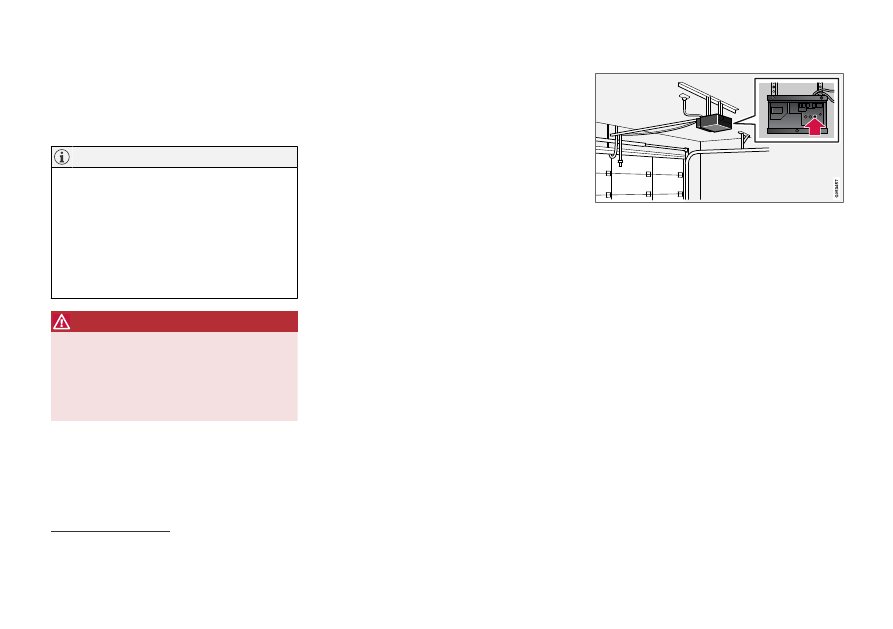
4. Locate the "training" button
15
on the
receiver for the e.g. garage door opener. It is
usually located near the antenna bracket on
the receiver.
5. Press and release the "training" button once.
Programming must be completed within 30
seconds after pressing the button.
6. Press and release the HomeLink
®
button to
be programmed. Repeat the press/hold/
release sequence a second time. For some
receivers, the sequence may need to be
repeated a third time.
> Programming is now completed and the
garage door, gate, etc. should now be
activated when the programmed button is
pressed.
If you experience any difficulties programming,
please contact HomeLink
®
at:
14
Certain markets only.
15
The name and color of the button varies depending on the manufacturer.