Volkswagen Golf / Golf GTI / Jetta. Manual - part 1036


  Index      Volkswagen     Volkswagen Golf / Golf GTI / Jetta - service repair manual 1999-2005 year


Search            copyright infringement  


Content   ..  1034  1035  1036  1037   ..


Volkswagen Golf / Golf GTI / Jetta. Manual - part 1036


01-56


-  Using button -1-, the adaptation value can be 

decreased as low as 120, using button -3
value can be increased as high as 136, e.g. 130.

Channel 30 Adaptation 130  

Q

- 1 3-


-  Indicated on display: 

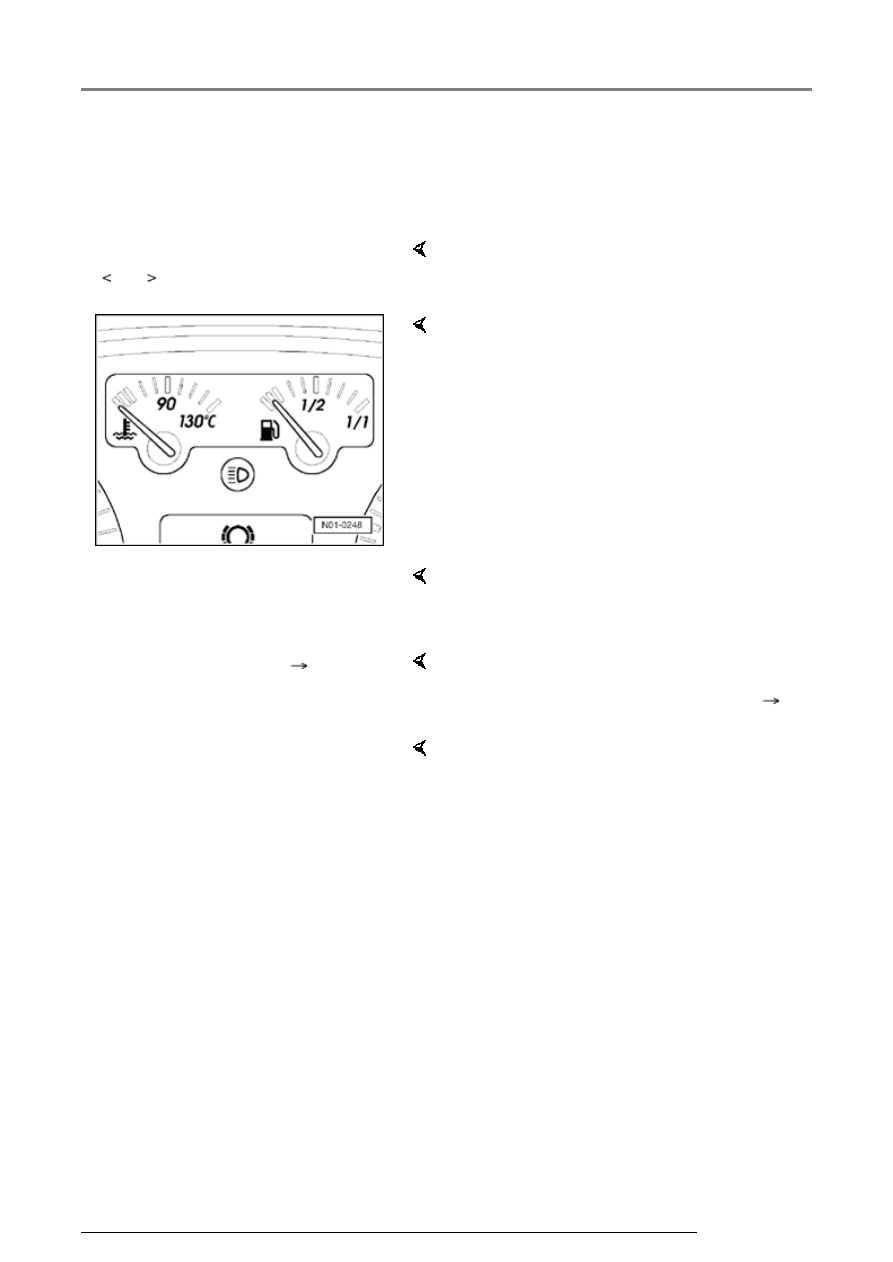
     The fuel gauge is adapted correctly when the 

needle rests on the center red demarcation 
(reserve)!  

When indication is OK:  

-  Press -Q- button to confirm input. 

Channel 30 Adaptation 130  

Q

Save modified value?


-  Indicated on display: 

-  Press -Q- button to confirm input. 

Channel 30 Adaptation 130 

Modified value is saved


-  Indicated on display: 

-  End adaptation of fuel gauge with 

button.

Rapid data transfer 

Help

Enter address word XX

     Indicated on display:  

Instrument cluster through m.y. 1999, On Board Diagnostic (OBD)

13/2/2005

01-57


Note:  


Replace fuel gauge sender only if fuel gauge 
cannot be matched correctly.


-  Press buttons -0- and -6- to select function 06, 

"End Output". 

Rapid data transfer 

Q

06 End Output

     Indicated on display:  

-  Press -Q- button to confirm input. 

Rapid data transfer 

Help

Enter address word XX

     Indicated on display:  

The tester is now in basic function again.  

Instrument cluster through m.y. 1999, On Board Diagnostic (OBD)

13/2/2005

01-58


Multi-function Indicator (MFI) fuel 
consumption indicator, adaptation 


Notes:  


 Consumption indicator can only be adapted 

once between 85% and 115%. 


 Value must be entered in steps of 5%. 


-  Connect scan tool VAG 1551, select operating 

mode 1 "Rapid data transfer", switch on ignition 
and enter address word 17 "instrument cluster". 


-  Press -Q- button to confirm input. 


-  Press 

 button until "Select function"appears in 

display. 

Rapid data transfer 

HELP

Select function XX

     Indicated on display:  

-  Press buttons -1- and -0- to select "Adaptation" 

function 10. 

Rapid data transfer 

Q

10 - Adaptation

     Indicated on display:  

-  Press -Q- button to confirm input. 

Adaptation 

Enter channel number XX

     Indicated on display:  

-  Press buttons -0- and -3- to select adaptation 

"channel 03". 

-  Press -Q- button to confirm input. 

Instrument cluster through m.y. 1999, On Board Diagnostic (OBD)

13/2/2005

01-59


Channel 03 Adaptation 100  

- 1 3-


     Indicated on display:  

Note:  

Correction of fuel consumption 
display is only possible via direct 
input.
 

-  Press 

 button to continue. 

Channel 03 Adaptation 100  

Enter adaptation value XXXXX

     Indicated on display:  

Example:  

Desired input value: 90% = button 
pad entry: 00090  

-  Input desired correction value 

using scan tool button pad, filling 
initial positions with "0". 

Channel 03 Adaptation 100  

Q

Enter adaptation value 00090

     Indicated on display:  

-  Press -Q- button to confirm input.  

Channel 03 Adaptation 90 

Q

- 1 3-


     Indicated on display:  

-  Press -Q- button to confirm input.  

Channel 03 Adaptation 90  

Q

Store changed value?

     Indicated on display:  

-  Press -Q- button to confirm input.  

Instrument cluster through m.y. 1999, On Board Diagnostic (OBD)

13/2/2005


Content   ..  1034  1035  1036  1037   ..