Toyota Sequoia Hybrid (2023 year). Manual in english - page 8
128
3-2. Opening, closing and locking the doors
■
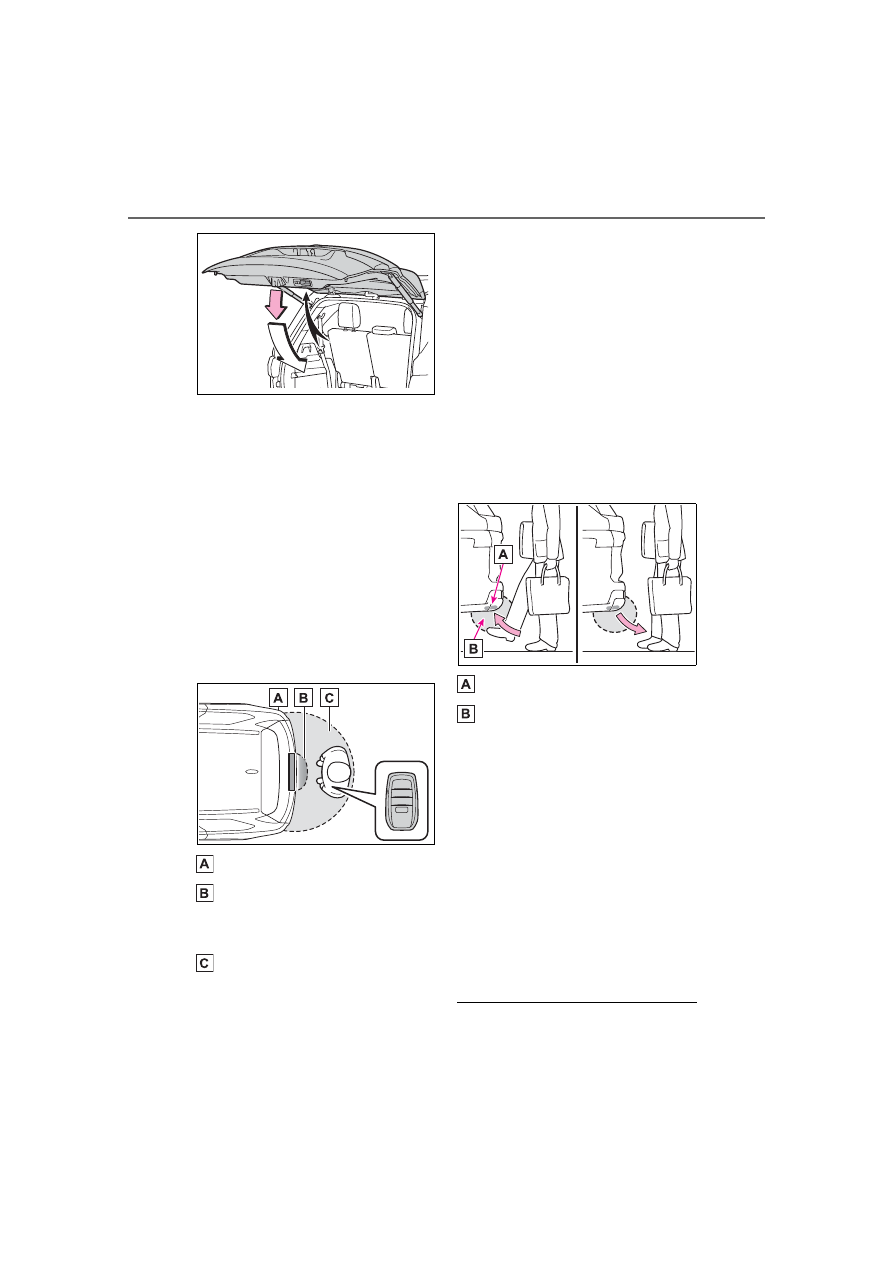
Using the kick sensor
When operating the Hands Free
Power Back Door, make sure
that the power switch is in OFF,
the Hands Free Power Back
Door operation is enabled
(
P.130) and you are carrying
an electronic key.
1
While carrying an electronic
key, stand within the smart
key system operation range,
approximately 2.3 ft. (0.7 m)
from the rear bumper.
Kick sensor
Hands Free Power Back
Door operation detection
area
Smart key system operation
detection area (
2
Perform a kick operation by
moving your foot to within
approximately 3.9 in. (10 cm)
of the rear bumper and then
pulling it back.
Perform the entire kick operation
within 1 second.
The back door will not start operat-
ing while a foot is detected under
the rear bumper.
Operate the Hands Free Power
Back Door without contacting the
rear bumper with your foot.
If another electronic key is in the
cabin or luggage compartment, it
may take slightly longer than nor-
mal for the operation to occur.
Kick sensor
Hands Free Power Back Door
operation detection area
3
When the kick sensor detects
that your foot is pulled back,
a buzzer will sound and the
back door will automatically
fully open/close.
If a foot is moved under the rear
bumper while the back door is
opening/closing, the back door will
stop moving.
If a foot is moved under the rear
bumper again during the halted
operation, the back door will per-
form the reverse operation.
■
Luggage compartment light
●
The luggage compartment light