Toyota Highlander Hybrid (2023 year). Manual in english - page 18
 

  Index      Toyota     Toyota Highlander Hybrid (2023 year). Manual in english


Search            copyright infringement  


Content      ..     16      17      18      19     ..


Toyota Highlander Hybrid (2023 year). Manual in english - page 18


286

4-5. Using the driving support systems

sounds.

• It might be difficult to hear the 

buzzer due to the volume of the 

audio system or air flow noise of 

the air conditioning system.

• It may be difficult to hear the 

buzzer if buzzers for other sys-

tems are sounding.

Objects which the system may 

not be properly detected

The shape of the object may pre-

vent the sensor from detecting it. 

Pay particular attention to the follow-

ing objects:

Wires, fences, ropes, etc.

Cotton, snow and other materials 

that absorb sound waves

Sharply-angled objects

Low objects

Tall objects with upper sections 

projecting outwards in the direc-

tion of your vehicle

People may not be detected if they 

are wearing certain types of cloth-

ing.

Situations in which the system 

may not operate properly

Certain vehicle conditions and the 

surrounding environment may affect 

the ability of a sensor to correctly 

detect objects. Particular instances 

where this may occur are listed 

below.

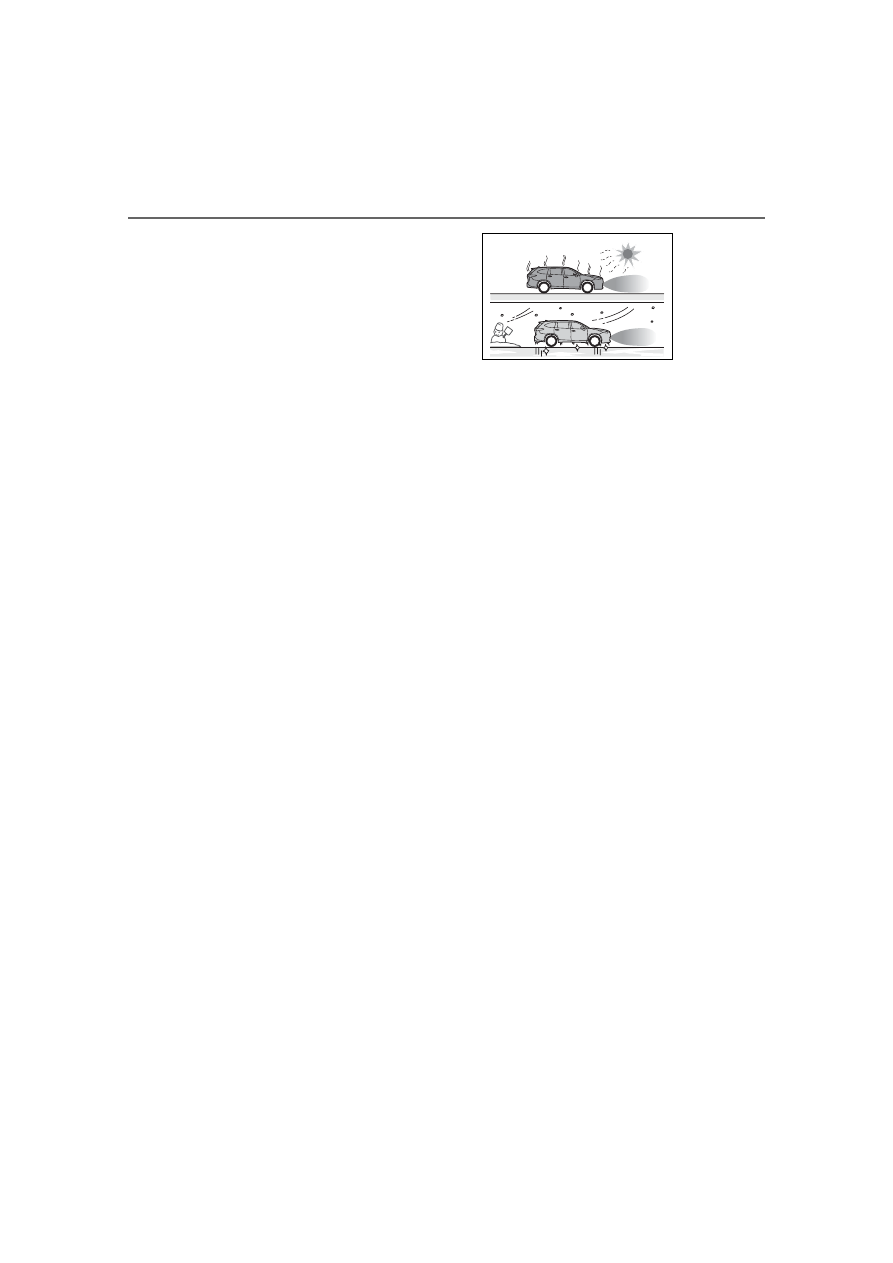
There is dirt, snow, water drops or 

ice on a sensor. (Cleaning the 

sensors will resolve this problem.)

A sensor is frozen. (Thawing the 

area will resolve this problem.) 

In especially cold weather, if a 

sensor is frozen the sensor dis-

play may be displayed abnormally, 

or objects, such as a wall, may not 

be detected.

When a sensor or the area around 

a sensor is extremely hot or cold.

On an extremely bumpy road, on 

an incline, on gravel, or on grass.

When vehicle horns, vehicle 

detectors, motorcycle engines, air 

brakes of large vehicles, the clear-

ance sonar of other vehicles or 

other devices which produce ultra-

sonic waves are near the vehicle.

A sensor is coated with a sheet of 

spray or heavy rain.

If objects draw too close to the 

sensor.

When a pedestrian is wearing 

clothing that does not reflect ultra-

sonic waves (ex. skirts with gath-

ers or frills).

When objects that are not perpen-

dicular to the ground, not perpen-

dicular to the vehicle traveling 

direction, uneven, or waving are in 

the detection range.

Strong wind is blowing.

When driving in inclement weather 

such as fog, snow or a sandstorm.

When an object that cannot be 

detected is between the vehicle 

and a detected object.

If an object such as a vehicle, 

motorcycle, bicycle or pedestrian 

cuts in front of the vehicle or runs 

out from the side of the vehicle.

If the orientation of a sensor has 

been changed due to a collision or 

other impact.

When equipment that may 

obstruct a sensor is installed, such 

as a towing eyelet, bumper pro-

tector (an additional trim strip, 

etc.), bicycle carrier, or snow plow.

If the front of the vehicle is raised 

287

4-5. Using the driving support systems

4

Dr

iv

ing

or lowered due to the carried load.

If the vehicle cannot be driven in a 

stable manner, such as when the 

vehicle has been in an accident or 

is malfunctioning.

When a tire chains, compact 

spare tire or an emergency tire 

puncture repair kit is used.

Situations in which the system 

may operate even if there is no 

possibility of a collision

In some situations, such as the fol-

lowing, the system may operate 

even though there is no possibility of 

a collision.

When driving on a narrow road.

When driving toward a banner, 

flag, low-hanging branch or boom 

barrier (such as those used at rail-

road crossings, toll gates and 

parking lots).

When there is a rut or hole in the 

surface of the road.

When driving on a metal cover 

(grating), such as those used for 

drainage ditches.

When driving up or down a steep 

slope.

If a sensor is hit by a large amount 

of water, such as when driving on 

a flooded road.

There is dirt, snow, water drops or 

ice on a sensor. (Cleaning the 

sensors will resolve this problem.)

A sensor is coated with a sheet of 

spray or heavy rain.

When driving in inclement weather 

such as fog, snow or a sandstorm.

When strong winds are blowing.

When vehicle horns, vehicle 

detectors, motorcycle engines, air 

brakes of large vehicles, the clear-

ance sonar of other vehicles or 

other devices which produce ultra-

sonic waves are near the vehicle.

If the front of the vehicle is raised 

or lowered due to the carried load.

If the orientation of a sensor has 

been changed due to a collision or 

other impact.

The vehicle is approaching a tall 

or curved curb.

Driving close to columns 

(H-shaped steel beams, etc.) in 

multi-story parking garages, con-

struction sites, etc.

If the vehicle cannot be driven in a 

stable manner, such as when the 

vehicle has been in an accident or 

is malfunctioning.

On an extremely bumpy road, on 

an incline, on gravel, or on grass.

When a tire chains, compact 

spare tire or an emergency tire 

puncture repair kit is used.

288

4-5. Using the driving support systems

Adjusting the buzzer vol-
ume

The buzzer volume can be 
adjusted on the multi-informa-
tion display.
Use the meter control switches 
to change settings. (

P.112)

1

Select 

 of the multi-infor-

mation display and then 
press 

.

2

Press 

 or 

 to select 


and then press and hold 

.

3

Select the volume and then 
press 

.

Each time the switch is pressed, 
the volume level will change 
between 1, 2, and 3.

Muting a buzzer temporarily

A mute button will be displayed 
on the multi-information display 
when an object is detected. To 
mute the buzzer, press 

.

Mute will be canceled automati-
cally in the following situations:

When the shift lever is 
changed.

When the vehicle speed 
exceeds a certain speed.

When there is malfunction in 
a sensor or the system is tem-
porarily unavailable.

When the operating function 
is disabled manually.

When the power switch is 
turned off.

Detection range of the sen-
sors

Approximately 3.3 ft. (100 
cm)
Approximately 4.9 ft. (150 
cm)
Approximately 2.0 ft. (60 cm)

The diagram shows the detection 
range of the sensors. Note that the 
sensors cannot detect objects that 
are extremely close to the vehicle.
The range of the sensors may 
change depending on the shape of 
the object, etc.

Setting the buzzer volume

Sensor detection display, 
object distance

289

4-5. Using the driving support systems

4

Dr

iv

ing

Multi-information display, head-up display (if equipped) and 
audio system screen

When an object is detected by a sensor, the approximate distance to 
the object will be displayed on the multi-information display, audio 
system screen, and head-up display (if equipped). (As the distance 
to the object becomes short, the distance segments may blink.)

Approximate distance to object: 4.9 ft. (150 cm) to 2.0 ft. (60 
cm)

*

(Rear center sensor)

*

: Automatic buzzer mute function is enabled. (

P.290)

Approximate distance to object: 3.3 ft. (100 cm) to 2.0 ft. (60 cm)

*


(Front center sensor)

*

: Automatic buzzer mute function is enabled. (

P.290)

Approximate distance to object: 2.0 ft. (60 cm) to 1.5 ft. (45 cm)

*

*

: Automatic buzzer mute function is enabled. (

P.290)

Multi-information dis-

play

Audio system screen

Head-up display

Multi-information dis-

play

Audio system screen

Head-up display

Multi-information dis-

play

Audio system screen

Head-up display

290

4-5. Using the driving support systems

Approximate distance to object: 1.5 ft. (45 cm) to 1.0 ft. (30 cm)

*

*

: Automatic buzzer mute function is enabled. (

P.290)

Approximate distance to object: 1.0 ft. (30 cm) to 0.5 ft. (15 cm)

*1

*1

:Automatic buzzer mute function is disabled. (

P.290)

*2

:The distance segments will blink slowly.

Approximate distance to object: Less than 0.5 ft. (15 cm)

*1

*1

:Automatic buzzer mute function is disabled. (

P.290)

*2

:The distance segments will blink rapidly.

Buzzer operation and dis-
tance to an object

A buzzer sounds when the sen-
sors are operating.

The buzzer beeps faster as 
the vehicle approaches an 
object. When the vehicle 
comes within approximately 
1.0 ft. (30 cm) of the object, 

the buzzer sounds continu-
ously.

When 2 or more objects are 
detected simultaneously, the 
buzzer sounds for the nearest 
object. If one or more objects 
come within approximately 
1.0 ft. (30 cm) of the vehicle, 
the buzzer will repeat a long 

Multi-information dis-

play

Audio system screen

Head-up display

Multi-information dis-

play

*2

Audio system screen

*2

Head-up display

Multi-information dis-

play

*2

Audio system screen

*2

Head-up display

291

4-5. Using the driving support systems

4

Dr

iv

ing

tone, followed by fast beeps.

Automatic buzzer mute func-
tion: After a buzzer begins 
sounding, if the distance 
between the vehicle and the 
detected object does not 
become shorter, the buzzer 
will be muted automatically. 
(However, if the distance 
between the vehicle and 
object is 1.0 ft. (30 cm) or 
less, this function will not 
operate.)

The buzzer sounds volume can 
be adjusted. (

P.288)

RCTA (Rear Cross Traf-

fic Alert) function

The RCTA function uses the 
BSM rear side radar sensors 
installed behind the rear 
bumper. This function is 
intended to assist the driver 
in checking areas that are 
not easily visible when 
backing up.

WARNING

Cautions regarding the use of 

the system

The driver is solely responsible for 

safe driving. Always drive safely, 

taking care to observe your sur-

roundings.

The RCTA function is only a sup-

plementary function which alerts 

the driver that a vehicle is 

approaching from the right or left 

at the rear of the vehicle.

As the RCTA function may not 

function correctly under certain 

conditions, the driver’s own visual 

confirmation of safety is neces-

sary.

Over reliance on this function may 

lead to an accident resulting 

death or serious injury.

System components

292

4-5. Using the driving support systems

Meter control switches

Turning the RCTA function on/off.
When the RCTA function is dis-
abled, the RCTA OFF indicator illu-
minates.

Outside rear view mirror indi-
cators

If a vehicle is detected as 
approaching from the left or right 
behind the vehicle, both outside 
rear view mirror indicators will blink 
and a buzzer will sound.

Center Display

If a vehicle approaching from the 
right or left at the rear of the vehicle 
is detected, the RCTA icon 
(

P.293) for the detected side will 

be displayed on the Center Display. 
This illustration shows an example 
of a vehicle approaching from both 
sides of the vehicle.

The RCTA can be enabled/dis-
abled on 

 of the multi-infor-

mation display. (

P.510)

When the RCTA function is dis-
abled, the RCTA OFF indicator 

(

P.84) illuminates. (Each time the 

power switch is turned off then 
changed to ON, the RCTA function 
will be enabled automatically.)

Outside rear view mirror indica-

tor visibility

In strong sunlight, the outside rear 

view mirror indicator may be difficult 

to see.

Hearing the RCTA buzzer

The RCTA buzzer may be difficult to 

hear over loud noises, such as if the 

audio system volume is high.

When “Rear Cross Traffic Alert 

Unavailable” is shown on the 

multi-information display

Ice, snow, mud, etc., may be 

attached to the rear bumper around 

the sensors. (

P.279) Removing 

the ice, snow, mud, etc., from the 

attached to the rear bumper around 

the sensors to normal.
Additionally, the function may not 

function normally when used in 

extremely hot or cold environments.

When “Rear Cross Traffic Alert 

Malfunction Visit Your Dealer” 

is shown on the multi-informa-

tion display

There may be a sensor malfunction 

or misaligned. Have the vehicle 

inspected at a Toyota dealer.

Rear side radar sensors

P.279

Operation of the RCTA function

The RCTA function uses rear side radar sensors to detect vehicles 
approaching from the right or left at the rear of the vehicle and alerts 
the driver of the presence of such vehicles by flashing the outside 
rear view mirror indicators and sounding a buzzer.

Turning the RCTA func-
tion on/off

 RCTA function

293

4-5. Using the driving support systems

4

Dr

iv

ing

Approaching vehicles
Detection areas of approaching vehicles

RCTA icon display

When a vehicle approaching 
from the right or left at the rear 
of the vehicle is detected, the 
following will be displayed on 
the Center Display.

Example (Toyota parking 
assist monitor) (if equipped): 
Vehicles are approaching 
from both sides of the vehicle

Example (Panoramic view 
monitor) (if equipped): Vehi-
cles are approaching from 
both sides of the vehicle

RCTA function detection areas

The areas that vehicles can be detected in are outlined below.

294

4-5. Using the driving support systems

The buzzer can alert the driver 
of faster vehicles approaching 
from farther away.
Example:

The RCTA function is opera-

tional when

The RCTA function operates when 

all of the following conditions are 

met:

The power switch is in ON.

The RCTA function is on.

The shift lever is in R.

The vehicle speed is less than 

approximately 9 mph (15 km/h).

The approaching vehicle speed is 

between approximately 5 mph (8 

km/h) and 34 mph (56 km/h).

Setting the buzzer volume 

(vehicles with Intuitive parking 

assist)

The buzzer volume can be adjusted 

on the multi-information display.
The volume of the RCTA buzzer can 
be adjusted on 

 of the multi-infor-

mation display.(

P.510)

Muting a buzzer temporarily 

(vehicles with Intuitive parking 

assist)

A mute button will be displayed on 

the multi-information display when a 

vehicle or an object is detected. To 
mute the buzzer, press 

.

The buzzers for the RCTA function 

and Intuitive parking assist will be 

muted simultaneously.
Mute will be canceled automatically 

in the following situations:

When the shift lever is changed.

When the vehicle speed exceeds 

a certain speed.

When there is a malfunction in a 

sensor or the system is temporar-

ily unavailable.

When the operating function is 

disabled manually.

When the power switch is turned 

off.

Conditions under which the 

system will not detect a vehicle

The RCTA function is not designed 

to detect the following types of vehi-

cles and/or objects:

Vehicles approaching from directly 

behind

Vehicles backing up in a parking 

space next to your vehicle

Vehicles that the sensors cannot 

detect due to obstructions

Approaching 

vehicle speed

 Approximate 

alert distance

34 mph (56 
km/h) (fast)

131 ft. (40 m)

5 mph (8 km/h) 

(slow)

18 ft. (5.5 m)

295

4-5. Using the driving support systems

4

Dr

iv

ing

Guardrails, walls, signs, parked 

vehicles and similar stationary 
objects

*

Small motorcycles, bicycles, 
pedestrians, etc.

*

Vehicles moving away from your 

vehicle

Vehicles approaching from the 

parking spaces next to your vehi-
cle

*

The distance between the sensor 

and approaching vehicle gets too 

close

*

: Depending on the conditions, 

detection of a vehicle and/or 
object may occur.

Situations in which the system 

may not operate properly

The RCTA function may not detect 

vehicles correctly in the following 

situations:

When the sensor is misaligned 

due to a strong impact to the sen-

sor or its surrounding area

When mud, snow, ice, a sticker, 

etc.,is covering the sensor or sur-

rounding area on the position 

above the rear bumper

When driving on a road surface 

that is wet with standing water 

during bad weather, such as 

heavy rain, snow, or fog

When multiple vehicles are 

approaching with only a small gap 

between each vehicle

When a vehicle is approaching at 

high speed

When equipment that may 

obstruct a sensor is installed, such 

as a towing eyelet, bumper pro-

tector (an additional trim strip, 

etc.), bicycle carrier, or snow plow

When backing up on a slope with 

a sharp change in grade

When backing out of a sharp 

angle parking spot

Immediately after the RCTA func-

tion is turned on

Immediately after the hybrid sys-

tem is started with the RCTA func-

tion on

When the sensors cannot detect a 

vehicle due to obstructions

When towing a trailer

When there is a significant differ-

ence in height between your vehi-

cle and the vehicle that enters the 

detection area

When a sensor or the area around 

a sensor is extremely hot or cold

If the suspension has been modi-

fied or tires of a size other than 

296

4-5. Using the driving support systems

specified are installed

If the front of the vehicle is raised 

or lowered due to the carried load

When turning while backing up

When a vehicle turns into the 

detection area

Situations in which the system 

may operate even if there is no 

possibility of a collision

Instances of the RCTA function 

unnecessary detecting a vehicle 

and/or object may increase in the 

following situations:

When the parking space faces a 

street and vehicles are being 

driven on the street

When the distance between your 

vehicle and metal objects, such as 

a guardrail, wall, sign, or parked 

vehicle, which may reflect electri-

cal waves toward the rear of the 

vehicle, is short

When equipment that may 

obstruct a sensor is installed, such 

as a towing eyelet, bumper pro-

tector (an additional trim strip, 

etc.), bicycle carrier, or snow plow

When a vehicle passes by the 

side of your vehicle

When a detected vehicle turns 

while approaching the vehicle

When there are spinning objects 

near your vehicle such as the fan 

of an air conditioning unit

When water is splashed or 

sprayed toward the rear bumper, 

such as from a sprinkler

Moving objects (flags, exhaust 

fumes, large rain droplets or 

snowflakes, rain water on the road 

surface, etc.)

When the distance between your 

vehicle and a guardrail, wall, etc., 

that enters the detection area is 

short

Gratings and gutters

297

4-5. Using the driving support systems

4

Dr

iv

ing

When a sensor or the area around 

a sensor is extremely hot or cold

If the suspension has been modi-

fied or tires of a size other than 

specified are installed

If the front of the vehicle is raised 

or lowered due to the carried load

*

: If equipped

Parking Support Brake 
function (static objects)

Ultrasonic sensors are used to 
detect static objects, such as a 
wall, in the detection area when 
driving at a low speed or back-
ing up. (

P.304)

Parking Support Brake 
function (rear-crossing 
vehicles) (if equipped)

Rear radar sensors are used to 

PKSB (Parking Sup-

port Brake)

*

The Parking Support Brake 
system consists of the fol-
lowing functions that oper-
ate when driving at a low 
speed or backing up, such 
as when parking. When the 
system determines that the 
possibility of a collision 
with a detected object is 
high, a warning operates to 
urge the driver to take eva-
sive action. If the system 
determines that the possi-
bility of a collision with a 
detected object is extremely 
high, the brakes are auto-
matically applied to help 
avoid the collision or help 
reduce the impact of the col-
lision.

PKSB (Parking Support 
Brake) system

298

4-5. Using the driving support systems

detect approaching vehicles in 
the detection area behind the 
vehicle when backing up. 
(

P.307)

WARNING

Cautions regarding the use of 

the system

Do not overly rely on the system, 

as doing so may lead to an acci-

dent.
Always drive while checking the 

safety of the surroundings of the 

vehicle.
Depending on the vehicle and 

road conditions, weather, etc., the 

system may not operate.
The detection capabilities of sen-

sors and radars are limited. 

Always drive while checking the 

safety of the surroundings of the 

vehicle.

The driver is solely responsible 

for safe driving. Always drive 

carefully, taking care to observe 

your surroundings. The Parking 

Support Brake system is 

designed to provide support to 

lessen the severity of collisions. 

However, it may not operate in 

some situations.

The Parking Support Brake sys-

tem is not designed to stop the 

vehicle completely. Additionally, 

even if the system has stopped 

the vehicle, it is necessary to 

depress the brake pedal imme-

diately as brake control will be 

canceled after approximately 2 

seconds.

It is extremely dangerous to 

check the system operations by 

intentionally driving the vehicle 

into the direction of a wall, etc. 

Never attempt such actions.

When to disable the Parking 

Support Brake

In the following situations, disable 

the Parking Support Brake as the 

system may operate even though 

there is no possibility of a colli-

sion.

When inspecting the vehicle 

using a chassis roller, chassis 

dynamo or free roller

When loading the vehicle onto a 

boat, truck or other transport 

vessel

If the suspension has been 

modified or tires of a size other 

than specified are installed

If the front of the vehicle is 

raised or lowered due to the 

carried load

When equipment that may 

obstruct a sensor is installed, 

such as a towing eyelet, bumper 

protector (an additional trim 

strip, etc.), bicycle carrier, or 

snow plow

When using automatic car 

washing devices

If the vehicle cannot be driven in 

a stable manner, such as when 

the vehicle has been in an acci-

dent or is malfunctioning

When the vehicle is driven in a 

sporty manner or off-road

When the tires are not properly 

inflated

When the tires are very worn

When a tire chains, compact 

spare tire or an emergency tire 

puncture repair kit is used

When your vehicle is towing a 

trailer or during emergency tow-

ing

299

4-5. Using the driving support systems

4

Dr

iv

ing

The Parking Support Brake can 
be enabled/disabled on the 
multi-information display. All of 
the Parking Support Brake func-
tions (static objects and 
rear-crossing vehicles) are 
enabled/disabled simultane-
ously.
Use the meter control switches 
to enable/disable the parking 
support brake. (

P.112)

1

Select 

 of the multi-infor-

mation display and then 
press 

.

2

Press 

 or 

 to select 


and then press 

.

When the Parking Support Brake is 

disabled, the PKSB OFF indicator 

(

P.84) illuminates on the instru-

ment cluster.
To re-enable the system when it 

was disabled, select 

 on the 

multi-information display, select 


and turn it on. If the system is dis-

abled, it will remain off even if the 

power switch is turned to ON after 

the power switch has been turned 

off.

If the hybrid system output restric-
tion control or brake control oper-
ates, a buzzer will sound and a 
message will be displayed on the 
audio system screen and 
multi-information display, to alert 
the driver.
Depending on the situation, hybrid 
system output restriction control will 
operate to either limit acceleration 
or restrict output as much as possi-
ble.

Hybrid system output restric-
tion control is operating 
(acceleration restriction)

Acceleration greater than a certain 
amount is restricted by the system.
Audio system screen (Panoramic 
view monitor) (if equipped): No 
warning displayed
Multi-information display: “Object 
Detected Acceleration Reduced”
PKSB OFF indicator: Not illumi-
nated
Buzzer: Does not sound

Hybrid system output restric-
tion control is operating (out-
put restricted as much as 

NOTICE

If “PKSB Unavailable” is dis-

played on the multi-informa-

tion display and the PKSB 

OFF indicator is flashing

If this message is displayed 

immediately after the power 

switch is changed to ON, operate 

the vehicle carefully, paying atten-

tion to your surroundings. It may 

be necessary to drive the vehicle 

for a certain amount of time 

before the system returns to nor-

mal. (If the system is not return to 

normal after driving for a while, 

clean the sensors and their sur-

rounding area on the bumpers.)

Enabling/Disabling the 
Parking Support Brake

Displays and buzzers for 
hybrid system output 
restriction control and 
brake control

300

4-5. Using the driving support systems

possible)

The system has determined that 
stronger-than-normal brake opera-
tion is necessary.
Audio system screen (Panoramic 
view monitor) (if equipped): 
“BRAKE!”
Multi-information display/Head-up 
display (if equipped): “BRAKE!”
PKSB OFF indicator: Not illumi-
nated
Buzzer: Short beep

Brake control is operating

The system determined that emer-
gency braking is necessary.
Audio system screen (Panoramic 
view monitor) (if equipped): 
“BRAKE!”

Multi-information display/Head-up 
display (if equipped): “BRAKE!”
PKSB OFF indicator: Not illumi-
nated
Buzzer: Short beep

Vehicle stopped by system 
operation

The vehicle has been stopped by 
brake control operation.
Audio system screen (Panoramic 
view monitor) (if equipped): “Press 
Brake Pedal”
Multi-information display/Head-up 
display (if equipped): “Switch to 
Brake” (If the accelerator pedal is 
not depressed, “Press Brake Pedal” 
will be displayed.)
PKSB OFF indicator: Illuminated
Buzzer: Short beep

If the Parking Support Brake determines that a collision with a 
detected object is possible, the hybrid system output will be 
restricted to restrain any increase in the vehicle speed. (Hybrid sys-
tem output restriction control: See figure 2.)
Additionally, if the accelerator pedal continues to be depressed, the 
brakes will be applied automatically to reduce the vehicle speed. 
(Brake control: See figure 3.)

Figure 1 When the PKSB (Parking Support Brake) is disabled

System overview

301

4-5. Using the driving support systems

4

Dr

iv

ing

Hybrid system output
Braking force
Time

Figure 2 When hybrid system output restriction control operates

Hybrid system output
Braking force
Time
Hybrid system output restriction control begins operating
System determines that possibility of collision with detected 
object is high
Hybrid system output reduced
Example: Multi-information display: “BRAKE!”


Content      ..     16      17      18      19     ..