Toyota Corolla Hybrid (2023 year). Manual in english - page 12
 

  Index      Toyota     Toyota Corolla Hybrid (2023 year). Manual in english


Search            copyright infringement  


Content      ..     10      11      12      13     ..


Toyota Corolla Hybrid (2023 year). Manual in english - page 12


193

4-3. Operating the lights and wipers

4

Dr

iv

ing

roundings. This may cause the 

low beams to remain on or the 

high beams to flash or dazzle 

pedestrians or vehicles ahead. In 

such a case, it is necessary to 

manually change between the 

high beams and low beams.

• When there are lights similar to 

headlights or tail lights in the sur-

rounding area

• When headlights or tail lights of 

vehicles ahead are turned off, 

dirty, changing color, or not aimed 

properly

• When the headlights are repeat-

edly changing between the high 

beams and low beams.

• When use of the high beams is 

inappropriate or when the high 

beams may be flashing or daz-

zling pedestrians or other drivers.

• When the vehicle is used in an 

area in which vehicles travel on 

the opposite side of the road of 

the country for which the vehicle 

was designed, for example using 

a vehicle designed for right-hand 

traffic in a left-hand traffic area, or 

vice versa

• When it is necessary to disable 

the system: 

P.201

• Situations in which the sensors 

may not operate properly: 

P.205

Temporarily reducing front 

camera sensitivity (for the 

U.S.A.)

The sensitivity of the front camera 

can be temporarily reduced.

1

Press the power switch off with 

the following conditions met.

• The headlight switch is in the 


or 

 position.

• The headlight switch lever is in the 

low beam position.

• The automatic High Beam switch 

is on.

2

Press the power switch to ON.

3

Within 60 seconds after perform-

ing step 2, push the headlight 

switch lever to the high beam 

position then pull it to the original 

position quickly 10 times, then 

leave the lever in its original posi-

tion.

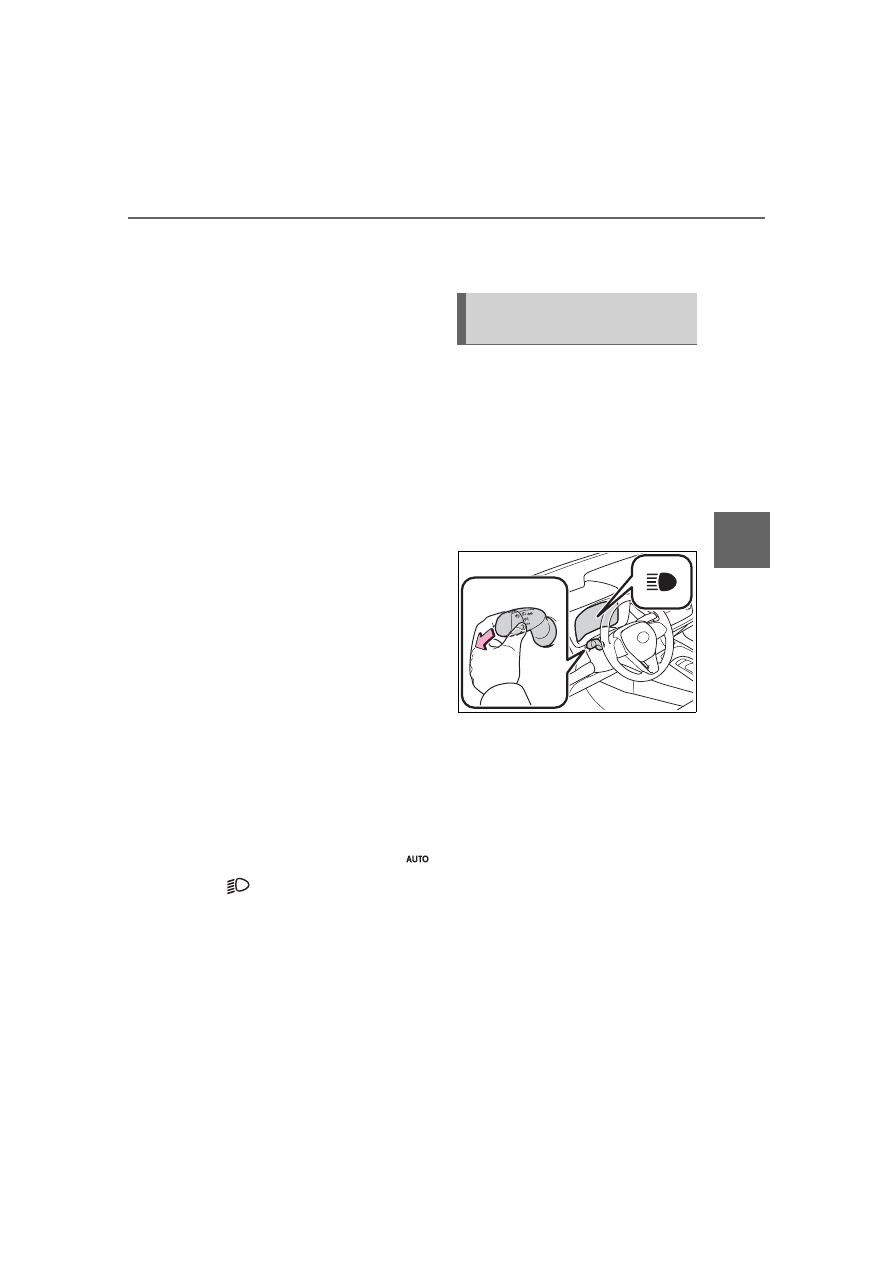
Changing to the high 
beams

Push the lever forward.

The Automatic High Beam indicator 
will turn off and the high beam indi-
cator will turn on.
Pull the lever to its original position 
to enable the Automatic High Beam 
system again.

Changing to the low beams

Press the Automatic High Beam 
switch.

The Automatic High Beam indicator 
will turn off.
Press the switch to enable the 
Automatic High Beam system 
again.

Turning the high beams 
on/off manually

194

4-3. Operating the lights and wipers

Temporarily changing to 
the low beams

It is recommended to switch to 
the low beams when use of the 
high beams is inappropriate or 
when the high beams may 
cause problems or distress to 
other drivers or pedestrians 
nearby.
Pull the lever rearward and then 
return it to its original position.

The high beams will illuminate 
while the lever is pulled, however, 
after the lever is returned to its orig-
inal position, the low beams will 
remain on for a certain amount of 
time. After this, the Automatic High 
Beam system will operate.

Operating the 

 lever oper-

ates the wipers or washer as fol-
lows.

1

 (U.S.A.) or 

 (Canada)

Intermittent windshield wiper 
operation

2

 (U.S.A.) or 

 (Canada)

Low speed windshield wiper 

Windshield wipers and 

washer

Operating the lever can use 
the windshield wipers or the 
washer.

NOTICE

When the windshield is dry

Do not use the wipers, as they 

may damage the windshield.

Operating the wiper lever

195

4-3. Operating the lights and wipers

4

Dr

iv

ing

operation

3

 (U.S.A.) or 

 (Canada)

High speed windshield wiper 
operation

4

 (U.S.A.) or 

 (Canada)

Temporary operation

5

 Washer/wiper dual 

operation

Pulling the lever operates the wip-
ers and washer.
Wipers will automatically operate a 
couple of times after the washer 
squirts.

Interval adjustment type only:
Wiper intervals can be adjusted 
when intermittent operation is 
selected.

6

Increases the intermittent 
windshield wiper frequency

7

Decreases the intermittent 
windshield wiper frequency

The windshield wiper and 

washer can be operated when

The power switch is in ON.

If no windshield washer fluid 

sprays

Check that the washer nozzles are 

not blocked if there is washer fluid in 

the windshield washer fluid reser-

voir.

When stopping the hybrid sys-

tem in an emergency while driv-

ing

If the windshield wipers are operat-

ing when the hybrid system is 

stopped, the windshield wipers will 

operate in high speed operation. 

After the vehicle is stopped, opera-

tion will return to normal when the 

power switch is turned to ON.

WARNING

Caution regarding the use of 

washer fluid

When it is cold, do not use the 

washer fluid until the windshield 

becomes warm. The fluid may 

freeze on the windshield and 

cause low visibility. This may lead 

to an accident, resulting in death 

or serious injury.

NOTICE

When the washer fluid tank is 

empty

Do not operate the switch continu-

ally as the washer fluid pump may 

overheat.

When a nozzle becomes 

blocked

In this case, contact your Toyota 

dealer.Do not try to clear it with a 

pin or other object. The nozzle will 

be damaged.

196

4-4. Refueling

4-4.Refueling

Turn the power switch off and 
ensure that all the doors and 
windows are closed.

Confirm the type of fuel.

Fuel types

P.429

Fuel tank opening for unleaded 

gasoline

To help prevent incorrect fueling, 

your vehicle has a fuel tank opening 

that only accommodates the spe-

cial nozzle on unleaded fuel pumps.

Opening the fuel tank 

cap

The fuel tank of your vehicle 
has a special structure, 
which requires a reduction 
in fuel tank pressure before 
refueling. After the opener 
switch has been pressed, it 
will take several seconds 
until the vehicle is ready for 
refueling.

Before refueling the vehi-
cle

WARNING

When refueling the vehicle

Observe the following precautions 

while refueling the vehicle. Failure 

to do so may result in death or 

serious injury.

After exiting the vehicle and 

before opening the fuel door, 

touch an unpainted metal sur-

face to discharge any static 

electricity. It is important to dis-

charge static electricity before 

refueling because sparks result-

ing from static electricity can 

cause fuel vapors to ignite while 

refueling.

Always hold the grips on the 

fuel tank cap and turn it slowly 

to remove it.

A whooshing sound may be 

heard when the fuel tank cap is 

loosened. Wait until the sound 

cannot be heard before fully 

removing the cap. In hot 

weather, pressurized fuel may 

spray out the filler neck and 

cause injury.

Do not allow anyone that has 

not discharged static electricity 

from their body to come close to 

an open fuel tank.

Do not inhale vaporized fuel.

Fuel contains substances that 

are harmful if inhaled.

Do not smoke while refueling 

the vehicle.

Doing so may cause the fuel to 

ignite and cause a fire.

Do not return to the vehicle or 

touch any person or object that 

is statically charged.

This may cause static electricity 

to build up, resulting in a possi-

ble ignition hazard.

When refueling

Observe the following precautions 

to prevent fuel overflowing from 

the fuel tank:

Securely insert the fuel nozzle 

into the fuel filler neck.

Stop filling the tank after the fuel 

nozzle automatically clicks off.

197

4-4. Refueling

4

Dr

iv

ing

1

Press the opener switch.

The fuel filler door will open within 

about 10 seconds of the switch 

being pressed. Before refueling is 

possible, a message will be shown 

on the multi-information display in 

the instrument cluster to indicate 

the progress of the fuel filler door 

opener.

2

Turn the fuel tank cap slowly 
and remove it, then hang it 
on the back of the fuel filler 
door.

If the fuel filler door cannot be 

opened

Consult your Toyota dealer.

After refueling, turn the fuel tank 
cap until you hear a click. Once 
the cap is released, it will turn 
slightly in the opposite direction.

WARNING

Do not top off the fuel tank.

NOTICE

Refueling

Finish refueling within 30 min-

utes. If more than 30 minutes 

passes, the internal valve 

closes. In this condition, fuel 

may overflow during the refuel-

ing process.

Press the fuel filler door opener 

switch again.

Make sure that the fuel filler 

door lock is not pushed by the 

fuel nozzle boot, etc. If the lock 

is held, the internal valve closes 

and fuel may overflow. To pre-

vent it, press the fuel filler door 

opener switch again.

Do not spill fuel during refueling.

Doing so may damage the vehi-

cle, such as causing the emis-

sion control system to operate 

abnormally or damaging fuel 

system components or the vehi-

cle’s painted surface.

Opening the fuel tank cap

Closing the fuel tank cap

198

4-4. Refueling

WARNING

When replacing the fuel tank 

cap

Do not use anything but a genu-

ine Toyota fuel tank cap designed 

for your vehicle. Doing so may 

cause a fire or other incident 

which may result in death or seri-

ous injury.

199

4-5. Using the driving support systems

4

Dr

iv

ing

4-5.Using the driving support systems

*

: If equipped

This Owner's Manual contains 
information for Ver. 1. For the 
latest information about the con-
trols, use, warnings/precautions, 
etc. of each function of Toyota 
Safety Sense, refer to the Digital 
Owner's Manual at the Owner's 
Manual website.
If the software of this system 
has been updated after initial 

purchase of the vehicle, before 
using this system, be sure to 
read the Owner's Manual which 
corresponds to the software ver-
sion of the system.

Precautions for use

Be aware that some functions 

may temporarily be disabled if a 

legal or safety related issue 

occurs.

If a connected services contract 

has not been entered or has 

expired, software updates will not 

be able to be performed wire-

lessly.

If the software of this system 
has been updated after initial 
purchase of the vehicle, to 
access the appropriate Owner’s 
Manual, it is necessary to check 
the software version of the sys-
tem and then visit the Owner's 
Manual website.

The software version of the sys-
tem can be checked using One-
App.

Toyota Safety Sense 
3.0 software update

*

It is necessary to enter a 
connected services con-
tract, provided by Toyota, to 
use these functions. For 
details, contact your Toyota 
dealer.

WARNING

For safe use

When the Toyota Safety Sense 

3.0 software is updated, the oper-

ating methods of functions may 

change. Using this system without 

knowing the correct operating 

methods may lead to an accident 

resulting in death or serious injury.

Make sure to read the Digital 

Owner's Manual which corre-

sponds to the software version 

of the system, available at the 

Owner's Manual website, before 

using this system.

Content of the Toyota 
Safety Sense Owner's 
Manual

Checking your vehicle’s 
Toyota Safety Sense ver-
sion

Checking the version 
using OneApp

200

4-5. Using the driving support systems

1

Access the following URL 
using a computer or smart-
phone:

For the U.S.A. owners

https://www.toyota.com/owners/
resources/
warranty-owners-manuals/
manual?om=
om12m41u.corolla.2023.2209.hev.
vh

For Canadian owners

https://www.toyota.ca/toyota/
owners/manual?om=
om12m41d.corolla.2023.2209.hev.
vh

2

Select the file which includes 
the previously checked sys-
tem version.

If a software update is available, 
a notification will be displayed 
by OneApp. Follow the instruc-
tions displayed on the screen.

Software update precautions

After a software update has been 

performed, it will not be possible 

to revert to a previous version.

Depending on the communication 

environment and the content of an 

update, a software update may 

take several hours. Although an 

update will be suspended when 

the power switch is turned off, it 

will resume when the power 

switch is changed back to ON 

mode.

Toyota Safety Sense can still be 

used while a software update is 

being performed.

What can be checked using the 

OneApp

The following items can be checked 

or performed.

Software version, update details, 

precautions, use methods, etc.

Software update

Using your vehicle’s Toy-
ota Safety Sense version

Updating the software

201

4-5. Using the driving support systems

4

Dr

iv

ing

Toyota Safety Sense 

3.0

The Toyota Safety Sense 3.0 
consists of the driving 
assist systems and contrib-
utes to a safe and comfort-
able driving experience:

WARNING

Toyota Safety Sense 3.0

The Toyota Safety Sense 3.0 

operates under the assumption 

that the driver will drive safely, 

and is designed to help reduce 

the impact to the occupants in a 

collision and assist the driver 

under normal driving conditions.

As there is a limit to the degree of 

recognition accuracy and control 

performance that this system can 

provide, do not overly rely on this 

system. The driver is solely 

responsible for paying attention to 

the vehicle’s surroundings and 

driving safely.

For safe use

Do not overly rely on this sys-

tem. The driver is solely respon-

sible for paying attention to the 

vehicle’s surroundings and driv-

ing safely. This system may not 

operate in all situations and pro-

vided assistance is limited. 

Over-reliance on this system to 

drive the vehicle safely may 

lead to an accident resulting in 

death or serious injury.

Do not attempt to test the oper-

ation of the system, as it may 

not operate properly, possibly 

leading to an accident.

If attention is necessary while 

performing driving operations or 

a system malfunction occurs, a 

warning message or warning 

buzzer will be operated. If a 

warning message is displayed 

on the display, follow the 

instructions displayed.

Depending on external noise, 

the volume of the audio system, 

etc. it may be difficult to hear the 

warning buzzer. Also, depend-

ing on the road conditions, it 

may be difficult to recognize the 

operation of the system.

When it is necessary to dis-

able the system

In the following situations, make 

sure to disable the system.

Failure to do so may lead to the 

system not operating properly, 

possibly leading to an accident 

resulting in death or serious injury.

When the vehicle is tilted due to 

being overloaded or having a 

flat tire

When driving at extremely high 

speeds

When towing another vehicle

When the vehicle is being trans-

ported by a truck, ship, train, 

etc.

When the vehicle is raised on a 

lift and the tires are allowed to 

rotate freely

When inspecting the vehicle 

using a drum tester such as a 

chassis dynamometer or speed-

ometer tester, or when using an 

on vehicle wheel balancer

When the vehicle is driven in a 

sporty manner or off-road

When using an automatic car 

wash

202

4-5. Using the driving support systems

PCS (Pre-Collision System)

P.207

LTA (Lane Tracing Assist)

P.218

LDA (Lane Departure Alert)

P.223

AHB (Automatic High 
Beam)

P.191

PDA (Proactive driving 
assist)

P.228

RSA (Road Sign Assist)

*

P.234

*

: If equipped

Dynamic radar cruise con-
trol

P.236

Cruise control

P.244

Emergency Driving Stop 
System

P.247

Various sensors are used to 
obtain the necessary informa-
tion for system operation.

Sensors which detect the 
surrounding conditions

Front radar sensor
Front camera

WARNING

When a sensor is misaligned or 

deformed due to a strong 

impact being applied to the sen-

sor or the area around the sen-

sor

When accessories which 

obstruct a sensor or light are 

temporarily installed to the vehi-

cle

When a compact spare tire or 

tire chains are installed to the 

vehicle or an emergency tire 

puncture repair kit has been 

used

When the tires are excessively 

worn or the inflation pressure of 

the tires is low

When tires other than the manu-

facturer specified size are 

installed

When the vehicle cannot be 

driven stably, due to a collision, 

malfunction, etc.

Driving assist system

Sensors used by Toyota 
Safety Sense 3.0

203

4-5. Using the driving support systems

4

Dr

iv

ing

WARNING

To prevent malfunction of the 

radar sensors

Observe the following precau-

tions. Failure to do so may lead to 

a radar sensor not operating prop-

erly, possibly leading to an acci-

dent resulting in death or serious 

injury.

Keep the radar sensors and 

radar sensor covers clean at all 

times.

Clean the front of a radar sensor 

or the front or back of a radar sen-

sor cover if it is dirty or covered 

with water droplets, snow, etc.
When cleaning the radar sensor 

and radar sensor cover, use a soft 

cloth to remove dirt so as to not 

damage them.

Type A

Type B

Radar sensor
Radar sensor cover

Do not attach accessories, 

stickers (including transparent 

stickers), aluminum tape, etc. to 

a radar sensor or radar sensor 

cover and their surrounding 

area.

Do not subject a radar sensor or 

its surrounding area to impact.

If a radar sensor, the front grille, 

or front bumper has been sub-

jected to a impact, have the 

vehicle inspected by your Toy-

ota dealer.

Do not disassemble the radar 

sensors.

Do not modify or paint the radar 

sensors or radar sensor cover, 

or replace them with anything 

other than Toyota genuine parts.

In the following situations, recal-

ibration of the radar sensors will 

be necessary. For details, con-

tact your Toyota dealer.

• When a radar sensor is 

removed and installed, or 

replaced

• When the front bumper or the 

front grille has been replaced

To prevent malfunction of the 

front camera

Observe the following precau-

tions.

Failure to do so may lead to the 

front camera not operating prop-

erly, possibly leading to an acci-

dent resulting in death or serious 

injury.

Always keep the windshield 

clean.

• If the windshield is dirty or cov-

ered with an oily film, water 

droplets, snow, etc., clean the 

windshield.

204

4-5. Using the driving support systems

WARNING

• Even if a glass coating agent is 

applied to the windshield, it will 

still be necessary to use the 

windshield wipers to remove 

water droplets, etc. from the 

area of the windshield in front of 

the front camera.

• If the inner side of the wind-

shield where the front camera is 

installed is dirty, contact your 

Toyota dealer.

Do not attach stickers (including 

transparent stickers) or other 

items to the area of the wind-

shield in front of the front cam-

era (shaded area in the 

illustration).

Approximately 1.6 in. (4 cm)

If the part of the windshield in 

front of the front camera is 

fogged up or covered with con-

densation or ice, use the wind-

shield defogger to remove the 

fog, condensation, or ice.

If water droplets cannot be 

properly removed from the area 

of the windshield in front of the 

front camera by the windshield 

wipers, replace the wiper insert 

or wiper blade.

Do not attach window tint to the 

windshield.

Replace the windshield if it is 

damaged or cracked.

If the windshield has been 

replaced, recalibration of the 

front camera will be necessary. 

For details, contact your Toyota 

dealer.

Do not allow liquids to contact 

the front camera.

Do not allow bright lights to 

shine into the front camera.

Do not damage the lens of the 

front camera or allow it to 

become dirty.

When cleaning the inside of the 

windshield, do not allow glass 

cleaner to contact the lens of 

the front camera. Do not touch 

the lens of the front camera.

If the lens of the front camera is 

dirty or damaged, contact your 

Toyota dealer.

Do not subject the front camera 

to a strong impact.

Do not change the position or 

orientation of the front camera 

or remove it.

Do not disassemble the front 

camera.

Do not modify any parts around 

the front camera, such as the 

inside rear view mirror or ceil-

ing.

Do not attach accessories 

which may obstruct the front 

camera to the hood, front grille, 

or front bumper. For details, 

contact your Toyota dealer.

If a surfboard or other long 

object is to be mounted on the 

roof, make sure that it will not 

obstruct the front camera.

Do not modify or change the 

headlights and other lights.

205

4-5. Using the driving support systems

4

Dr

iv

ing

Situations in which the sensors 

may not operate properly

When the height or inclination of 

the vehicle has been changed due 

to modifications

When the windshield is dirty, 

fogged up, cracked or damaged

When the ambient temperature is 

high or low

When mud, water, snow, dead 

insects, foreign matter, etc., is 

attached to the front of the sensor

When in inclement weather such 

as heavy rain, fog, snow, or a 

sandstorm

When water, snow, dust, etc. is 

thrown up in front of the vehicle, or 

when driving through mist or 

smoke

When the headlights are not illu-

minated while driving in the dark, 

such as at night or when in a tun-

nel

When the lens of a headlight is 

dirty and illumination is weak

When the headlights are mis-

aligned

When a headlight is malfunction-

ing

When the headlights of another 

vehicle, sunlight, or reflected light 

shines directly into the front cam-

era

When the brightness of the sur-

rounding area changes suddenly

When driving near a TV tower, 

broadcasting station, electric 

power plant, radar equipped vehi-

cles, etc., or other location where 

strong radio waves or electrical 

noise may be present

When a wiper blade is blocking 

the front camera

When in a location or near objects 

which strongly reflect radio waves, 

such as the following:

• Tunnels

• Truss bridges

• Gravel roads

• Rutted, snow-covered roads

• Walls

• Large trucks

• Manhole covers

• Guardrail

• Metal plates

When near a step or protrusion

When a detectable vehicle is nar-

row, such as a small mobility vehi-

cle

When a detectable vehicle has a 

small front or rear end, such as an 

unloaded truck

When a detectable vehicle has a 

low front or rear end, such as a 

low bed trailer

When a detectable vehicle has 

extremely high ground clearance

WARNING

Front camera installation area 

on the windshield

If the system determines that the 

windshield may be fogged up, it 

will automatically operate the 

heater to defog the part of the 

windshield around the front cam-

era. When cleaning, etc., be care-

ful not to touch the area around 

the front camera until the wind-

shield has cooled sufficiently, as 

touching it may cause burns.

206

4-5. Using the driving support systems

When a detectable vehicle is car-

rying a load which protrudes from 

its cargo area

When a detectable vehicle has lit-

tle exposed metal, such as a vehi-

cle which is partially covered with 

cloth, etc.

When a detectable vehicle is 

irregularly shaped, such as a trac-

tor, sidecar, etc.

When the distance between the 

vehicle and a detectable vehicle 

has become extremely short

When a detectable vehicle is at an 

angle

When snow, mud, etc. is attached 

to a detectable vehicle

When driving on the following 

kinds of roads:

• Roads with sharp curves or wind-

ing roads

• Roads with changes in grade, 

such as sudden inclines or 

declines

• Roads which is sloped to the left 

or right

• Roads with deep ruts

• Roads which are rough and 

unmaintained

• Roads which frequently undulate 

or are bumpy

When the steering wheel is being 

operated frequently or suddenly

When the vehicle is not in a con-

stant position within a lane

When parts related to this system, 

the brakes, etc. are cold or 

extremely hot, wet, etc.

When the wheels are misaligned

When driving on slick road sur-

faces, such as when it is covered 

with ice, snow, gravel, etc.

When the course of the vehicle 

differs from the shape of a curve

When the vehicle speed is exces-

sively high when entering a curve

When entering/exiting a parking 

lot, garage, car elevator, etc.

When driving in a parking lot

When driving through an area 

where there are obstructions 

which may contact your vehicle, 

such as tall grass, tree branches, 

a curtain, etc.

When driving in strong wind

Situations in which the lane 

may not be detected

When the lane is extremely wide 

or narrow

Immediately after changing lanes 

or passing through an intersection

When driving in a temporary lane 

or lane regulated by construction

When there are structures, pat-

terns, shadows which are similar 

to lane lines in the surrounding

When the lane lines are not clear 

or driving on a wet road surface

When a lane line is on a curb

When driving on a bright, reflec-

tive road surface, such as con-

crete

Situations in which some or all 

of the functions of the system 

cannot operate

When a malfunction is detected in 

this system or a related system, 

such as the brakes, steering, etc.

When the VSC, TRAC, or other 

safety related system is operating

When the VSC, TRAC, or other 

safety related system is off

Changes in brake operation 

sound and pedal response

When the brakes have been oper-

ated, brake operation sounds may 

207

4-5. Using the driving support systems

4

Dr

iv

ing

be heard and the brake pedal 

response may change, but this 

does not indicate a malfunction.

When the system is operating, the 

brake pedal may feel stiffer than 

expected or sink. In either situa-

tion the brake pedal can be 

depressed further. Further 

depress the brake pedal as nec-

essary.

PCS (Pre-Collision Sys-

tem)

The pre-collision system 
uses sensors to detect 
objects (

P.208) in the path 

of the vehicle. When the 
system determines that the 
possibility of a frontal colli-
sion with a detectable 
object is high, a warning 
operates to urge the driver 
to take evasive action and 
the potential brake pressure 
is increased to help the 
driver avoid the collision. If 
the system determines that 
the possibility of a collision 
is extremely high, the 
brakes are automatically 
applied to help avoid the 
collision or help reduce the 
impact of the collision.

The pre-collision system 
can be disabled/enabled 
and the warning timing can 
be changed. (

P.217)

208

4-5. Using the driving support systems

The system can detect the fol-
lowing as detectable objects. 
(Detectable objects differ 
depending on the function.)

Vehicles

Bicycles

*

Pedestrians

Motorcycles

*

*

: Detected as a detectable object 

only when being ridden.

Pre-collision warning

When the system determines 
that the possibility of a collision 
is high, a buzzer will sound and 
an icon and warning message 
will be displayed on the 
multi-information display to urge 
the driver to take evasive action.
If the detectable object is a vehi-
cle, moderate braking will be 
performed with the warning.

If the system determines that 
the accelerator pedal is strongly 
depressed, the following icon 
and message will be displayed 
on the multi-information display.

WARNING

For safe use

Driving safely is solely the 

responsibility of the driver. Pay 

careful attention to the sur-

rounding conditions in order to 

ensure safe driving.

Never use the pre-collision sys-

tem in place of normal braking 

operations. This system cannot 

help avoid or reduce the impact 

of a collision in every situation. 

Over-reliance on this system to 

drive the vehicle safely may 

lead to an accident resulting in 

death or serious injury.

Although the pre-collision sys-

tem is designed to help avoid or 

help reduce the impact of a col-

lision, its effectiveness may 

change according to various 

conditions. Therefore, it may not 

always be able to achieve the 

same level of performance.

Read the following items care-

fully. Do not overly rely on this 

system and always drive care-

fully.

For safe use: 

P.201

When to disable the pre-colli-

sion system

When it is necessary to disable 

the system: 

P.201

Detectable objects

System functions


Content      ..     10      11      12      13     ..