Toyota Corolla (2023 year). Manual in english - page 18
277
5-4. Other interior features
5
Interior
featur
es
5-4.Other interior features
The USB charging port are used
to supply 3.0 A of electricity at 5
V to external devices.
The USB charging port are for
charging only. They are not
designed for data transfer or
other purposes.
Depending on the external
device, it may not charge prop-
erly. Refer to the manual
included with the device before
using a USB charging port.
■
Using the USB charging
port
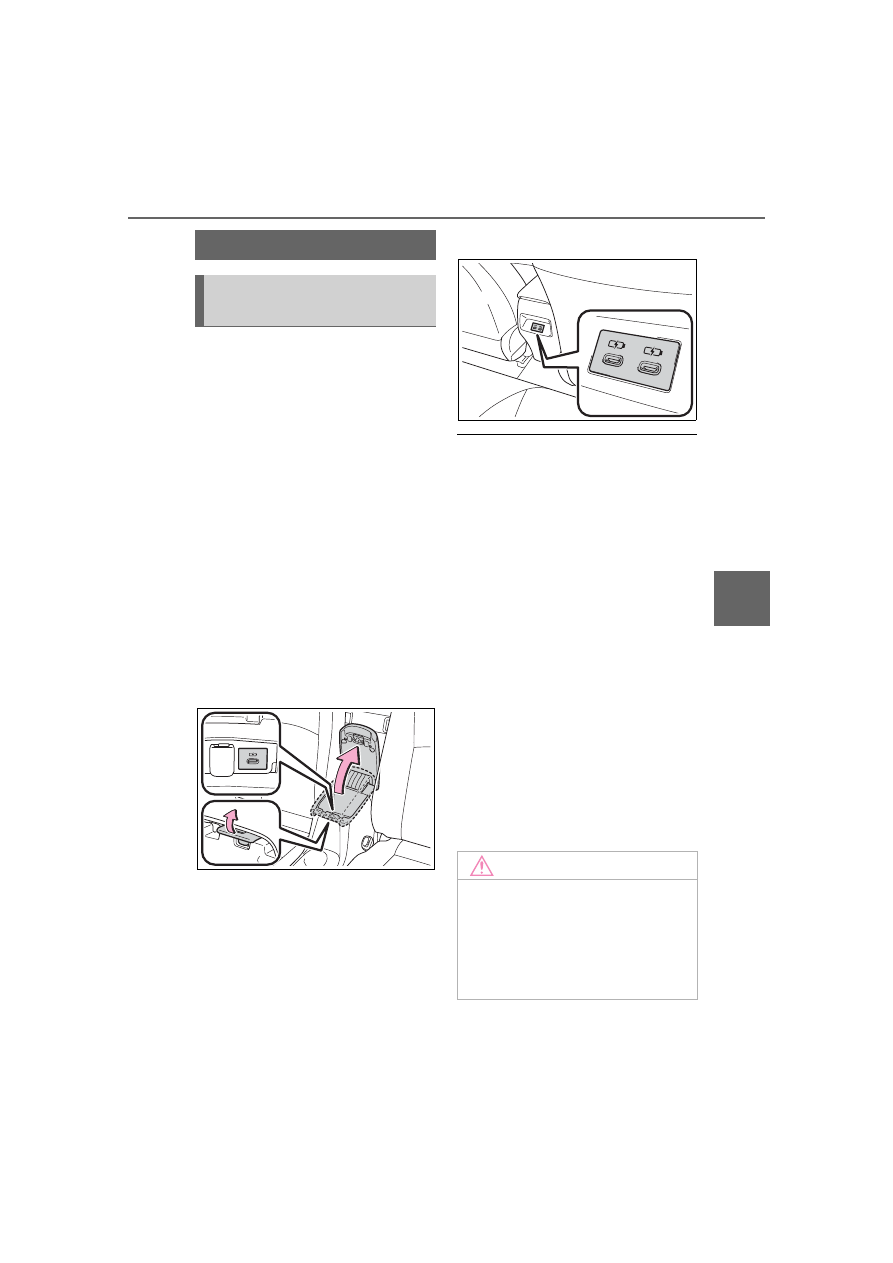
Front
Lift the lid while pulling up the
knob.
Rear (if equipped)
■
The USB charging port can be
used when
The engine switch is in ACC or ON.
■
Situations in which the USB
charging port may not operate
correctly
●
If a device which consumes more
than 3.0 A at 5 V is connected
●
If a device designed to communi-
cate with a personal computer,
such as a USB memory device, is
connected
●
If the connected external device is
turned off (depending on device)
●
If the temperature inside the vehi-
cle is high, such as after the vehi-
cle has been parked in the sun
■
About connected external
device
Depending on the connected exter-
nal device, charging may occasion-
ally be suspended and then start
again. This is not a malfunction.
Other interior features
USB charging port (if
equipped)
NOTICE
■
To prevent damage to the
USB charging port
●
Do not insert foreign objects into
the port.
●
Do not spill water or other liq-
uids into the port.