Toyota Prius Prime (2022 year). Manual in english - page 30
481
5-5. Using the driving support systems
5
Drivin
■
Parking
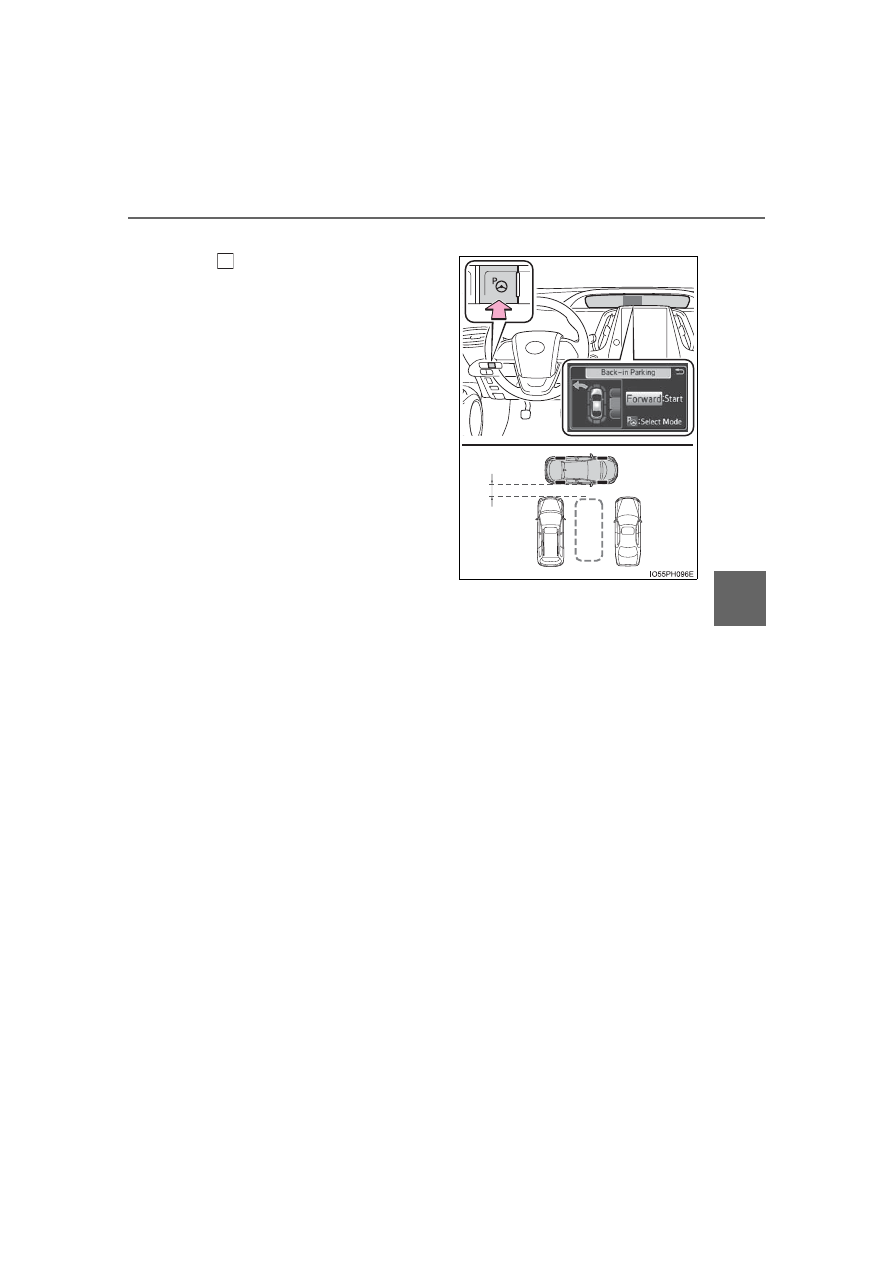
Stop so that the center of the
target parking spot appears
nearly perpendicular to vehi-
cle. Then press the S-APGS
switch 2 times and check that
the display on the multi-infor-
mation display switches to
“Back-in Parking”.
●
Visually check the area in
the direction of the arrow
indicating the direction of
the steering wheel auto
operation and the target
parking spot on the dis-
play.
●
The mode switches each
time the S-APGS switch is
pressed. (
●
When the shift position is not in D or B, the screen will not
switch to the “Back-in Parking” display.
●
When the vehicle speed has been detected, the screen
switches to the “Parallel Parking” display. To switch the screen
to the “Back-in Parking” display, stop the vehicle completely
and press the S-APGS switch again.
●
The turn signal lever (
P. 345) can be operated to select
whether you would like to park to the left or right.
●
The system cannot be used when the parking space is narrow
or there is not a sufficient enough area for assist control to
operate. Please refer to the information shown on the multi-
information display to use a different parking space.
3.3 ft.
(1 m)
1