Toyota Prius (2022 year). Manual in english - page 28
 

  Index      Toyota     Toyota Prius (2022 year). Manual in english


Search            copyright infringement  


Content      ..     26      27      28      29     ..


Toyota Prius (2022 year). Manual in english - page 28


449

5-1. Using the air conditioning system and defogger

5

In

te

rior 

fe

at

ures

Customization

Settings (e.g. A/C auto switching operation) can be changed. (Customizable
features: 

P. 686)

WARNING

To prevent the windshield from fogging up

Do not use 

 during cool air operation in extremely humid weather. The

difference between the temperature of the outside air and that of the wind-
shield  can  cause  the  outer  surface  of  the  windshield  to  fog  up,  blocking
your vision.

To prevent burns

Do not touch the rear view mirror surfaces when the outside rear view mirror
defoggers are on.

NOTICE

To prevent 12-volt battery discharge

Do not leave the air conditioning system on longer than necessary when the
hybrid system is off.

When repairing/replacing parts of the air conditioning system

Have repair/replacement performed by your Toyota dealer. When a part of
the  air  conditioning  system,  such  as  the  evaporator,  is  to  be  replaced,  it
must be replaced with a new one.

Air outlets

The air outlets become hot when used for heating. Therefore, use caution
and adjust the air outlets accordingly.

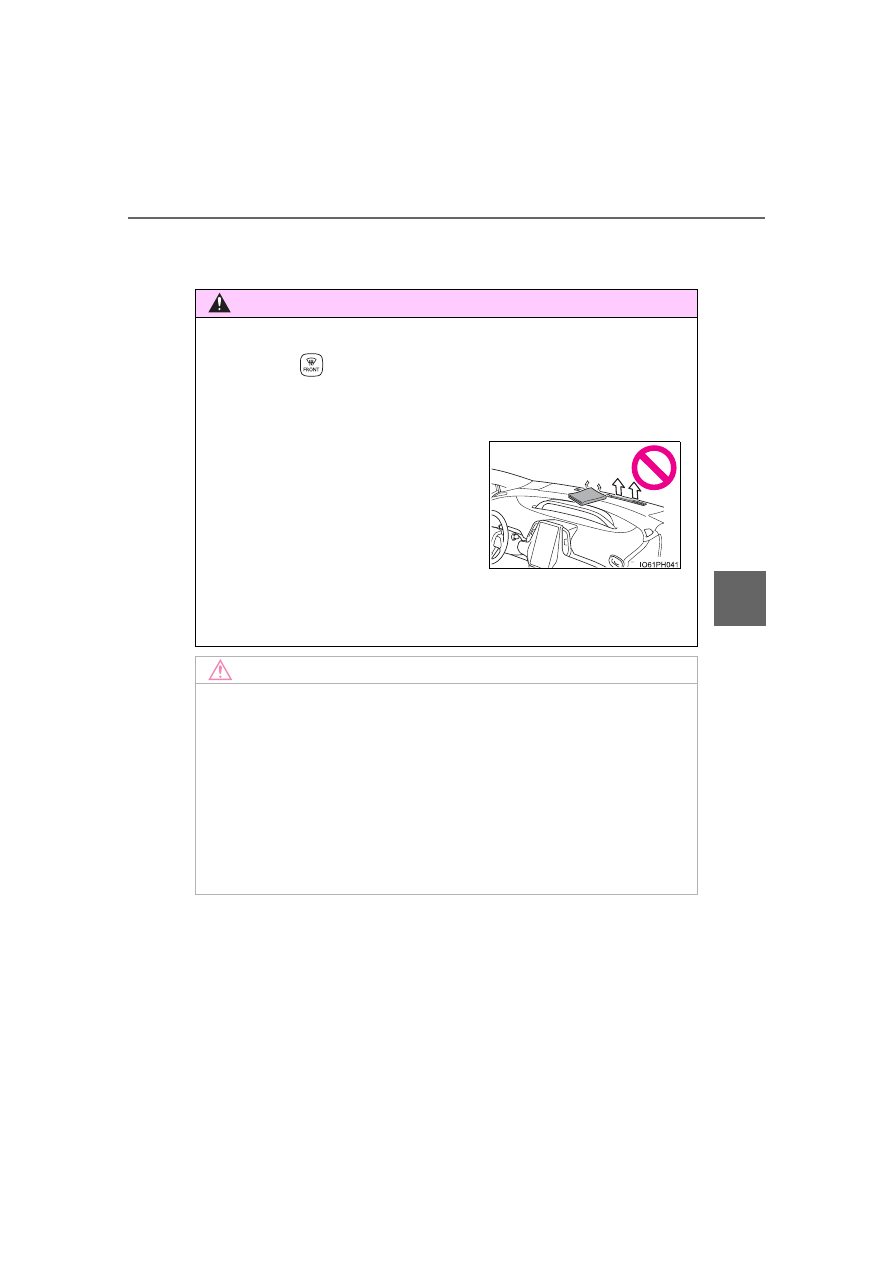
Do not place anything on the instrument
panel  which  may  cover  the  air  outlets.
Otherwise,  air  flow  may  be  obstructed,
preventing  the  windshield  defoggers
from defogging.

450

5-1. Using the air conditioning system and defogger

Heated steering wheel

/seat heaters

: If equipped

Heated steering wheel
Warm up the grip of the steering wheel

Seat heaters (front seats)
Warm up the seat upholstery

WARNING

Care should be taken to prevent injury if anyone in the following categories
comes in contact with the steering wheel and seats when the heater is on:
• Babies,  small  children,  the  elderly,  the  sick  and  the  physically  chal-

lenged

• Persons with sensitive skin
• Persons who are fatigued
• Persons who have taken alcohol or drugs that induce sleep (sleeping

drugs, cold remedies, etc.)

Observe the following precautions to prevent minor burns or overheating:
• Do  not  cover  the  seat  with  a  blanket  or  cushion  when  using  the  seat

heater.

• Do not use seat heater more than necessary. 

NOTICE

Do not put heavy objects that have an uneven surface on the seat and do
not stick sharp objects (needles, nails, etc.) into the seat.

To  prevent  12-volt  battery  discharge,  do  not  use  the  functions when  the
hybrid system is off.

451

5-1. Using the air conditioning system and defogger

5

In

te

rior 

fe

at

ures

Turns  the  heated  steering  wheel
on/off

The  indicator  in  the  instrument
cluster comes on when the heated
steering wheel is operating.

The  heated  steering  wheel  can  be  used  when  the  power  switch  is  in  ON
mode.

The heated steering wheel will automatically turn off after about 30 minutes.

Heats the seat at low tempera-
ture (LO)
Heats the seat at high tempera-
ture (HI)

The indicator light comes on when
one side of the switch is pressed.
To stop the operation, gently press
the other side of the switch.

The seat heaters can be used when the power switch is in ON mode.

When not in use, turn off the switch. The indicator light goes off.

Heated steering wheel (if equipped)

Seat heaters (if equipped)

Indicator

Indicator

1

2

452

5-2. Using the interior lights

Interior lights list

Rear interior light (

P. 454)

Front personal/interior lights (

P. 453)

Shift lever lighting
Footwell lights (if equipped)
Front door courtesy lights

1

2

3

4

5

453

5-2. Using the interior lights

5

In

te

rior 

fe

at

ures

Front interior light

Vehicles without moon roof

Vehicles with moon roof

Turns the lights off
Turns the door position on
Turns the lights on

Turns the door position on/off
Turns the lights on/off

Front personal lights

1

2

3

1

2

Vehicles without moon roof

Vehicles with moon roof

Turns the lights on/off

Turns the lights on/off

454

5-2. Using the interior lights

Turns  the  switch  to  the  door
position (door linked)

Operation  is  linked  with  the  front
interior light main switch. When the
switch is off, the light does not illu-
minate.

Turns the light on

Illuminated entry system

The lights automatically turn on/off according to power switch mode, the pres-
ence  of  the  electronic  key,  whether  the  doors  are  locked/unlocked,  and
whether the doors are opened/closed.

To prevent the 12-volt battery from being discharged

If the interior lights remain on when the power switch is turned off, the light
will go off automatically after 20 minutes.

Customization

Settings (e.g. the time elapsed before the lights turn off) can be changed.
(Customizable features: 

P. 686)

Rear interior light

1

2

NOTICE

To prevent 12-volt battery discharge, do not leave the lights on longer than
necessary when the hybrid system is off.

455

5-3. Using the storage features

5

In

te

rior 

fe

at

ures

List of storage features

Auxiliary boxes (

P. 459)

Glove box (

P. 456)

Bottle holders/door pockets 
(

P. 458)

Cup holders (

P. 457)

Seat back pockets (

P. 460)

Console box (

P. 456)

1

2

3

4

5

6

WARNING

Do not leave glasses, lighters or spray cans in the storage spaces, as this
may cause the following when cabin temperature becomes high:
• Glasses may be deformed by heat or cracked if they come into contact

with other stored items.

• Lighters or spray cans may explode. If they come into contact with other

stored  items,  the  lighter  may  catch  fire  or  the  spray  can  may  release
gas, causing a fire hazard.

When driving or when the storage compartments are not in use, keep the
lids closed.
In the event of sudden braking or sudden swerving, an accident may occur
due to an occupant being struck by an open lid or the items stored inside.

456

5-3. Using the storage features

Pull up the lever.

The glove box light turns on when the tail lights are on.

Press the knob and open the lid.

Glove box

Console box

The tray slides forward/backward and can
be removed.

457

5-3. Using the storage features

5

In

te

rior 

fe

at

ures

Cup holders

Front

Rear

Pull down the armrest.

WARNING

Do not place anything other than cups or aluminum cans in the cup holders. 
Other items may be thrown out of the holders in the event of an accident or
sudden  braking,  causing  injury.  If  possible,  cover  hot  drinks  to  prevent
burns.

458

5-3. Using the storage features

When storing a bottle, close the cap.

The bottle may not be stored depending on its size or shape.

Bottle holders/door pockets

Front doors

Rear doors

NOTICE

Put the cap on before stowing a bottle. Do not place open bottles or glass
and paper cups containing liquid in the bottle holders.
The contents may spill and glasses may break.

459

5-3. Using the storage features

5

In

te

rior 

fe

at

ures

Auxiliary boxes

Type A (if equipped)

Type B (if equipped)

Press in the lid.

The overhead console is useful for
temporarily storing small items.

Vehicles  with  the  wireless  char-
ger: 

P. 471

Type C (if equipped)

WARNING

Type A:
Do not store items heavier than 0.44 lb. (200 g).
Doing so may cause the auxiliary box to open and the items inside may fall
out, resulting in an accident.

460

5-3. Using the storage features

Owner’s  manual  etc.  can  be
stored  in  the  left-side  seatback
pocket with the fastener.

Seat back pockets (if equipped)

461

5-3. Using the storage features

5

In

te

rior 

fe

at

ures

Luggage compartment features

Pull the lever upwards.

Secure  it  with  the  grocery  bag
hooks.

Deck Board

1

2

WARNING

If the deck board is opened, close it before driving. In the event of sudden
braking,  an  accident  may  occur  due  to  an  occupant  being  struck by  the
deck board or the items stored in the auxiliary box.

Do not place an object which is easy to roll or taller than the storable por-
tion on the deck under box.

NOTICE

To prevent damage to the deck board, do not apply too much load on the
deck board.

462

5-3. Using the storage features

Vehicles with emergency tire puncture repair kit

Raise the hook to use.

The  cargo  hooks  are  provided  for
securing loose items.

Vehicles with spare tire

Open  the  deck  board,  then
raise the hook to use.

Return  the  deck  board  to  its
original position and close it.

Cargo hooks

1

2

463

5-3. Using the storage features

5

In

te

rior 

fe

at

ures

When using the hooks, press the
bottom side to lift it up.

There  also  is  a  hook  on  the  other
side.

WARNING

To  avoid  injury,  always  return  the  cargo  hooks  to  their  stowed  positions
when not in use.

Grocery bag hooks

NOTICE

In  order to  prevent  damage  to  the  grocery  bag  hooks,  do  not  place  large
objects or objects that weight more than 8.8 lb. (4 kg) onto the hooks.

464

5-3. Using the storage features

The warning reflector can be stowed on the center auxiliary box. 
(The warning reflector itself is not included as an original equipment)

Depending on the size and shape of the warning reflector case, etc., you may
not be able to store it.

Warning reflector storage space

Vehicles  with  emergency  tire
puncture  repair  kit  (2WD  mod-
els)

Vehicles  with  emergency  tire
puncture repair kit (AWD mod-
els)

Vehicles  with  compact  spare
tire

Vehicles  with  full-size  spare
tire

WARNING

When storing the warning reflector, etc., make sure that it is properly stored.
If  the  warning  reflector  is  not  properly  stored,  it  may  fly  out  during  emer-
gency braking and lead to an accident.


Content      ..     26      27      28      29     ..