Toyota Highlander Hybrid (2022 year). Manual in english - page 31
495
7-2. Steps to take in an emergency
7
Whe
n tr
ouble
ar
ises
■
When the electronic key does
not work properly
●
Make sure that the smart key sys-
tem has not been deactivated in
the customization setting. If it is
off, turn the function on. (Custom-
izable features:
●
Check if battery-saving mode is
set. If it is set, cancel the function.
(
■
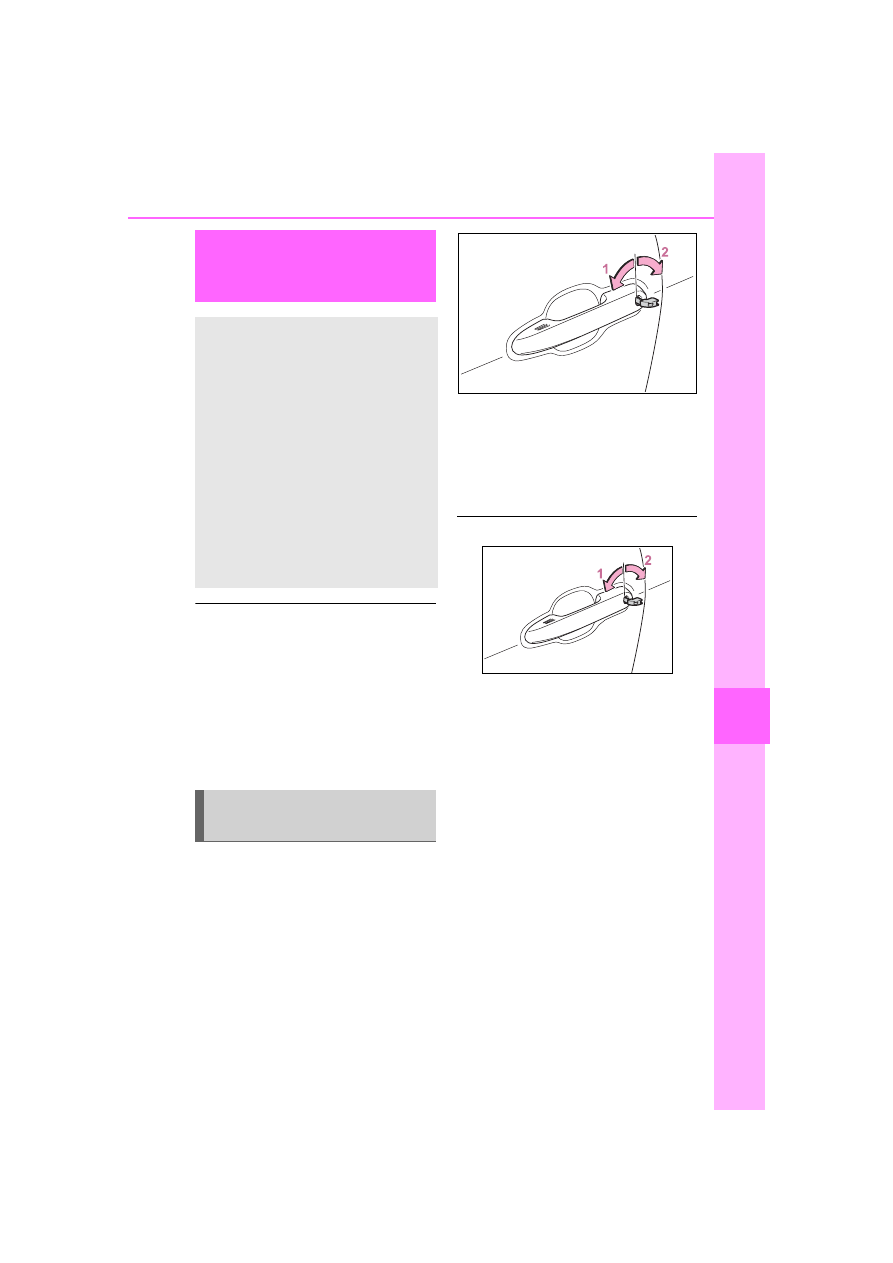
Unlocking the door
Use the mechanical key
(
P.130) in order to perform the
following operations:
1
Locks all the doors
2
Unlocks all the doors
Turning the key unlocks the driver’s
door. Turning the key again unlocks
the other doors.
■
Key linked functions
1
Closes the windows and the
moon roof
*
(turn and hold)
2
Opens the windows and the
moon roof
*
(turn and hold)
These settings must be customized
at your Toyota dealer.
*
: If equipped
If the electronic key
does not operate prop-
erly
If communication between
the electronic key and vehi-
cle is interrupted (
or the electronic key cannot
be used because the battery
is depleted, the smart key
system and wireless remote
control cannot be used. In
such cases, the doors can
be opened and the hybrid
system can be started by
following the procedure
below.
Locking and unlocking
the doors