Toyota Tundra. Manual - part 258
 

  Index      Toyota     Toyota Tundra (2007-2010 year) - Service and Repair Manual


Search            copyright infringement  


Content   ..  256  257  258  259   ..


Toyota Tundra. Manual - part 258


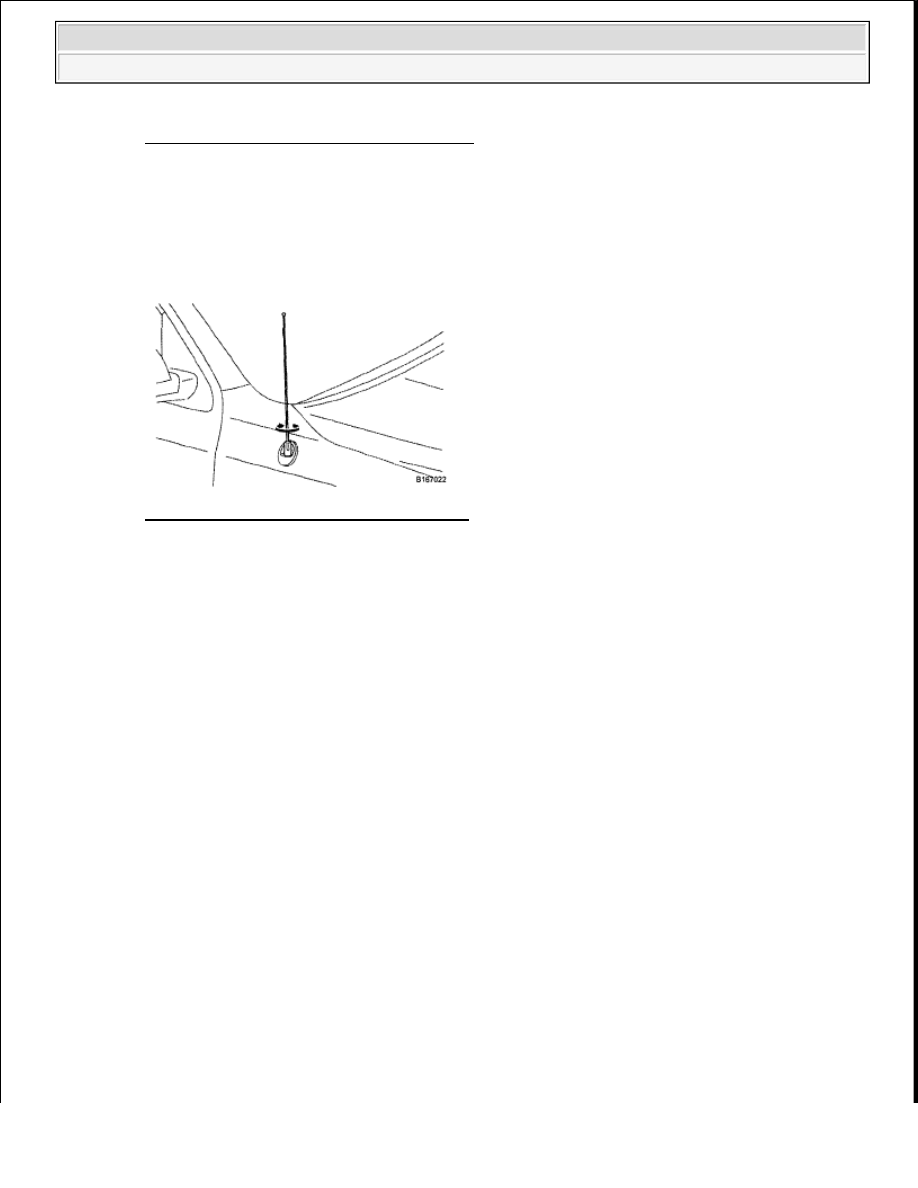
Fig. 426: Removing Pull Top Antenna Pole 
Courtesy of TOYOTA MOTOR SALES, U.S.A., INC. 

INSTALLATION 

1. INSTALL PULL TOP ANTENNA POLE SUB-ASSEMBLY 

a. Install the antenna pole by turning it clockwise. 

Fig. 427: Installing Pull Top Antenna Pole 
Courtesy of TOYOTA MOTOR SALES, U.S.A., INC. 

VIDEO TERMINAL (FOR SEPARATE SEAT TYPE) 

COMPONENTS 


2009 Toyota Tundra 

2009 ACCESSORIES AND EQUIPMENT Audio/Visual - Tundra


Fig. 428: Identifying Video Terminal Components (For Separate Seat Type) 
Courtesy of TOYOTA MOTOR SALES, U.S.A., INC. 

REMOVAL 

1. DISCONNECT CABLE FROM NEGATIVE BATTERY TERMINAL 

2. REMOVE REAR CONSOLE END PANEL SUB-ASSEMBLY (See REMOVAL )  

3. REMOVE VIDEO TERMINAL 

a. Detach the clamp from the end panel. 

NOTE:

Some systems need to be initialized after the cable is reconnected 
(see INITIALIZATION ).  

After the ignition switch is turned OFF, the navigation system 
requires approximately 90 seconds to record various types of 
memory and settings. As a result, after turning the ignition switch 
OFF, wait 90 seconds or more before disconnecting the cable from 
the negative (-) battery terminal.  


2009 Toyota Tundra 

2009 ACCESSORIES AND EQUIPMENT Audio/Visual - Tundra


Fig. 429: Identifying End Panel Clamp 
Courtesy of TOYOTA MOTOR SALES, U.S.A., INC. 

b. Detach the 4 claws and remove the video terminal. 

Fig. 430: Removing Video Terminal 
Courtesy of TOYOTA MOTOR SALES, U.S.A., INC. 

INSTALLATION 

1. INSTALL VIDEO TERMINAL 

a. Attach the 4 claws to install the video terminal. 

Fig. 431: Identifying Video Terminal Claws 
Courtesy of TOYOTA MOTOR SALES, U.S.A., INC. 

b. Attach the clamp to the end panel. 


2009 Toyota Tundra 

2009 ACCESSORIES AND EQUIPMENT Audio/Visual - Tundra


Fig. 432: Identifying End Panel Clamp 
Courtesy of TOYOTA MOTOR SALES, U.S.A., INC. 

2. INSTALL REAR CONSOLE END PANEL SUB-ASSEMBLY (See INSTALLATION )  

3. CONNECT CABLE TO NEGATIVE BATTERY TERMINAL 

VIDEO TERMINAL (FOR BENCH SEAT TYPE) 

COMPONENTS 

NOTE:

Some systems need to be initialized after the cable is reconnected (see 
INITIALIZATION ).


2009 Toyota Tundra 

2009 ACCESSORIES AND EQUIPMENT Audio/Visual - Tundra


Content   ..  256  257  258  259   ..