Seat Tarraco (2022 year). Manual in english - page 19
Driving
●
The area for parking or manoeuvring
should be a flat surface.
●
The vehicle should
not
be loaded very
heavily at the rear.
●
The driver must be used to the system.
●
There should be no damage to the vehicle
in the camera area. If the position or installa-
tion angle of the cameras have been
changed, e.g. after a rear-end collision, the
system should be checked by a specialised
workshop.
Special characteristics
The images on the area view system cameras
are only two-dimensional. Due to a lack of
spatial depth, it is difficult or impossible to
make out on-screen any holes there may be
on the ground, objects jutting out from the
ground or parts protruding from other vehi-
cles.
Situations in which the objects or other vehi-
cles appear to be further away or closer than
they really are:
●
On moving from a horizontal plane to a
slope.
●
On moving from a slope to a horizontal
plane.
●
If the vehicle is heavily loaded at the rear.
●
If the vehicle approaches protruding ob-
jects. These objects may be outside the cam-
eras' angle of visibility.
Trailer mode
The Area View system conceals, in the rear
camera area, all the auxiliary guiding lines
when the factory-fitted towing bracket is
connected electrically to a trailer
›››
Note
In order to become familiar with the system
and its functions, SEAT recommends that
you practice handling the Area View sys-
tem in an area where there is not too much
traffic or in a car park.
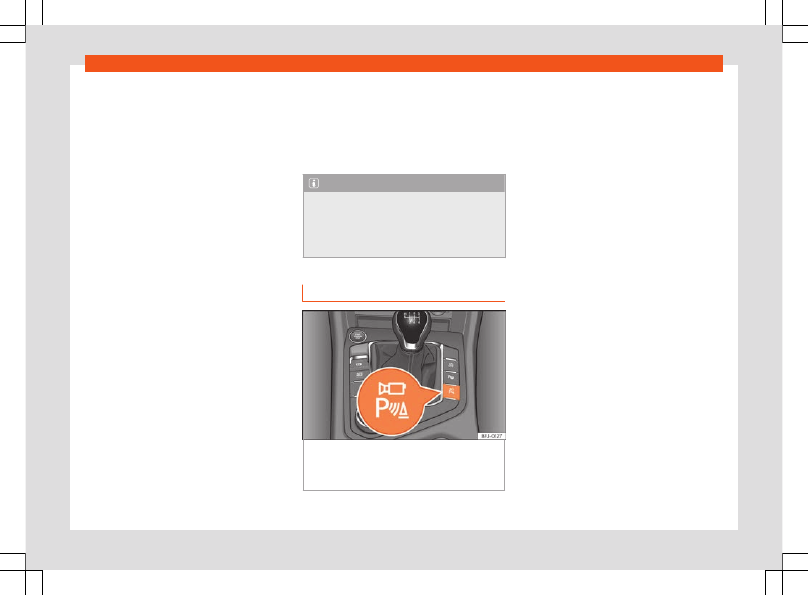
Connecting and disconnecting
Fig. 214
Centre console: button to manually
activate/deactivate the peripheral vision sys-
tem when combined with the park assist sys-
tem.
Manual activation
●
Press button
once
.
The infotainment system screen displays the
aerial view
. If you press the
button when driving at over 15 km/h (9 mph),
the image will not be displayed.
Automatic activation
●
Select reverse gear.
●
OR:
The vehicle moves backwards.
The view of the image of the vehicle's rear
camera is shown in parallel parking mode
with the reduced aerial view.
Manual disconnection
●
Press button
again
.
●
OR:
press a button on the factory-equip-
ped infotainment system, for example the
button.
●
OR:
press the
function button.
Automatic off
●
Drive forwards at over 15 km/h (9 mph) ap-
proximately.
●
OR:
switch off the ignition. The Area View
system menu disappears immediately.
300