Seat Arona (2022 year). Manual in english - page 12
Infotainment system
Wireless Charger
The Wireless Charger allows mobile devices
with Qi
technology to be charged without a
cable.
To charge your mobile phone wirelessly:
●
Place your mobile device in the middle of
the pad with the screen facing up
›››
.
Make sure there are no objects between the
pad and the mobile phone.
The mobile phone will start charging auto-
matically. For further information about
whether your mobile device uses Qi technol-
ogy, check your phone's user manual or visit
the SEAT website.
WARNING
●
The mobile phone may heat up due to the
wireless charging. Think about this before
you pick it up, and take care when removing
it.
●
There must be no metallic or other ob-
jects between the mobile phone and the
housing, to prevent the functionality of the
Connectivity Box from being affected.
Note
●
Your mobile device must support the Qi
inductive charging interface standard for
proper operation.
●
The charging time and the temperature
vary in accordance with the device used.
●
The maximum charging capacity is 5 W.
●
Qi technology does not allow you to
charge more than one mobile device simul-
taneously.
●
You are advised to keep the engine run-
ning to guarantee proper wireless charg-
ing.
●
When a telephone with Qi technology is
connected by USB, it will be charged by the
means specified by the manufacturer.
Multimedia
USB port
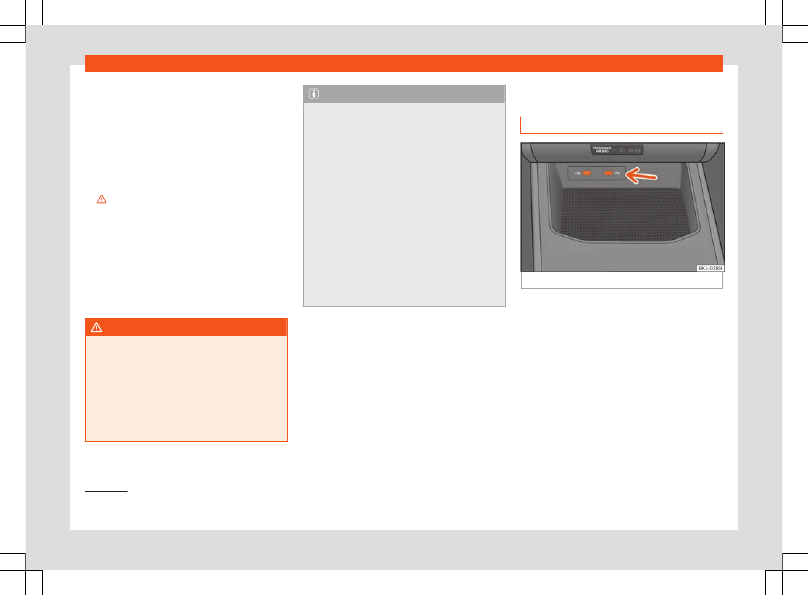
Fig. 128
Centre console: USB port.
Depending on the equipment and the coun-
try, the vehicle may have different types of
USB connections.
The USB port can be found in the storage
compartment area of the front centre con-
sole
.
1)
Qi technology allows you to charge your mo-
bile phone wirelessly.
188