Renault Alaskan (2017 year). Instruction - part 14
Unlocking the steering wheel
1) Insert the key into the ignition switch.
2) Gently turn the ignition switch while rotating the
steering wheel left and right.
PRECAUTIONS ON PUSH-BUTTON
IGNITION SWITCH OPERATION
WARNING
Do not operate the push-button ignition switch
while driving the vehicle except in an emergency.
(The engine will stop when the ignition switch is
pushed 3 consecutive times or the ignition switch
is pushed and held for more than 2 seconds.)
The steering wheel may lock and could cause
the driver to lose control of the vehicle. This could
result in serious vehicle damage or personal in-
jury.
REMOTE CONTROL KEY SYSTEM
The Remote Control Key system can operate the
ignition switch without taking the key out from your
pocket or bag. The operating environment and/or
conditions may affect the Remote Control Key sys-
tem operation.
Some indicators and warnings for operation are dis-
played in the vehicle information display and/or in
the meter. (See “Warning lights, indicator lights and
audible reminders” in the “2. Instruments and
controls” section and “Vehicle information display”
in the “2. Instruments and controls” section.)
CAUTION
•
Be sure to carry the Remote Control Key with
you when operating the vehicle.
•
Never leave the Remote Control Key inside
the vehicle when you leave the vehicle.
•
If the vehicle battery is discharged, the igni-
tion switch cannot be switched from the
“LOCK” position, and if the steering lock is
engaged, the steering wheel cannot be
moved. Charge the battery as soon as pos-
sible. (See “Remote Control Key battery
replacement” in the “8. Maintenance and
do-it-yourself” section.)
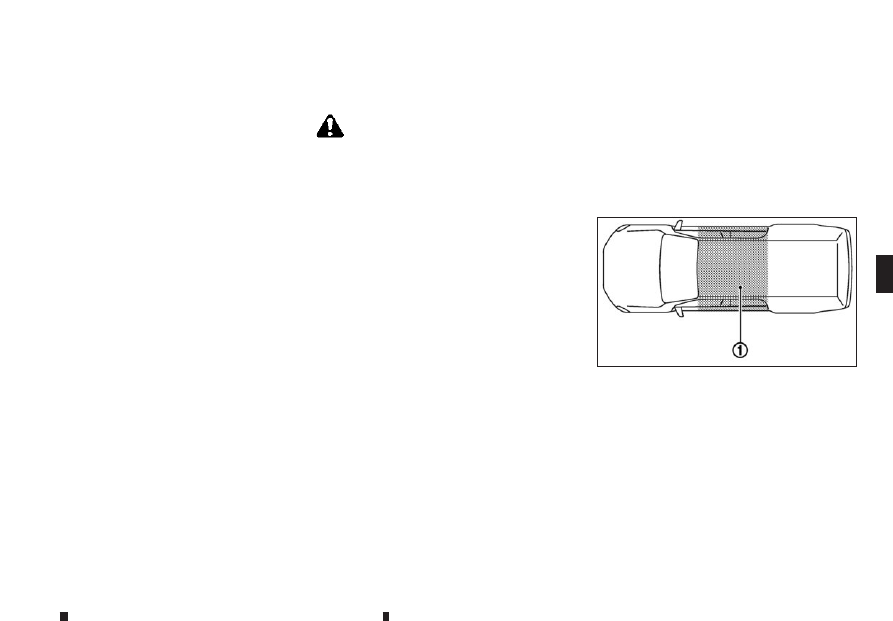
Operating range
The Remote Control Key can only be used for start-
ing the engine when the Remote Control Key is
within the specified operating range
➀
as illus-
trated.
When the Remote Control Key battery is almost dis-
charged or strong radio waves are present near the
operating location, the Remote Control Key sys-
tem’s operating range becomes narrower and may
not function properly.
If the Remote Control Key is within the operating
JVS0442XZ
PUSH-BUTTON IGNITION SWITCH (models with Remote Control Key
system)
Starting and driving
5-15