Mitsubishi Outlander XL. Manual - part 382
DIAGNOSIS
Required Special Tools:
⦆
MB991958: Scan Tool (M.U.T.-III Sub Assembly)
⦆
MB991824: V.C.I.
⦆
MB991827: USB Cable
⦆
MB991910: Main Harness A
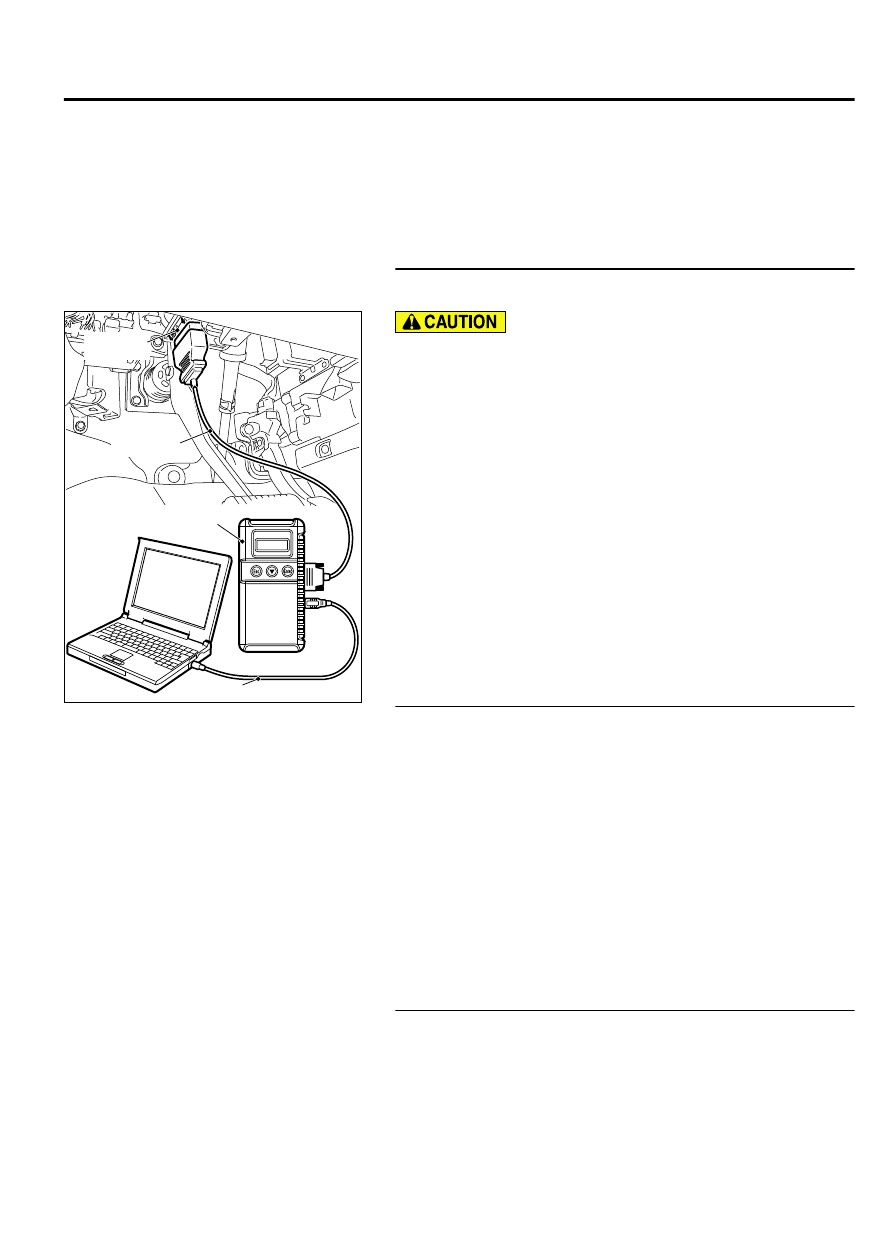
STEP 1. Using scan tool MB991958, check data list item AC:
Heated Oxygen Sensor Bank 1, Sensor 1 (right front).
ZC501967
AC404789
ZC5019680000
MB991824
MB991827
MB991910
Data link
connector
To prevent damage to scan tool MB991958, always turn the
ignition switch to the "LOCK" (OFF) position before
connecting or disconnecting scan tool MB991958.
(1)
Connect scan tool MB991958 to the data link connector.
(2)
Start the engine and run at idle.
(3)
Set scan tool MB991958 to the data reading mode for item
AC, Heated Oxygen Sensor Bank 1, Sensor 1 (right front).
⦆
Warm up the engine. When the engine is revved, the output
voltage should measure 0.6 to 1.0 volt.
⦆
Warm up the engine. When the engine is idling, the output
voltage should repeat 0.4 volt or less and 0.6 to 1.0 volt
alternately.
(4)
Turn the ignition switch to the "LOCK" (OFF) position.
Q:Is the sensor operating properly?
YES:
Go to Step 2.
NO:
Replace it. Then go to Step 3.
STEP 2. Test the OBD-II drive cycle.
(1)
Carry out a test drive with the drive cycle pattern. Refer to
Diagnostic Function - OBD-II Drive Cycle - Pattern 23 P.
13Ab-8.
(2)
Check the diagnostic trouble code (DTC).
Q:Is DTC P2195 set?
YES:
Replace the ECM. When the ECM is replaced, register
the ID code. Refer to GROUP 42B, ID Code Registration
Judgment Table <Vehicles with KOS> P.42B-12or GROUP
42C, ID Code Registration Judgment Table <Vehicles with
WCM> P.42C-8. Then go to Step 3.
NO:
It can be assumed that this malfunction is
intermittent. Refer to GROUP 00, How to Use
Troubleshooting/Inspection Service Points - How to Cope
with Intermittent Malfunctions P.00-15.
STEP 3. Test the OBD-II drive cycle.
(1)
Carry out a test drive with the drive cycle pattern. Refer to
Diagnostic Function - OBD-II Drive Cycle - Pattern 23 P.
13Ab-8.
(2)
Check the diagnostic trouble code (DTC).
MULTIPORT INJECTION SYSTEM (MFI) <DIAGNOSIS>
13Ab-723
DIAGNOSTIC TROUBLE CODE PROCEDURES