Content .. 1008 1009 1010 1011 ..
Mitsubishi Outlander XL. Manual - part 1010
STEP 6. Retest the system.
Check that the taillight illuminates normally.
Q:Does the taillight work normally?
YES:
The trouble can be an intermittent malfunction
(Refer to GROUP 00 - How to use Troubleshooting/
inspection Service Points - How to Cope with Intermittent
Malfunction P.00-15).
NO:
Replace the rear combination light unit.
DIAGNOSIS
STANDARD FLOW OF DIAGNOSTIC TROUBLESHOOTING
M15410900005USA0000010003
Refer to GROUP 00 - Contents of troubleshooting P.
00-6.
DIAGNOSTIC FUNCTION
M15410900006USA0000010004
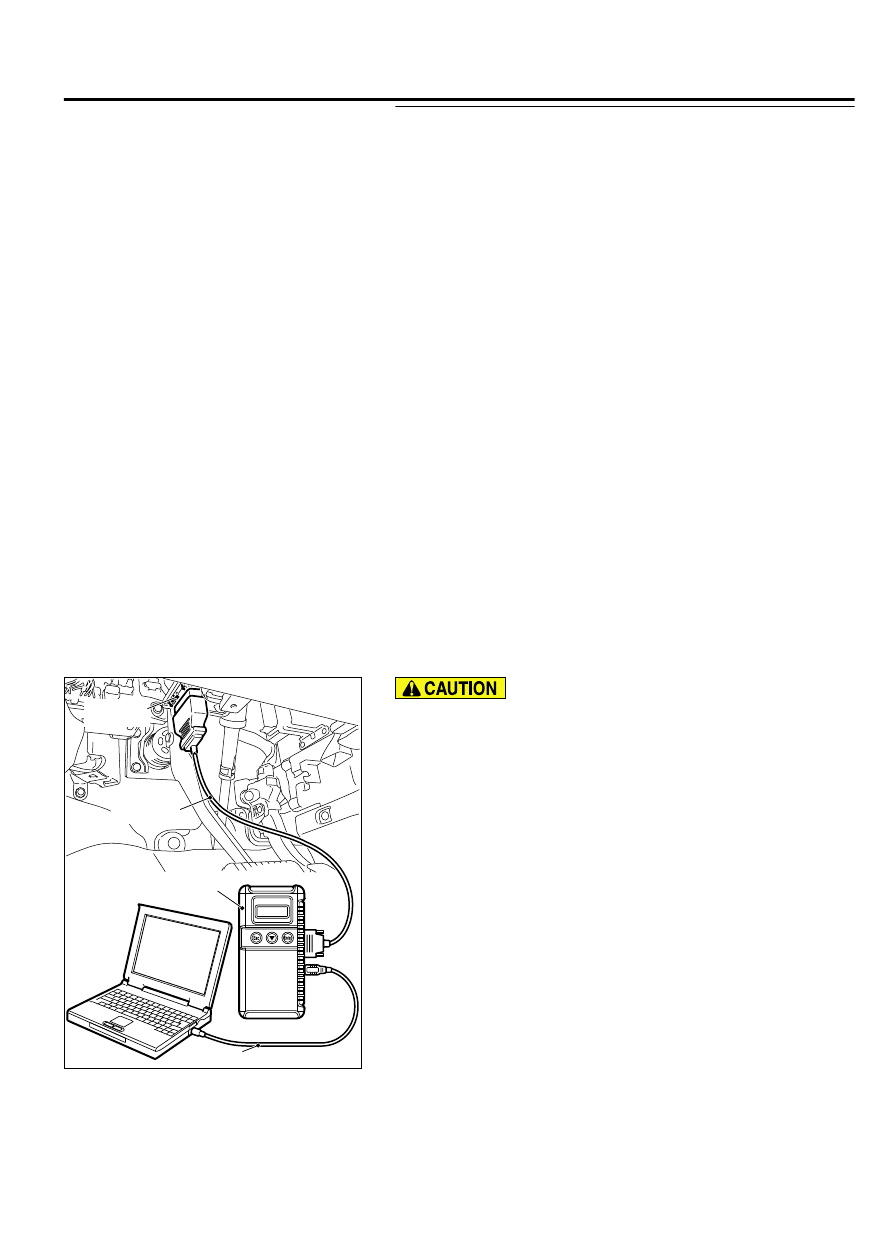
HOW TO CONNECT THE SCAN TOOL (M.U.T.-III)
Required Special Tools:
⦆
MB991958: Scan Tool (M.U.T.-III Sub Assembly)
⦆
MB991824: Vehicle Communication Interface (V.C.I.)
⦆
MB991827: M.U.T.-III USB Cable
⦆
MB991910: M.U.T.-III Main Harness A (Vehicles with
CAN communication system)
ZC501967
AC404789
ZC5019680000
MB991824
MB991827
MB991910
Data link
connector
To prevent damage to scan tool MB991958, always turn the
ignition switch to the "LOCK" (OFF) position before
connecting or disconnecting scan tool MB991958.
1.
Ensure that the ignition switch is at the "LOCK" (OFF) position.
2.
Start up the personal computer.
3.
Connect special tool MB991827 to special tool MB991824 and
the personal computer.
4.
Connect special tool MB991910 to special tool MB991824.
5.
Connect special tool MB991910 to the data link connector.
6.
Turn the power switch of special tool MB991824 to the "ON"
position.
NOTE:
When special tool MB991824 is energized, special
tool MB991824 indicator light will be illuminated in a
green color.
7.
Start the M.U.T.-III system on the personal computer.
NOTE:
Disconnecting scan tool MB991958 is the reverse of
the connecting sequence, making sure that the ignition
switch is at the "LOCK" (OFF) position.
LIGHTING
54Ac-113
DIAGNOSIS