Mitsubishi Outlander GS45X. Manual - part 222
PANIC ALARM
TSB Revision
CHASSIS ELECTRICAL
54A-885
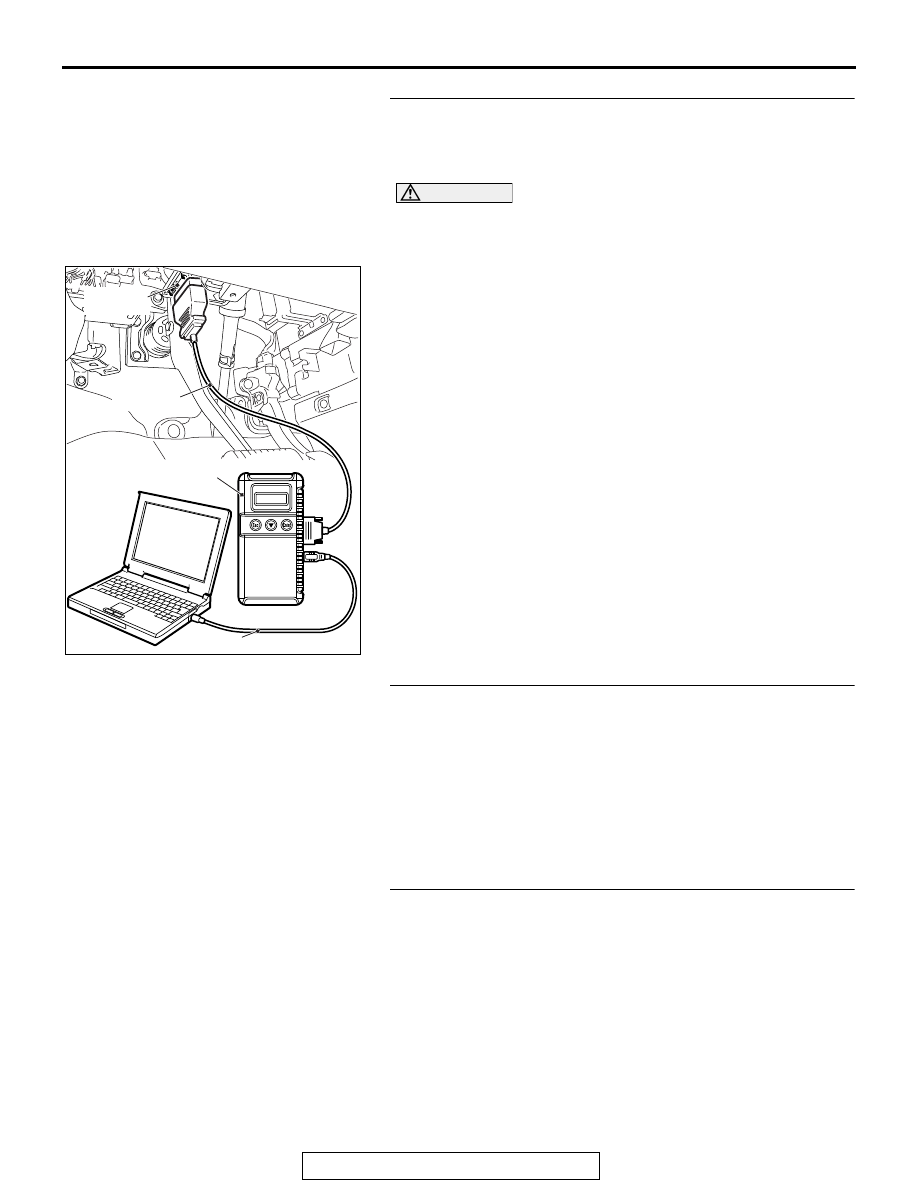
STEP 2. Using scan tool MB991958, read the diagnostic
trouble code.
Check if DTC is set to the KOS-ECU <Vehicles with KOS> or
WCM <Vehicles with WCM>.
CAUTION
To prevent damage to scan tool MB991958, always turn the
ignition switch to the "LOCK" (OFF) position before con-
necting or disconnecting scan tool MB991958.
(1) Turn the ignition switch to the "ON" position.
(2) Check whether the KOS or WCM related DTC is set.
(3) Turn the ignition switch to the "LOCK" (OFF) position.
Q: Is the DTC set?
YES <vehicles with KOS> : Troubleshoot the KOS (Refer
to GROUP 42B, KOS
).
YES <vehicles with WCM> : Troubleshoot the WCM (Refer
to GROUP 42C, WCM
NO : Go to Step 3.
STEP 3. Check keyless operation system <KOS> or
keyless entry system <WCM>.
Q: Do keyless operation system <KOS> or keyless entry
system <WCM> work normally?
YES : Go to Step 4.
NO <vehicles with KOS> : Troubleshoot the KOS (Refer to
).
NO <vehicles with WCM> : Troubleshoot the WCM (Refer
to GROUP 42C, WCM
STEP 4. Using scan tool MB991958, check the
configuration function.
(1) Turn the ignition switch to the "ON" position.
(2) Use the ETACS-ECU customization function to check that
the "Panic alarm switch" is set to "Enable".
(3) Turn the ignition switch to the "LOCK" (OFF) position.
Q: Is the "Panic alarm switch" set to "Enable"?
YES : Replace the ETACS-ECU.
NO : Use the ETACS-ECU customization function to set
the "Panic alarm switch" to "Enable"(Refer to
).
ZC501967
AC404789
AC702802
MB991824
MB991827
MB991910
Data link
connector
AB