Content .. 1163 1164 1165 1166 ..
Mitsubishi Outlander GS45X. Manual - part 1165
DIAGNOSIS
TSB Revision
WIRELESS CONTROL MODULE (WCM)
42C-27
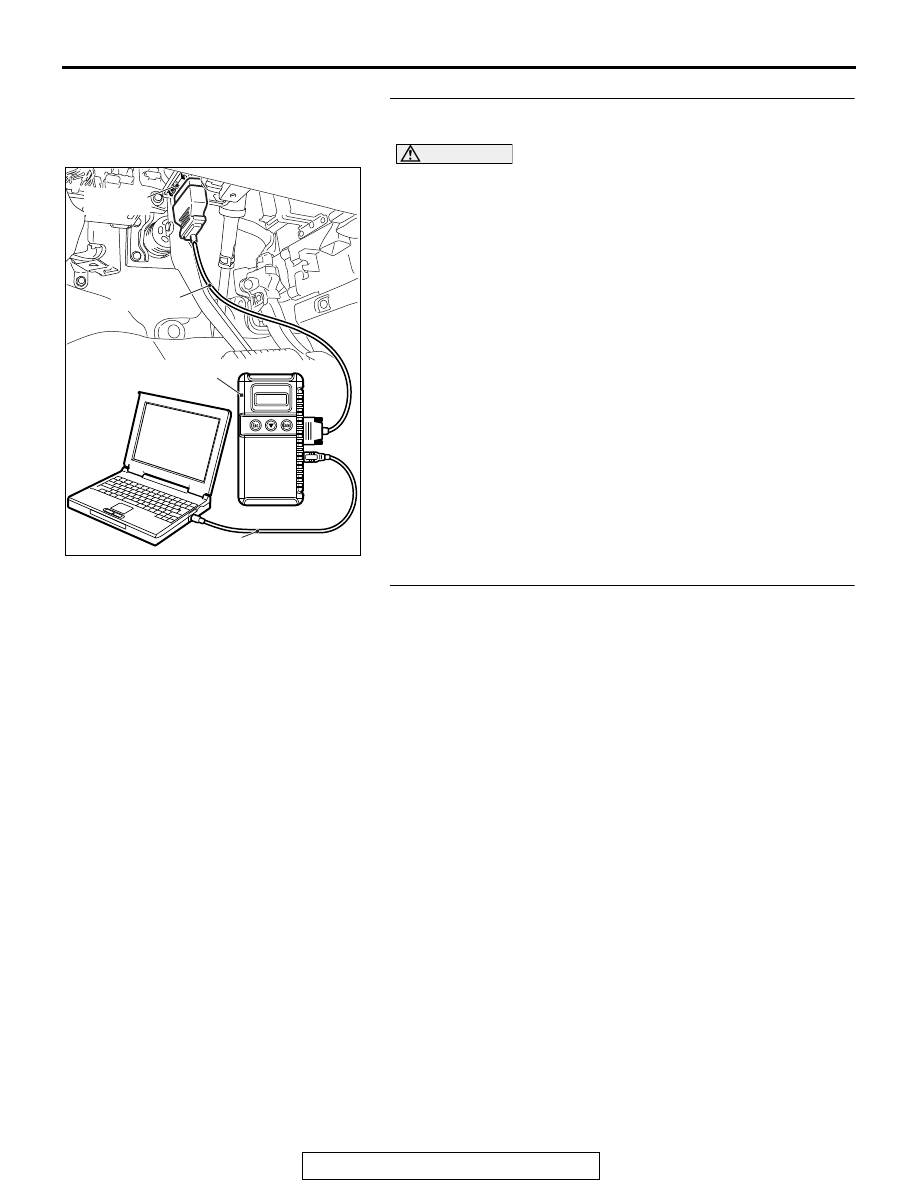
STEP 1. Using scan tool MB991958, diagnose the CAN bus
line.
CAUTION
To prevent damage to scan tool (MB991958), always turn
the ignition switch to the "LOCK" (OFF) position before
connecting or disconnecting scan tool (MB991958).
(1) Connect scan tool MB991958 to the data link connector.
(2) Turn the ignition switch to the "ON" position.
(3) Diagnose the CAN bus line.
(4) Turn the ignition switch to the "LOCK" (OFF) position.
Q: Is the CAN bus line found to be normal?
YES : Go to Step 2.
NO : Repair the CAN bus line. (Refer to GROUP 54C,
).
TEP 2. Register the key ID and recheck the diagnostic
trouble code.
Register the key ID of the ignition key (refer to
recheck if the DTC is set.
(1) Turn the ignition switch from the "LOCK" (OFF) position to
the "ON" position.
(2) Check if the DTC is set.
Q: Is the DTC set?
YES : Replace WCM and register the ID codes. (Refer to
.)
NO : The procedure is complete.
ZC501967
AC404789
AC701411AB
MB991824
MB991827
MB991910
Data link
connector