Mitsubishi Galant 9G. Manual - part 77
SYMPTOM PROCEDURES
TSB Revision
SIMPLIFIED WIRING SYSTEM (SWS)
54B-304
STEP 1. Use scan tool MB991958 to select "ECU COMM
Check" on the SWS monitor display.
Check the following ECUs:
• Column switch (column-ECU)
• Front-ECU
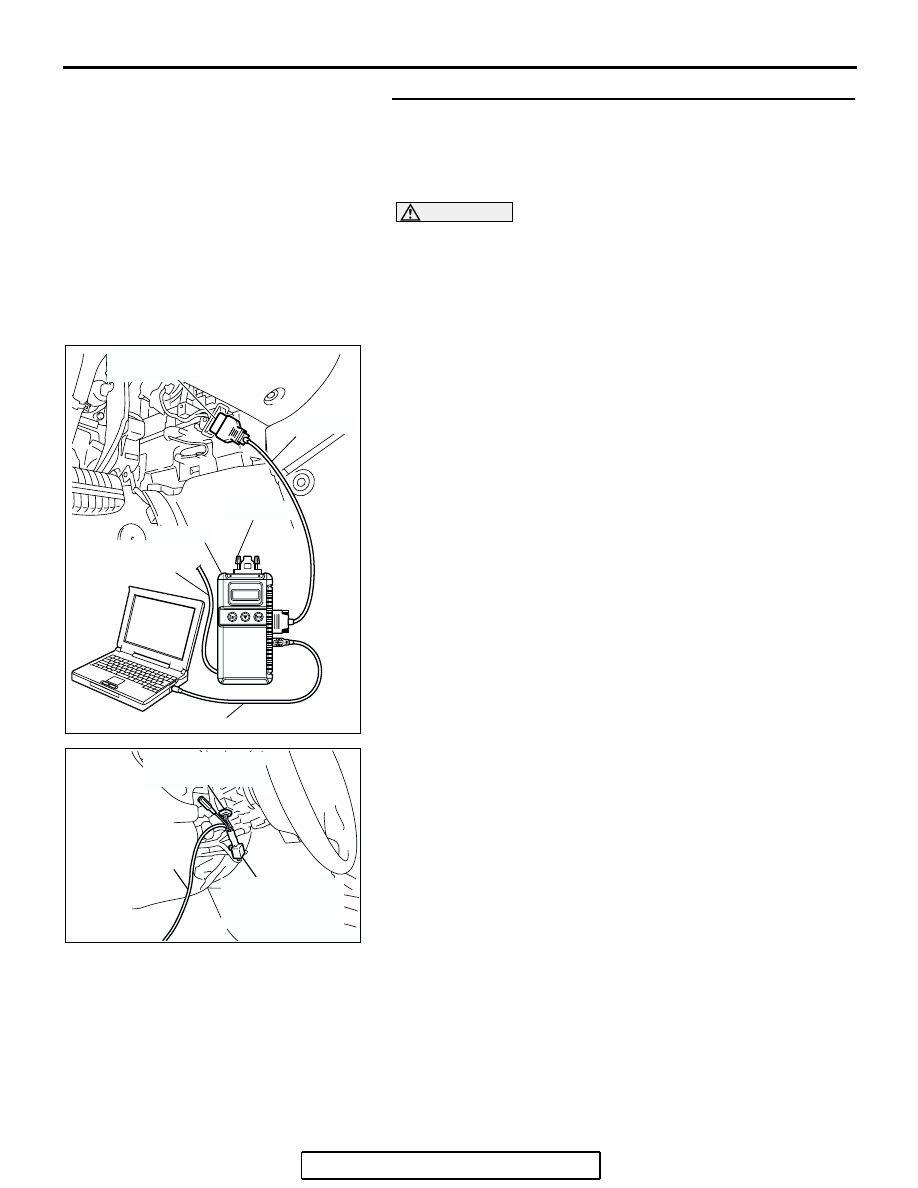
CAUTION
To prevent damage to scan tool MB991958, always turn the
ignition switch to the "LOCK" (OFF) position before con-
necting or disconnecting scan tool MB991958. Connect
special tool MB991910 before connecting special tool
MB991812. Be sure to connect special tool MB991806 after
turning on special tool MB991824.
(1) Connect the special tool. Refer to "How to connect SWS
."
(2) Turn the ignition switch to the "LOCK" (OFF) position.
(3) Operate scan tool MB991958 according to the procedure
below to display "ECU COMM Check."
a. Select "Interactive Diagnosis."
b. Select "System select."
c. Select "SWS."
d. Select "SWS MONITOR."
e. Select "ECU COMM Check."
(4) Scan tool MB991958 should show "OK" on the "ECU
COMM Check" menus for both the "COLUMN ECU" and
the "FRONT ECU" menus.
Q: Is "OK" displayed for both the "COLUMN ECU" and
"FRONT ECU" menus?
"OK" is displayed for all the items : Go to Step 2.
"NG" is displayed for the "COLUMN ECU" menu : Refer
to Inspection Procedure A-2 "Communication with the
column switch (column-ECU) is not possible
"NG" is displayed for the "FRONT ECU" menu : Refer to
Inspection Procedure A-4 "Communication with the
front-ECU is not possible
AC305411AB
MB991910
DATA LINK
CONNECTOR
MB991827
MB991824
MB991806
MB991812
AC302210
COLUMN SWITCH
CONNECTOR
COLUMN SWITCH
CONNECTOR AT
HARNESS SIDE
MB991812
AB