Mitsubishi Lancer Evolution X. Manual - part 370
MULTIPORT FUEL INJECTION (MFI) DIAGNOSIS
TSB Revision
MULTIPORT FUEL INJECTION (MFI)
13A-545
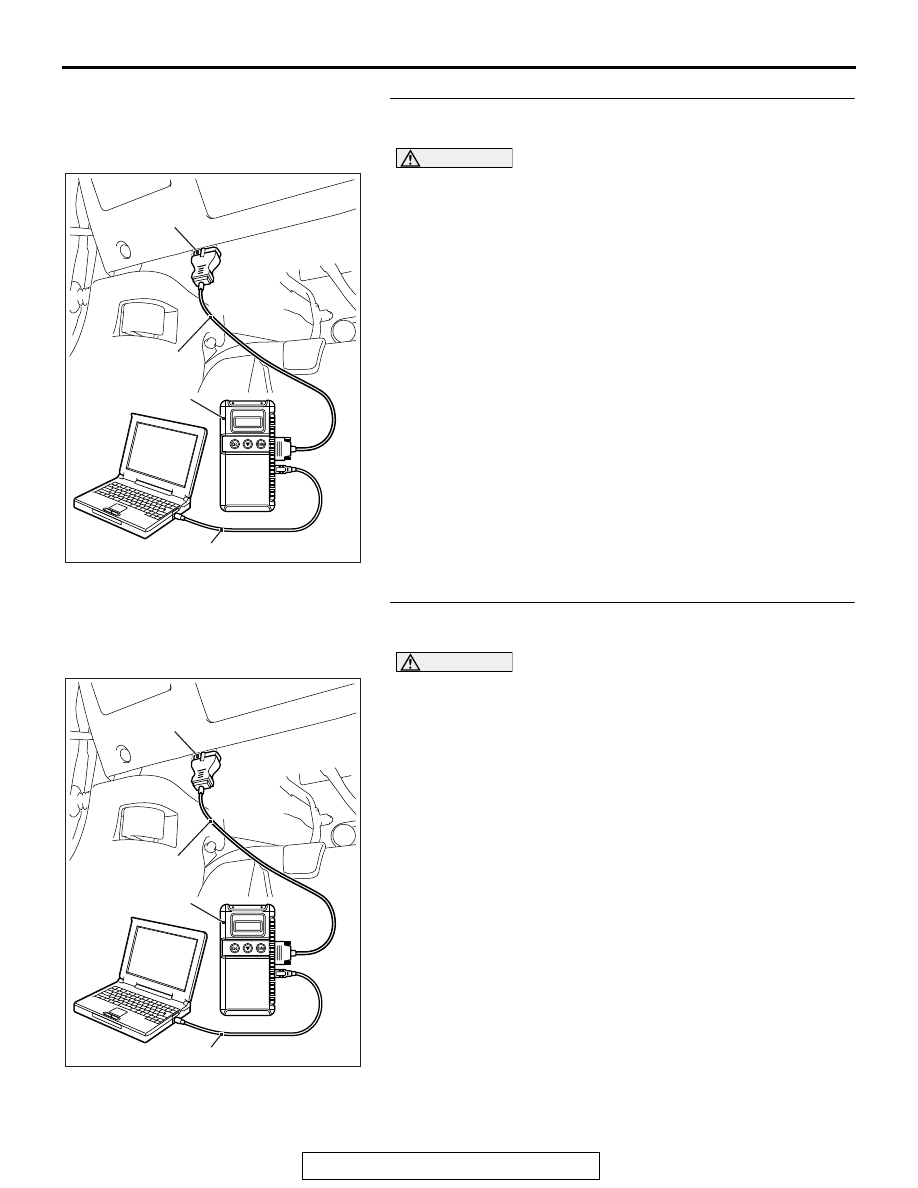
STEP 10. Using scan tool MB991958, read the diagnostic
trouble code (DTC).
CAUTION
To prevent damage to scan tool MB991958, always turn the
ignition switch to the "LOCK" (OFF) position before con-
necting or disconnecting scan tool MB991958.
(1) Connect scan tool MB991958 to the data link connector.
(2) Turn the ignition switch to the "ON" position.
(3) After the DTC has been deleted, read the DTC again.
(4) Turn the ignition switch to the "LOCK" (OFF) position.
Q: Is DTC P0606 set?
YES : Replace the ECM. When the ECM is replaced,
register the ID code. Refer to GROUP 42B, Diagnosis
− ID Code Registration Necessity Judgment Table
<Vehicles with KOS>
or GROUP 42C,
Diagnosis − ID Codes Registration Judgment Table
<Vehicles with WCM>
. Then go to Step 11.
NO : It can be assumed that this malfunction is intermittent.
Refer to GROUP 00, How to Use Troubleshooting/
Inspection Service Points − How to Cope with
Intermittent Malfunctions
.
STEP 11. Using scan tool MB991958, read the diagnostic
trouble code (DTC).
CAUTION
To prevent damage to scan tool MB991958, always turn the
ignition switch to the "LOCK" (OFF) position before con-
necting or disconnecting scan tool MB991958.
(1) Connect scan tool MB991958 to the data link connector.
(2) Turn the ignition switch to the "ON" position.
(3) After the DTC has been deleted, read the DTC again.
(4) Turn the ignition switch to the "LOCK" (OFF) position.
Q: Is DTC P0606 set?
YES : Retry the troubleshooting.
NO : The inspection is complete.
AC608435
Data link connector
MB991827
MB991824
MB991910
AB
AC608435
Data link connector
MB991827
MB991824
MB991910
AB