Mazda MX-30 (2022 year). Manual in english - page 7
When Driving
Brake
Releasing the parking brake
seconds after the sound was
automatically
activated.
After the auto operation is
If the accelerator pedal is depressed
canceled, a sound is activated one
with the parking brake applied and all
time, and the EPB switch indicator
of the following conditions met, the
light switches from illumination to
parking brake is released automatically.
flashing, and then turns off after 3
When the parking brake is released,
seconds.
the EPB indicator light in the
instrument cluster and the EPB switch
Auto operation cancel method 2
indicator light turn off.
1. Switch the power switch ON.
The power switch is switched ON
2. Release the parking brake manually.
(EV system on).
3. Turn off the AUTOHOLD.
The driver's door is closed.
4. Switch the power switch OFF with
The driver's seat belt is fastened.
the EPB switch pressed while the
The selector lever is in the D or R
brake pedal is not depressed.
position.
When the auto operation is
canceled, a sound is activated one
NOTE
time, and the EPB switch indicator
If something such as the driver’s foot
light goes from normal flashing to
contacts the accelerator pedal with the
faster flashing, and then turns off
power switch switched ON (EV system
after 3 seconds.
on) and the parking brake applied, the
NOTE
parking brake might be released
automatically. If you do not intend to
When canceling the parking brake
start driving the vehicle immediately,
auto operation and parking the
shift the selector lever to the P or N
vehicle, shift the selector lever to the
position.
P position and then use wheel
blocks.
Canceling the parking brake
The auto operation may not cancel if
automatic operation
the vehicle is parked on a steep
The parking brake automatic operation
slope.
can be canceled by doing any of the
When the power switch is switched
following after switching the power
ON, the parking brake auto operation
switch from ON to OFF.
is restored.
Auto operation cancel method 1
▼ Warning Light
1. Switch the power switch ON.
The warning light turns on when the
2. Release the parking brake manually.
system has a malfunction.
3. Turn off the AUTOHOLD.
Refer to Brake System Warning
4. Press the EPB switch continuously
Indication/Warning Light on page
for 2 seconds or longer (until a
7-21.
sound is activated).
5. Release the EPB switch and switch
the power switch OFF within 5
4-55
When Driving
Brake
▼ Brake Pad Wear Indicator
NOTE
When the disc brake pads become
When the brake pedal is depressed
worn, the built-in wear indicators
hard or depressed more quickly, the
contact the disc plates. This causes a
pedal will feel softer but the brakes
screeching noise to warn that the pads
will apply more firmly. This is a
should be replaced.
normal effect of the brake assist
operation and does not indicate a
malfunction.
When the brake pedal is depressed
hard or depressed more quickly, a
motor/pump operation noise may
be heard. This is a normal effect of
the brake assist and does not
indicate a malfunction.
The brake assist equipment does not
supersede the functionality of the
When you hear this noise, consult an
vehicle's main braking system.
Authorized Mazda Dealer as soon as
possible.
▼ Brake Override System
The brake override system applies the
WARNING
brake first for safety if the brake pedal
and accelerator pedal are depressed at
Do not drive with worn disc pads:
the same time.
Driving with worn disc pads is
dangerous. The brakes could fail and
NOTE
cause a serious accident. As soon as
Operation of the brake override system
you hear a screeching noise consult an
can be turned on or off.
Authorized Mazda Dealer.
Refer to the Settings section in the
Mazda Connect Owner's Manual.
NOTE
In high humidity weather conditions,
brake noises, such as brake squeak or
brake squeal can be heard. It does not
indicate a malfunction.
▼ Brake Assist
During emergency braking situations
when it is necessary to depress the
brake pedal with greater force, the
brake assist system provides braking
assistance, thus enhancing braking
performance.
When the brake pedal is depressed
hard or depressed more quickly, the
brakes apply more firmly.
4-56

When Driving
Brake
AUTOHOLD
▼ AUTOHOLD
The AUTOHOLD function automatically holds the vehicle stopped, even if you take
your foot off the brake pedal. This function can be best used while stopped in traffic
or at a traffic light. The brakes are released when you start driving the vehicle.
WARNING
Do not rely completely on the AUTOHOLD function:
The AUTOHOLD function is only designed to assist the brake operation while the
vehicle is stopped. Neglecting to operate the brakes and relying only on the
AUTOHOLD system is dangerous and could result in an unexpected accident if the
vehicle were to suddenly move. Operate the brakes appropriately in accordance
with the road and surrounding conditions.
Do not release your foot from the brake pedal while the vehicle is stopped on a
steep grade:
Because there is a possibility of the vehicle not being held in the stopped position by
the AUTOHOLD function, the vehicle may move unexpectedly and result in an
accident.
Do not use the AUTOHOLD function on slippery roads such as icy or
snow-covered roads, or unpaved roads:
Even if the vehicle is held in the stopped position by the AUTOHOLD function, the
vehicle may move unexpectedly and result in an accident. Operate the accelerator
pedal, brakes, or steering wheel appropriately as necessary.
Immediately depress the brake pedal in the following cases:
Because the AUTOHOLD function is canceled forcibly, the vehicle may move
unexpectedly and result in an accident.
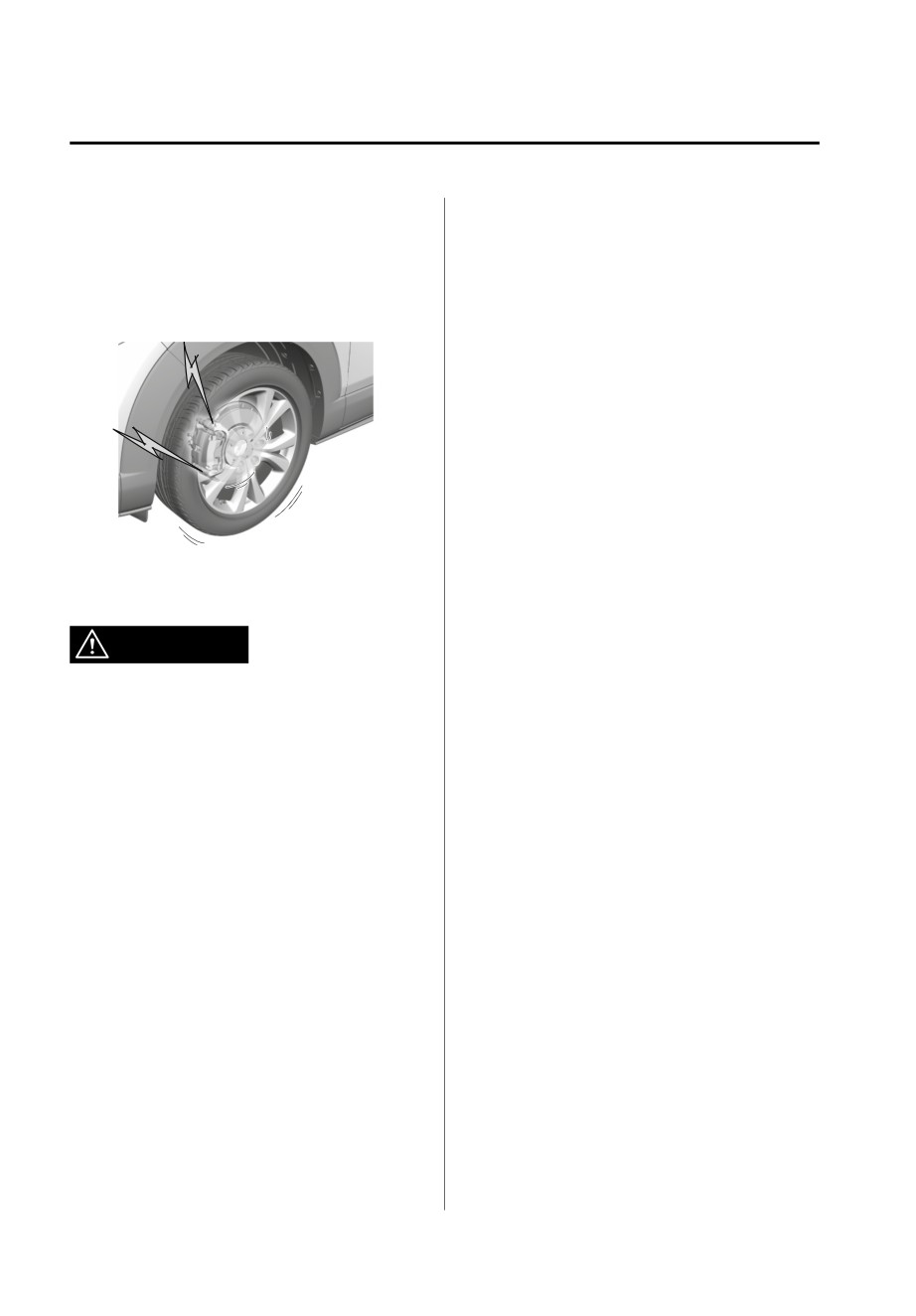
¾ “Depress Brake Pedal. Brake Hold Disabled” is displayed in the multi-information
display and the warning sound is activated at the same time.
Always apply the parking brake when parking the vehicle:
Not applying the parking brake when parking the vehicle is dangerous as the vehicle
may move unexpectedly and result in an accident. When parking the vehicle, shift
the selector lever to the P position and apply the parking brake.
4-57
When Driving
Brake
CAUTION
If you stop operating the accelerator pedal before the vehicle starts moving, the
force holding the vehicle in the stopped position may weaken. Firmly depress the
brake pedal or depress the accelerator pedal to accelerate the vehicle.
NOTE
Under the following conditions, a problem with the AUTOHOLD is occurring.
Have your vehicle inspected at an Authorized Mazda Dealer as soon as possible.
A message is indicated on the multi-information display and a warning sound is
activated for about 5 seconds while the AUTOHOLD is operating or when you
press the AUTOHOLD switch.
If you switch the power switch OFF while the AUTOHOLD is operating, the
parking brake is applied automatically to assist you with parking the vehicle.
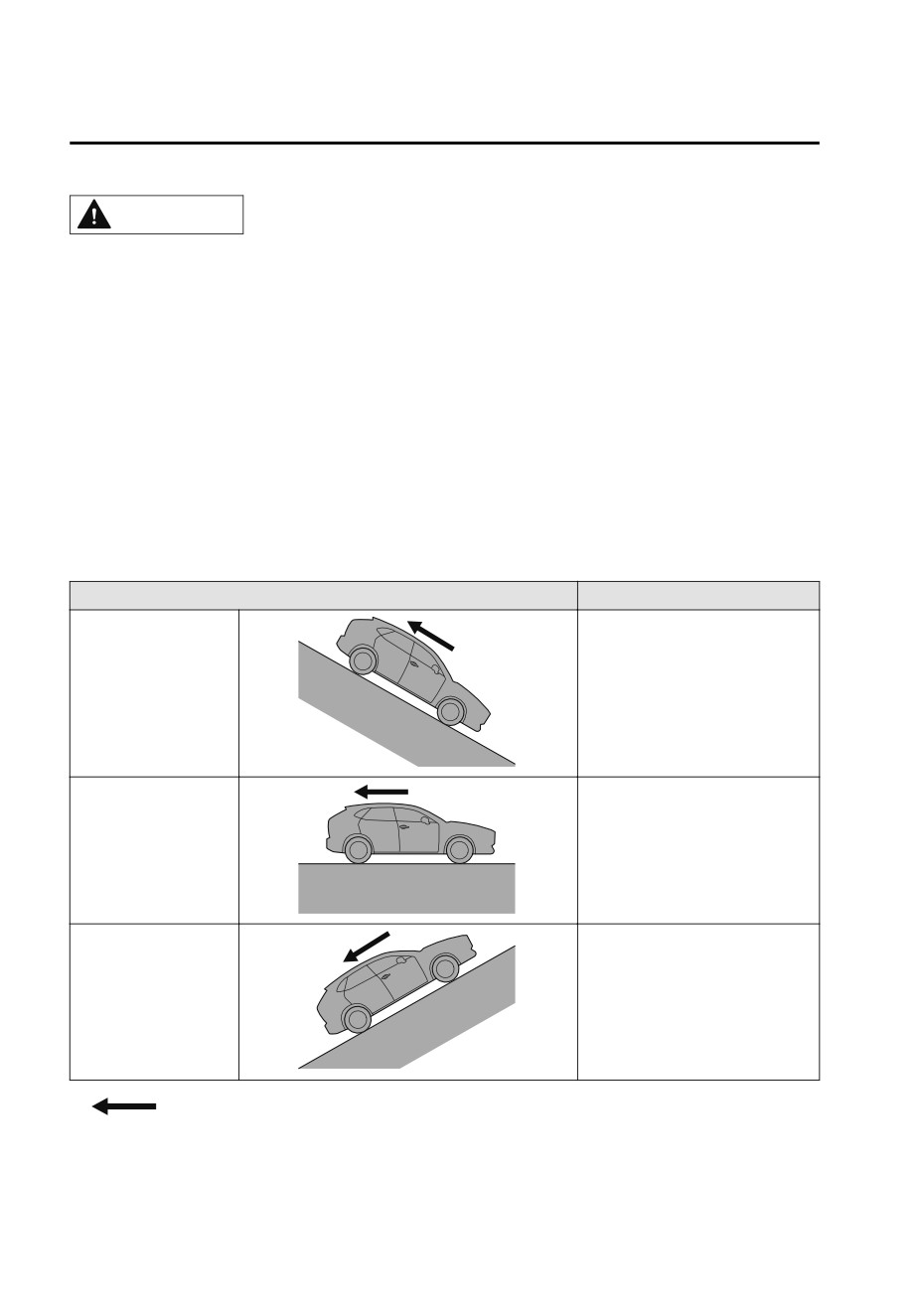
The AUTOHOLD is canceled when the selector lever is shifted to R position while
the vehicle is on level ground, or facing up a hill or grade (as shown below).
Vehicle posture and road surface gradient
AUTOHOLD operation status
Vehicle tilts forward
Operates
Level ground
Does not operate, canceled
Vehicle tilts rearward
Does not operate, canceled
: Reverse driving (selector lever in the reverse (R) position)
4-58
When Driving
Brake
The brake pedal response may change, sound may occur from the brakes, or the
brake pedal could vibrate from the operation of the AUTOHOLD function.
However, this does not indicate a malfunction.
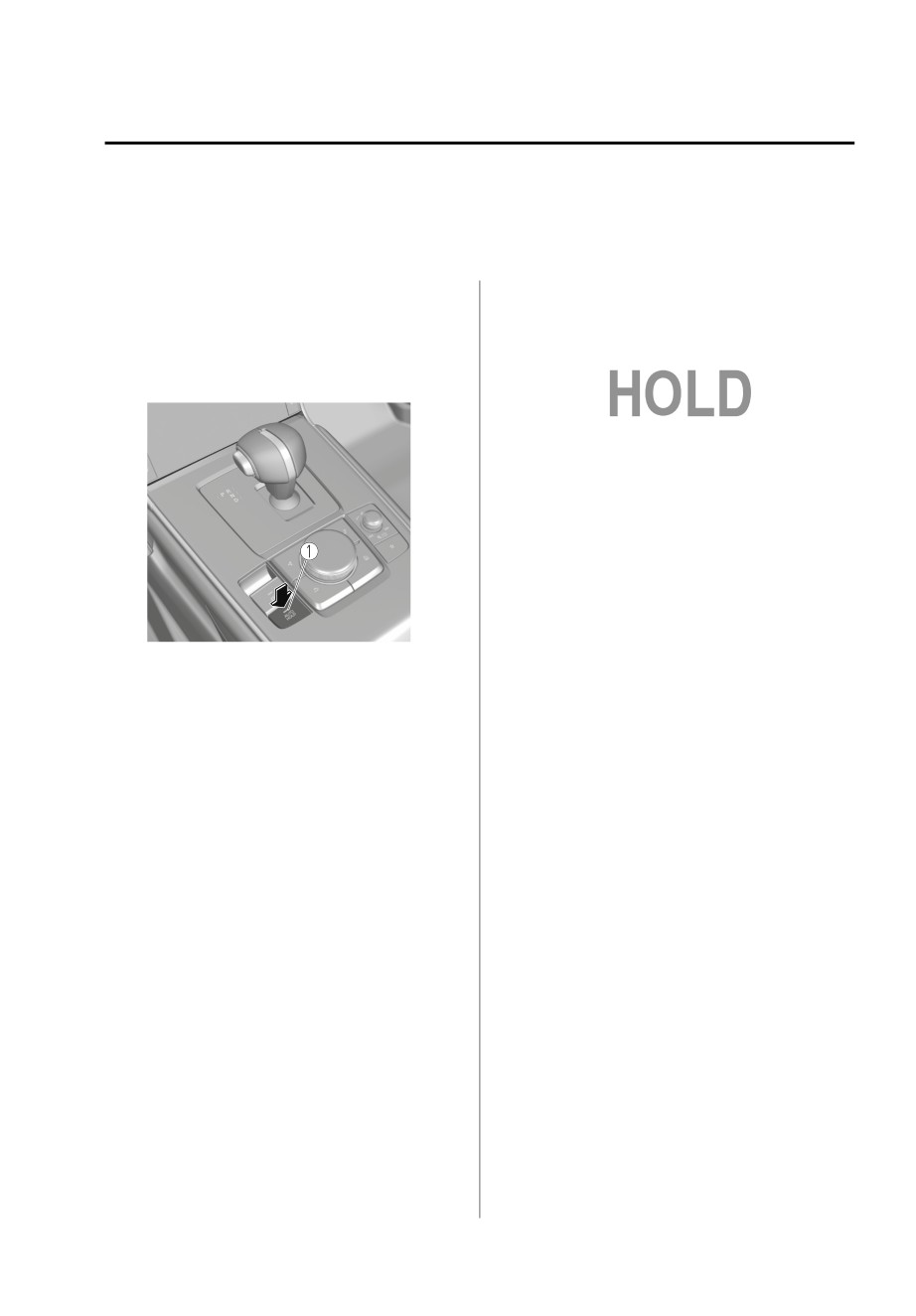
▼ To Turn On AUTOHOLD System
2. The AUTOHOLD active indicator
light in the instrument cluster turns
Press the AUTOHOLD switch and
on and the brakes are held.
when the AUTOHOLD standby
indicator light turns on, the
AUTOHOLD function turns on.
3. The vehicle is held in its stopped
position even with the brake pedal
released.
NOTE
When all of the following conditions
are met, the AUTOHOLD operates and
the brakes are held.
The power switch is switched ON
(EV system on).
1. AUTOHOLD standby indicator light
The vehicle is stopped.
NOTE
The brake pedal is being depressed.
When all of the following conditions
The AUTOHOLD active indicator
are met, the AUTOHOLD standby
light turns on.
indicator light turns on when the
The accelerator pedal is not
AUTOHOLD switch is pressed and the
depressed.
AUTOHOLD function turns on.
The driver's seat belt is fastened.
The driver's door is closed.
The power switch is switched ON
There is no problem with the
(EV system on).
AUTOHOLD function.
The driver's seat belt is fastened.
The parking brake is released.
The driver's door is closed.
There is no problem with the Electric
There is no problem with the
Parking Brake (EPB) function.
AUTOHOLD function.
The selector lever is in a position
To operate AUTOHOLD and hold the
other than R position or the vehicle
brakes
tilts forward with the selector lever in
the R position.
1. Depress the brake pedal and bring
the vehicle to a complete stop.
To release AUTOHOLD and start
driving the vehicle
If you try to resume driving the vehicle,
the brakes will be released
automatically and the AUTOHOLD
active indicator light turns off.
4-59
When Driving
Brake
NOTE
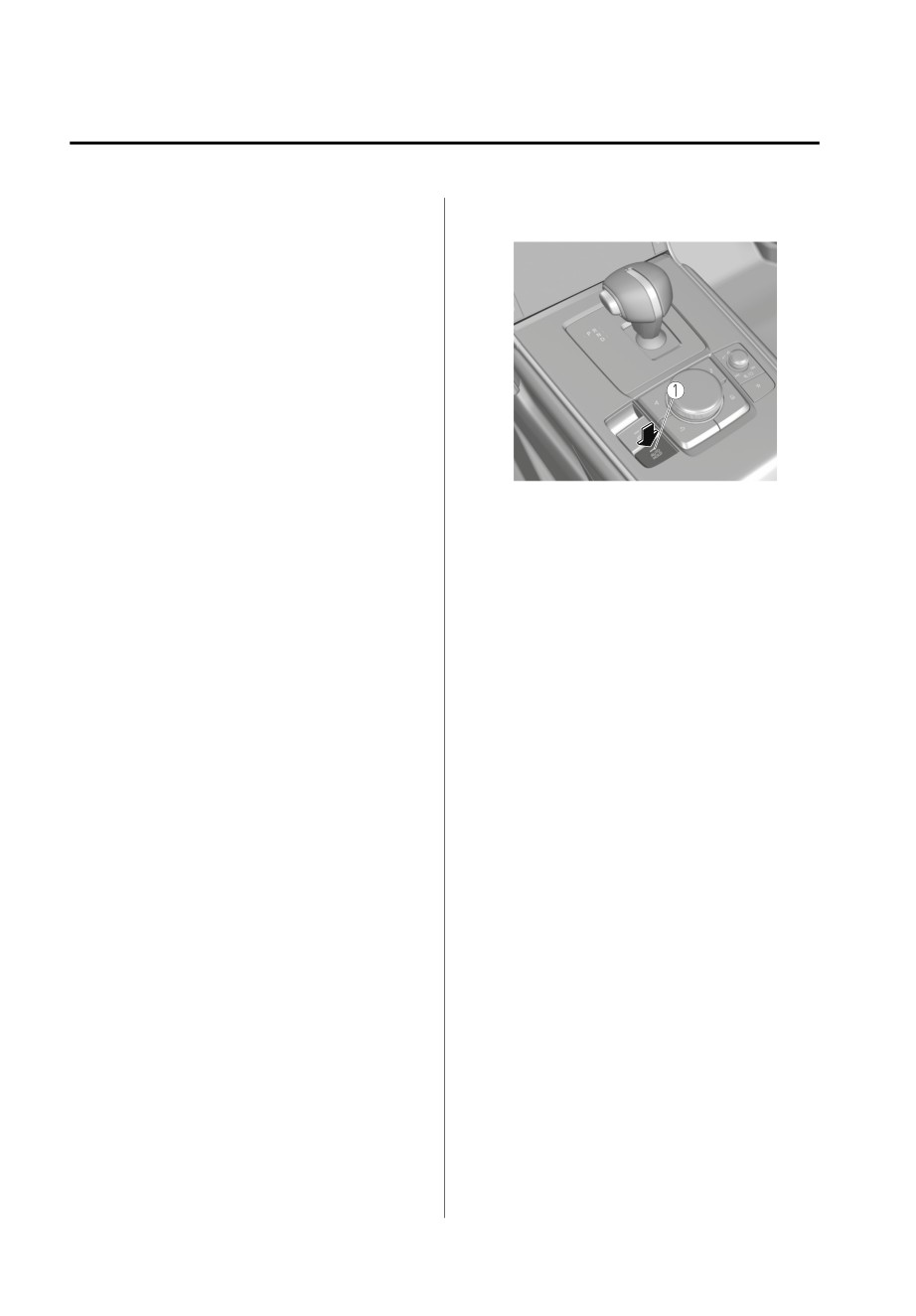
is turned off and the AUTOHOLD
standby indicator light turns off.
If the Electric Parking Brake (EPB)
switch is pulled while the
AUTOHOLD is operating, the
parking brake is applied and the
AUTOHOLD is released. In addition,
if the parking brake is released under
this condition, the AUTOHOLD
operates to hold the brakes.
Under the following conditions, the
parking brake is automatically
applied and the AUTOHOLD is
released. The AUTOHOLD is
re-enabled when the conditions
1. AUTOHOLD standby indicator light
before the AUTOHOLD is released
NOTE
are restored.
When the brakes are not held such
The driver’s seat belt is unfastened.
as while driving the vehicle, the
The driver’s door is opened.
AUTOHOLD can be turned off only
When about 10 minutes or longer
by pressing the AUTOHOLD switch.
have passed since the AUTOHOLD
If the AUTOHOLD switch is pressed
operation started, the parking brake
without depressing the brake pedal
is automatically applied. Because the
while AUTOHOLD is operating
AUTOHOLD is restored when
(AUTOHOLD active indicator light in
releasing the parking brake, the hold
instrument cluster is turned on), the
on the brakes by AUTOHOLD
message “Depress Brake Pedal and
function resumes.
Operate Switch to Release” is
The AUTOHOLD can be canceled
indicated on the multi-information
forcibly by fully depressing the
display to notify the driver to depress
accelerator pedal for 1 second or
the brake pedal.
longer while the AUTOHOLD is
If any of the following conditions
operating. Forcibly cancel the
occurs while the AUTOHOLD
AUTOHOLD only when the
function is operating (AUTOHOLD
AUTOHOLD cannot be canceled due
active indicator light is turned on),
to a system malfunction or it is
the parking brake is applied
necessary to cancel the AUTOHOLD
automatically and the AUTOHOLD
in an emergency.
function turns off. For the Electric
Parking Brake (EPB) operation, refer
▼ To Turn Off AUTOHOLD System
to the Electric Parking Brake (EPB) on
Depress the brake pedal and press the
page 4-52.
AUTOHOLD switch. The AUTOHOLD
The power switch is switched OFF.
There is a problem with the
AUTOHOLD function.
4-60

When Driving
Brake
Emergency Stop Signal
Hill Launch Assist (HLA)
System
▼ Hill Launch Assist (HLA)
▼ Emergency Stop Signal System
The HLA functions to assist in
accelerating the vehicle from a stop on
If you apply the brakes suddenly while
slopes. When releasing the brake pedal
driving at a speed of about 55 km/h
and depressing the accelerator pedal
(34 mph) or faster, the emergency stop
to accelerate the vehicle from a stop
signal system automatically and rapidly
while on a slope, the function prevents
flashes all the turn signal lights to
the vehicle from rolling. The HLA also
caution drivers behind your vehicle of
operates when reversing on a slope.
the sudden braking situation.
The braking force is maintained
NOTE
automatically after releasing the brake
pedal on a steep slope.
Flashing
The HLA operates when the vehicle is
When you bring your vehicle to a
tilted rearward with the selector lever
complete stop while all the turn
in a forward gear, and operates when
signal lights are flashing rapidly, the
the vehicle is tilted forward with the
rapid flashing of all the turn signal
selector lever in the R position.
lights changes back to the normal
flashing pattern. The turn signal lights
WARNING
turn off when you release your foot
from the brake pedal.
Do not rely completely on HLA:
Operation
HLA is an auxiliary device for
When the ABS operates, the
accelerating from a stop on a slope.
emergency stop signal system is
The system only operates for about 2
more likely to operate. Therefore, if
seconds and therefore, relying only on
the brake pedal is depressed on a
the system, when accelerating from a
slippery road, all of the turn signal
stop is dangerous because the vehicle
lights may flash.
may move (roll) unexpectedly and
The emergency stop signal system
cause an accident.
does not operate when the hazard
The vehicle could roll depending on
warning light switch is pressed.
the vehicle's load.
Always confirm the safety around the
vehicle before starting to drive the
vehicle.
NOTE
HLA does not operate on a gentle
slope. In addition, the gradient of
the slope on which the system will
operate changes depending on the
vehicle's load.
4-61
When Driving
Brake
HLA does not operate if the parking
brake is applied, or if the vehicle has
not stopped completely.
While HLA is operating, the brake
pedal may feel stiff and vibrate,
however, this does not indicate a
malfunction.
HLA does not operate while the
TCS/DSC indicator light is
illuminated.
Refer to TCS/DSC Indication/
Indicator Light (Turns on) on page
7-27.
HLA does not turn off even if the TCS
OFF switch is pressed to turn off the
TCS.
4-62

When Driving
ABS/TCS/DSC
NOTE
Antilock Brake System
Braking distances may be longer on
(ABS)
loose surfaces (snow or gravel, for
example) which usually have a hard
▼ Antilock Brake System (ABS)
foundation. A vehicle with a normal
The ABS control unit continuously
braking system may require less
monitors the speed of each wheel. If
distance to stop under these
one wheel is about to lock up, the ABS
conditions because the tires will
responds by automatically releasing
build up a wedge of surface layer
and reapplying that wheel's brake.
when the wheels skid.
You might hear the sound of a motor
The driver will feel a slight vibration in
when starting the EV system or
the brake pedal and may hear a
immediately after starting to drive
chattering noise from the brake system.
the vehicle. However, it does not
This is normal ABS system operation.
indicate a problem.
Continue to depress the brake pedal
without pumping the brakes.
The warning light turns on when the
system has a malfunction.
Refer to ABS Warning Indication/
Warning Light on page 7-26.
WARNING
Do not rely on ABS as a substitute for
safe driving:
The ABS cannot compensate for unsafe
and reckless driving, excessive speed,
tailgating (following another vehicle
too closely), driving on ice and snow,
and hydroplaning (reduced tire friction
and road contact because of water on
the road surface). You can still have an
accident.
4-63
When Driving
ABS/TCS/DSC
NOTE
Traction Control System
To turn off the TCS, press the TCS OFF
(TCS)
switch (page 4-65).
▼ Traction Control System (TCS)
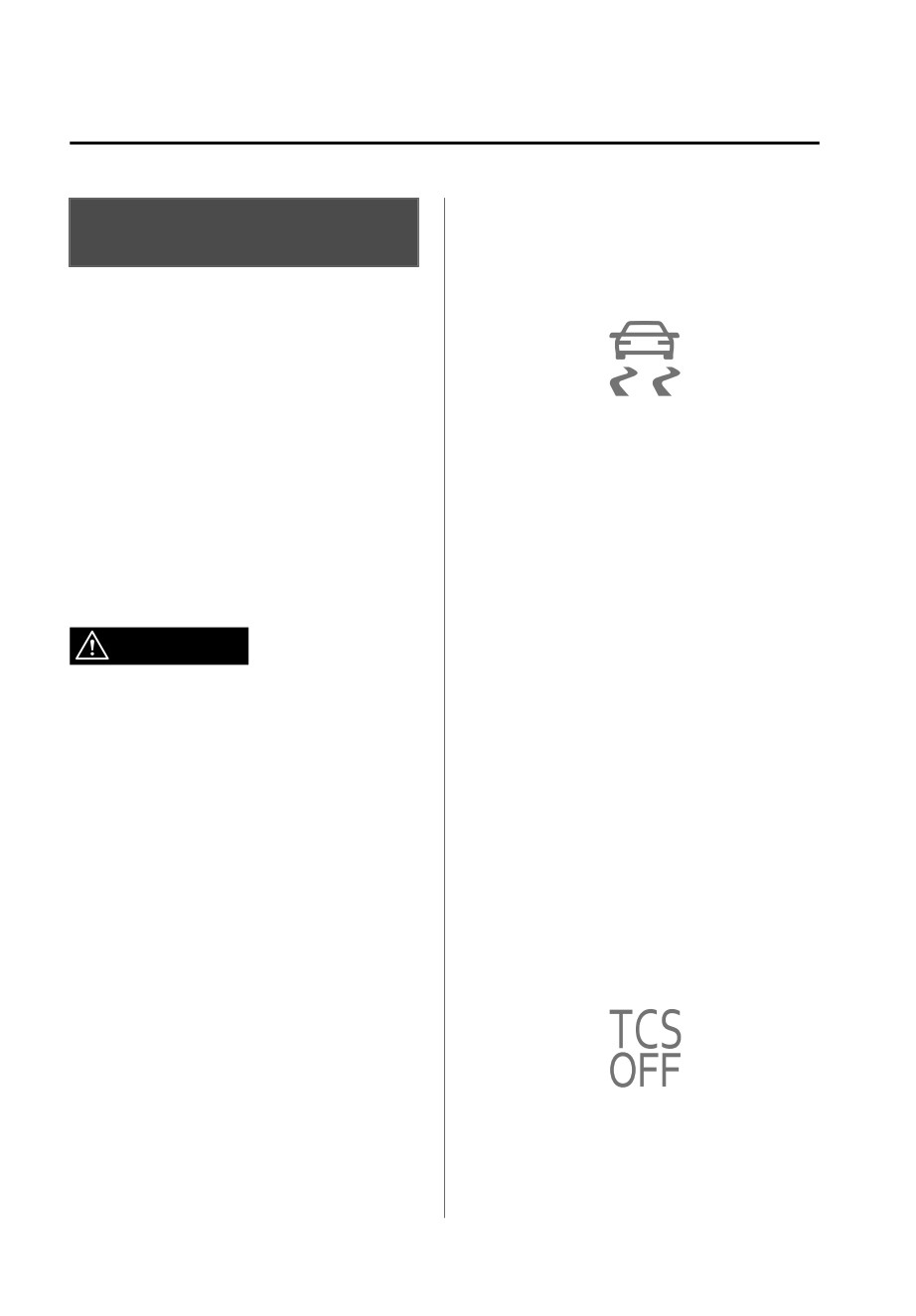
▼ TCS/DSC Indicator Light
The Traction Control System (TCS)
prevents drive-wheel spinning which
occurs during acceleration from a stop
or acceleration during cornering on
slippery roads, such as wet or
When the power switch is switched
snow-covered roads, and assures
ON, the TCS/DSC indicator light turns
optimum drive force and steerability.
on and then turns off after a few
seconds.
If the TCS or DSC is operating, the
The warning light turns on when the
indicator light flashes.
system has a malfunction.
Refer to TCS/DSC Indication/
If the light stays on, the TCS, DSC or
Indicator Light (Turns on) on page
the brake assist system may have a
7-27.
malfunction and they may not operate
correctly. Take your vehicle to an
WARNING
Authorized Mazda Dealer.
Do not rely on the Traction Control
NOTE
System (TCS) as a substitute for safe
When the TCS/DSC operation
driving:
indicator light flashes, a sound from
The Traction Control System (TCS)
the motor compartment may be
cannot compensate for unsafe and
heard, however, this does not
reckless driving, excessive speed,
indicate a problem. This indicates
tailgating (following another vehicle
that the TCS/DSC is operating
too closely), and hydroplaning
normally.
(reduced tire friction and road contact
On slippery road surfaces, such as
because of water on the road surface).
freshly fallen snow, the motor
You can still have an accident.
rotation speed cannot be increased
when the TCS is on.
Use snow tires or tire chains and drive
at reduced speeds when roads are
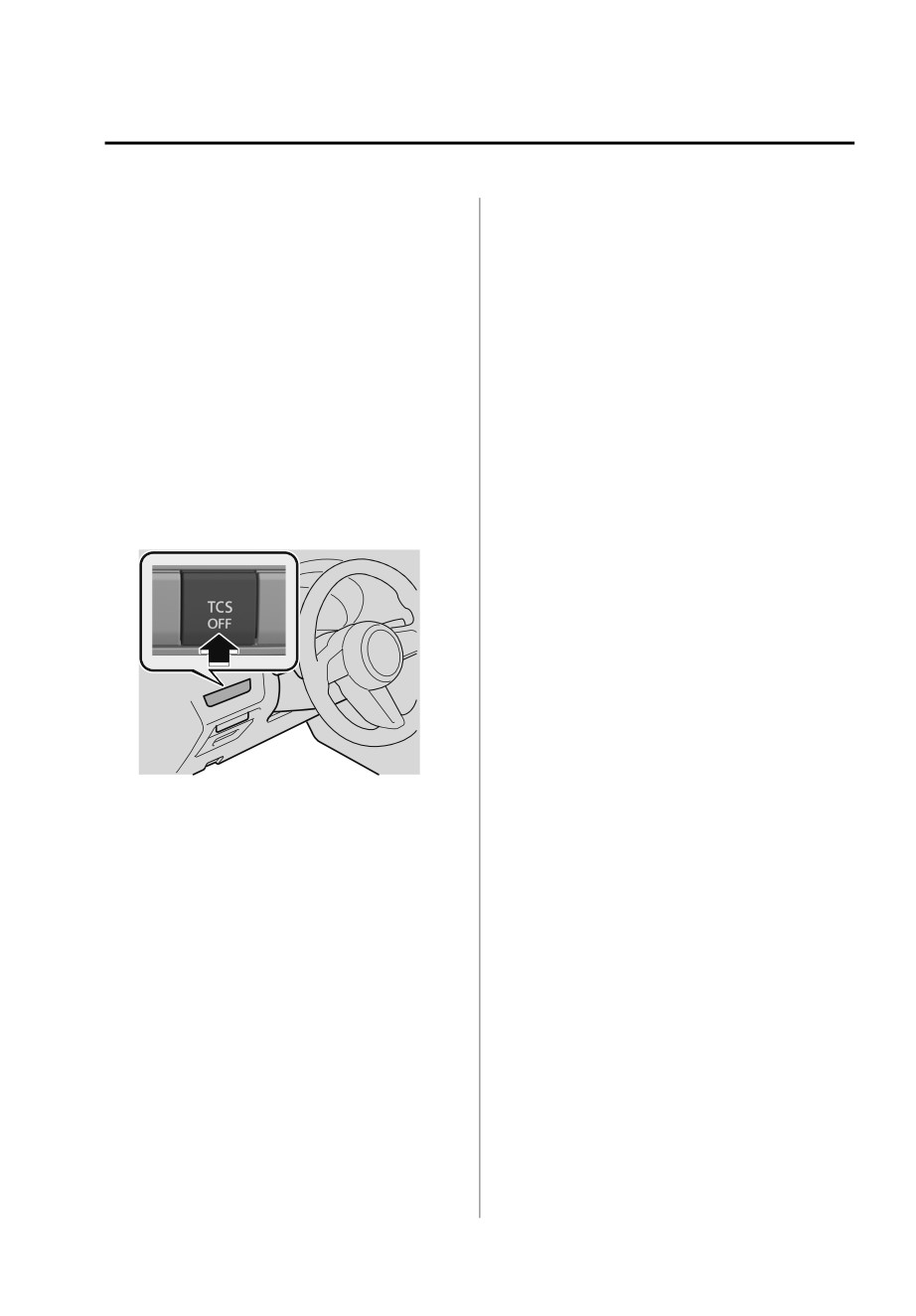
▼ TCS OFF Indicator Light
covered with ice and/or snow:
Driving without proper traction devices
on snow and/or ice-covered roads is
dangerous. The Traction Control
System (TCS) alone cannot provide
adequate traction and you could still
This indicator light stays on for a few
have an accident.
seconds when the power switch is
switched ON.
4-64
When Driving
ABS/TCS/DSC
It also illuminates when the TCS OFF
Leaving the TCS on will provide the
switch is pressed and TCS is switched
best traction.
off.
If the TCS OFF switch is pressed and
Refer to TCS OFF Switch on page
held for 10 seconds or more, the
4-65.
TCS OFF switch malfunction
detection function operates and the
If the light remains illuminated and the
TCS system activates automatically.
TCS is not switched off, take your
The TCS OFF indicator light turns off
vehicle to an Authorized Mazda
while the TCS system is operative.
Dealer. The DSC may have a
malfunction.
▼ TCS OFF Switch
Press the TCS OFF switch to turn off the
TCS. The TCS OFF indicator light in the
instrument cluster will illuminate.
Press the switch again to turn the TCS
back on. The TCS OFF indicator light*
will turn off.
NOTE
When the TCS is on and you attempt
to free the vehicle from being stuck,
or drive it out of freshly fallen snow,
the TCS will activate. Depressing the
accelerator pedal will not increase
motor power and freeing the vehicle
might be difficult. When this
happens, turn off the TCS.
If the EV system is turned off with the
TCS turned off, the TCS becomes
operational when the EV system is
started the next time.
*Some models.
4-65
When Driving
ABS/TCS/DSC
¾ Use tires of the correct size
Dynamic Stability Control
specified for your Mazda on all 4
(DSC)
wheels.
¾ Use tires of the same
▼ Dynamic Stability Control (DSC)
manufacturer, brand and tread
pattern on all 4 wheels.
The Dynamic Stability Control (DSC)
automatically controls braking and
¾ Do not mix worn tires.
motor torque in conjunction with
¾ The DSC may not operate correctly
systems such as the ABS and TCS to
when tire chains are used or a
help control side slip when driving on
temporary spare tire is installed
because the tire diameter changes.
slippery surfaces, or during sudden or
evasive steering, which enhances
vehicle stability.
NOTE
If there is a problem with the DSC, the
Refer to ABS (page 4-63) and TCS
Hill Launch Assist (HLA) may not
(page 4-64).
operate.
Refer to Hill Launch Assist (HLA) on
DSC operation is possible at speeds
page 4-61.
greater than 20 km/h (12 mph).
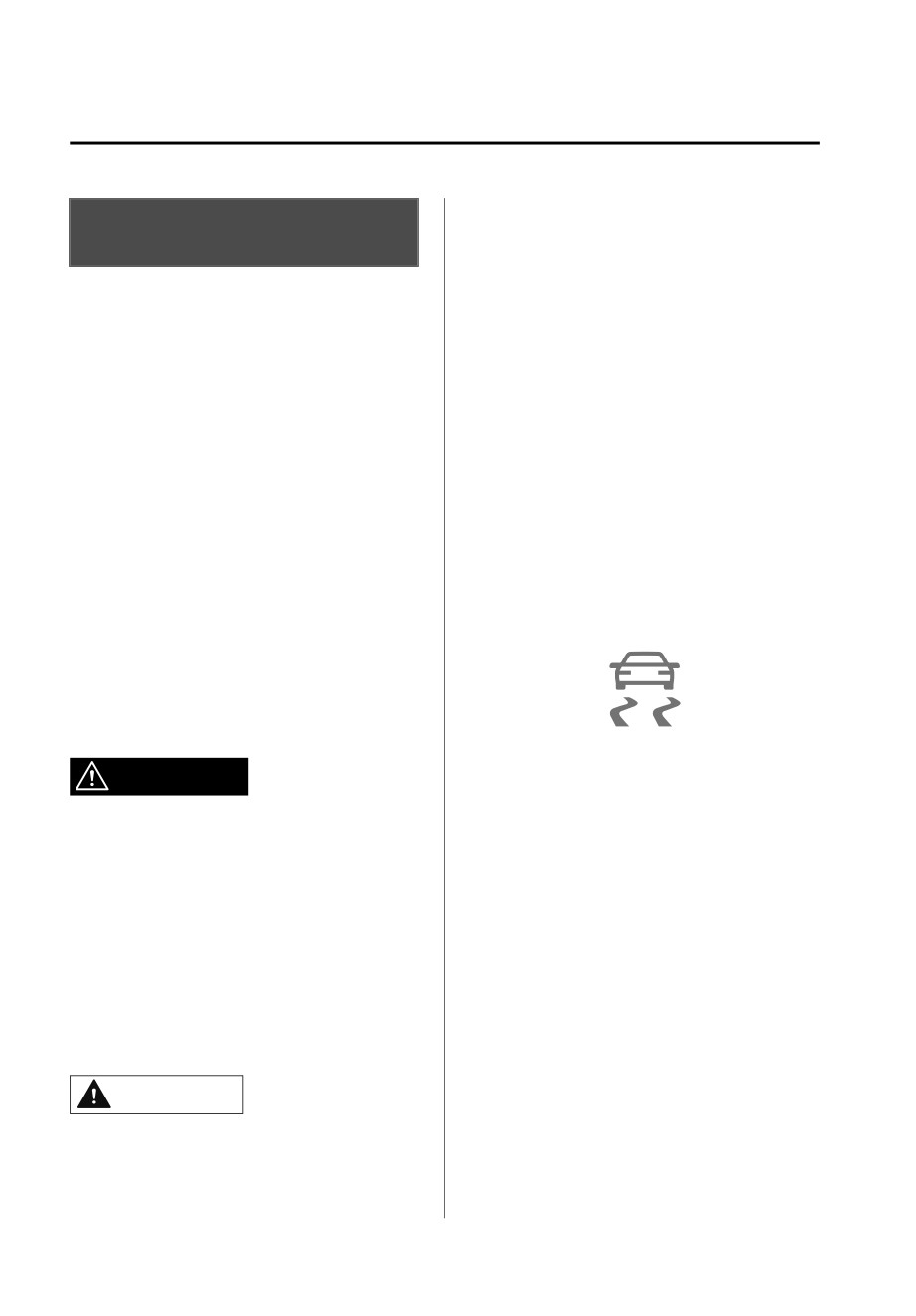
▼ TCS/DSC Indicator Light
The warning light turns on when the
system has a malfunction.
Refer to TCS/DSC Indication/
Indicator Light (Turns on) on page
7-27.
When the power switch is switched
ON, the TCS/DSC indicator light turns
WARNING
on and then turns off after a few
seconds. If the TCS or DSC is
Do not rely on the Dynamic Stability
operating, the indicator light flashes.
Control as a substitute for safe
driving:
If the light stays on, the TCS, DSC or
The Dynamic Stability Control (DSC)
the brake assist system may have a
cannot compensate for unsafe and
malfunction and they may not operate
reckless driving, excessive speed,
correctly. Take your vehicle to an
tailgating (following another vehicle
Authorized Mazda Dealer.
too closely), and hydroplaning
(reduced tire friction and road contact
because of water on the road surface).
You can still have an accident.
CAUTION
¾ The DSC may not operate correctly
unless the following are observed:
4-66
When Driving
Power Steering
Power Steering
▼ Power Steering
Power steering is operable when the
power switch is switched ON (EV
system on). The steering wheel can
still be operated even when the
power switch is switched to a
position other than ON (EV system
on), however, the operation may feel
heavy compared to normal.
If the steering feels stiffer than usual
during normal driving or the steering
vibrates, consult an Authorized
Mazda Dealer.
The malfunction indication/indicator
light notifies the driver of system
abnormalities and operation
conditions.
Refer to Power Steering Malfunction
Indication/Indicator Light on page
7-25.
4-67
When Driving
i-ACTIVSENSE
Front obstruction detection when
i-ACTIVSENSE
approaching a crosswalk
▼ i-ACTIVSENSE
Front Cross Traffic Alert (FCTA)
........................................ page 4-104
i-ACTIVSENSE is a collective term
covering a series of advanced safety
Rear obstruction detection when
and driver support systems which
leaving a parking space
make use of cameras and sensors. The
Rear Cross Traffic Alert (RCTA)
systems consist of active safety and
pre-crash safety systems.
........................................ page 4-107
These systems are designed to assist
Full-surround recognition
the driver in safer driving by reducing
the load on the driver and helping to
360°View Monitor
page 4-144
avert collisions or reduce their severity.
Driver fatigue detection
However, because each system has its
limitations, always drive carefully and
Driver Attention Alert (DAA)
do not rely solely on the systems.
........................................ page 4-100
Driver Monitoring (DM)
page 4-102
▼ Active Safety Technology
Driver support systems
Active Safety Technology supports safer
Inter-vehicle distance
driving by helping the driver to
recognize potential hazards and avert
Mazda Radar Cruise Control with Stop
accidents.
& Go function (MRCC with Stop & Go
Driver awareness support systems
function)
page 4-111
Lane departure
Nighttime visibility
Lane-keep Assist System (LAS)
Adaptive Front Lighting System
........................................ page 4-127
(AFS)
page 4-82
High Beam Control System
Lane keeping
(HBC)
page 4-83
Emergency Lane Keeping (ELK)
Left/right side and rear side detection
........................................ page 4-129
Lane Departure Warning System
Inter-vehicle distance and lane
(LDWS)
page 4-84
keeping
Blind Spot Monitoring (BSM)
Traffic Jam Assist (TJA)
page 4-118
..........................................page 4-87
Road sign recognition
▼ Pre-Crash Safety Technology
Traffic Sign Recognition System
Pre-crash safety technology is designed
(TSR)
page 4-93
to assist the driver in averting collisions
or reducing their severity in situations
Inter-vehicle distance recognition
where they cannot be avoided.
Distance & Speed Alert (DSA)
Collision damage reduction
..........................................page 4-99
Smart Brake Support (SBS)
........................................ page 4-136
4-68
When Driving
i-ACTIVSENSE
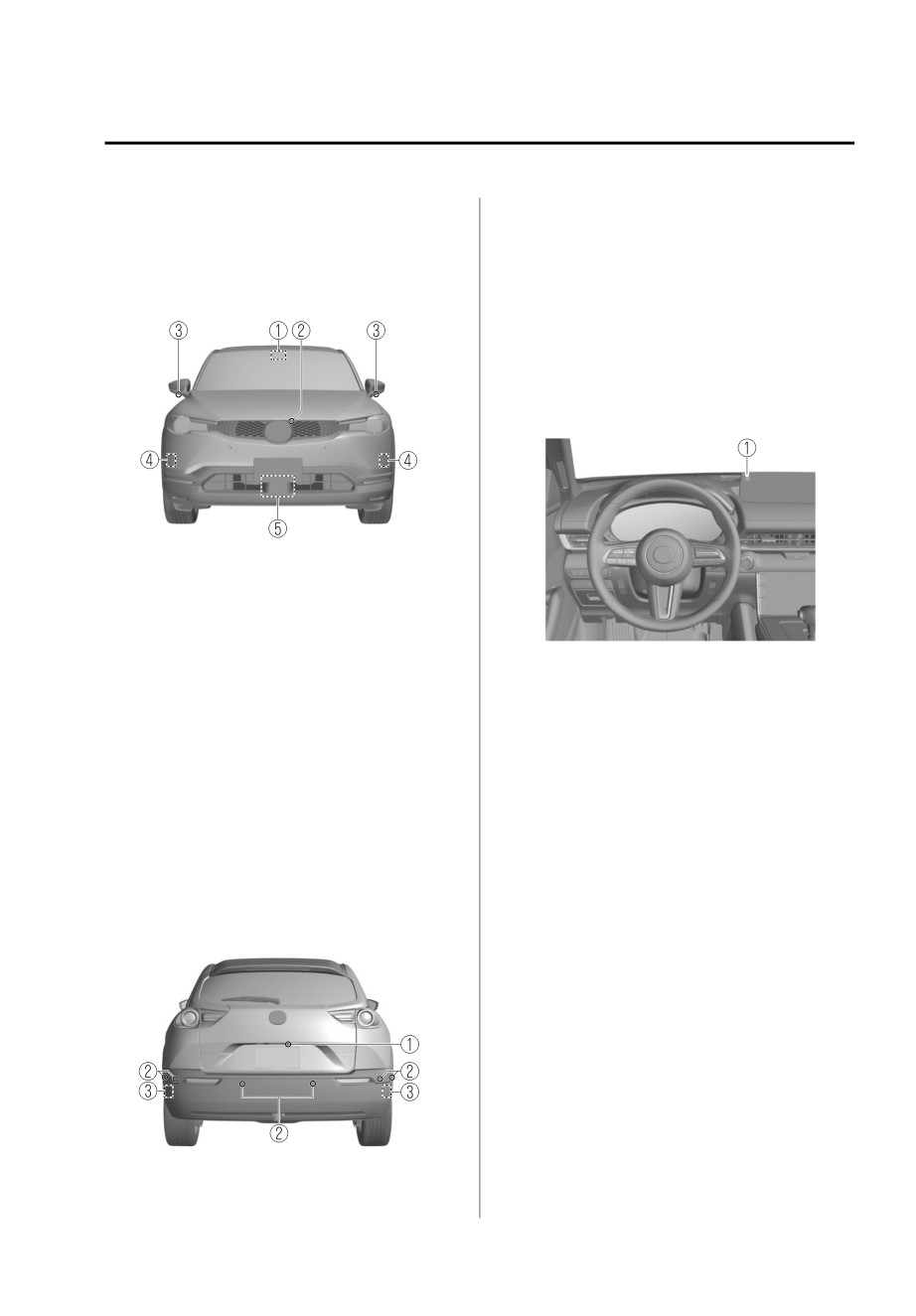
▼ Camera and Sensors
Refer to Front Camera/Side
Cameras/Rear Camera on page
i-ACTIVSENSE uses the following
4-81.
detection systems.
2. Rear ultrasonic sensor
Vehicle front
Refer to Rear Ultrasonic Sensor on
page 4-80.
3. Rear side radar sensor
Refer to Rear Side Radar Sensor on
page 4-79.
Inside of vehicle
1. Forward Sensing Camera (FSC)
Refer to Forward Sensing Camera
(FSC) on page 4-71.
2. Front camera
Refer to Front Camera/Side
Cameras/Rear Camera on page
1. Driver monitoring camera
Refer to Driver Monitoring Camera
4-81.
3. Side cameras
on page 4-81.
Refer to Front Camera/Side
▼ i-ACTIVSENSE Status Symbol
Cameras/Rear Camera on page
(Warning/Risk Avoidance Support
4-81.
System)*
4. Front side radar sensor
Refer to Front Side Radar Sensor on
The system notifies the driver of any of
page 4-77.
the following system status using the
5. Front radar sensor
color or OFF indication of the
Refer to Front Radar Sensor on
i-ACTIVSENSE status symbol
page 4-75.
(Warning/risk avoidance support
system).
Vehicle rear
Lane Departure Warning System
(LDWS)
Blind Spot Monitoring (BSM)
Distance & Speed Alert (DSA)
Front Cross Traffic Alert (FCTA)
Rear Cross Traffic Alert (RCTA)
Lane-keep Assist System (LAS)
1. Rear camera
*Some models.
4-69
When Driving
i-ACTIVSENSE
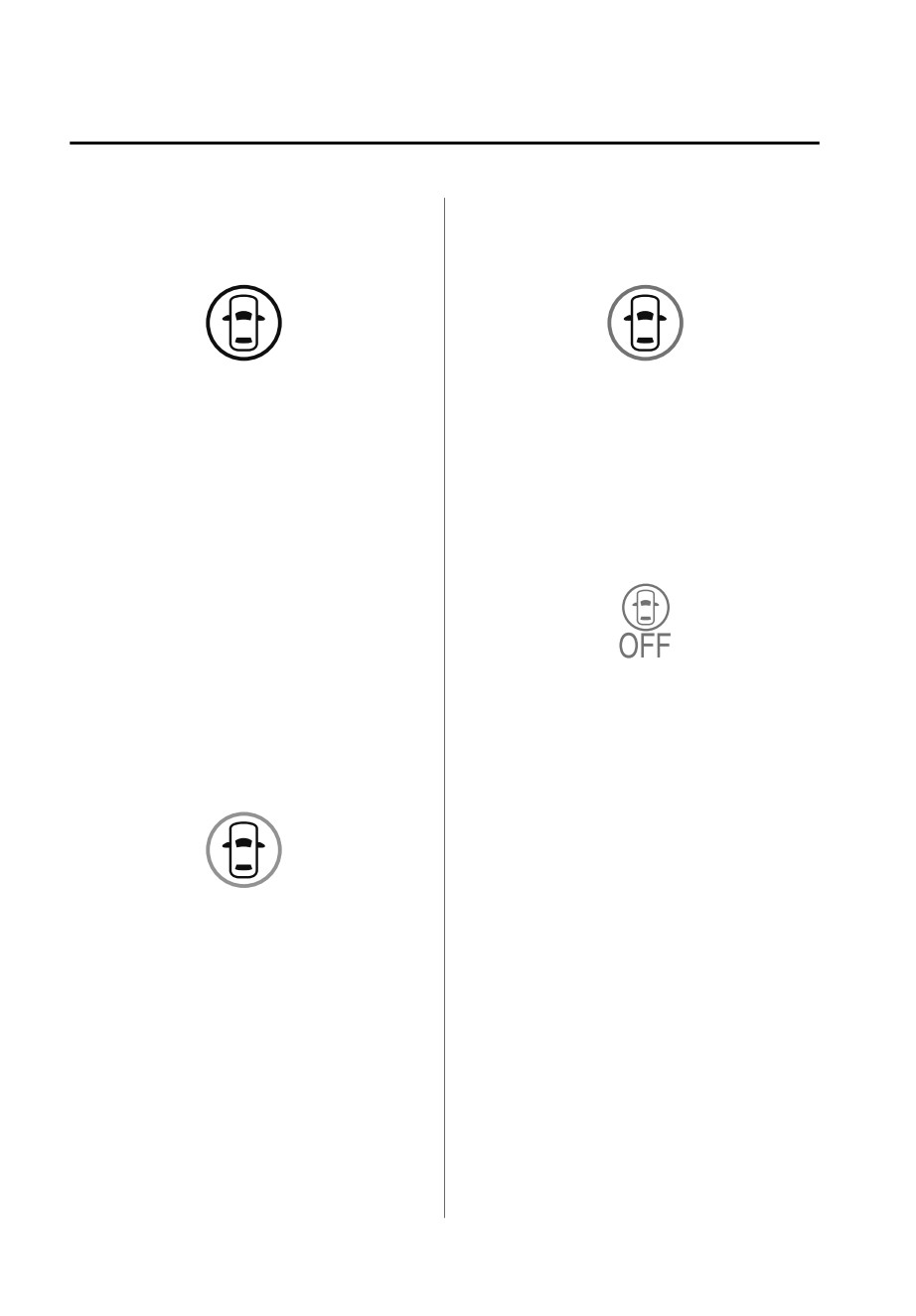
i-ACTIVSENSE status symbol
i-ACTIVSENSE status symbol
(warning/risk avoidance support
(warning/risk avoidance support
system) (white)
system) (amber)
System stand-by status
System warning status
If none of the systems are activated or
If any system warning is activated, the
if there is a problem with the system,
i-ACTIVSENSE status symbol (warning/
the i-ACTIVSENSE status symbol
risk avoidance support system)
(warning/risk avoidance support
(amber) is displayed.
system) (white) is displayed.
i-ACTIVSENSE OFF symbol (warning/
NOTE
risk avoidance support system)
For example, even when the Blind Spot
Monitoring (BSM) is operating
normally, if the Lane Departure
Warning System (LDWS) has a
problem, the i-ACTIVSENSE status
symbol (warning/risk avoidance
System OFF status
support system) (white) is displayed.
If all the systems are canceled using
i-ACTIVSENSE status symbol
[Settings] in Mazda Connect or the
(warning/risk avoidance support
i-ACTIVSENSE OFF switch, the
system) (green)
i-ACTIVSENSE OFF symbol (Warning/
risk avoidance support system) is
displayed.
▼ i-ACTIVSENSE OFF Switch*
When the i-ACTIVSENSE OFF switch is
System activated status
pressed, the following systems are
canceled and the i-ACTIVSENSE OFF
If any one of the systems is activated,
symbol (Warning/risk avoidance
the i-ACTIVSENSE status symbol
support system) in the instrument
(warning/risk avoidance support
cluster is displayed.
system) (green) is displayed.
Lane Departure Warning System
NOTE
(LDWS)
Even if the i-ACTIVSENSE status symbol
Blind Spot Monitoring (BSM)
(warning/risk avoidance support
Distance & Speed Alert (DSA)
system) (green) is displayed, systems
Front Cross Traffic Alert (FCTA)
which do not meet the operation
Rear Cross Traffic Alert (RCTA)
conditions will not operate.
Lane-keep Assist System (LAS)
4-70
*Some models.
When Driving
i-ACTIVSENSE
If the i-ACTIVSENSE OFF switch is
Forward Sensing Camera
pressed again, the systems return to
their original operation status and the
(FSC)*
i-ACTIVSENSE OFF symbol (Warning/
risk avoidance support system) turns
▼ Forward Sensing Camera (FSC)
off.
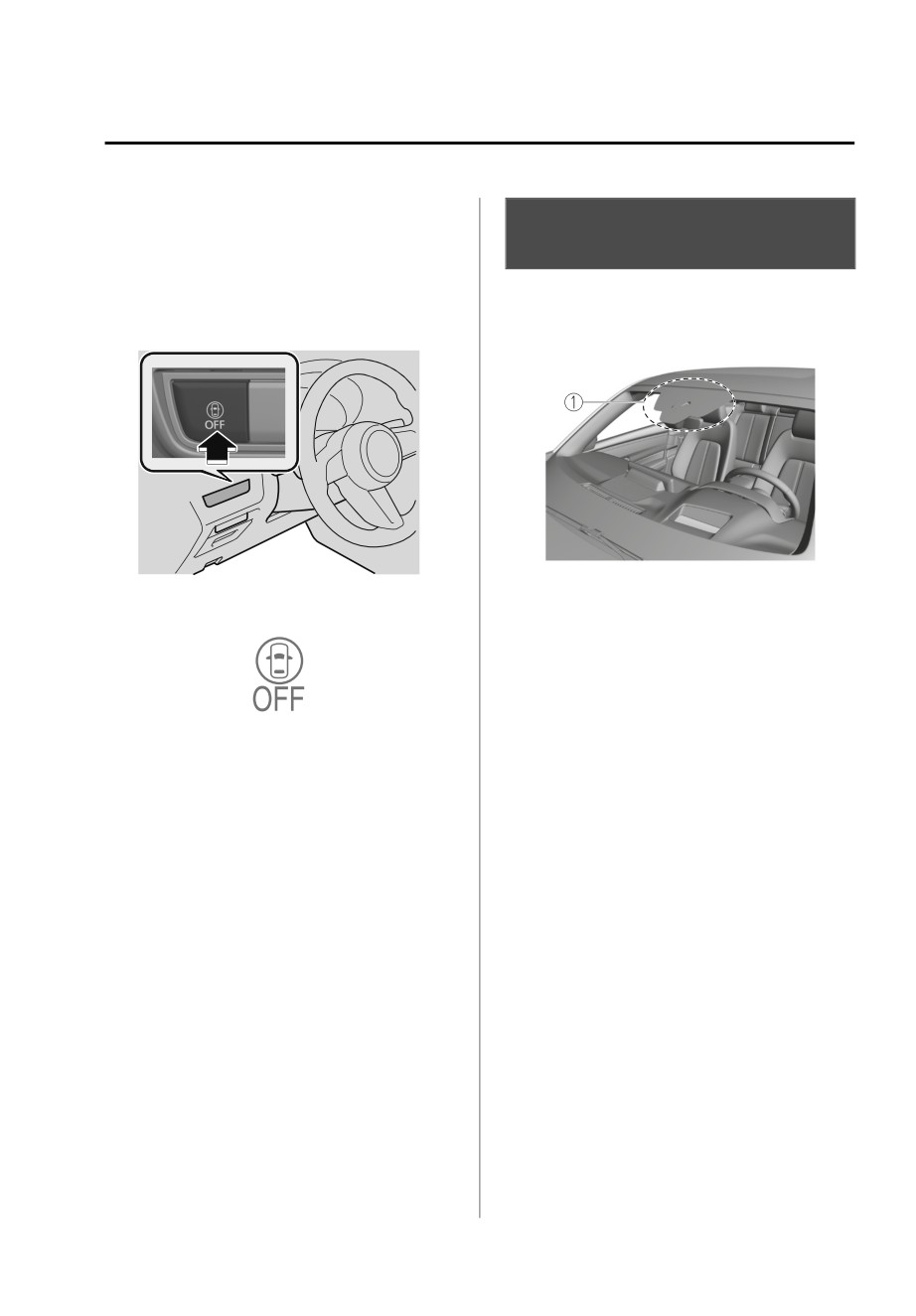
Your vehicle is equipped with a
i-ACTIVSENSE OFF switch
Forward Sensing Camera (FSC).
1. Forward Sensing Camera (FSC)
i-ACTIVSENSE OFF symbol (Warning/
risk avoidance support system)
The following systems also use the
Forward Sensing Camera (FSC).
High Beam Control System (HBC)
Lane Departure Warning System
(LDWS)
Traffic Sign Recognition System (TSR)
If the power switch is switched OFF
Distance & Speed Alert (DSA)
while you have canceled the systems
Driver Attention Alert (DAA)
using the i-ACTIVSENSE OFF switch,
Mazda Radar Cruise Control with
the systems are automatically enabled
Stop & Go function (MRCC with
the next time the power switch is
Stop & Go function)
switched ON. However, if the systems
Traffic Jam Assist (TJA)
are canceled using [Settings] in Mazda
Lane-keep Assist System (LAS)
Connect, the systems are not
Emergency Lane Keeping (ELK)
automatically enabled.
Smart brake support (SBS) forward
NOTE
drive detection
You can select systems which you want
The Forward Sensing Camera (FSC)
to cancel using [Settings] in Mazda
determines the conditions ahead of
Connect.
the vehicle while traveling at night and
Refer to the Settings section in the
detects traffic lanes. The distance in
Mazda Connect Owner's Manual.
which the Forward Sensing Camera
(FSC) can detect objects varies
depending on the surrounding
conditions.
*Some models.
4-71
When Driving
i-ACTIVSENSE
¾ Do not apply accessories, stickers or
CAUTION
film to the windshield near the
Heed the following precautions to
Forward Sensing Camera (FSC).
assure correct operation of each
If the area in front of the Forward
system.
Sensing Camera (FSC) lens is
obstructed, it will cause the system
¾ Do not hit or apply strong force to
to not operate correctly.
the Forward Sensing Camera (FSC)
Consequently, each system may not
or the area around it. If the Forward
operate normally which could lead
Sensing Camera (FSC) is severely hit
to an unexpected accident.
or if there are cracks or damage
¾ Always keep the windshield glass
caused by flying gravel or debris in
around the camera clean by
the area around it, stop using the
removing dirt or fogging. Use the
following systems and consult an
windshield defroster to remove
Authorized Mazda Dealer.
fogging on the windshield.
¾ HBC
¾ The Forward Sensing Camera (FSC)
¾ LDWS
includes a function for detecting a
¾ TSR
soiled windshield and informing the
¾ DSA
driver, however, depending on the
¾ DAA
conditions, it may not detect plastic
¾ MRCC with Stop & Go function
shopping bags, ice or snow on the
windshield. In such cases, the system
¾ TJA
cannot accurately determine a
¾ LAS
vehicle ahead and may not be able
¾ ELK
to operate normally. Always drive
¾ SBS forward drive detection
carefully and pay attention to the
¾ The Forward Sensing Camera (FSC) is
road ahead.
installed to the windshield. Consult
¾ When cleaning the windshield, do
an Authorized Mazda Dealer for
not allow glass cleaners or similar
windshield repair and replacement.
cleaning fluids to get on the Forward
¾ Do not remove the Forward Sensing
Sensing Camera (FSC) lens. In
Camera (FSC) cover.
addition, do not touch the Forward
¾ Be careful not to scratch the Forward
Sensing Camera (FSC) lens.
Sensing Camera (FSC) lens or allow
¾ Consult an Authorized Mazda Dealer
it to get dirty.
regarding cleaning the interior side of
¾ The direction in which the Forward
the windshield around the Forward
Sensing Camera (FSC) is pointed has
Sensing Camera (FSC).
been finely adjusted. Do not change
¾ If there are recognizable cracks or
the installation position of the
damage caused by flying gravel or
Forward Sensing Camera (FSC) or
debris on the windshield, always
remove it. Otherwise, it could result
have the windshield replaced.
in damage or malfunction.
Consult an Authorized Mazda Dealer
¾ Consult an Authorized Mazda Dealer
for replacement.
regarding cleaning of the camera
¾ Consult an Authorized Mazda Dealer
lens.
before performing repairs around the
¾ Do not place objects on the
Forward Sensing Camera (FSC).
dashboard which reflect light.
4-72
When Driving
i-ACTIVSENSE
¾ When performing repairs around the
If the Forward Sensing Camera (FSC)
rearview mirror, consult an
detects that the windshield is dirty or
Authorized Mazda Dealer.
foggy, the system functions related to
¾ Always use tires for all wheels that
the Forward Sensing Camera (FSC)
are of the specified size, and the
are temporarily stopped and the
same manufacturer, brand, and tread
following warning lights turn on.
pattern. In addition, do not use tires
However, this does not indicate a
with significantly different wear
problem. Remove the dirt from the
patterns on the same vehicle as the
windshield or press the defroster
system may not operate normally.
switch and defog the windshield.
HBC warning indication/warning
NOTE
light (amber)
If the Forward Sensing Camera (FSC)
i-ACTIVSENSE warning indication/
cannot operate normally due to rain,
warning light
backlight, or fog, the system
Detection of pedestrians
functions related to the Forward
Sensing Camera (FSC) are
The Forward Sensing Camera (FSC)
temporarily stopped and the
detects pedestrians when all of the
following warning lights turn on.
following conditions are met.
However, this does not indicate a
The height of a pedestrian is about 1
malfunction.
to 2 m (3 to 6.5 ft).
HBC warning indication/warning
The outline of a pedestrian is
light (amber)
recognized such as the head, both
i-ACTIVSENSE warning indication/
shoulders, or the feet.
warning light
The Forward Sensing Camera (FSC)
If the Forward Sensing Camera (FSC)
may not be able to detect pedestrians
cannot operate normally due to high
when any of the following conditions is
temperatures, the system functions
met.
related to the Forward Sensing
Camera (FSC) are temporarily
There are multiple pedestrians.
stopped and the following warning
A pedestrian is close to a separate
lights turn on. However, this does
object.
not indicate a malfunction. Cool
A pedestrian is crouching, lying, or
down the area around the Forward
slouching.
Sensing Camera (FSC) such as by
A pedestrian suddenly jumps into
turning on the air conditioner.
the road.
A pedestrian is holding something
HBC warning indication/warning
(such as an open umbrella or large
light (amber)
baggage).
i-ACTIVSENSE warning indication/
A pedestrian blends into the
warning light
background (such as in a dark
location at night or by wearing
clothes matching the background
color).
4-73
When Driving
i-ACTIVSENSE
Detection of objects
Front visibility is reduced (due to a
vehicle ahead casting off water,
When any of the following conditions
snow, or sand).
is met, the Forward Sensing Camera
Strong light is directed at the front of
(FSC) may not be able to detect target
your vehicle (such as backlight and
objects correctly, and each system may
high-beam headlights).
not operate normally.
There is an object which emits a lot
The height of the vehicle ahead is
of light.
low.
The surrounding area is dark (such as
You are driving your vehicle at the
during the night, early evening, or
same speed as the vehicle ahead.
early morning, or in a tunnel or
The headlights of your vehicle are not
indoor parking lot).
turned on during the night or in a
There are light sources in the
tunnel.
surrounding area (such as street
lamps, illuminated signboards, and
When any of the following conditions
traffic signals).
is met, the Forward Sensing Camera
There are objects which reflect light
(FSC) may not be able to detect target
(such as reflective plates and signs)
objects, and each system may not
in the surrounding area.
operate normally.
The surrounding brightness suddenly
The target object enters the blind
changes (such as when entering or
spot of the Forward Sensing Camera
exiting a tunnel).
(FSC).
The brightness of the headlights of
A person or object bursts onto the
your vehicle is insufficient (such as
road from the shoulder or cuts right
the illumination is weakened due to
in front of you.
a dirty lens or the optical axis is
The distance between your vehicle
deviated).
and the target object is extremely
Tires other than the specified size are
close.
used on your vehicle (such as when
You change the course and approach
tire chains or temporary spare tires
a target object.
are used).
A vehicle ahead has a special shape
The tires on your vehicle have
(such as a vehicle carrier).
significantly different wear.
A vehicle ahead is a truck with a low
Foreign matter is stuck to the
loading platform.
windshield (such as ice, fog, snow,
A vehicle ahead has an extremely
frost, raindrops, dirt, or a piece of
low or high profile.
plastic).
A vehicle ahead is outside the
The windshield is dirty or fogged.
illumination range of the headlights.
The Forward Sensing Camera (FSC) is
A vehicle ahead is not equipped with
blocked by an obstruction, causing
taillights.
poor forward visibility (such as when
The taillights of a vehicle ahead are
roof rails are installed to the vehicle
dim or turned off.
and a long object is loaded).
The headlights of an on-coming
The windshield washer is being used.
vehicle are dim or turned off.
The windshield wipers are not being
Under bad weather conditions (rain,
used when it is raining.
fog, and snow).
4-74
When Driving
i-ACTIVSENSE
Your vehicle is tilted (such as when
Front Radar Sensor*
heavy luggage is in the luggage
compartment or on the rear seat).
▼ Front Radar Sensor
Your vehicle is towing another
vehicle.
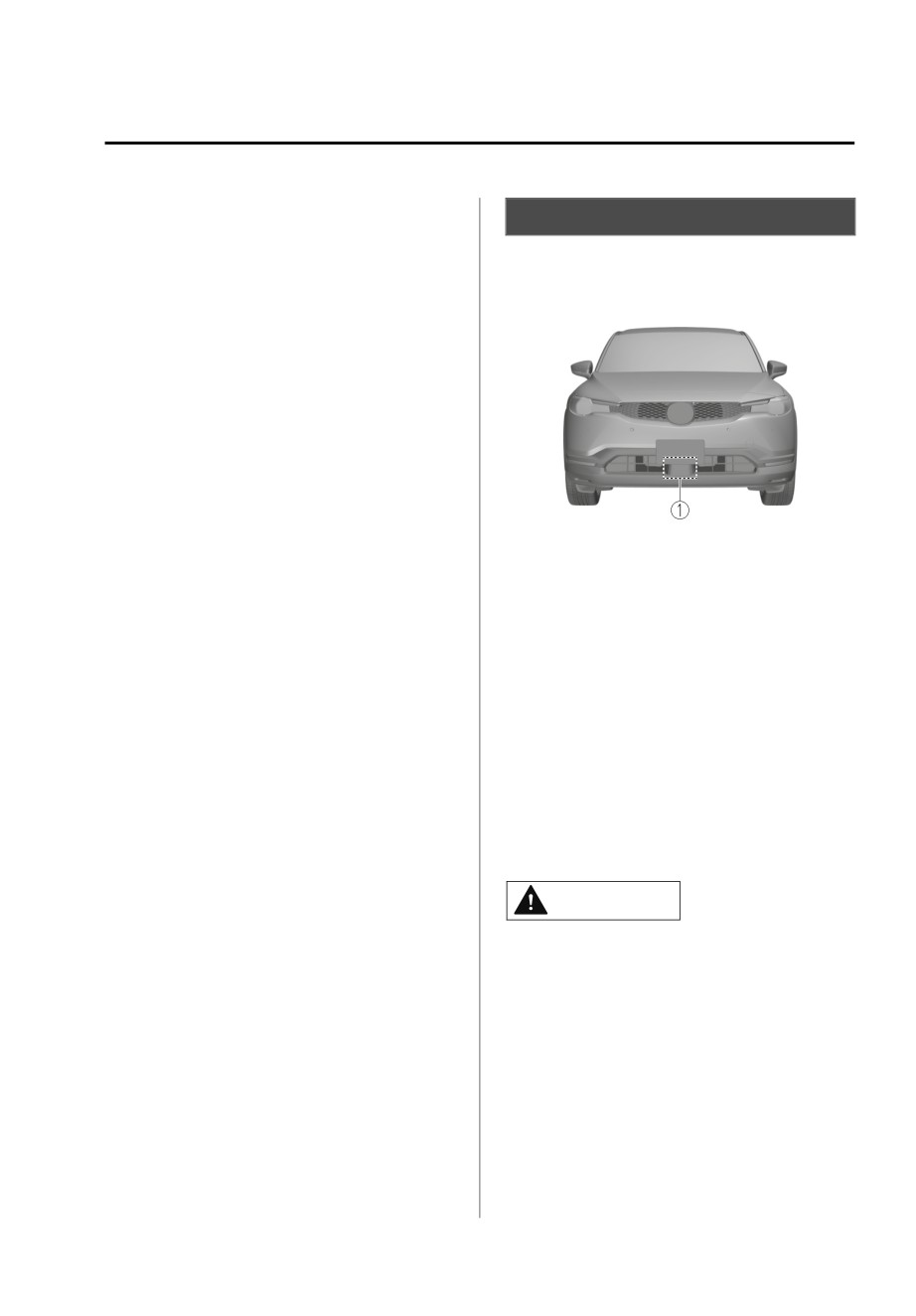
Your vehicle is equipped with a front
The vehicle is making a sharp curve,
radar sensor.
or ascending or descending a steep
slope.
The vehicle is driven on roads with
sharp curves or undulations.
The vehicle is driven on uneven
roads.
The vehicle is driven next to walls
with no patterning (including fences
and longitudinally striped walls).
There are water puddles on the road.
1. Front radar sensor
The road surface is shiny.
The following systems also use the
front radar sensor.
Distance & Speed Alert (DSA)
Mazda Radar Cruise Control with
Stop & Go function (MRCC with
Stop & Go function)
Traffic Jam Assist (TJA)
Smart brake support (SBS) forward
drive detection
The front radar sensor functions by
detecting the radio waves reflected off
a vehicle ahead or an obstruction sent
from the radar sensor.
CAUTION
Heed the following precautions to
assure correct operation of each
system.
¾ Do not apply a sticker (including a
transparent one) to the front radar
sensor cover or replace the front
radar sensor cover with a product
other than a genuine product.
*Some models.
4-75
When Driving
i-ACTIVSENSE
¾ The front radar sensor includes a
When driving on roads with little
function for detecting soiling of the
traffic and few vehicles ahead or
radar sensor's front surface and
obstructions for the front radar
informing the driver, however,
sensor to detect, “Safety and Driver
depending on the conditions, it may
Support Systems Temporarily
require time to detect or it may not
Disabled. Front Radar Obscured.
detect plastic shopping bags, ice or
Drive Safely” may be temporarily
snow. If this occurs, the system may
displayed, however, this does not
not operate correctly, therefore
indicate a problem.
always keep the front radar sensor
The radar sensors are regulated by
clean.
the relevant radio wave laws of the
¾ If “Safety and Driver Support Systems
country in which the vehicle is
Temporarily Disabled. Front Radar
driven. If the vehicle is driven
Obscured. Drive Safely” is displayed
abroad, authorization from the
on the multi-information display of
country in which the vehicle is driven
the instrument cluster, clean the area
may be required.
around the front radar sensor.
When the vehicle is driven on roads in
¾ Do not install a grille guard.
which there is an elevated road on one
¾ If the front part of the vehicle has
side, the front radar sensor function
been damaged in a vehicle accident,
may be restricted temporarily.
the position of the front radar sensor
When any of the following conditions
may have moved. Stop the system
is met, the front radar sensor may not
immediately and always have the
be able to detect vehicles ahead or
vehicle inspected at an Authorized
obstructions correctly and each system
Mazda Dealer.
may not operate normally.
¾ Do not use the front bumper to push
other vehicles or obstructions such
The rear surface of a vehicle ahead
as when pulling out of a parking
does not reflect radio waves
space. Otherwise, the front radar
effectively (such as an unloaded
sensor could be hit and its position
trailer, a vehicle with a loading
deviated.
platform covered by a soft top, a
¾ For repairs, replacement or paint
vehicle with a hard plastic liftgate,
work around the front radar sensor,
and a round-shaped vehicle).
consult an Authorized Mazda Dealer.
A vehicle ahead has limited areas
¾ Always use tires for all wheels that
that can reflect radio waves (such as
a low profile vehicle).
are of the specified size, and the
same manufacturer, brand, and tread
Under bad weather conditions (rain,
fog, and snow).
pattern. In addition, do not use tires
with significantly different wear
Front visibility is reduced (due to a
vehicle ahead casting off water,
patterns on the same vehicle as the
system may not operate normally.
snow, or sand).
Foreign matter (ice, snow, or dirt) is
on the surface of the front radar
NOTE
sensor cover.
If the lead-acid battery power is
weak, the system may not operate
correctly.
4-76
When Driving
i-ACTIVSENSE
Your vehicle is tilted (such as when
Front Side Radar Sensor*
heavy luggage is in the luggage
compartment or on the rear seat).
▼ Front Side Radar Sensor
The vehicle is driven near facilities or
objects emitting strong radio waves.
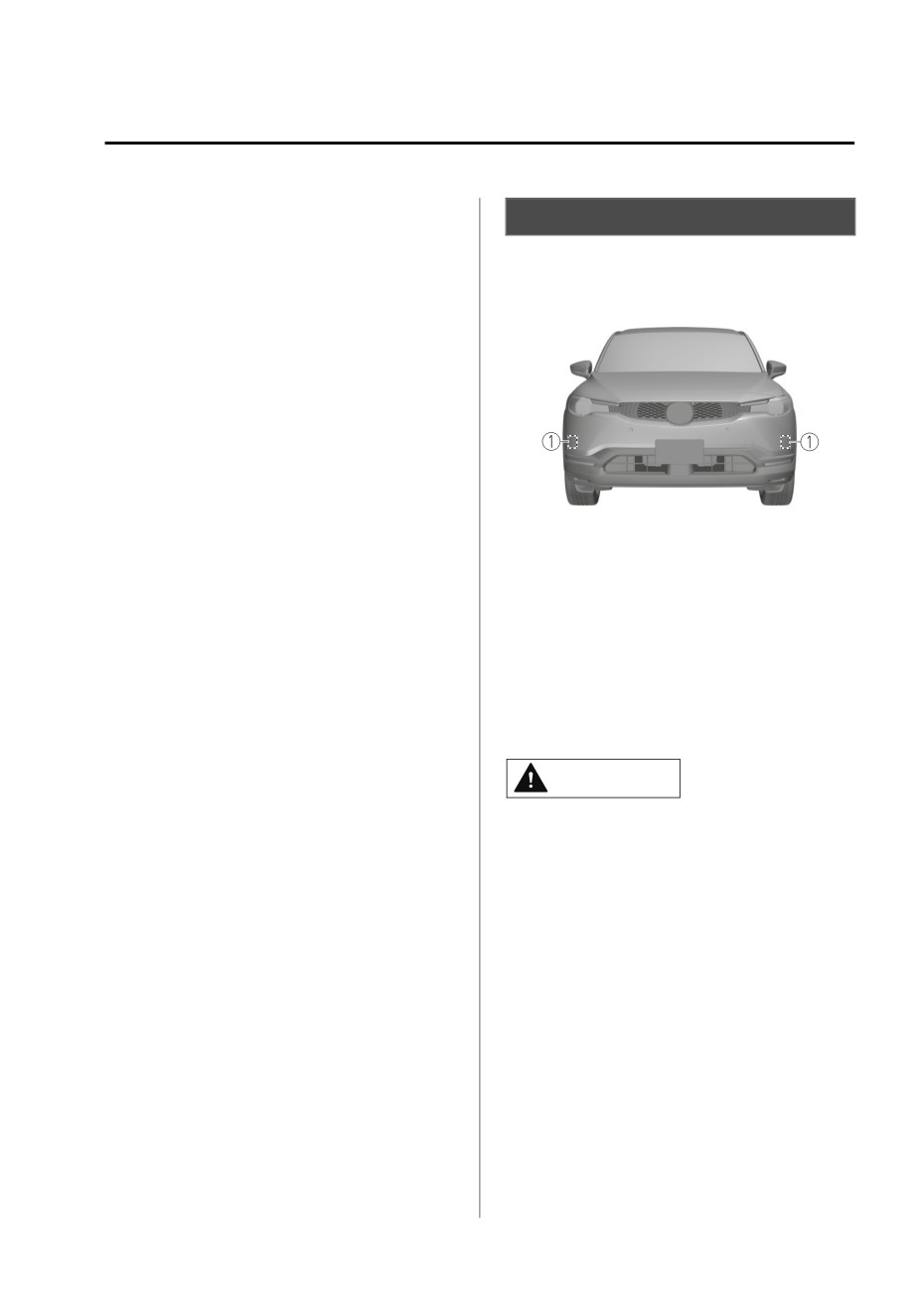
Your vehicle is equipped with front
side radar sensor.
When any of the following conditions
is met, the front radar sensor may
detect vehicles in the opposite lane or
surrounding obstructions, or it may not
be able to detect vehicles ahead or
obstructions, and each system may not
operate normally.
The vehicle ahead enters the front
radar sensor’s blind spot.
1. Front side radar sensor
The distance to the vehicle ahead is
extremely close.
The following systems also use the
The vehicle ahead is being driven in
front side radar sensor.
an unstable condition.
A vehicle suddenly comes close such
Front Cross Traffic Alert (FCTA)
as by cutting into your lane.
The front side radar sensor function by
The vehicle is entering or exiting a
detecting the radio waves reflected off
curve.
a vehicle approaching from the front or
The vehicle is driven on a
an obstruction sent from the radar
continuously curving road.
sensor.
The vehicle is driven on roads with
repeated up and downslopes.
CAUTION
The vehicle is driven on roads with
narrow lanes.
Heed the following precautions to
The vehicle is driven on poor roads
assure correct operation of each
or unpaved roads.
system.
¾ Always keep the surface of the front
bumper near the front side radar
sensors clean so that they operate
normally. Also, do not apply items
such as stickers.
Refer to Exterior Care on page
6-34.
¾ If the front bumper receives a severe
impact, the system may no longer
operate normally. Stop the system
immediately and have the vehicle
inspected at an Authorized Mazda
Dealer.
*Some models.
4-77
When Driving
i-ACTIVSENSE
¾ Vehicles are shipped with the
Vehicles with shapes that may not
direction of the front side radar
reflect radar waves (such as
sensor adjusted for each vehicle to a
unloaded trailers with low vehicle
loaded vehicle condition so that the
heights and sports cars).
front side radar sensor detect
approaching vehicles correctly. If the
direction of the front side radar
sensor has deviated for some reason,
have the vehicle inspected at an
Authorized Mazda Dealer.
¾ For repairs or replacement of the
front side radar sensor, or bumper
repairs, paintwork, and replacement
near the radar sensors, consult an
Authorized Mazda Dealer.
NOTE
The radar sensors are regulated by the
relevant radio wave laws of the country
in which the vehicle is driven. If the
vehicle is driven abroad, authorization
from the country in which the vehicle is
driven may be required.
When any of the following conditions
is met, the detection ability of the front
side radar sensors may decrease and
each system may not operate normally.
Under bad weather conditions (rain,
fog, and snow).
The front bumper around a front side
radar sensor is deformed.
Foreign matter (such as ice, snow,
and mud) is adhering to the front
bumper around a front side radar
sensor.
The front side radar sensors may not
detect the following target objects.
Small motorcycles
Bicycles
Pedestrians
Animals
Shopping carts
Stationary objects on the road or
roadside
4-78
When Driving
i-ACTIVSENSE
¾ If the rear bumper receives a severe
Rear Side Radar Sensor*
impact, the system may no longer
operate normally. Stop the system
▼ Rear Side Radar Sensor
immediately and have the vehicle
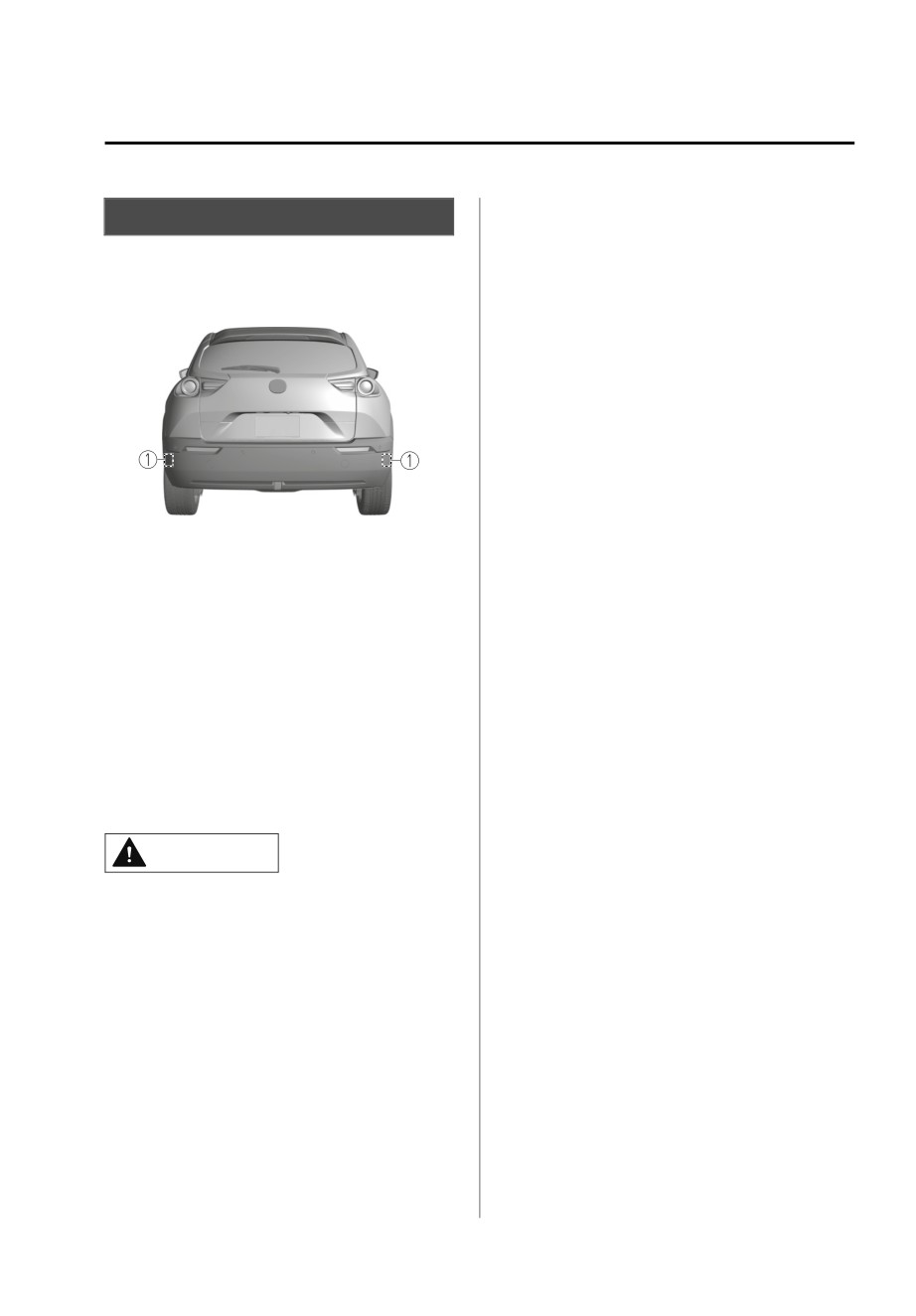
Your vehicle is equipped with rear side
inspected at an Authorized Mazda
radar sensor.
Dealer.
¾ Vehicles are shipped with the
direction of the rear side radar
sensor adjusted for each vehicle to a
loaded vehicle condition so that the
rear side radar sensor detect
approaching vehicles correctly. If the
direction of the rear side radar
sensor has deviated for some reason,
have the vehicle inspected at an
1. Rear side radar sensor
Authorized Mazda Dealer.
¾ For repairs or replacement of the rear
The following systems also use the rear
side radar sensor, or bumper repairs,
side radar sensor.
paintwork, and replacement near the
radar sensors, consult an Authorized
Blind Spot Monitoring (BSM)
Mazda Dealer.
Rear Cross Traffic Alert (RCTA)
Smart brake support (SBS) reverse
drive detection
NOTE
Emergency Lane Keeping (ELK)
The radar sensors are regulated by the
relevant radio wave laws of the country
The rear side radar sensors emit radio
in which the vehicle is driven. If the
waves and detect the radio waves
vehicle is driven abroad, authorization
reflected off a vehicle approaching
from the country in which the vehicle is
from the rear or an obstruction.
driven may be required.
CAUTION
When any of the following conditions
is met, the detection ability of the rear
Heed the following precautions to
side radar sensors may decrease and
assure correct operation of each
each system may not operate normally.
system.
Under bad weather conditions (rain,
¾ Always keep the surface of the rear
fog, and snow).
bumper near the rear side radar
The rear bumper around a rear side
sensors clean so that they operate
radar sensor is deformed.
normally. Also, do not apply items
Foreign matter (such as ice, snow,
such as stickers.
and mud) is adhering to the rear
Refer to Exterior Care on page
bumper around a rear side radar
6-34.
sensor.
The rear side radar sensors may not
detect the following target objects.
Small motorcycles
*Some models.
4-79
When Driving
i-ACTIVSENSE
Bicycles
Rear Ultrasonic Sensor*
Pedestrians
Animals
▼ Rear Ultrasonic Sensor
Shopping carts
Stationary objects on the road or
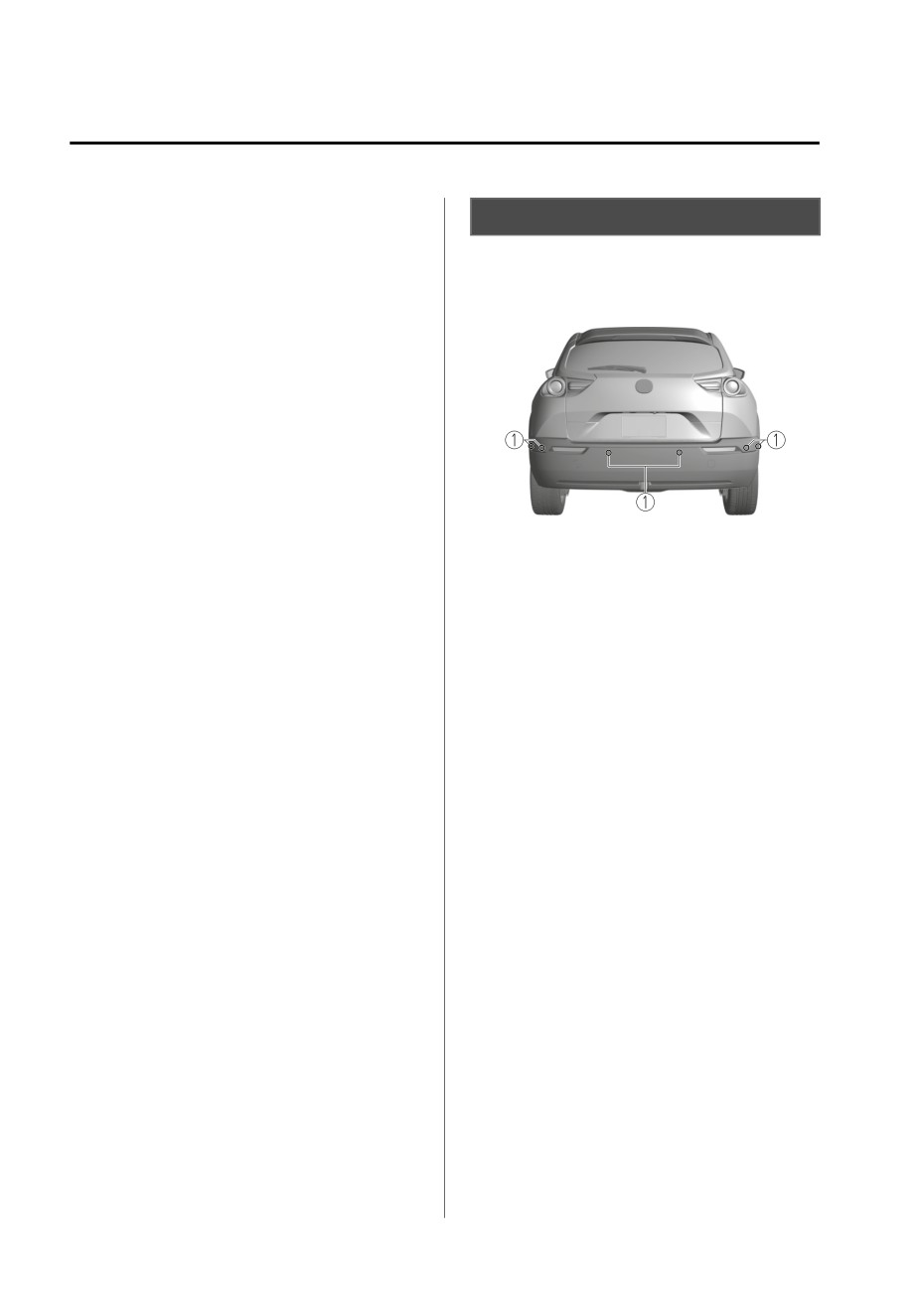
Your vehicle is equipped with rear
roadside
ultrasonic sensor.
Vehicles with shapes that may not
reflect radar waves (such as
unloaded trailers with low vehicle
heights and sports cars).
1. Rear ultrasonic sensor
The following systems also use the rear
ultrasonic sensor.
Smart brake support (SBS) reverse
drive detection
The rear ultrasonic sensors function by
emitting ultrasonic waves which are
reflected off obstructions at the rear
and the returning ultrasonic waves are
picked up by the rear ultrasonic
sensors.
4-80
*Some models.
When Driving
i-ACTIVSENSE
Front Camera/Side
Driver Monitoring
Cameras/Rear Camera*
Camera*
▼ Front Camera/Side Cameras/Rear
▼ Driver Monitoring Camera
Camera
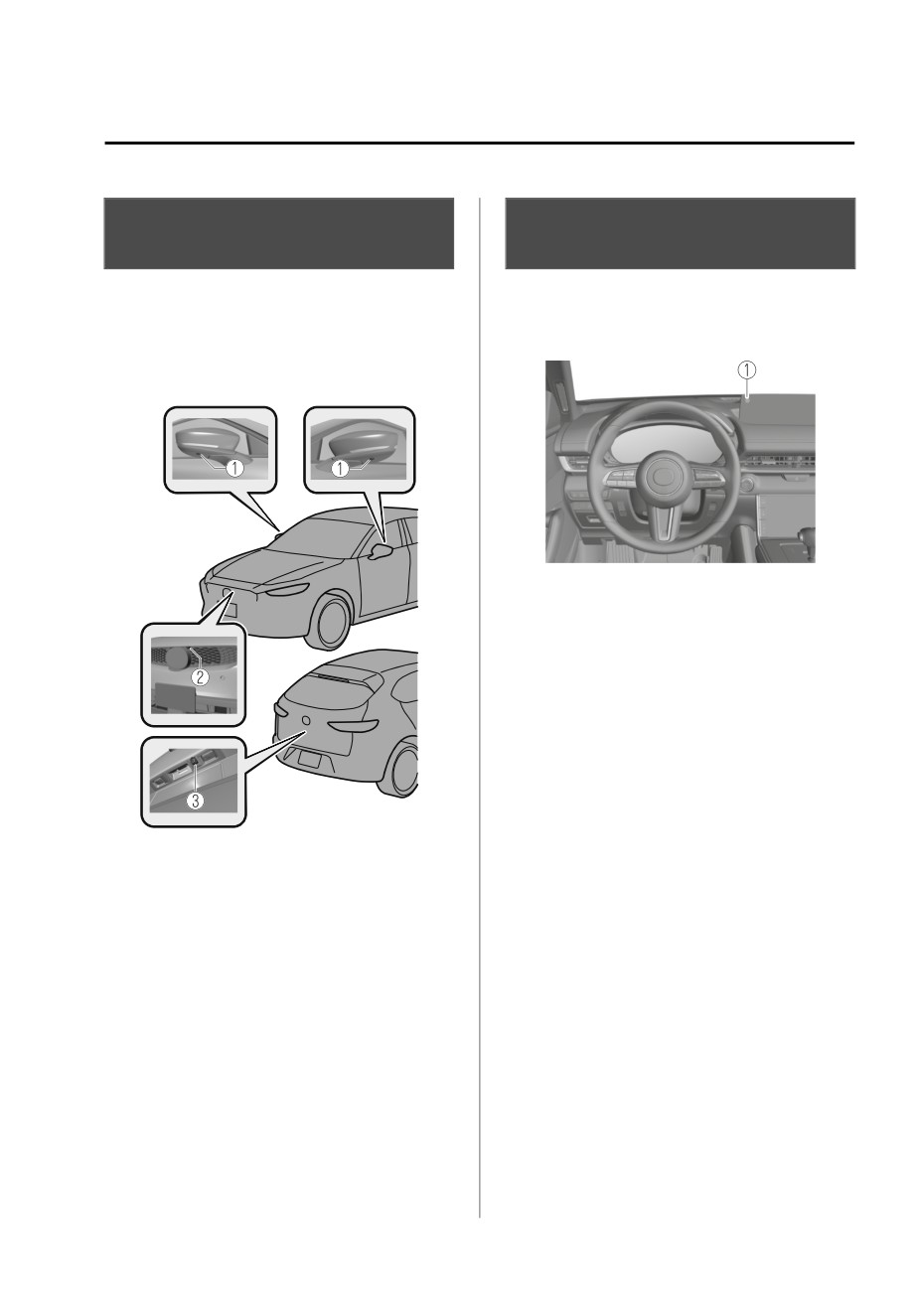
Your vehicle is equipped with a driver
Your vehicle is equipped with a front
monitoring camera.
camera, side cameras, and a rear
camera.
1. Driver monitoring camera
The driver monitoring camera is used
by the following system.
Driver Monitoring (DM)
The driver monitoring camera detects
changes in the driver's facial features
and estimates the amount of
accumulated fatigue and sleepiness of
the driver.
NOTE
1. Side cameras
DM and the earlier collision warning
2. Front camera
may not operate normally under the
3. Rear camera
following conditions.
Each camera is used by the following
The driver monitoring camera is
system.
covered with something.
360°View Monitor
You are driving the vehicle while
leaning on the steering wheel.
The front camera, side cameras, and
You are wearing glasses or
rear camera shoot images of the area
sunglasses.
surrounding the vehicle.
A cap or hat you are wearing
partially blocks the driver
monitoring camera's view of your
eyes, you have long bangs partially
covering your eyes, or a part of
your face is invisible due to a face
mask.
*Some models.
4-81
When Driving
i-ACTIVSENSE
The lighting conditions change
Adaptive Front Lighting
significantly (such as backlight,
light from the side, or direct light
System (AFS)*
from the setting sun, and the
headlights of on-coming vehicles).
▼ Adaptive Front Lighting System
You are driving the vehicle with
(AFS)
your head excessively tilted to one
The adaptive front lighting system
side or the other.
(AFS) automatically adjusts the
You are moving around extensively.
headlight beams to the left or right in
Your face or your eyes frequently
conjunction with the operation of the
turn in direction other than straight
steering wheel after the headlights
ahead (direction of travel).
have been turned on and the vehicle
Your line of sight moves or directly
speed is about 2 km/h (2 mph) or
after it has moved.
higher.
There is a large difference between
A system malfunction or operation
your line of sight and the direction
conditions are indicated by a warning.
your face is pointed.
Refer to Exterior Light Warning
You are driving the vehicle with
Indication/Warning Light on page
your head largely tilted to one side.
7-29.
Free/open source software
information
NOTE
This product includes free/open
The Adaptive Front Lighting System
sources. Information about the
(AFS) can be switched to on/off using
licensing and source code is
the personalization function.
available at the following URL.
Refer to the Settings section in the
Mazda Connect Owner's Manual.
/RTOS/License/oss/DMS_0201/
4-82
*Some models.
When Driving
i-ACTIVSENSE
The vehicle is driven at less than
High Beam Control
about 20 km/h (12 mph).
System (HBC)*
The system detects a vehicle or the
headlights/lights of a vehicle
▼ High Beam Control System (HBC)
approaching in the opposite
direction.
The HBC determines the conditions in
The vehicle is driven on roads lined
front of the vehicle using the Forward
with streetlamps or on roads in
Sensing Camera (FSC) while driving in
well-lit cities and towns.
darkness to automatically switch the
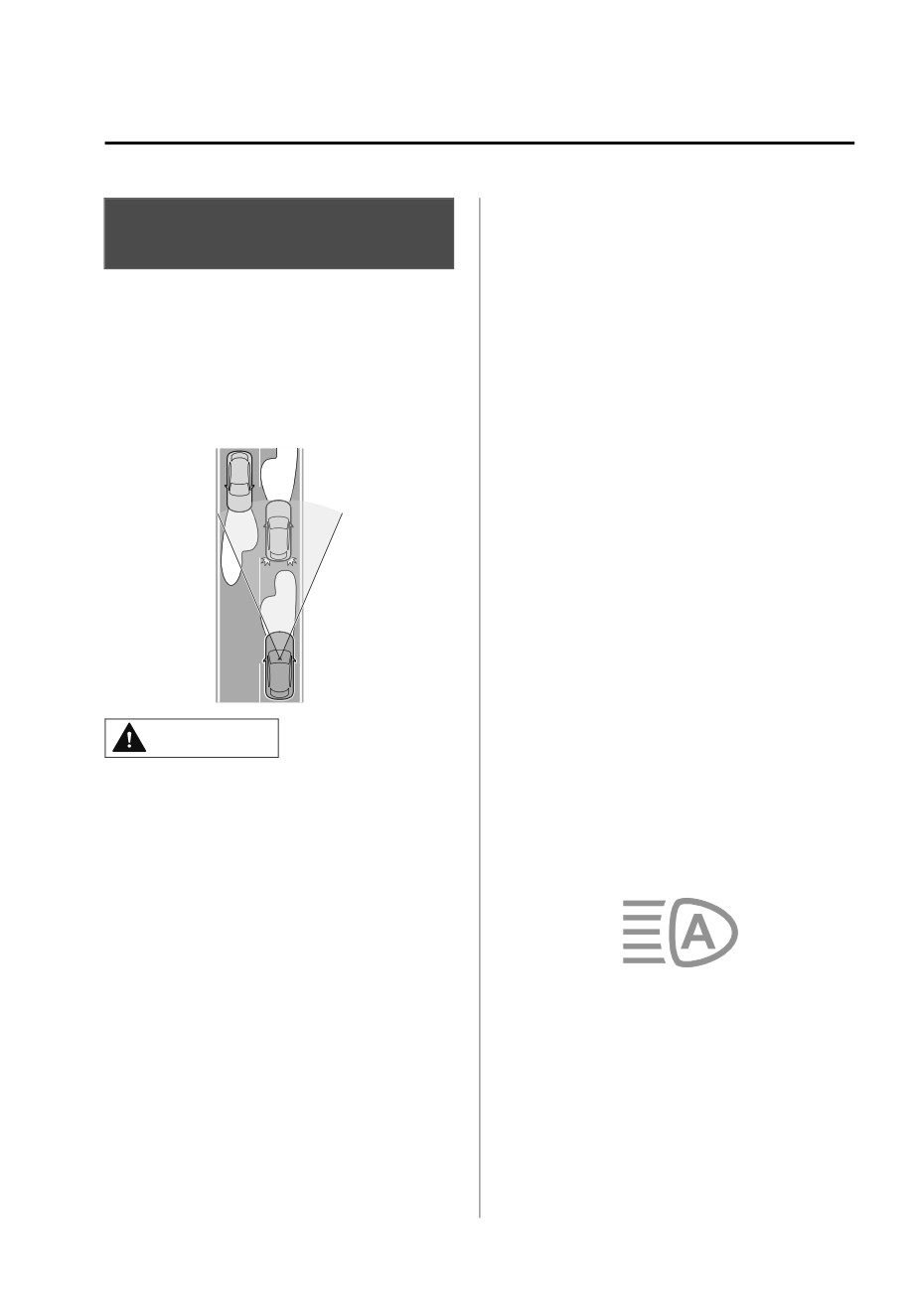
The headlight high-beam indicator
headlights between high and low
light turns on while the high beams
beams.
are on.
While driving the vehicle at a speed of
about 30 km/h (19 mph) or more, the
headlights are switched to high beams
when there are no vehicles ahead or
approaching in the opposite direction.
▼ To Operate the System
The HBC operates to switch the
headlights automatically between high
and low beams after the power switch
is switched ON and the headlight
switch is in the AUTO and low beam
CAUTION
position.
The HBC determines that it is dark
Do not rely excessively on the HBC and
based on the brightness of the
drive the vehicle while paying sufficient
surrounding area. At the same time,
attention to safety. Switch the
the HBC indicator light (green) in the
headlights between the high beams
instrument cluster illuminates.
and low beams manually if necessary.
NOTE
The distance in which the HBC can
detect objects varies depending on
the surrounding conditions.
The Forward Sensing Camera (FSC)
NOTE
may not be able to detect target
Operation of the HBC function can be
objects correctly, and the system may
disabled.
not operate normally.
Refer to the Settings section in the
Refer to Forward Sensing Camera
Mazda Connect Owner's Manual.
(FSC) on page 4-71.
The system switches the headlights to
low beams when one of the following
occurs:
*Some models.
4-83
When Driving
i-ACTIVSENSE
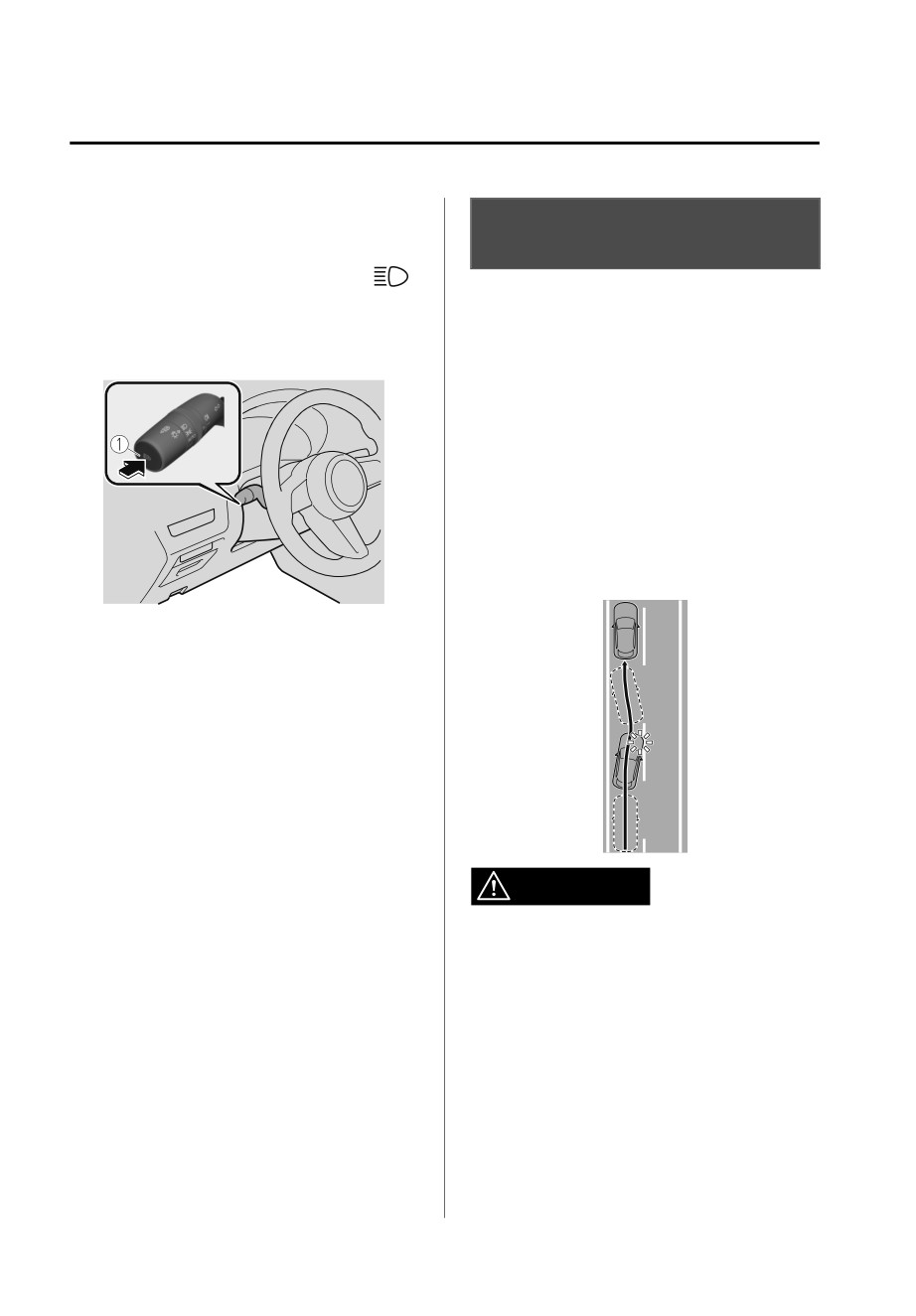
▼ Manual Switching
Lane Departure Warning
Switching to low beams
System (LDWS)*
Switch the headlight switch to the
▼ Lane Departure Warning System
position, or press the high beam
(LDWS)
control switch.
The HBC indicator light (green) turns
The LDWS notifies the driver that the
off.
vehicle might be deviating from its
lane.
The LDWS detects white (yellow) lines
using the Forward Sensing Camera
(FSC). If your vehicle may be deviating
from its lane, the lane departure
warning notifies the driver.
Use the LDWS when you drive the
vehicle on roads with white (yellow)
lines.
1. High beam control switch
If the HBC is turned off using the high
beam control switch, press the high
beam control switch again to turn the
HBC back on.
Switching to high beams
Shift the lever to the high beam
position.
The HBC indicator light (green) turns
off and the headlight high-beam
indicator light is illuminated.
WARNING
Do not rely completely on the LDWS
and always drive carefully:
¾ The LDWS is not designed to
compensate for a driver’s lack of
caution and relying too much on the
system could lead to an accident.
¾ The functions of the LDWS have
limitations. Always stay on course
using the steering wheel.
4-84
*Some models.
When Driving
i-ACTIVSENSE
NOTE
NOTE
When any of the following conditions
If the i-ACTIVSENSE status symbol
is met, the LDWS may not operate
(Warning/risk avoidance support
normally.
system) (white) does not turn on, the
system is canceled using the
A condition under which the
i-ACTIVSENSE OFF switch or [Settings]
Forward Sensing Camera (FSC)
in the Mazda Connect.
cannot detect a target object is met.
Refer to Forward Sensing Camera
Operation conditions
(FSC) on page 4-71.
When all of the following conditions
The visibility of white (yellow) lines is
are met, the i-ACTIVSENSE status
poor (due to paint flaking or dirt, or
symbol (warning/risk avoidance
being hidden by vehicles ahead).
support system) on the
There are multiple white (yellow)
multi-information display changes
lines or they are interrupted.
from white to green and the system
A misleading line on the road is
becomes operational.
picked up (such as temporary line for
construction, shadow, lingering
The power switch is switched ON.
snow, or grooves filled with water).
The vehicle speed is about 64 km/h
The shade of a guardrail parallel to a
(40 mph) or faster.
white (yellow) line is on the road.
The system detects white (yellow)
The width of a lane is excessively
lane lines.
narrow.
The vehicle is shaken after hitting a
road bump.
The vehicle is driven on a section
with a closed lane or temporary lane
due to construction.
NOTE
The vehicle is driven on a forked
When the system does not detect a
road or junction.
white (yellow) lane line on one side
The vehicle is driven through an
only, the system does not operate on
intersection or a roundabout.
the side that is not being detected.
▼ When the System Operates
When temporarily canceling the
When the power switch is switched
system
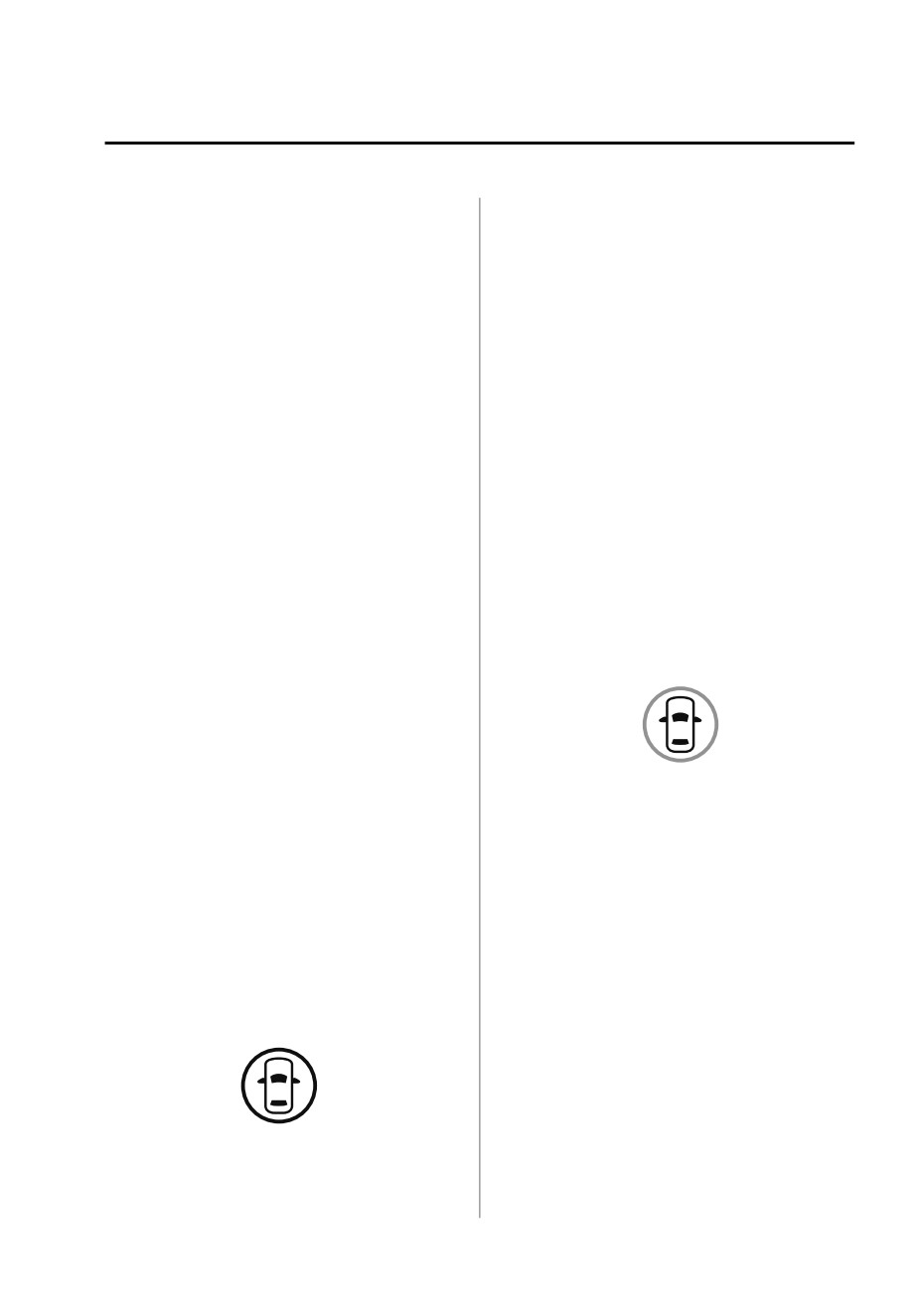
ON, the i-ACTIVSENSE status symbol
The LDWS goes on standby in the
(warning/risk avoidance support
following cases: The LDWS operation
system) (white) turns on and the
is automatically restored when the
system goes on standby.
system's operation conditions are met.
The system cannot detect white
(yellow) lane lines.
The vehicle speed is less than about
56 km/h (35 mph).
The turn signal lever is operated.
The accelerator pedal is depressed.
The steering wheel is operated.
4-85
When Driving
i-ACTIVSENSE
The brake pedal is operated.
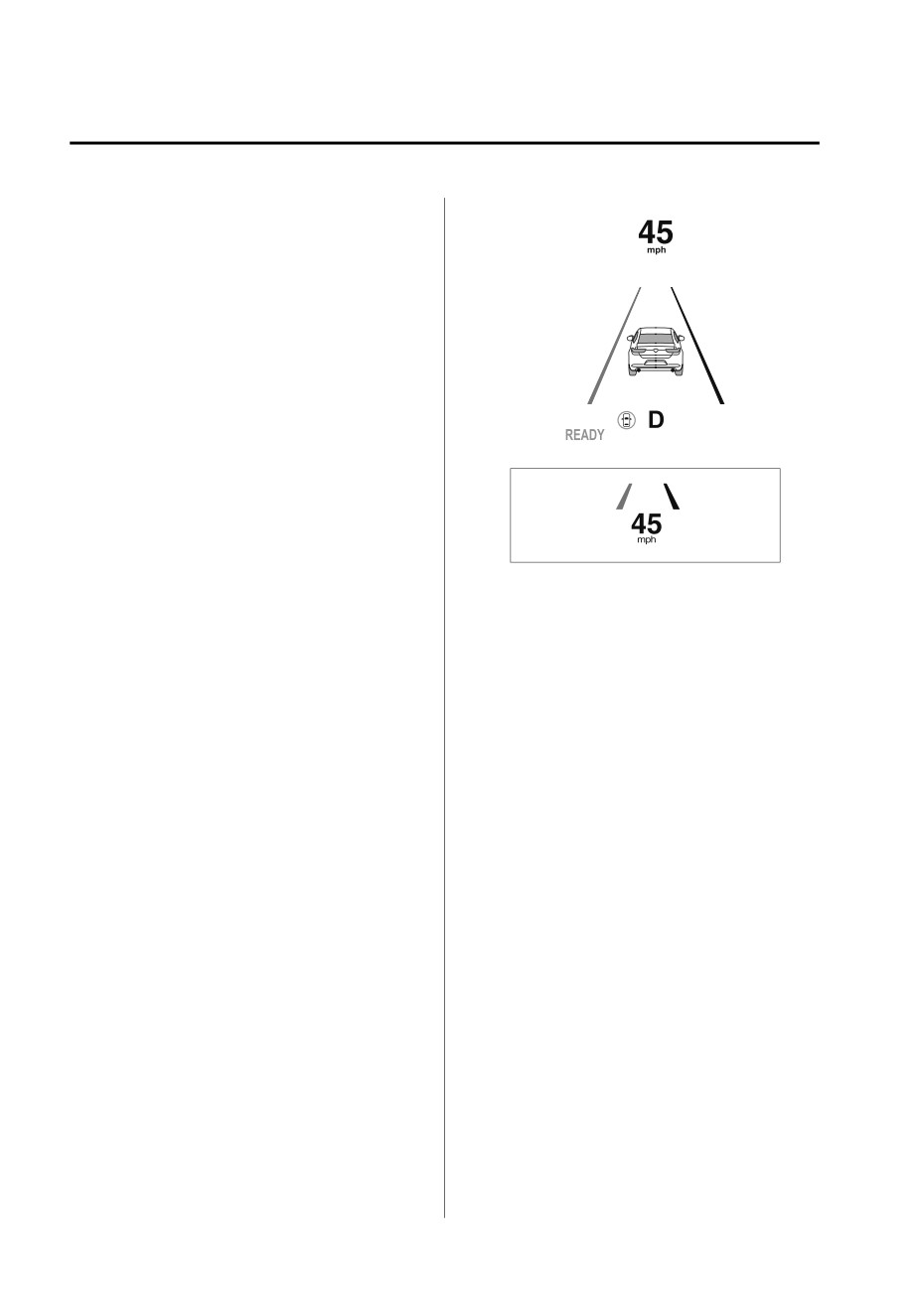
Multi-information display
The function is temporarily stopped.
The LDWS stops functioning in the
following cases:
The temperature in the Forward
Sensing Camera (FSC) is too high or
too low.
The windshield around the Forward
Sensing Camera (FSC) is foggy.
The windshield around the Forward
Sensing Camera (FSC) is blocked by
Active driving display
an obstruction, causing poor forward
visibility.
Strong light (such as sunlight, or
headlights (high-beam) of
on-coming vehicles) is directed at
the Forward Sensing Camera (FSC).
NOTE
System malfunction
The LDWS settings can be changed.
Refer to the Settings section in the
If there is a problem with the system,
Mazda Connect Owner's Manual.
the i-ACTIVSENSE status symbol
You may not be able to hear the
(warning/risk avoidance support
LDWS warning sound depending on
system) (white) and the i-ACTIVSENSE
the surrounding conditions such as
warning indication/warning light on
outside noise.
the multi-information display turns on
If you set the LDWS to vibrate the
and a message is indicated.
steering wheel, you may not feel the
Refer to i-ACTIVSENSE Status Symbol
vibrations depending on the road
(Warning/Risk Avoidance Support
surface conditions.
System) on page 4-69.
▼ Canceling the System
▼ Lane Departure Warning
The LDWS can be set to inoperable.
If the system determines that the
vehicle may deviate from its lane, a
(If only the LDWS is turned off)
warning (beep sound, steering wheel
Refer to the Settings section in the
vibration) is activated and the direction
Mazda Connect Owner's Manual.
in which the system determines that
(If the LDWS is turned off by
the vehicle may deviate is indicated on
operating the i-ACTIVSENSE OFF
the multi-information display and the
switch)
active driving display.
Refer to i-ACTIVSENSE OFF Switch
on page 4-70.
4-86