Mazda 3 Hatchback (2022 year). Manual in english - page 22
x
If the position or angle of each camera changes due to tilting of the vehicle, the
image may appear distorted.
x
Lines on the road may appear distorted at the seams where each of the camera
images merge.
x
The screen area for each camera may appear bright/dark depending on the
illumination level around any of the cameras.
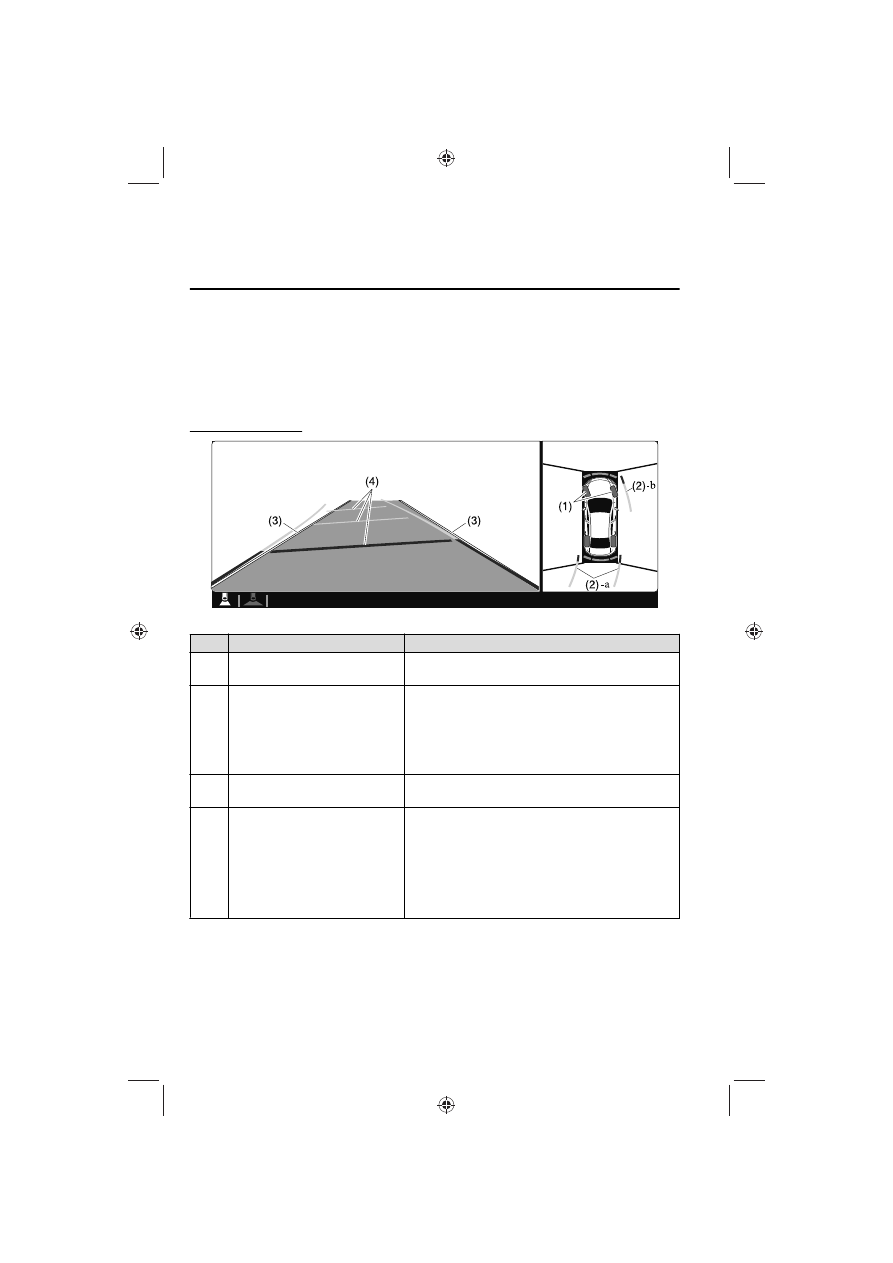
Viewing the screen
Display/Icon
Content
(1)
Tire icon
Indicates the tire direction. Moves in conjunction with
the steering wheel operation.
(2)
Projected vehicle path lines (yellow
& red)
Indicates the approximate projected path of the vehicle.
Moves in conjunction with the steering wheel operation.
a) Indicates the path where the edge of the rear bumper
is expected to travel.
b) Indicates the path where the outer side of the vehicle
is expected to travel.
(3)
Extended vehicle width lines (blue) These guide lines indicate the approximate width of the
vehicle.
(4)
Projected vehicle path distance
guide lines (yellow & red)
These guide lines indicate the approximate distance to a
point measured from the rear of the vehicle (from the
end of the bumper).
x
The red line indicates the point about 0.5 m (19 in)
from the rear end of the bumper.
x
The yellow lines indicate the points about 1.0 m (39
in) and 2.0 m (78 in) from the rear end of the bumper.
NOTE
The setting can be changed so that the projected vehicle path lines are not
displayed.
Refer to the Settings section in the Mazda Connect Owner's Manual.
When Driving
i-ACTIVSENSE
4-200