Mazda CX-5 (2019 year). Instruction - part 28
When using Android Auto™, please avoid distraction and use Android Auto™ responsibly.
Stay fully aware of driving conditions and always obey applicable laws.
NOTE
Android Auto™ is provided by Google and its use is subject to your agreement to the
Android Auto™ terms of use.
When using Android Auto™, location, speed, and other vehicle data is transferred to your
smart phone. For further details, refer to Google’s Privacy Policy.
▼ How to use the Android Auto™ mode
Insert an Android™ Smartphone-genuine connector cord into the USB terminal indicated by
the icon to connect the Smartphone.
Refer to How to connect USB port/Auxiliary jack on page 5-17.
NOTE
When an Android™ Smartphone connected to Bluetooth
®
is connected to the vehicle's
USB terminal, Bluetooth
®
is used by Android Auto™ and the system switches to Android
Auto™ mode.
If the Android™ Smartphone is connected to a USB terminal with no icon indicated,
the system operates in USB mode.
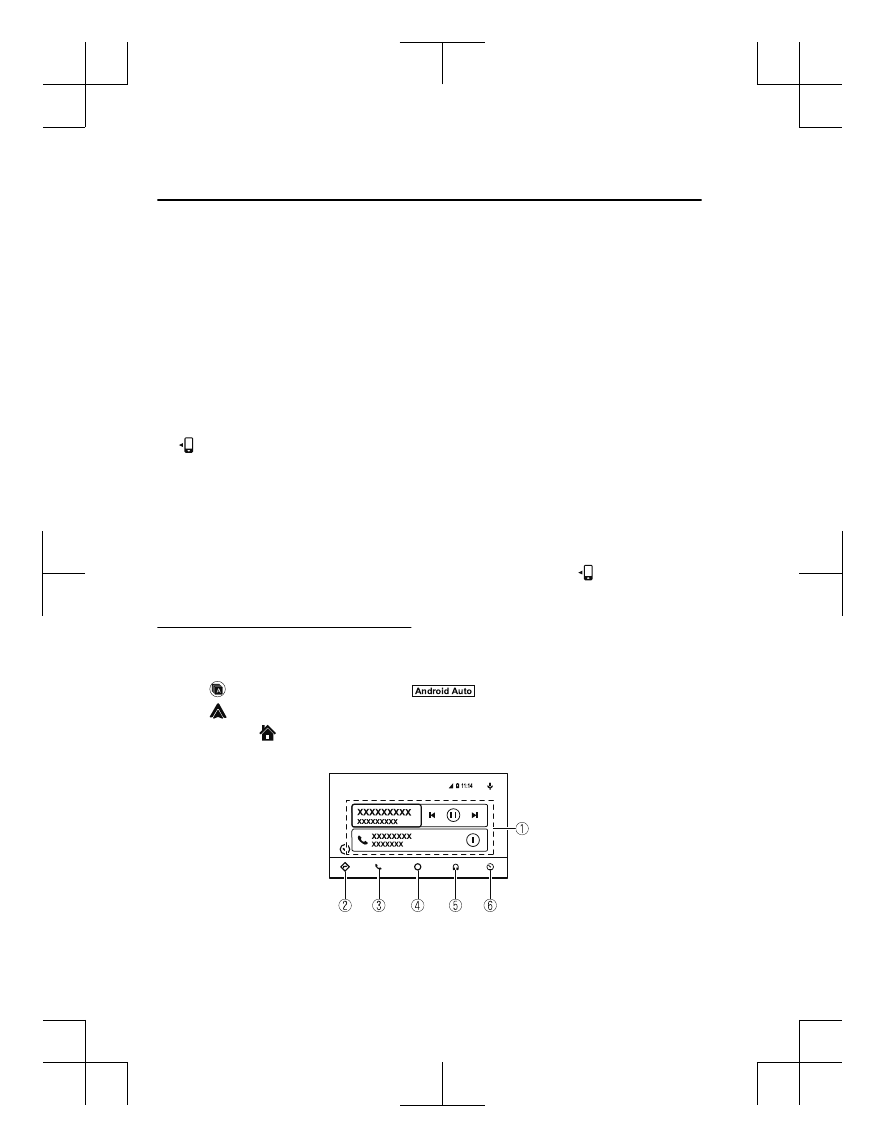
Display of Android Auto™ Mode Screen
Use any of the following methods to display the Android Auto™ mode screen in the center
display.
Select on the home screen, and select
from the Applications screen.
Select
on the home screen.
Press and hold
on the commander switch.
Android Auto™ mode home screen
Interior Features
Audio Set
5-46
CX-5_8HE3-EA-18I_Edition1
2018-6-29 13:44:47