Mazda Training manual - part 63
Using IDS
Curriculum Training
02-5
IDS Settings
•
The IDS settings menu contains all the basic setup settings to be checked and adjusted.
It consists of the sub-menus “User Preferences”, “System Information” and “System
Utilities”.
User Preferences
•
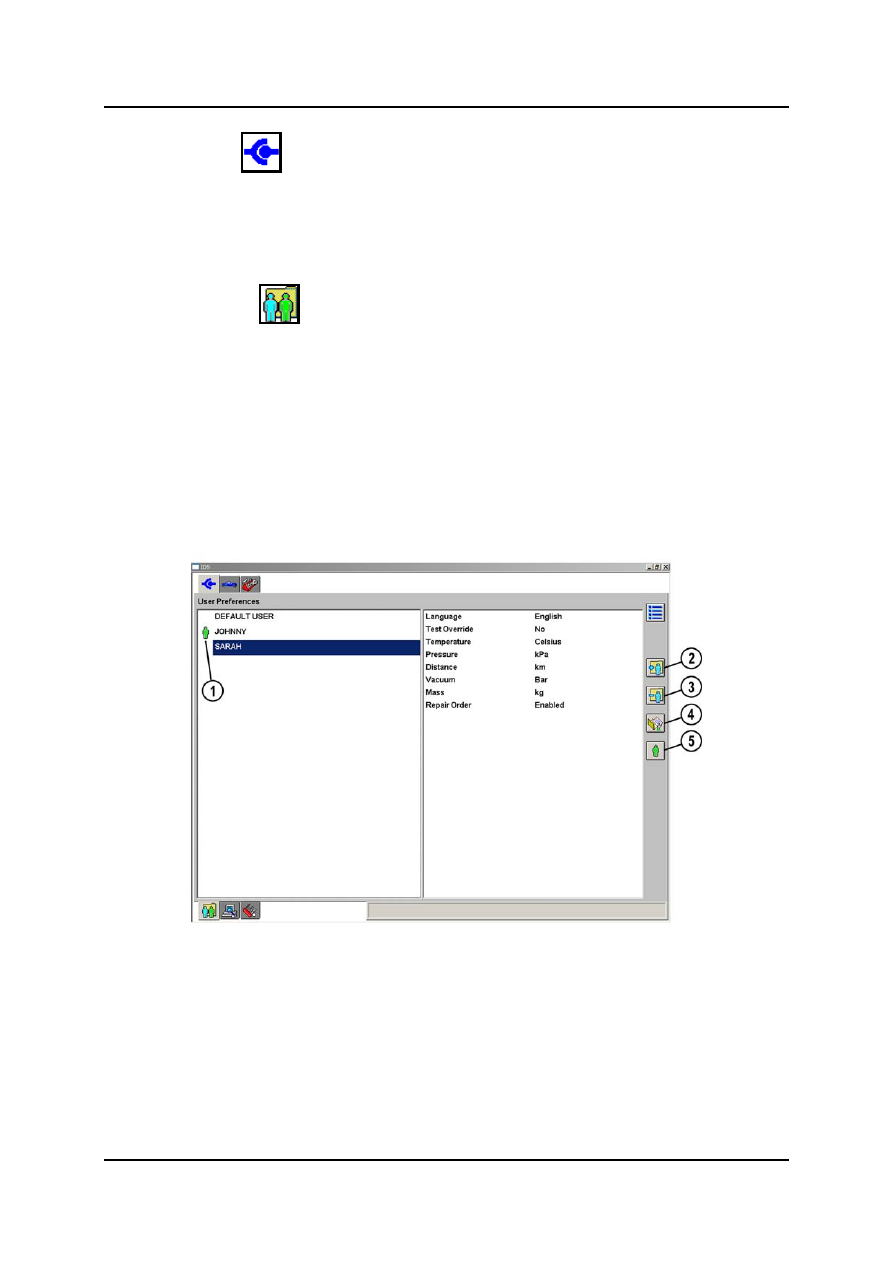
The sub-menu “User Preferences” serves to enter different users. This allows each user
to select their own settings. The buttons in the side button control bar allow users to be
added, deleted or activated and parameters to be changed.
•
After highlighting a particular user on the left-hand side of the screen, a series of options
appears on the right-hand side of the screen. The settings for a default user are
employed as base settings, i.e. certain settings which can be used by most users are
preset. When all the parameters have been set, these are active as soon as the user is
active, namely when the little green man icon appears in front of the user name.
•
The individual parameters are described in detail in the following page.
L1001.2_012
1
Little green man icon
4
Adjust user parameters
2
Add user
5
Activate user
3 Delete
user