Lexus RX450h (2022 year). Manual in english - page 4
 

  Index      Manuals     Lexus RX450h (2022 year). Manual in english


Search            copyright infringement  


Content      ..     2      3      4      5     ..


Lexus RX450h (2022 year). Manual in english - page 4


73

1-5. Theft deterrent system

1

For safety and security

1-5.Theft deterrent system

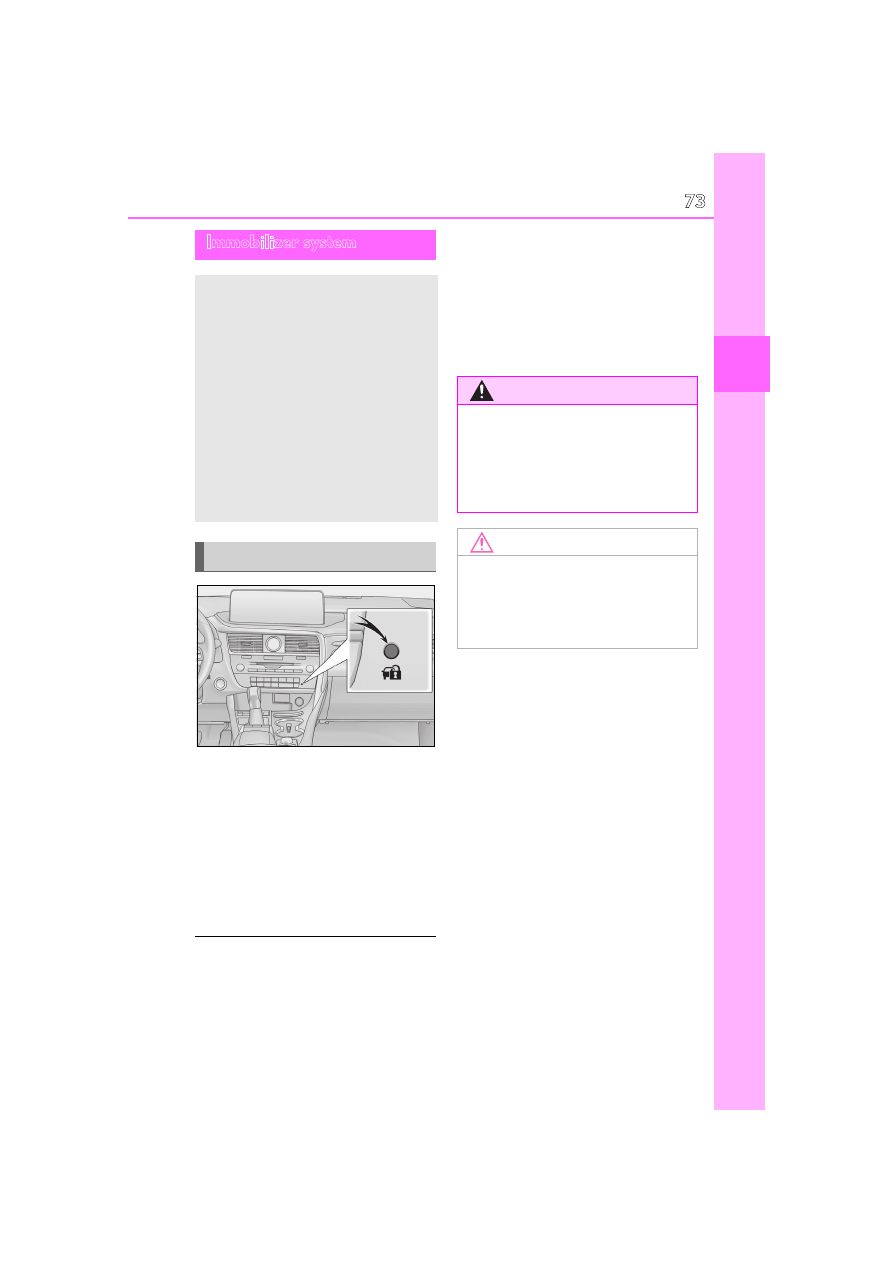
The indicator light flashes after the 
power switch has been turned off to 
indicate that the system is operating.
The indicator light stops flashing after 
the power switch has been turned to 
ACCESSORY or ON mode to indi-
cate that the system has been can-
celed.

System maintenance

The vehicle has a maintenance-free type 

immobilizer system.

Conditions that may cause the system to 

malfunction

If the grip portion of the key is in contact 

with a metallic object

If the key is in close proximity to or touch-

ing a key registered to the security sys-

tem (key with a built-in transponder chip) 

of another vehicle

Immobilizer system

The vehicle’s keys have built-in tran-
sponder chips that prevent the 
hybrid system from starting if a key 
has not been previously registered 
in the vehicle’s on-board computer.

Never leave the keys inside the 
vehicle when you leave the vehicle.

This system is designed to help pre-
vent vehicle theft but does not 
guarantee absolute security 
against all vehicle thefts.

Operating the system

WARNING

Certifications for the immobilizer 

system

Changes or modifications not expressly 

approved by the party responsible for 

compliance could void the user’s author-

ity to operate the equipment.

NOTICE

To ensure the system operates cor-

rectly

Do not modify or remove the system. If 

modified or removed, the proper opera-

tion of the system cannot be guaranteed.

74

1-5. Theft deterrent system

Items to check before locking the 
vehicle

To prevent unexpected triggering of 
the alarm and vehicle theft, make sure 
of the following:

Nobody is in the vehicle.

The windows, moon roof (if 
equipped) and panoramic moon 
roof (if equipped) are closed before 
the alarm is set.

No valuables or other personal 
items are left in the vehicle.

Setting

Close the doors and hood, and lock all 
the doors. The system will be set auto-
matically after 30 seconds.

The indicator light changes from being on 
to flashing when the system is set.

Canceling or stopping

Do one of the following to deactivate 
or stop the alarm:

Unlock the doors.

Turn the power switch to ACCES-
SORY or ON mode, or start the 
hybrid system. (The alarm will be 
deactivated or stopped after a few 
seconds.)

System maintenance

The vehicle has a maintenance-free type 

alarm system.

Triggering of the alarm

The alarm may be triggered in the following 

situations: 

(Stopping the alarm deactivates the alarm 

system.)

For Canada: The doors are unlocked 

using the mechanical key.

Alarm

The alarm uses light and sound to 
give an alert when an intrusion is 
detected. 
The alarm is triggered in the follow-
ing situations when the alarm is set:

Except for Canada: A locked 
door is unlocked or opened in any 
way other than using the entry 
function, wireless remote control 
or mechanical key. (The doors will 
lock again automatically.)

For Canada: A locked door is 
unlocked or opened in any way 
other than using the entry func-
tion or wireless remote control. 
(The doors will lock again auto-
matically.)

The hood is opened.

Setting/canceling/stopping the 
alarm system

75

1-5. Theft deterrent system

1

For safety and security

A person inside the vehicle opens a door 

or hood, or unlocks the vehicle.

The 12-volt battery is recharged or 

replaced when the vehicle is locked. 

(

P.444)

Alarm-operated door lock

In the following cases, depending on the sit-

uation, the door may automatically lock to 

prevent improper entry into the vehicle:

When a person remaining in the vehicle 

unlocks the door and the alarm is acti-

vated.

While the alarm is activated, a person 

remaining in the vehicle unlocks the door.

When recharging or replacing the 12-volt 

battery

NOTICE

To ensure the system operates cor-

rectly

Do not modify or remove the system. If 

modified or removed, the proper opera-

tion of the system cannot be guaranteed.

77

2

2

Vehi

cle

 status 

inform

ati

on a

nd i

ndic
ators

Vehicle status information

and indicators

.

2-1. Instrument cluster

Warning lights and indicators

...........................................................

78

Gauges and meters ....................

83

Multi-information display..........

88

Head-up display ...........................

95

Energy monitor/consumption 

screen ............................................

99

78

2-1. Instrument cluster

2-1.Instrument cluster

For the purpose of explanation, the following illustrations display all warning lights 
and indicators illuminated.

Except F SPORT models

F SPORT models

Warning lights and indicators

The warning lights and indicators on the instrument cluster, center panel and 
outside rear view mirrors inform the driver of the status of the vehicle’s various 
systems.

Warning lights and indicators displayed on the instrument cluster

79

2-1. Instrument cluster

2

Vehi

cle

 status 

inform

ati

on a

nd i

ndic
ators

Warning lights inform the driver of mal-
functions in the indicated vehicle’s sys-
tems.

Warning lights

(U.S.A.)

Brake system warning light

*1


(

P.410)

(red)

(Canada)

Brake system warning light

*1


(

P.410)

(yellow)

Brake system warning light

*1


(

P.410)

High coolant temperature 
warning light

*2

 (

P.410)

Hybrid system overheat warn-
ing light

*2

 (

P.411)

Charging system warning 
light

*3

 (

P.411)

Low engine oil pressure warn-
ing light

*2

 (

P.411)

(U.S.A.)

Malfunction indicator lamp

*1


(

P.411)

(Canada)

Malfunction indicator lamp

*1


(

P.411)

SRS warning light

*1

 (

P.412)

(U.S.A.)

ABS warning light

*1

 (

P.412)

(Canada)

ABS warning light

*1

 (

P.412)

Brake Override System warn-
ing light/Drive-Start Control 
warning light

*2

 (

P.412)

(red)

Electric power steering system 
warning light

*1

 (

P.413)

(yellow)

Electric power steering system 
warning light

*1

 (

P.413)

Low fuel level warning light 
(

P.413)

Driver’s and front passenger’s 
seat belt reminder light 
(

P.413)

(RX450h)

Rear passengers’ seat 
belt reminder light

*4


(

P.414)

(RX450hL)

Rear passengers’ seat 
belt reminder 
light

*4

(

P.414)

Tire pressure warning light

*1


(

P.414)

(orange)

LTA indicator (

P.414)

(flashes)

Intuitive parking assist OFF indi-
cator

*1

 (if equipped) (

P.415)

(flashes)

RCTA OFF indicator

*1

 (if 

equipped) (

P.415)

(flashes)

PKSB OFF indicator

*1

 (if 

equipped) (

P.415)

(flashes or 

illuminates)

PCS warning light

*1

 (

P.416)

Slip indicator

*1

 (

P.416)

(flashes)

(U.S.A.)

Parking brake indicator 
(

P.416)

80

2-1. Instrument cluster

*1

: These lights turn on when the power 

switch is turned to ON mode to indi-
cate that a system check is being per-
formed. They will turn off after the 
hybrid system is on, or after a few sec-
onds. There may be a malfunction in a 
system if a light does not come on, or 
turn off. Have the vehicle inspected by 
your Lexus dealer.

*2

: This light illuminates on the multi-infor-

mation display.

*3

: Except F SPORT models: This light illu-

minates on the multi-information dis-
play.
F SPORT models: This light illuminates 
on the meter.

*4

: This light illuminates on the center 

panel.

The indicators inform the driver of the 

operating state of the vehicle’s various 
systems.

(flashes)

(Canada)

Parking brake indicator 
(

P.416)

(flashes)

Brake hold operated indicator

*1


(

P.417)

Master warning light

*1

 (

P.417)

WARNING

If a safety system warning light does 

not come on

Should a safety system light such as the 

ABS and SRS warning lights not come on 

when you start the hybrid system, this 

could mean that these systems are not 

available to help protect you in an acci-

dent, which could result in death or seri-

ous injury. Have the vehicle inspected by 

your Lexus dealer immediately if this 

occurs.

Indicators

Turn signal indicator (

P.192)

(U.S.A.)

Headlight indicator (

P.198)

(Canada)

Tail light indicator (

P.198)

Headlight high beam indicator 
(

P.199)

Automatic High Beam indica-
tor

*1

 (

P.201)

Fog light indicator (if equipped) 
(

P.204)

PCS warning light

*1, 2


(

P.220)

Cruise control indicator 
(

P.243)

Dynamic radar cruise control 
indicator (

P.236)

Cruise control “SET” indicator 
(

P.236)

(white)

LTA indicator (

P.229)

(green)

LTA indicator (

P.229)

(orange)

(flashes)

LTA indicator (

P.229)

BSM outside rear view mirror 
indicators

*3, 4

 (if equipped) 

(

P.246, 259)

BSM indicator (if equipped) 
(

P.246)

81

2-1. Instrument cluster

2

Vehi

cle

 status 

inform

ati

on a

nd i

ndic
ators

Drive mode indicators

Except F SPORT models

F SPORT models

*1

: These lights turn on when the power 

switch is turned to ON mode to indi-
cate that a system check is being per-
formed. They will turn off after the 
hybrid system is on, or after a few sec-
onds. There may be a malfunction in a 
system if a light does not come on, or 
turn off. Have the vehicle inspected by 
your Lexus dealer.

*2

: This light comes on when the system is 

turned off.

*3

: In order to confirm operation, the BSM 

outside rear view mirror indicators illu-
minate in the following situations:

When the BSM function is enabled 
on 

 of the multi-information dis-

play, the power switch is turned to 
ON mode.

When the power switch is in ON 
mode, the BSM function is enabled 
on 

 of the multi-information dis-

Intuitive parking assist OFF indi-
cator

*1, 2

 (if equipped) 

(

P.253)

RCTA OFF indicator

*1, 2

 (if 

equipped) (

P.259)

PKSB OFF indicator

*1, 2

 (if 

equipped) (

P.266)

(flashes)

Slip indicator

*1

 (

P.279)

VSC OFF indicator

*1, 2


(

P.280)

Smart access system with 
push-button start indicator

*5


(

P.182)

“READY” indicator (

P.182)

EV drive mode indicator 
(

P.187)

(U.S.A.)

Parking brake indicator 
(

P.193)

(Canada)

Parking brake indicator 
(

P.193)

Brake hold standby indicator

*1


(

P.196)

Brake hold operated indicator

*1


(

P.196)

EV indicator (

P.67)

Low outside temperature indi-
cator

*6

 (

P.83)

Security indicator

*7

 (

P.73, 

74)

(U.S.A.)

“AIR BAG ON/OFF” 
indicator

*1, 7

 (

P.40)

(Canada)

“AIR BAG ON/OFF” 
indicator

*1, 7

 (

P.40)

Eco drive mode indicator 
(

P.276)

Sport mode indicator (if 
equipped) (

P.276)

Customize mode indicator 
(

P.276)

Eco drive mode indicator 
(

P.276)

Sport mode indicator (if 
equipped) (

P.276)

Sport S mode indicator 
(

P.276)

Sport S+ mode indicator 
(

P.276)

82

2-1. Instrument cluster

play.

If the system is functioning correctly, 
the BSM outside rear view mirror indi-
cators will turn off after a few seconds. 
If the BSM outside rear view mirror 
indicators do not illuminate or do not 
turn off, there may be a malfunction in 
the system. If this occurs, have the vehi-
cle inspected by your Lexus dealer.

*4

: This light illuminates on the outside rear 

view mirrors.

*5

: This light illuminates on the multi-infor-

mation display.

*6

: When the outside temperature is 

approximately 37°F (3°C) or lower, this 
indicator will flash for approximately 10 
seconds, then stay on.

*7

: This light illuminates on the center 

panel.

83

2-1. Instrument cluster

2

Vehi

cle

 status 

inform

ati

on a

nd i

ndic
ators

Locations of gauges and meters

Except F SPORT models

The units used on the meters may differ depending on the target region.

Engine coolant temperature gauge

Displays the engine coolant temperature

Hybrid System Indicator

Displays hybrid system output or regeneration level (

P.85)

This display changes to a tachometer depending on the drive mode, and can be set to show 
the tachometer in any drive mode on the settings display. (

P.92, 276)

Outside temperature

Displays the outside temperature within the range of -40°F (-40°C) to 122°F (50°C). Low 
outside temperature indicator comes on when the ambient temperature is 37°F (3°C) or 
lower.

Multi-information display

Presents the driver with a variety of vehicle data (

P.88)

Displays warning messages in case of a malfunction (

P.420)

Clock

Time displayed is linked to the analog clock on the instrument panel. (

P.338)

Speedometer
Fuel gauge

Displays the quantity of fuel remaining in the tank

Gauges and meters

Meter display

A

B

C

D

E

F

G

84

2-1. Instrument cluster

Shift position display (

P.189)

Odometer and trip meter display (

P.87)

F SPORT models

The units used on the meters may differ depending on the target region.

Outside temperature

Displays the outside temperature within the range of -40°F (-40°C) to 122°F (50°C). Low 
outside temperature indicator comes on when the ambient temperature is 37°F (3°C) or 
lower.

Multi-information display

Presents the driver with a variety of vehicle data (

P.88)

Displays warning messages in case of a malfunction (

P.420)

Hybrid System Indicator

Displays hybrid system output or regeneration level (

P.85)

This display changes to a tachometer depending on the drive mode, and can be set to show 
the tachometer in any drive mode on the settings display. (

P.92, 276)

Speedometer
Engine coolant temperature gauge

Displays the engine coolant temperature

Fuel gauge

Displays the quantity of fuel remaining in the tank

Shift position display (

P.189)

Odometer and trip meter display (

P.87)

Clock

Time displayed is linked to the analog clock on the instrument panel. (

P.338)

H

I

A

B

C

D

E

F

G

H

I

85

2-1. Instrument cluster

2

Vehi

cle

 status 

inform

ati

on a

nd i

ndic
ators

Rev indicator (F SPORT models)

When the engine speed reaches a set 
speed, a ring-shaped indicator will be 
displayed on the tachometer.

The desired engine speed at which the Rev 
indicator will begin to be displayed can be 
set on 

 of the multi-information display. 

(

P.88)

Rev peak (F SPORT models)

The engine speed reaches or exceeds 
4000 rpm, an afterimage of the 
tachometer will be displayed at the 
highest engine speed for approxi-
mately 1 second.

The meters and display illuminate when

The power switch is in ON mode.

Hybrid System Indicator

Except F SPORT models

Charge area

Shows regenerative charging.

Hybrid Eco area

Shows that gasoline engine power is not 
being used very often.
The gasoline engine will automatically stop 
and restart under various conditions.

Eco area

Shows that the vehicle is being driven in an 
Eco-friendly manner.

Power area

Shows that an Eco-friendly driving range is 
being exceeded (during full power driving 
etc.)

F SPORT models

Charge area

Shows regenerative charging.

Hybrid Eco area

Shows that gasoline engine power is not 

A

B

C

D

A

B

86

2-1. Instrument cluster

being used very often.
The gasoline engine will automatically stop 
and restart under various conditions.

Eco area

Shows that the vehicle is being driven in an 
Eco-friendly manner.

Power area

Shows that an Eco-friendly driving range is 
being exceeded (during full power driving 
etc.)

Depending on the selected driving mode, 

the Hybrid System Indicator or tachome-

ter will be displayed. The Hybrid System 

Indicator or tachometer can be set to 
always be displayed on 

 of the 

multi-information display. (

P.92)

The Hybrid System Indicator is displayed 

in the following situations:

• When the tachometer setting is set to 

change according to the driving mode 

and a driving mode other than sport 

mode is selected

• When the tachometer setting is set to 

always display the Hybrid System Indica-

tor

By keeping the indicator needle (except 

F SPORT models) or bar display (F 

SPORT models) within the Eco area, 

more Eco-friendly driving can be 

achieved.

Charge area indicates regeneration

*

 sta-

tus. Regenerated energy will be used to 

charge the hybrid battery (traction bat-

tery).

*

: When used in this manual, regeneration 

refers to the conversion of energy cre-
ated by the movement of the vehicle into 
electrical energy.

Tachometer

Hybrid System Indicator switches to the 

tachometer when driving mode is in sport 

mode.
The settings of the tachometer display can 

be changed on the multi-information dis-

play.

Engine speed

On hybrid vehicles, engine speed is pre-

cisely controlled in order to help improve 

fuel efficiency and reduce exhaust emis-

sions etc.

There are times when the engine speed that 

is displayed may differ even when vehicle 

operation and driving conditions are the 

same.

Outside temperature display

In the following situations, the correct 

outside temperature may not be dis-

played, or the display may take longer 

than normal to change:

• When stopped, or driving at low speeds 

(less than 12 mph [20 km/h])

• When the outside temperature has 

changed suddenly (at the entrance/exit of 

a garage, tunnel, etc.)

When “--” or “E” is displayed, the system 

may be malfunctioning. Take your vehicle 

to your Lexus dealer.

Liquid crystal display

Small spots or light spots may appear on the 

display. This phenomenon is characteristic 

of liquid crystal displays, and there is no 

problem continuing to use the display.

Customization

The gauges and meters can be customized 
on 

 of the multi-information display. 

(

P.92)

C

D

WARNING

The information display at low tem-

peratures

Allow the interior of the vehicle to warm 

up before using the liquid crystal infor-

mation display. At extremely low tem-

peratures, the information display 

monitor may respond slowly, and display 

changes may be delayed.

87

2-1. Instrument cluster

2

Vehi

cle

 status 

inform

ati

on a

nd i

ndic
ators

Display items

Odometer

Displays the total distance the vehicle has 
been driven.

Trip meter A/trip meter B

Displays the distance the vehicle has been 
driven since the meter was last reset. Trip 
meters A and B can be used to record and 
display different distances independently.

Distance until next engine oil 
change

Displays the distance the vehicle can be 
driven until an oil change is necessary.

Changing the display

Each time the “ODO TRIP” switch is 
pressed, the displayed item will be 

changed. When the trip meter is dis-
played, pressing and holding the switch 
will reset the trip meter.

Pop-up display

Distance until next engine oil change

Displays the distance until the next engine 
oil change. This display will be displayed in 
the following situations:

When the power switch is turned to 
ON mode.

When a warning message indicating 
that oil maintenance should be per-
formed soon or is required is dis-
played.

The brightness of the instrument panel 
lights can be adjusted.

If the brightness is adjusted when the sur-
roundings are bright and the tail lights are 
on (day mode brightness adjustment), the 
brightness level of night mode will be 
adjusted at the same time.

WARNING

For example, there is a lag between the 

driver’s shifting and the new gear number 

appearing on the display. This lag could 

cause the driver to downshift again, 

causing rapid and excessive engine brak-

ing and possibly an accident resulting in 

death or injury.

NOTICE

To prevent damage to the engine and 

its components

Do not let the indicator needle of the 

tachometer enter the red zone, which 

indicates the maximum engine speed.

The engine may be overheating if the 

engine coolant temperature gauge is 

in the red zone (H). In this case, imme-

diately stop the vehicle in a safe place, 

and check the engine after it has 

cooled completely. (

P.446)

Odometer and trip meter dis-
play

Changing the instrument panel 
light brightness

88

2-1. Instrument cluster

1

Darker

2

Brighter

Brightness of the meters (day mode and 

night mode)

The brightness of the meters is changed 

between day mode and night mode.

Day mode: When the tail lights are off or 

when the tail lights are on but the sur-

rounding area is bright

Night mode: When the tail lights are on 

and the surrounding area is dark

Display

Except F SPORT models

By selecting menu icons on the 
multi-information display, a variety of 
driving-related information can be dis-
played. The multi-information display 
can also be used to change display set-
tings and other vehicle settings.
Warning or suggestion/advice pop-up 
displays are also displayed in certain 
situations.

F SPORT models

By selecting menu icons on the 
multi-information display, a variety of 
driving-related information can be dis-
played. The multi-information display 
can also be used to change display set-
tings and other vehicle settings.
Warning or suggestion/advice pop-up 
displays are also displayed in certain 
situations.

Multi-information display

Display and menu icons

89

2-1. Instrument cluster

2

Vehi

cle

 status 

inform

ati

on a

nd i

ndic
ators

Menu icons

Select a menu icon to display its con-
tent.

Liquid crystal display

P.86

The multi-information display is oper-
ated using the meter control switches.

: Select menu icons
: Change displayed content, 

scroll up/down the screen and 
move the cursor
Press: Enter/Set
Press and hold: Reset
Return to the previous screen

Pressing and holding the switch will display 
the first screen of the selected menu icon.

Press: Display the top screen
Press and hold: Register current 
screen as the top screen
Call sending/receiving and history 
display

Linked with the hands-free system, sending 
or receiving call is displayed. For details 
regarding the hands-free system, refer to 
the “NAVIGATION AND MULTIMEDIA 
SYSTEM OWNER’S MANUAL”.

Registering a top screen

The displayed top screen can be 

Driving information (

P.90)

Navigation system-linked dis-
play (if equipped) (

P.92)

Audio system-linked display 
(

P.92)

Driving assist system informa-
tion (

P.92)

Warning message display 
(

P.420)

Settings display (

P.92)

WARNING

Caution for use while driving

When operating the multi-information 

display while driving, pay extra atten-

tion to the safety of the area around the 

vehicle.

Do not look continuously at the 

multi-information display while driving 

as you may fail to see pedestrians, 

objects on the road, etc. ahead of the 

vehicle.

The information display at low tem-

peratures

P.86

Changing the meter display

A

B

C

D

E


Content      ..     2      3      4      5     ..