Lexus LC500h (2021 year). Manual in english - page 15
 

  Index      Manuals     Lexus LC500h (2021 year). Manual in english


Search            copyright infringement  


Content      ..     13      14      15      16     ..


Lexus LC500h (2021 year). Manual in english - page 15


256

5-1. Remote Touch

*1

: Refer to the “NAVIGATION SYSTEM 

OWNER’S MANUAL”.

*2

: This function is not made available in 

some countries or areas.

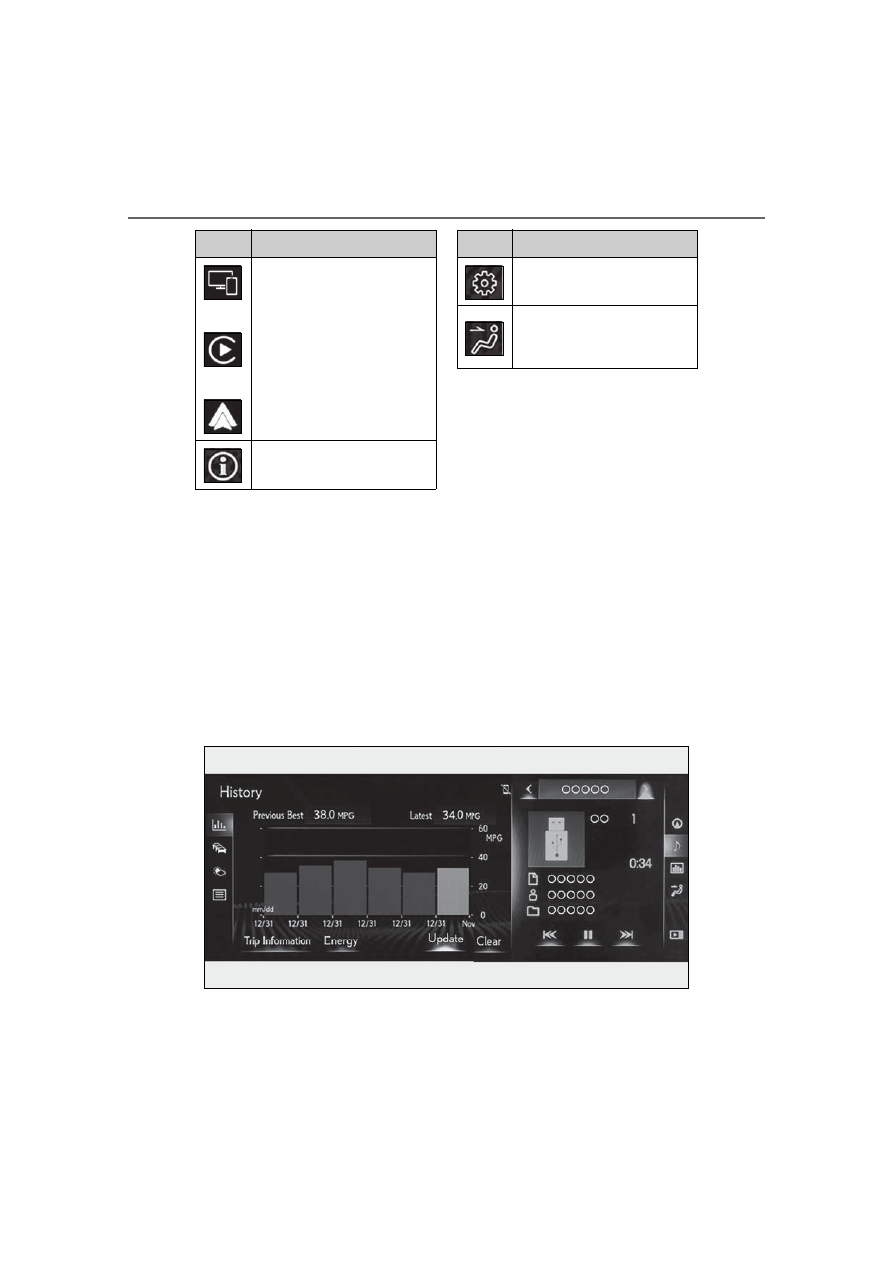
Split-screen display

Different information can be displayed on the left and right of the screen. For 
example, air conditioning system screen can be displayed and operated while the 
fuel consumption information screen is being displayed. The large screen on the 
left of the display is called the main display, and the small screen to the right is 
called the side display.

Main display

For details about the functions and 

operation of the main display, refer to 
the respective section and “NAVIGA-

/

/

When an Apple Car-
Play/Android Auto connection is 
established and this button dis-
plays “Apple CarPlay”/“Android 
Auto”, select to display the 
home screen of Apple Car-
Play/Android 
Auto.

*1, 2

Select to display the information 
screen.

*1

 (

P.98, 101)

Switch

Function

Select to display the setup 
screen.

*1

Select to display the air condi-
tioning control screen. 
(

P.263)

Switch

Function

257

5-1. Remote Touch

5

Interio

r fe

atures

TION SYSTEM OWNER’S MAN-
UAL”.

Side display

The following functions can be dis-
played and operated on the side dis-
play.

Select 

 or 

 to display the desired 

screen.

Navigation system

*

Audio

*

Vehicle information (

P.102)

Air conditioning system (

P.265)

Show/hide the side display

*

: Refer to the “NAVIGATION SYSTEM 

OWNER’S MANUAL”.

Screen display during low temperatures

When the ambient temperature is 

extremely low, screen response may be 

delayed even if the Remote Touch is oper-

ated.

A
B
C
D

E

258

5-2. Lexus Climate Concierge

5-2.Lexus Climate Concierge

Select 

The indicator on the Lexus Climate Con-
cierge control screen illuminates, and the 
automatic air conditioning system, seat 
heaters and ventilators, and heated steer-
ing wheel operate in automatic mode.
If any of the system is operated manually, 
the indicator turns off. However, all other 
functions continue to operate in automatic 
mode.

When using the Lexus Climate Con-

cierge

Lexus Climate Concierge can be operated 

on the sub function menu or option control 

screen. (

P.263)

Automatic air conditioning system 
(

P.260)

The temperature can be adjusted indi-
vidually for the driver seat and passen-
ger seat.

Seat heaters and ventilators 
(

P.268)

Heating or ventilation is automatically 
selected according to the set tempera-
ture of the air conditioning system, the 
outside temperature, etc.
The seat heater and ventilator of the 
front passenger seat operate in auto-
matic mode if a passenger is detected.

Heated steering wheel (if 
equipped) (

P.268)

Heated steering wheel operates auto-
matically according to the set tempera-
ture of the air conditioning system, the 
outside temperature, etc.

Lexus Climate Concierge

The seat heaters, seat ventilators 
and heated steering wheel (if 
equipped) are each automatically 
controlled according to the set 
temperature of the air conditioning 
system, the outside and cabin tem-
perature, etc. Lexus Climate Con-
cierge allows a comfortable 
condition to be maintained without 
adjusting each system.
Press the “MENU” button on the 
Remote Touch and select “Climate” 
to display the air conditioning con-
trol screen. Then, select 

 on the 

sub menu (

P.263) to display the 

Lexus Climate Concierge control 
screen.

Turning on Lexus Climate Con-
cierge

Operation of each system

259

5-2. Lexus Climate Concierge

5

Interio

r fe

atures

Seat heater/ventilator operation

When automatic mode is selected using the 

seat heater/ventilator switch, passenger 

detection is not performed.

260

5-3. Using the air conditioning system

5-3.Using the air conditioning system

Automatic mode switch

Off switch

Left-hand side temperature control switch

Fan speed control switch

Outside/recirculated air mode switch

Right-hand side temperature control switch

Windshield defogger switch

Rear window and outside rear view mirror defoggers switch

Adjusting the temperature

Operate the temperature control 
switch upwards to increase the tem-
perature and downwards to decrease 

the temperature.

If the “A/C” indicator is turned off, the sys-
tem will blow ambient temperature air or 
heated air.

Automatic air conditioning system

Air outlets and fan speed are automatically adjusted according to the tem-
perature setting.
Press the “MENU” button on the Remote Touch, then select “Climate” to dis-
play the air conditioning control screen. (

P.255)

The air conditioning system can be displayed and operated on the side display.

Air conditioning controls

A
B
C
D

E
F

G

H

261

5-3. Using the air conditioning system

5

Interio

r fe

atures

Setting the fan speed

Operate the fan speed control switch 
upwards to increase the fan speed and 
downwards to decrease the fan speed.

Press the off switch to turn the fan off.

Changing the air flow mode

P.263

Switching between outside air and 
recirculated air modes

Operate the outside/recirculated air 
mode switch upwards or downwards.
The mode changes as follows each 
time the switch is operated.

automatic mode 

 (outside air 

mode) 

 (recirculated air 

mode) 

 automatic mode

When the system is switched to automatic 
mode, the air conditioning system operates 
automatically.

Defogging the windshield

Defoggers are used to defog the wind-
shield and front side windows.
Press the windshield defogger switch.

Set the outside/recirculated air mode 
switch to outside air mode if the recircu-
lated air mode is used. (It may switch auto-
matically.)
To defog the windshield and the side win-
dows early, turn the air flow and tempera-
ture up.
To return to the previous mode, press the 
windshield defogger switch again when the 
windshield is defogged.

Defogging the rear window and 
outside rear view mirrors

Defoggers are used to defog the rear 

window, and to remove raindrops, dew 
and frost from the outside rear view 
mirrors.
Press the rear window and outside rear 
view mirror defoggers switch.

The defoggers will automatically turn off 
after 15 to 60 minutes. The operation time 
changes according to the ambient tem-
perature and vehicle speed.

Windshield wiper de-icer (if 
equipped)

P.265

When the outside temperature exceeds 

75°F (24°C) and the air conditioning 

system is on

In order to reduce the air conditioning 

power consumption, the air conditioning 

system may switch to recirculated air 

mode automatically. This may also 

reduce fuel consumption.

Recirculated air mode is selected as a 

default mode when the engine switch 

<power switch> is turned to IGNITION 

ON mode <ON mode>.

It is possible to switch to outside air mode 

at any time by pressing the outside/recir-

culated air mode switch.

Fogging up of the windows

The windows will easily fog up when the 

humidity in the vehicle is high. Turning “A/C” 

on will dehumidify the air from the outlets 

and defog the windshield effectively.

If you turn “A/C” off, the windows may fog 

up more easily.

The windows may fog up if the recircu-

lated air mode is used.

When driving on dusty roads

Close all windows. If dust thrown up by the 

vehicle is still drawn into the vehicle after 

closing the windows, it is recommended 

that the air intake mode be set to outside air 

mode and the fan speed to any setting 

except off.

262

5-3. Using the air conditioning system

Outside/recirculated air mode

Setting to the recirculated air mode tem-

porarily is recommended in preventing 

dirty air from entering the vehicle interior 

and helping to cool the vehicle when the 

outside air temperature is high.

Outside/recirculated air mode may auto-

matically switch depending on the tem-

perature setting or the inside 

temperature.

Registering air conditioning settings to 

electronic keys

Unlocking the vehicle using an electronic 

key and turning the engine switch <power 

switch> to IGNITION ON mode <ON 

mode> will recall that key’s registered air 

conditioning settings.

When the engine switch <power switch> 

is turned off, the current air conditioning 

settings will automatically be registered 

to the electronic key that was used to 

unlock the vehicle.

The system may not operate correctly if 

more than one electronic key is in the 

vicinity or if the smart access system with 

push-button start is used to unlock the 

passenger door.

The doors that can recall the air condi-

tioning setting

*

 when unlocked using the 

smart access system with push-button 

start can be changed. For details, contact 

your Lexus dealer.

*

: The doors that can recall the driving posi-

tion memory are changed at the same 
time.

Operation of the air conditioning sys-

tem in Eco drive mode

In Eco drive mode, the air conditioning sys-

tem is controlled as follows to prioritize fuel 

efficiency:

Engine speed and compressor operation 

controlled to restrict heating/cooling 

capacity

Fan speed restricted when automatic 

mode is selected

To improve air conditioning performance, 

perform the following operations:

Turn off eco air conditioning mode 

(

P.263)

Adjust the fan speed

Turn off Eco drive mode (

P.224)

When the outside temperature falls to 

nearly 32°F (0°C)

The dehumidification function may not 

operate even when “A/C” is selected.

Ventilation and air conditioning odors

To let fresh air in, set the air conditioning 

system to the outside air mode.

During use, various odors from inside and 

outside the vehicle may enter into and 

accumulate in the air conditioning sys-

tem. This may then cause odor to be 

emitted from the vents.

To reduce potential odors from occur-

ring:

• It is recommended that the air condition-

ing system be set to outside air mode 

prior to turning the vehicle off.

• The start timing of the blower may be 

delayed for a short period of time imme-

diately after the air conditioning system is 

started in automatic mode or with the 

micro dust and pollen filter on.

When parking, the system automatically 

switches to fresh air intake mode to 

encourage better air circulation through-

out the vehicle, helping to reduce odors 

that occur when starting the vehicle.

Using the voice command system

Air conditioning system can be operated 

using voice commands. For details, refer to 

the “NAVIGATION SYSTEM OWNER’S 

MANUAL”.

Air conditioning filter

P.328

Air conditioning system refrigerant

A label regarding the refrigerant of the 

air conditioning system is attached to the 

hood at the location shown in the follow-

ing illustration.

263

5-3. Using the air conditioning system

5

Interio

r fe

atures

The meaning of each symbol on the label 

are as follows:

Customization

Settings (e.g. A/C Auto switch operation) 

can be changed. 

(Customizable features 

P.405)

Main control screen

Using the touchpad of the Remote 
Touch, select the button on the screen.

 to 

 can be adjusted by perform-

ing the following operations.
Flick operation: Move the pointer to 
the desired item and flick the touchpad 
up or down.

The item can be adjusted by one level.

Trace operation: After selecting the 
desired item, trace the pad surface.

The item can be adjusted by the amount 
that you trace.
Trace operation cannot be used while driv-
ing.

Caution

Air conditioning system

Air conditioning system 
lubricant type

Requires registered techni-
cian to service air condi-
tioning system

Flammable refrigerant

WARNING

To prevent the windshield from fog-

ging up

Do not use the windshield defogger 

switch during cool air operation in 

extremely humid weather. The difference 

between the temperature of the outside 

air and that of the windshield can cause 

the outer surface of the windshield to fog 

up, blocking your vision.

When the outside rear view mirror 

defoggers are operating

Do not touch the outside rear view mir-

ror surfaces, as they can become very 

hot and burn you.

NOTICE

To prevent 12-volt battery discharge

Do not leave the air conditioning system 

on longer than necessary when the 

engine <hybrid system> is off.

When repairing/replacing parts of 

the air conditioning system

Have repair/replacement performed by 

your Lexus dealer. When a part of the air 

conditioning system, such as the evapo-

rator, is to be replaced, it must be 

replaced with a new one.

Air conditioning control screen

B

E

264

5-3. Using the air conditioning system

Sub menu

Selecting the sub menu item to switch the 
main screen.

: Display the air conditioning control 

screen

: Display the heated steering wheel (if 

equipped)/seat heater/seat ventilator con-
trol screen

: Display the Lexus Climate Con-

cierge control screen

: Display the option control screen

Adjust the left-hand side tempera-
ture setting

Adjust the fan speed setting

Select the air flow mode

: Air flows to the upper body

: Air flows to the upper body and feet

: Air flows to the feet

: Air flows to the feet and the wind-

shield defogger operates

Adjust the right-hand side tem-
perature setting

Function on/off indicators

When the function is on, the indicator illu-
minates on the control screen.

Sub function menu

When the sub function button on the 
Remote Touch is pressed, the following 
functions can be switched on and off.

: Set Lexus Climate Concierge 

(

P.258)

“AUTO”: Set automatic mode on/off 

(

P.265)

“Off”: Turn the fan off
“A/C”: Set cooling and dehumidification 
function
“DUAL”: Adjust the temperature for driver 
and passenger seats separately (“DUAL” 
mode) (

P.266)

: Set eco air conditioning mode

Option control screen

Select 

 on the sub menu to display 

the option control screen.

The functions can be switched on and off.
When the function is on, the indicator illu-
minates on the screen.

Set Lexus Climate Concierge 
(

P.258)

Adjusting the temperature for 
driver and passenger seats sepa-
rately (“DUAL” mode) (

P.266)

Set eco air conditioning mode

Air conditioning and heater output is lim-
ited to prioritize fuel economy.

Cooling and dehumidification func-
tion

Prevent ice from building up on the 
windshield and wiper blades 
(Windshield wiper de-icer) (if 
equipped)

A

B

C
D

E

F

G

A

B

C

D

E

265

5-3. Using the air conditioning system

5

Interio

r fe

atures

Removing pollen from the air 
(Micro dust and pollen filter)

Side display

Display the heated steering wheel 
(if equipped)/seat heaters/seat ven-
tilators control screen (

P.268)

Adjust the left-hand side tempera-
ture setting

Adjust the fan speed setting

Adjust the right-hand side tem-
perature setting

Set cooling and dehumidification 
function on/off

Adjust the temperature for the 
driver’s and front passenger’s seats 
separately (“DUAL” mode) 
(

P.266)

Select the air flow mode

Windshield wiper de-icer (if equipped)

This feature is used to prevent ice from 

building up on the windshield and wiper 

blades.
The windshield de-icer will automatically 

turn off after approximately 15 minutes.

Eco air conditioning mode

When Eco drive mode is selected using the 

driving mode select switch, eco air condi-

tioning mode turns on.

When a drive mode other than Eco drive 

mode is selected, eco air conditioning 

mode may turn off.

Micro dust and pollen filter

Outside air mode switches to 


(recirculated air) mode. Pollen is removed 

from the air and the air flows to the upper 

part of the body.
Usually the system will automatically turn 

off after approximately 1 to 3 minutes.
In order to prevent the windshield from fog-

ging up when the outside air is cold, the 

dehumidification function may operate or 

the outside/recirculated air mode may not 
switch to 

 (recirculated air) mode.

Pollen is filtered even if the micro dust and 

pollen filter is turned off.

1

Press the automatic mode switch or 
select “AUTO” on the sub function 
menu. (

P.263)

2

Press the outside/recirculated air 
mode switch to switch to automatic 
air intake mode.

The air conditioning system automatically 

switches between outside air and recircu-

lated air modes.

3

Adjust the temperature setting.

4

To stop the operation, press the off 
switch or select “Off” on the sub 
function menu. (

P.263)

If the fan speed setting or air flow 

F

A

B

C
D

E

F

G

WARNING

To prevent burns (vehicles with wind-

shield wiper de-icer)

Do not touch the glass at lower part of 

the windshield or to the side of the front 

pillars when the windshield wiper de-icer 

is on.

Using automatic mode

266

5-3. Using the air conditioning system

modes are operated, the automatic 
mode indicator goes off. However, 
automatic mode for functions other 
than that operated is maintained.

Using automatic mode

Fan speed is adjusted automatically accord-

ing to the temperature setting and the 

ambient conditions.
Therefore, the fan may stop for a while until 

warm or cool air is ready to flow immedi-

ately after the automatic mode switch is 

pressed or “AUTO” is selected.
Cool air may blow around the upper body 

even when the heater is on due to sunlight.

Windshield fog detection function

When automatic mode is set, the humidity 

sensor detects fog on the windshield and 

controls the air conditioning system to pre-

vent fog.

Automatic mode for air intake control

In automatic mode, the system detects 

exhaust gas and other pollutants and auto-

matically switches between outside air and 

recirculated air modes.
When the dehumidification function is off, 

and the fan is operating, turning automatic 

mode on will activate the dehumidification 

function.

To turn on the “DUAL” mode, perform 
any of the following procedures:

Select “DUAL” on the sub function 
menu. (

P.263)

Select “DUAL” on the option con-
trol screen.

Adjust the passenger’s side tem-
perature setting.

The indicator on the main control screen 
comes on when the “DUAL” mode is on.

Location of air outlets

The air outlets and air volume changes 
according to the selected air flow 
mode.

NOTICE

Humidity sensor

In order to detect fog on the windshield, 

a sensor which monitors the temperature 

of the windshield, the surround humidity, 

etc. is installed.
Follow these points to avoid damaging 

the sensor:

Do not disassemble the sensor

Do not spray the glass cleaner on the 

sensor or subject it to strong impacts

Do not stick anything on the sensor

Adjusting the temperature for 
driver and passenger seats sepa-
rately (“DUAL” mode)

Air outlet layout and operations

267

5-3. Using the air conditioning system

5

Interio

r fe

atures

Adjusting the air flow direction and 
opening/closing the air outlets

Center/side

1

Direct air flow to the left or right, up 
or down

2

Turn the knob to open or close the 
vent

Above the glove box

1

Direct air flow to the left or right, up 
or down

2

Move the knob to the most outside 
position to close the vent

If an object falls into the air outlet above 

the glove box

Remove the panel inside the glove box to 

take out the object. (

P.328)

WARNING

To prevent the windshield defogger 

from operating improperly

Do not place anything on the instrument 

panel which may cover the air outlets. 

Otherwise, air flow may be obstructed, 

preventing the windshield defoggers 

from defogging.

268

5-3. Using the air conditioning system

*

: If  equipped

Main display

Using the touchpad of the Remote 
Touch, select the button on the screen.

 to 

 can be adjusted by perform-

ing the following operations.
Flick operation: Move the pointer to 
the desired item and flick the touchpad 
up or down.

The item can be adjusted by one level.

Trace operation: After selecting the 
desired item, trace the pad surface.

The item can be adjusted by the amount 
that you trace.
Trace operation cannot be used while driv-
ing.

Adjust the seat ventilator fan speed 
level

Heated steering wheel

*

/seat 

heaters/seat ventilators

Heated steering wheel

Warms up the grip of the steering wheel

Seat heaters

Warm up the seat upholstery

Seat ventilators

Maintain good air flow on the seat 
upholstery by sucking air into the seats

Press the “MENU” button on the 
Remote Touch and select “Climate” 
to display the air conditioning con-
trol screen. Then, select 

 on the 

sub menu (

P.263) to display the 

heated steering wheel/seat heat-
ers/seat ventilators control screen.

WARNING

To prevent minor burn injuries

Care should be taken if anyone in the fol-

lowing categories comes in contact with 

the steering wheel or seats when the 

heater is on:

Babies, small children, the elderly, the 

sick and the physically challenged

Persons with sensitive skin

Persons who are fatigued

Persons who have taken alcohol or 

drugs that induce sleep (sleeping 

drugs, cold remedies, etc.)

NOTICE

To prevent damage to the seat heat-

ers and seat ventilators

Do not put heavy objects that have an 

uneven surface on the seat and do not 

stick sharp objects (needles, nails, etc.) 

into the seat.

To prevent 12-volt battery discharge

Do not use the functions when the 

engine <hybrid system> is off.

Control screen

A

C

A

269

5-3. Using the air conditioning system

5

Interio

r fe

atures

The seat ventilator can be adjusted in 3 lev-
els.
When the seat ventilator is operated, the 
fan speed level is displayed on the screen.

Adjust the seat heater temperature 
level

The seat heater can be adjusted in 3 levels.
When the seat heater is operated, the tem-
perature level is displayed on the screen.

Adjust the heated steering wheel 
temperature level

The heated steering wheel can be adjusted 
in 2 levels.
When the heated steering wheel is oper-
ated, the temperature level is displayed on 
the screen.

Automatic mode on/off indicators

When the automatic mode is on, the indi-
cator illuminates on the screen.

Sub function menu

When the sub function button on the 
Remote Touch is pressed, the following 
functions can be set to automatic mode.

: Left-hand side seat heater/seat 

ventilator

: Heated steering wheel

: Right-hand side seat heater/seat 

ventilator

Side display

Display the air conditioning control 
screen (

P.263)

Adjust the seat heater temperature 
level

Each time the switch is selected, the tem-
perature level and level indicator (orange) 
change as follows:
AUTO 

 Hi 

 Mid 

 Lo 

 Off

Adjust the seat ventilator fan speed 
level

Each time the switch is selected, the fan 
speed level and level indicator (blue) 
change as follows:
AUTO 

 Hi 

 Mid 

 Lo 

 Off

Adjust the heated steering wheel 
temperature level

Each time the switch is selected, the tem-
perature level and level indicator change 
as follows:
AUTO 

 Hi 

 Lo 

 Off

The heated steering wheel, seat heaters 

and seat ventilators wheel can be used 

when

The engine switch <power switch> is in 

IGNITION ON mode <ON mode>.

Air conditioning system-linked control 

mode

When the seat ventilator fan speed level is 

Hi, the seat ventilator fan speed may 

become higher according to the fan speed 

of the air conditioning system.

Customization

Steering wheel heating preference in auto-

matic mode and the automatic mode set-

tings for the seat heaters and ventilators can 

be changed. (Customizable features: 

P.405)

B

C

D

E

A

B

C

D

271

5-4. Using the interior lights

5

Interio

r fe

atures

5-4.Using the interior lights

Outside door handle lights

Personal lights (

P.272)

Seat lights

Shift lever light

Door trim ornament lights

Door courtesy lights

Footwell lights

Personal lights automatic on/off

Illuminated entry system: The lights auto-

matically turn on/off according to engine 

switch <power switch> mode, the pres-

ence of the electronic key, whether the 

doors are locked/unlocked, and whether 

the doors are opened/closed.

If the personal lights remain on when the 

engine switch <power switch> is turned 

off, the lights will go off automatically 

after 20 minutes.

When personal lights do not respond as 

normal

When water, dirt, etc., have adhered to 

the lens surface

When operated with a wet hand

When wearing gloves, etc.

The interior lights will turn on automati-

cally when

If any of the SRS airbags deploy (inflate) or 

in the event of a strong rear impact, the inte-

Interior lights list

Location of the interior lights

A
B
C
D

E
F

G

272

5-4. Using the interior lights

rior lights will turn on automatically. The 

interior lights will turn off automatically after 

approximately 20 minutes. The interior 

lights can be turned off manually. However, 

in order to help prevent further collisions, it 

is recommended that they be left on until 

safety can be ensured. (The interior lights 

may not turn on automatically depending 

on the force of the impact and conditions of 

the collision.)

Customization

Setting (e.g. the time elapsed before lights 

turn off) can be changed. 

(Customizable features: 

P.405)

Turning the door position on

Press the door-linked personal light 
switch

The lights are turned on and off according 
to whether the doors are opened/closed.
When the door position is on, the indicator 

 illuminates.

Turning the lights on/off

Touch the light

When a door is opened while the door 
position is on, the lights turn on.

NOTICE

Removing light lenses

Never remove the lens for the personal 

lights. Otherwise, the lights will be dam-

aged.

To prevent 12-volt battery discharge

Do not leave the lights on longer than 

necessary when the engine <hybrid sys-

tem> is off.

Operating the personal lights

A


Content      ..     13      14      15      16     ..