Lexus CT (2021 year). Manual in english - page 23
494
5-17. Connecting Bluetooth
®
(Lexus Display Audio System)
Registering a Bluetooth
®
device
Turn the Bluetooth
®
connection setting of your device set to on.
Go to “Bluetooth setup”: “MENU” button
“Setup”
“Bluetooth”
Move the controller to the left and then select “Add device”
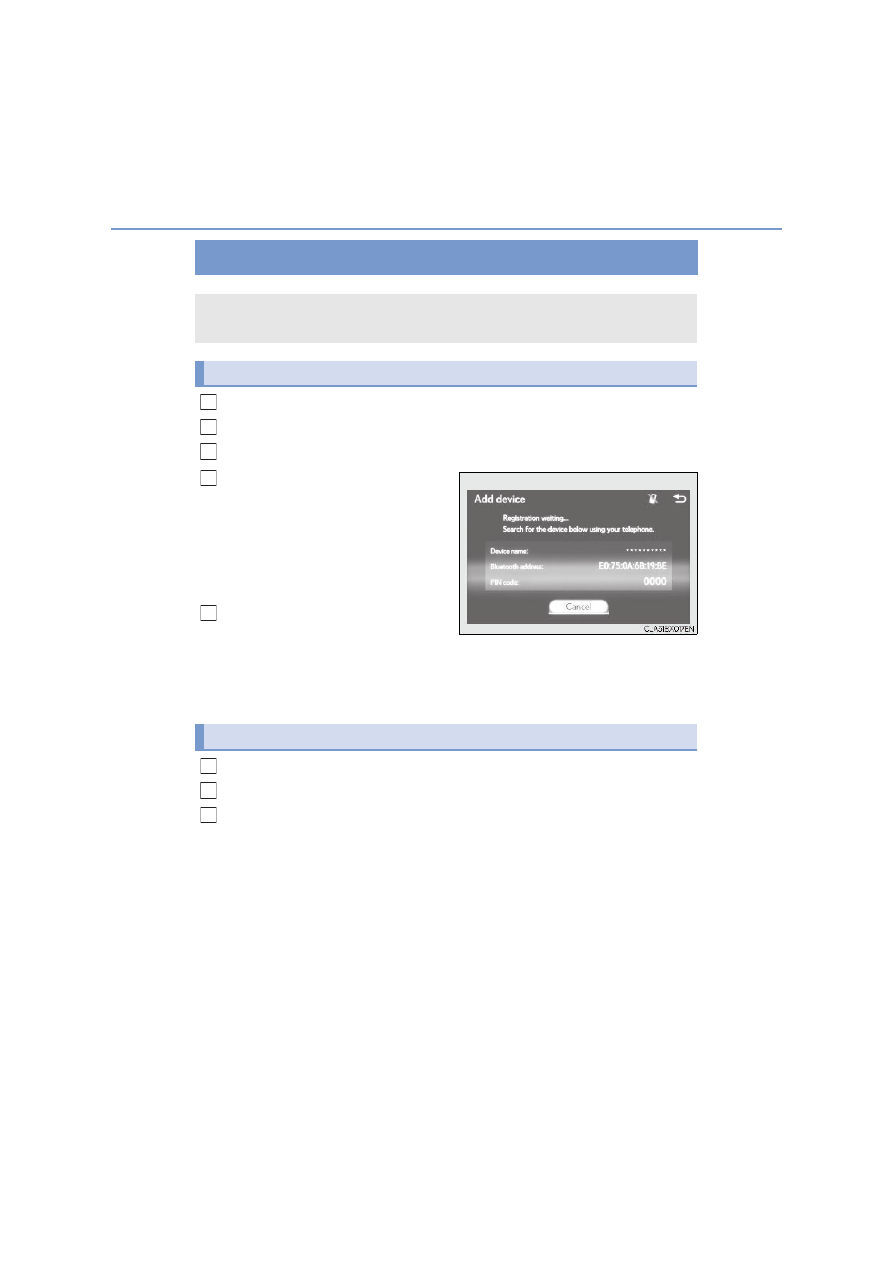
When this screen is displayed,
search for the device name dis-
played on this screen on your
Bluetooth
®
device.
For operation of the Bluetooth
®
device,
see the manual that comes with your
Bluetooth
®
device.
Register the Bluetooth
®
device
using your Bluetooth
®
device.
A PIN code are not required for SSP (Secure Simple Pairing) compatible Bluetooth
®
devices. Depending on the device, you may need to select Yes to register, or No to
cancel on the device.
If an error message is displayed, follow the guidance on the screen to try again.
Go to “Bluetooth setup”: “MENU” button
“Setup”
“Bluetooth”
Move the controller to the left and then select “Remove device”.
Select the device to remove.
Bluetooth
®
compatible phones (HFP) and portable audio players (AVP) can
be registered simultaneously. You can register up to 5 Bluetooth
®
devices.
How to register a Bluetooth
®
device
1
2
3
4
5
Removing a Bluetooth
®
device
1
2
3