Jeep Grand Cherokee (2022 year). Manual in english - page 10
 

  Index      Manuals     Jeep Grand Cherokee (2022 year). Manual in english


Search            copyright infringement  


Content      ..     8      9      10      11     ..


Jeep Grand Cherokee (2022 year). Manual in english - page 10


156

STARTING AND OPERATING


Hands-Free Active Driving Assist System — 

If Equipped
The Hands-Free ADA system uses sensors within 

the steering wheel and a driver monitoring camera 

located on top of the steering column to monitor 

driver attentiveness. The Hands-Free ADA allows 

the driver to remove their hands from the steering 

wheel, but requires that the driver continue to pay 

attention to the road.

NOTE:

The camera may record images of the driver during 

certain crash, or near crash situations. To retrieve 

the images recorded by the camera, special 

equipment is required and access to the vehicle or 

the camera is needed.
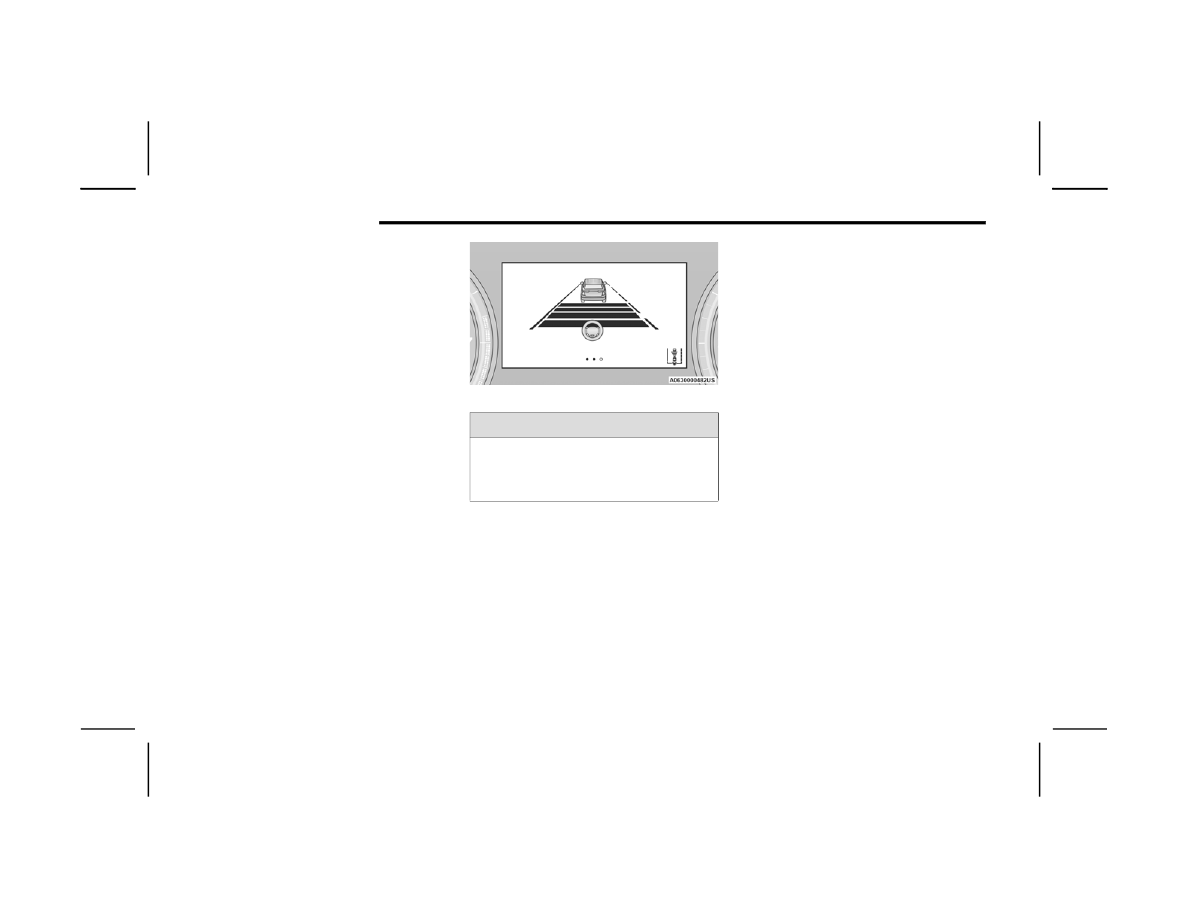
Hands-Free ADA will also change lanes when a turn 

signal is activated if the lane in the direction 

indicated is valid and clear, noted by a dashed line 

in the direction of the available lane change. The 

system uses sensors, including Blind Spot 

Monitoring (BSM) sensors, to determine if a lane 

change is possible. If the assisted lane change is in 

progress, a green indication will appear.

Assisted Lane Change (Green)

NOTE:

The Hands-Free Active Driving Assist system is 

only available on approved roadways. Please 

consult the Jeep® website for further details on 

supported roadways.

The Hands-Free Active Driving Assist system 

requires an active subscription through Jeep® 

Connect (Uconnect Connected Services) 

package. If the ADA on/off button is pushed 

without an active subscription, the instrument 

cluster display will show the message “Active 

Driving Assist Unavailable Update Subscrip

-

tion”. Refer to the Uconnect Owner’s Manual 

Supplement for further information.

If previously disabled, activating the Hands-Free 

Active Driving Assist system will also activate 

the Forward Collision Warning and Pedestrian 

Emergency Braking systems  

Ú

page 261.

If the vehicle is equipped with the Jeep® 

Connect (Uconnect Connected Services) 

package, additional data may be collected 

through the Jeep® Connect (Uconnect 

Connected Services) system. This includes 

information about the vehicle’s operation, a 

collision involving the vehicle, the use of the 

vehicle and its features, and in certain situa

-

tions, the location and approximate GPS speed 

of the vehicle. Refer to the Uconnect Owner’s 

Manual Supplement for Terms and Conditions 

and Privacy Statements.

Vehicle data may be read from the Hands-Free 

ADA system with special equipment and access 

to the vehicle or the Event Data Recorder (EDR).

WARNING!

The driver is always responsible for determining 

if a lane change is safe. Failure to follow this 

warning can result in a collision and death or 

serious personal injury.

STARTING AND OPERATING

157

(Continued)

T

URNING

 A

CTIVE

 D

RIVING

 A

SSIST

 O

N


O

R

 O

FF

Active Driving Assist On/Off Button

To enable the Active Driving Assist system, 

proceed as follows:
1. Push the Active Driving Assist on/off button 

located on the right side of the steering 

wheel. The steering wheel image will display 

white in the instrument cluster display until 

the system is engaged. If ACC was previously 

disabled, pushing this button will activate 

BOTH ACC and Active Driving Assist systems.

2. If ACC was active and engaged before pushing 

the ADA on/off button, ACC will remain 

engaged and ADA will become enabled and 

then engaged (once all other conditions are 

met).

3. If ACC was not active before pushing the ADA 

on/off button, push the SET (+) button or the 

SET (-) button and release when the desired 

driving speed is shown in the instrument 

cluster display.

4. If desired, adjust the ACC distance setting by 

pushing the Distance Increase or Distance 

Decrease buttons.

WARNING!

The Active Driving Assist (ADA) system is a 

convenience system. It is not a substitute for 

active driver involvement. It is always the driver’s 

responsibility to be attentive of road traffic, 

weather conditions, vehicle speed, distance to 

the vehicle ahead, position in the lane compared 

to other vehicles, and brake operation to ensure 

safe operation of the vehicle under all road 

conditions. Your complete attention is always 

required while driving to maintain safe control of 

your vehicle. Failure to follow these warnings can 

result in a collision and death or serious 

personal injury.
Some states and local laws may require hands 

to be kept on the steering wheel at all times. For 

vehicles equipped with the Hands-Free ADA 

system, ONLY remove your hands from the 

steering wheel if the Hands-Free system is 

engaged, it is safe to do so, and it is permitted by 

state and local laws.
You should turn off the Active Driving Assist 

systems:

When driving in complex driving situations 

(e.g. urban environments, construction zones, 

etc.), adverse weather (e.g. rain, snow, fog, 

sleet, dust), or adverse road conditions 

(e.g. heavy traffic, worn or missing lane mark

-

ings, etc.).

When entering a highway off-ramp.

When driving on roads that are icy, snow 

covered, or slippery.

When circumstances do not allow safe driving.

WARNING!

4

158

STARTING AND OPERATING


When all system conditions are met as described 

in “System Engagement Conditions” in the next 

section, the system will engage and the steering 

wheel image in the display will change to green.

Active Driving Assist Engaged (Steering Wheel Green)

NOTE:

Along with the color change of the steering 

wheel image, the “glow” effect of the instrument 

cluster display will also change to green when 

ADA is engaged.

If equipped with Hands-Free ADA, the light strips 

in the driver’s and front passenger’s door 

panels will also change to green indicating ADA 

is engaged.

System Engagement Conditions
The following conditions must be met before the 

system will engage:

Active Driving Assist system is enabled

ACC is engaged

Driver seat belt is buckled

System detects visible lane markings

Vehicle is traveling below 90 mph (145 km/h)

Vehicle is centered in lane

Turn signal is not activated

Vehicle is not in a tight curve

Trailer is not connected

Driver has hands on steering wheel and is 

paying attention to the road

Vehicle is driving on an approved roadway

If equipped with the Hands-Free system, a 

subscription is active and the vehicle is 

receiving a clear cellular signal

NOTE:

For the system to detect the driver’s hands on the 

steering wheel, the wheel must be gripped on the 

outside. Gripping the inside areas of the steering 

wheel will not satisfy the hands-on condition to 

engage the system. 

Do Not Grip Inside Of Steering Wheel

System Deactivation
The system will be deactivated in any of the 

following situations:

If the system has detected driver inattentive

-

ness, and has gone through all escalation warn

-

ings after hands are no longer detected on the 

steering wheel:

Base ADA: Hands no longer detected on the 

steering wheel

Hands-Free ADA: Driver no longer attentive

If lane markings are no longer detected or poor 

road conditions are experienced

If the brake pedal is pressed or ACC system is 

deactivated

If a turn signal is used when equipped with Base 

ADA (unless a target is in the blind spot zone on 

the same side the turn signal is being applied)

STARTING AND OPERATING

159

If the driver performs an evasive maneuver, 

applying high torque to the steering wheel for a 

short duration

If the driver’s seat belt is unbuckled

If the vehicle speed exceeds 90 mph 

(145 km/h)

If the Active Driving Assist on/off button is 

pushed again (ADA will turn off)

If the driver steers out of the lane and crosses a 

lane marking

If the Forward Collision Warning (FCW) system 

becomes active and is providing warnings/

braking

NOTE:

ADA will not enable if the system detects a 

trailer is connected to the vehicle.

Pushing the Active Driving Assist on/off button 

will turn the system off. All other deactivation 

conditions will place the system back into the 

“enabled” state with the steering wheel indi

-

cator displayed in white until all engagement 

conditions are met again.

When the system is deactivated, the system 

status indicator lights will turn off, Active Lane 

Management will return to its previous state, 

and ACC will disable.

Hands-Free System Deactivation (If Equipped)
In addition to the deactivation conditions listed 

above, the Hands-Free ADA system will also 

deactivate in the following situations:

The system initiates a Stop-In-Lane maneuver to 

stop the vehicle due to driver inattentiveness. 

Refer to “Indications On The Display” in the next 

section for further information.

The vehicle is not receiving a clear cellular 

signal for an extended period of time.

The subscription for the Hands-Free system is 

expired.

I

NDICATIONS

 O

N

 T

HE

 D

ISPLAY

The Active Driving Assist system status can always 

be viewed in the instrument cluster display, and 

status changes are shown by changes in color of 

the system’s indicator lights.
As the system detects driver inattentiveness as 

previously described  

Ú

page 155, the system 

status indicator lights will change from green, to 

yellow, to red. The following indicators will change 

in color as warnings to the driver escalate:

Active Driving Assist Indicator (steering wheel 

icon in the instrument cluster display or Head 

Up Display [if equipped])

Glow effect of the instrument cluster display

For Hands-Free ADA only, light strips in the 

driver and front passenger’s door panels

For Base ADA, if driver attention is not returned, 

the system will deactivate.
For Hands-Free ADA, if driver attention is not 

returned, the system will perform a Stop-In-Lane 

maneuver. Once the vehicle is at a standstill, the 

vehicle will attempt to place an emergency call 

through the Assist and SOS system. If a 

Stop-In-Lane maneuver is completed, the system 

will be unavailable until the ignition is cycled OFF, 

then back to ON.
Active Driving Assist Indicators Are Off

ADA is not turned on/enabled by the driver.

Active Driving Assist Indicators Are White

ADA is turned on/enabled by the driver, but the 

system is not actively steering the vehicle.

Active Driving Assist Indicators Are Green

System is actively steering the vehicle and the 

system detects driver is attentive.

4

160

STARTING AND OPERATING


(Continued)

Active Driving Assist Indicators Are Yellow

Driver inattentiveness has been detected, 

warning the driver to place hands on the 

steering wheel, or look back toward the road (if 

equipped with the Hands-Free system).

Active Driving Assist Indicators Are Red

Driver inattentiveness is still being detected, 

warning the driver to place hands on the 

steering wheel, or if equipped with the 

Hands-Free system, take control of the vehicle.

NOTE:

For both Base ADA and Hands-Free ADA, the driver 

MUST replace hands on the steering wheel and 

take control of the vehicle when the system is 

deactivated.

Active Driving Assist Cancelled Message

S

YSTEM

 S

TATUS

Base Active Driving Assist System
Along with changes in the system’s indicator lights 

(green, yellow, and red), the system can also issue 

a steering wheel vibration to accompany these 

warnings. The vibration warning (if enabled) will 

occur if the vehicle crosses a lane marker, for 

example, when driving on a tight curve. This 

feature can be turned on or off within the Uconnect 

system  

Ú

page 204.

S

YSTEM

 O

PERATION

/L

IMITATIONS

The Base Active Driving Assist and Hands-Free 

Active Driving Assist systems DO NOT:

Warn or prevent collisions with other vehicles

Steer your vehicle around stopped vehicles, 

slower vehicles, construction equipment, 

pedestrians, or animals

Respond to traffic lights or stop signs

Merge onto highways or exit off ramps

Change lanes (exception: Hands-Free, only 

when initiated by the driver)

React to cross traffic

WARNING!

Active Driving Assist is an SAE Level 2 Driver 

Assist feature, requiring driver attention at all 

times. To prevent serious injury or death:

Always remain alert and be ready to take 

control of the vehicle in the event that the 

Active Driving Assist system disables.

Always keep your hands on the steering wheel 

when the Base Active Driving Assist system is 

activated.

Always keep your eyes on the road when the 

Hands-Free Active Driving Assist system is 

activated.

Maintain a safe distance from other vehicles 

and pay attention to traffic conditions.

Do not use a hand held device when either 

Base, or Hands-Free Active Driving Assist 

system is engaged.

Always pay attention to the road when the 

Hands-Free Active Driving Assist system is 

engaged.

Do not place any objects on the steering wheel 

(e.g. steering wheel covers) which could inter

-

fere with the hand detection sensors.

WARNING!

STARTING AND OPERATING

161

NOTE:

Adaptive Cruise Control (ACC) is a core component 

of ADA. For ACC system limitations  

Ú

page 145.

The Active Driving Assist system may have limited 

or reduced functionality when one of the following 

conditions occur:

The vehicle’s radar sensors and/or forward 

facing camera is damaged, covered, 

misaligned, or obstructed (e.g. by mud, ice, 

snow, etc.)

If the suspension alignment is not correct, if the 

vehicle is modified (e.g. lifting or lowering the 

suspension, installing different sized wheels or 

tires)

Driving near highway toll booths

NOTE:

If damage to the windshield occurs, have the wind

-

shield replaced by an authorized dealer as soon as 

possible.

PARKSENSE FRONT/REAR PARK ASSIST 

SYSTEM — IF EQUIPPED  

The ParkSense Park Assist system provides visual 

and audible indications of the distance between 

the rear, and if equipped, the front fascia/bumper 

and a detected obstacle when backing up or 

moving forward (e.g. during a parking maneuver). 

The vehicle brakes may be automatically applied 

and released when performing a reverse parking 

maneuver if the system detects a possible collision 

with an obstacle.

NOTE:

The driver can disable the automatic braking 

function by turning ParkSense off via the Park

-

Sense switch. The driver can also override auto

-

matic braking by changing the gear or by 

pressing the gas pedal over 90% of its capacity 

during the braking event.

Automatic brakes are not available if the vehicle 

is in 4WD Low.

Automatic brakes will not be available if there is 

a faulted condition detected with the ParkSense 

Park Assist system or the Braking System 

Module.

The automatic braking function may only be 

applied if the vehicle deceleration is not enough 

to avoid colliding with a detected obstacle.

The automatic braking function may not be 

applied fast enough for obstacles that move 

toward the rear of the vehicle from the left and/

or right sides.

The automatic braking function can be 

enabled/disabled from the Customer Program

-

mable Features section of the Uconnect system.

ParkSense will retain its last known configura

-

tion state for the automatic braking function 

through ignition cycles.

The automatic braking function is intended to 

assist the driver in avoiding possible collisions with 

detected obstacles when backing up in REVERSE 

gear.

NOTE:

The system is designed to assist the driver and 

not to substitute the driver.

The driver must stay in full control of the 

vehicle's acceleration and braking and is 

responsible for the vehicle's movements.

4

162

STARTING AND OPERATING


For limitations of this system and 

recommendations, see  

Ú

page 168.

ParkSense will retain the last system state 

(enabled or disabled) from the last ignition cycle 

when the ignition is changed to the ON/RUN 

position.
ParkSense can be active only when the gear 

selector is in REVERSE or DRIVE. If ParkSense is 

enabled at one of these gear selector positions, 

the system will remain active until the vehicle 

speed is increased to approximately 7 mph 

(11 km/h) or above. The system will become active 

again if the vehicle speed is decreased to speeds 

less than approximately 6 mph (9 km/h). A display 

warning will appear in the instrument cluster 

display if the vehicle is in REVERSE and the speed 

exceeds 7 mph (11 km/h).

P

ARK

S

ENSE

 S

ENSORS

The four ParkSense sensors located in the rear 

fascia/bumper, and the six ParkSense sensors 

located in the front fascia/bumper, monitor the 

area in front and behind the vehicle that is within 

the sensors’ field of view. The front sensors detect 

obstacles from approximately 12 inches (30 cm) 

up to 47 inches (120 cm) from the front fascia/

bumper. The rear sensors can detect obstacles 

from approximately 12 inches (30 cm) up to 

79 inches (200 cm) from the rear fascia/bumper. 

These distances depend on the location, type and 

orientation of the obstacle in the horizontal 

direction.

NOTE:

If the vehicle is equipped with ParkSense Active 

Park Assist, there will be six ParkSense sensors 

located in the rear fascia/bumper.

P

ARK

S

ENSE

 D

ISPLAY

The warning display will turn on indicating the 

system status when the vehicle is in REVERSE or 

when the vehicle is in DRIVE and an obstacle has 

been detected.
The system will indicate a detected obstacle by 

showing a single arc in the left and/or right front or 

rear regions based on the object’s distance and 

location relative to the vehicle.
If an object is detected in the left and/or right rear 

region, the display will show a single arc in the left 

and/or right rear region and the system will 

produce a tone. As the vehicle moves closer to the 

object, the display will show the single arc moving 

closer to the vehicle and the tone will change from 

a single 1/2 second tone to slow, to fast, to 

continuous.

STARTING AND OPERATING

163

Front/Rear/Side ParkSense Arcs

1 — No Tone/Solid Arc

7 — Fast Tone/Flashing Arc

2 — No Tone/Flashing Arc

8 — Slow Tone/Solid Arc

3 — Fast Tone/Flashing Arc

9 — Slow Tone/Solid Arc

4 — Continuous Tone/Flashing Arc

10 — Single 1/2 Second Tone/Solid Arc

5 — Continuous Tone/Flashing Arc

11 — Continuous Tone/Flashing Arcs

6 — Fast Tone/Flashing Arc

12 — Fast Tone/Flashing Arcs

4

164

STARTING AND OPERATING


The vehicle is close to the obstacle when the instrument cluster display shows one flashing arc and sounds a continuous tone. The following chart shows the 

warning alert operation when the system is detecting an obstacle:

WARNING ALERTS FOR REAR

Rear Distance 

(inches/cm)

Greater than 

79 inches

(200 cm)

79-59 inches 

(200-150 cm)

59-47 inches 

(150-120 cm)

47-39 inches 

(120-100 cm)

39-25 inches 

(100-65 cm)

25-12 inches 

(65-30 cm)

Less than 

12 inches

(30 cm)

Audible Alert 

Chime

None

Single 1/2 

Second Tone

Slow

Slow

Fast

Fast

Continuous

Arcs-Left

None

None

None

None

None

6th Flashing

5th Flashing

Arcs-Center

None

10th Solid

9th Solid

8th Solid

7th Flashing

6th Flashing

5th Flashing

Arcs-Right


None

None

None

None

None

6th Flashing

5th Flashing

Radio Volume 

Reduced

No

Yes

Yes

Yes

Yes

Yes

Yes

WARNING ALERTS FOR FRONT

Front Distance 

(inches/cm)

Greater than 47 inches 

(120 cm)

47-39 inches 

(120-100 cm)

39-25 inches

(100-65 cm)

25-12 inches 

(65-30 cm)

Less than 12 inches

(30 cm)

Audible Alert Chime

None

None

None

Fast

Continuous

Arcs-Left

None

None

None

3rd Flashing

4th Flashing

Arcs-Center

None

1st Solid

2nd Flashing

3rd Flashing

4th Flashing

Arcs-Right

None

None

None

3rd Flashing

4th Flashing

Radio Volume Reduced

No

No

No

Yes

Yes

STARTING AND OPERATING

165

NOTE:

ParkSense will reduce the volume of the radio, if 

on, when the system is sounding an audio tone.
Front Park Assist Audible Alerts
ParkSense will turn off the Front Park Assist 

audible alert (chime) after approximately three 

seconds when an obstacle has been detected, and 

the vehicle is stationary.
Adjustable Chime Volume Settings
Front and rear chime volume settings can be 

selected from the Uconnect system  

Ú

page 204.

The chime volume settings include low, medium, 

and high.
ParkSense will retain its last known configuration 

state through ignition cycles.

P

ARK

S

ENSE

 W

ARNING

 D

ISPLAY

The ParkSense Warning screen is located within 

the instrument cluster display  

Ú

page 99. It 

provides visual warnings to indicate the distance 

between the rear fascia/bumper and/or front 

fascia/bumper and the detected obstacle.

E

NABLING

 A

ND

 D

ISABLING

 P

ARK

S

ENSE

ParkSense can be enabled and disabled 

with the ParkSense switch located on the 

switch back above the Uconnect display.

When the ParkSense switch is pushed to enable 

the system, the instrument cluster will display the 

system state.
When the ParkSense switch is pushed to disable 

the system, the instrument cluster will display the 

“PARKSENSE OFF” message for approximately two 

seconds. When the gear selector is moved to 

REVERSE and the system is disabled, the 

instrument cluster display will display the 

“PARKSENSE OFF” message for as long as the 

vehicle is in REVERSE.

NOTE:

When ParkSense is disabled and the gear selector 

is moved to the DRIVE position, no warning 

message will be displayed.
The ParkSense switch LED will be on when 

ParkSense is disabled or requires service. The 

ParkSense switch LED will be off when the system 

is enabled. If the ParkSense switch is pushed, and 

the system requires service, the ParkSense switch 

LED will blink momentarily, and then the LED will 

be on.

S

ERVICE

 T

HE

 P

ARK

S

ENSE

 P

ARK

 A

SSIST


S

YSTEM

During vehicle start-up, when the ParkSense 

System has detected a faulted condition, the 

instrument cluster will actuate a single chime, 

once per ignition cycle, and it will display a pop-up. 

The pop-up will include up to two faults. Possible 

fault messages are "PARKSENSE UNAVAILABLE 

WIPE REAR SENSORS", "PARKSENSE 

UNAVAILABLE WIPE FRONT SENSORS", or 

"PARKSENSE UNAVAILABLE SERVICE REQUIRED.” 

The pop-up message will display for five seconds.
When the gear selector is moved to REVERSE and 

the system has detected a faulted condition, the 

instrument cluster display will display a 

"PARKSENSE UNAVAILABLE WIPE REAR 

SENSORS", "PARKSENSE UNAVAILABLE WIPE 

FRONT SENSORS" or "PARKSENSE UNAVAILABLE 

SERVICE REQUIRED" pop-up message for five 

seconds. After five seconds, a vehicle graphic will 

be displayed with "UNAVAILABLE" at either the 

front or rear sensor location depending on where 

the fault is detected. The system will continue to 

provide arc alerts for the side that is functioning 

properly. These arc alerts will interrupt the 

"PARKSENSE UNAVAILABLE WIPE REAR 

SENSORS", "PARKSENSE UNAVAILABLE WIPE 

FRONT SENSORS", or "PARKSENSE UNAVAILABLE 

SERVICE REQUIRED" messages if an object is 

detected within the five second pop-up duration. 

4

166

STARTING AND OPERATING


The vehicle graphic will remain displayed for as 

long as the vehicle is in REVERSE.
If "PARKSENSE UNAVAILABLE WIPE REAR 

SENSORS" or "PARKSENSE UNAVAILABLE WIPE 

FRONT SENSORS" appears in the instrument 

cluster display make sure the outer surface and 

the underside of the rear fascia/bumper and/or 

front fascia/bumper is clean and clear of snow, 

ice, mud, dirt or other obstruction and then cycle 

the ignition. If the message continues to appear 

see an authorized dealer.
If the "PARKSENSE UNAVAILABLE SERVICE 

REQUIRED" message appears in the instrument 

cluster display, see an authorized dealer.

C

LEANING

 T

HE

 P

ARK

S

ENSE

 S

YSTEM

Clean the ParkSense sensors with water, car wash 

soap and a soft cloth. Do not use rough or hard 

cloths. Do not scratch or poke the sensors.

P

ARK

S

ENSE

 S

YSTEM

 U

SAGE


P

RECAUTIONS

NOTE:

Ensure that the front and rear bumper are free 

of snow, ice, mud, dirt and debris to keep the 

ParkSense system operating properly.

Jackhammers, large trucks, and other 

vibrations could affect the performance of

ParkSense.

When you turn ParkSense off, the instrument 

cluster will display “PARKSENSE OFF.” Further

-

more, once you turn ParkSense off, it remains 

off until you turn it on again, even if you cycle the 

ignition.

When you move the gear selector to the 

REVERSE position and ParkSense is turned off, 

the instrument cluster will display “PARKSENSE 

OFF” for as long as the vehicle is in REVERSE.

ParkSense, when on, will reduce the volume of 

the radio when it is sounding a tone.

Clean the ParkSense sensors regularly, taking 

care not to scratch or damage them. The 

sensors must not be covered with ice, snow, 

slush, mud, dirt or debris. Failure to do so can 

result in the system not working properly. The 

ParkSense system might not detect an obstacle 

behind or in front of the fascia/bumper, or it 

could provide a false indication that an obstacle 

is behind or in front of the fascia/bumper.

Use the ParkSense switch to turn the ParkSense 

system off if objects such as bicycle carriers, 

trailer hitches, etc., are placed within 12 inches 

(30 cm) of the rear fascia/bumper. Failure to do 

so can result in the system misinterpreting a 

close object as a sensor problem, causing the 

“PARKSENSE UNAVAILABLE SERVICE 

REQUIRED” message to be displayed in the 

instrument cluster.

ParkSense should be disabled when the liftgate 

is in the open position. An opened liftgate could 

provide a false indication that an obstacle is 

behind the vehicle.

WARNING!

Drivers must be careful when backing up even 

when using ParkSense. Always check carefully 

behind your vehicle, look behind you, and be 

sure to check for pedestrians, animals, other 

vehicles, obstructions, and blind spots before 

backing up. You are responsible for safety and 

must continue to pay attention to your 

surroundings. Failure to do so can result in 

serious injury or death.

Before using ParkSense, it is strongly recom

-

mended that the ball mount and hitch ball 

assembly be disconnected from the vehicle 

when the vehicle is not used for towing. 

Failure to do so can result in injury or damage 

to vehicles or obstacles because the hitch ball 

will be much closer to the obstacle than the 

rear fascia when the vehicle sounds the 

continuous tone. Also, the sensors could 

detect the ball mount and hitch ball assembly, 

depending on its size and shape, giving a false 

indication that an obstacle is behind the 

vehicle.

STARTING AND OPERATING

167

S

IDE

 D

ISTANCE

 W

ARNING

 S

YSTEM

The Side Distance Warning system detects the 

presence of side obstacles near the vehicle using 

the parking sensors located in the front and rear 

fascia/bumpers.

Side Distance Warning Display

The Side Distance Warning screen will only be 

displayed if this feature is enabled within Uconnect 

Settings  

Ú

page 204.

The system warns the driver with an acoustic 

signal and, when enabled, with visual indications 

on the instrument cluster display.
When the vehicle is in DRIVE, the Side Distance 

Warning volume/chime will match the Front 

ParkSense volume and chime type.
When the vehicle is in REVERSE, the Side Distance 

Warning volume/chime will match the Rear 

ParkSense volume and chime type.

NOTE:

Parksense will reduce the volume of the radio if on 

when the system is sounding an audible tone. An 

audible tone will only sound if a collision is 

possible.

Activation/Deactivation

The system can operate only after driving a short 

distance and if the vehicle speed is between 0 and 

7 mph (0 and 11 km/h). The system can be 

activated/deactivated via the Settings menu of the 

Uconnect system. If the ParkSense System is 

deactivated via the ParkSense hard switch, then 

the Side Distance Warning system will 

automatically be deactivated.
Message on the display for Side Distance Warning 

feature:
“Wipe Sensors” — This message is displayed in the 

case of a failure of the Side Distance Warning 

system sensors. Free the bumpers of any 

obstacles, ensure that the front and rear fascia/

bumper are free of snow, ice, mud, dirt and debris 

to keep the ParkSense system operating properly.

CAUTION!

ParkSense is only a parking aid and it is 

unable to recognize every obstacle, including 

small obstacles. Parking curbs might be 

temporarily detected or not detected at all. 

Obstacles located above or below the sensors 

will not be detected when they are in close 

proximity.

The vehicle must be driven slowly when using 

ParkSense in order to be able to stop in time 

when an obstacle is detected. It is recom

-

mended that the driver looks over his/her 

shoulder when using ParkSense.

WARNING ALERTS

Distance 

(inches/cm)

Less than 

12 inches 

(30 cm)

12 – 24 inches 

(30–60 cm)

Arcs-Left

Flashing

Flashing

Arcs-Right

Flashing

Flashing

Audible Alert 

Chime

Continuous

Fast audible 

chime as the 

objects get 

close to the 

vehicle

Radio Volume 

Reduced

Yes

Yes

4

168

STARTING AND OPERATING


(Continued)

“System Not Available” — This message is 

displayed if the Side Distance Warning system is 

not available. The failed operation of the system 

might be due to the insufficient voltage from the 

battery or other failures on the electrical system. 

Contact an authorized dealer as soon as possible 

to have the electrical system checked.

ParkSense Usage Precautions

Some conditions may influence the performance 

of the Side Distance Warning system:

NOTE:

Ensure that the front and rear fascia/bumper 

are free of snow, ice, mud, dirt and debris to 

keep the ParkSense system operating properly.

Construction equipment, large trucks, and other 

vibrations could affect the performance of 

ParkSense.

When you turn ParkSense off, the message to 

appear in the instrument cluster display will 

read “PARKSENSE OFF.” Furthermore, once you 

turn ParkSense off, it remains off until you turn 

it on again, even if you cycle the ignition key.

ParkSense, when on, will reduce the volume of 

the radio when it is sounding a tone.

Clean the ParkSense sensors regularly, taking 

care not to scratch or damage them. The 

sensors must not be covered with ice, snow, 

slush, mud, dirt or debris. Failure to do so can 

result in the system not working properly. The 

ParkSense system might not detect an obstacle 

behind or in front of the fascia/bumper, or it 

could provide a false indication that an obstacle 

is behind or in front of the fascia/bumper.

The presence of a tow hook without a trailer may 

interfere with the correct operation of the 

parking sensors. Before using the ParkSense 

system, it is recommended to remove the 

removable tow hook ball assembly and any 

attachments from the vehicle when it is not 

used for towing operations.

WARNING!

Drivers must be careful when backing up even 

when using ParkSense. Always check carefully 

behind your vehicle, look behind you, and be 

sure to check for pedestrians, animals, other 

vehicles, obstructions, and blind spots before 

backing up. You are responsible for safety and 

must continue to pay attention to your 

surroundings. Failure to do so can result in 

serious injury or death.

Before using ParkSense, it is strongly recom

-

mended that the ball mount and hitch ball 

assembly be disconnected from the vehicle 

when the vehicle is not used for towing. 

Failure to do so can result in injury or damage 

to vehicles or obstacles because the hitch ball 

will be much closer to the obstacle than the 

rear fascia when the vehicle sounds the 

continuous tone. Also, the sensors could 

detect the ball mount and hitch ball assembly, 

depending on its size and shape, giving a false 

indication that an obstacle is behind the 

vehicle.

CAUTION!

ParkSense is only a parking aid and it is 

unable to recognize every obstacle, including 

small obstacles. Parking curbs might be 

temporarily detected or not detected at all. 

Obstacles located above or below the sensors 

will not be detected when they are in close 

proximity.

The vehicle must be driven slowly when using 

ParkSense in order to be able to stop in time 

when an obstacle is detected. It is recom

-

mended that the driver looks over his/her 

shoulder when using ParkSense.

WARNING!

STARTING AND OPERATING

169

PARKSENSE ACTIVE PARK ASSIST 

SYSTEM — IF EQUIPPED

The ParkSense Active Park Assist system is 

intended to assist the driver during parallel and 

perpendicular parking maneuvers by identifying a 

proper parking space, providing audible/visual 

instructions, and controlling the steering wheel. 

The ParkSense Active Park Assist system is 

defined as “semi-automatic” since the driver 

maintains control of the accelerator, gear selector 

and brakes. Depending on the driver's parking 

maneuver selection, the ParkSense Active Park 

Assist system is capable of maneuvering a vehicle 

into a parallel or a perpendicular parking space on 

either side (i.e., driver side or passenger side).

NOTE:

The driver is always responsible for controlling 

the vehicle, responsible for any surrounding 

objects, and must intervene as required.

The system is designed to assist the driver and 

not to substitute the driver.

During a semi-automatic maneuver, if the driver 

touches the steering wheel after being 

instructed to remove their hands from the 

steering wheel, the system will cancel, and the 

driver will be required to manually complete the 

parking maneuver.

The system may not work in all conditions (e.g. 

environmental conditions such as heavy rain, 

snow, etc., or if searching for a parking space 

that has surfaces that will absorb the ultrasonic 

sensor waves).

New vehicles from the dealership must have at 

least 30 miles (48 km) accumulated before the 

ParkSense Active Park Assist system is fully cali

-

brated and performs accurately. This is due to 

the system’s dynamic vehicle calibration to 

improve the performance of the feature. The 

system will also continuously perform the 

dynamic vehicle calibration to account for differ

-

ences such as over or under inflated tires and 

new tires.

E

NABLING

 A

ND

 D

ISABLING

 T

HE


P

ARK

S

ENSE

 A

CTIVE

 P

ARK

 A

SSIST


S

YSTEM

The ParkSense Active Park Assist system 

can be enabled and disabled with the 

ParkSense Active Park Assist switch, 

located on the switch panel above the 

Uconnect display.

To enable or disable the ParkSense Active Park 

Assist system, push the ParkSense Active Park 

Assist switch once (LED turns on). Pushing the 

switch a second time will disable the system

(LED turns off).
The ParkSense Active Park Assist system will turn 

off automatically for any of the following 

conditions:

Parking maneuver is completed

Vehicle speed is greater than 18 mph 

(30 km/h) when searching for a parking space

Vehicle speed is greater than 5 mph (7 km/h) 

during active steering guidance into the parking 

space

Steering wheel is touched during active steering 

guidance into the parking space

ParkSense Front and Rear Park Assist switch is 

pushed

Driver's door is opened

Rear liftgate is opened

Electronic Stability Control/Anti-Lock Braking 

System intervention

4

170

STARTING AND OPERATING


The ParkSense Active Park Assist system allows a 

maximum number of shifts between DRIVE and 

REVERSE. If the maneuver cannot be completed 

within the maximum amount of shifts, the system 

will cancel and the instrument cluster display will 

instruct the driver to complete the maneuver 

manually.
The ParkSense Active Park Assist system will only 

operate and search for a parking space when the 

following conditions are present:

Gear selector is in DRIVE

Ignition is in the RUN position

ParkSense Active Park Assist switch is activated

Driver's door is closed

Rear liftgate is closed

Vehicle speed is less than 15 mph (25 km/h)

Vehicle speed is less than 25 km/h

The outer surface and the underside of the front 

and rear fascias/bumpers are clean and clear 

of snow, ice, mud, dirt or other obstruction

NOTE:

If the vehicle is driven above approximately 

15 mph (25 km/h), the instrument cluster display 

will instruct the driver to slow down. If the vehicle 

is driven above approximately 18 mph (30 km/h), 

the system will cancel. The driver must then reac

-

tivate the system by pushing the ParkSense Active 

Park Assist switch.
When pushed, the LED on the ParkSense Active 

Park Assist switch will blink momentarily, and then 

the LED will turn off if any of the above conditions 

are not present.
If the vehicle is in any other gear than DRIVE, and 

an objected is detected, the system will default to 

Parallel Park Exit. A prompt will appear in the radio 

screen, and the driver will need to select “Yes” or 

“No” for a Parallel Park Exit maneuver. Any other 

conditions will result in a default to a Parallel 

Parking maneuver.

P

ARALLEL

/P

ERPENDICULAR

 P

ARKING


S

PACE

 A

SSISTANCE

 O

PERATION

When the ParkSense Active Park Assist system is 

enabled, you can select between Parallel, 

Perpendicular, and Parallel Park Exit maneuvers in 

the Uconnect system.

Choose Parking Maneuver Below

NOTE:

When searching for a parking space, use the 

turn signal indicator to select which side of the 

vehicle you want to perform the parking 

maneuver. The ParkSense Active Park Assist 

system will automatically search for a parking 

space on the passenger's side of the vehicle if 

the turn signal is not activated.

The driver needs to make sure that the selected 

parking space for the maneuver remains free 

and clear of any obstructions (e.g. pedestrians, 

bicycles, etc.).

STARTING AND OPERATING

171

The driver is responsible to ensure that the 

selected parking space is suitable for the 

maneuver and free/clear of anything that may 

be overhanging or protruding into the parking 

space (e.g., ladders, tailgates, etc. from 

surrounding objects/vehicles).

When searching for a parking space, the driver 

should drive as parallel or perpendicular 

(depending on the type of maneuver) to other 

vehicles as possible.

The feature will only indicate the last detected 

parking space (example: if passing multiple 

available parking spaces, the system will only 

indicate the last detected parking space for the 

maneuver).

While the vehicle is in DRIVE, there will be a full 

screen image in the Uconnect display. If the 

driver shifts to REVERSE while searching for a 

parking space, a camera image will appear in 

the Uconnect display with a “Shift To Drive” 

message.

When an available parking space has been found, 

and the vehicle is not in position, you will be 

instructed to move forward to position the vehicle 

for a perpendicular or parallel parking sequence 

(depending on the type of maneuver being 

performed).
Once active steering begins, a camera image will 

display in the Uconnect display with prompts that 

will display for the duration of the maneuver.

Parking Space Found — Keep Moving Forward

Once the vehicle is in position, you will be 

instructed to stop the vehicle’s movement and 

remove your hands from the steering wheel. When 

the vehicle comes to a standstill (your hands still 

removed from the steering wheel), you will be 

instructed to place the gear selector into the 

REVERSE position.

Shift To Reverse — Parallel Parking Space

Shift To Reverse — Perpendicular Parking Space

The system may then instruct the driver to wait for 

steering to complete before then instructing to 

check the vehicle’s surroundings, and move 

backward.
Several more gear shifts (DRIVE and REVERSE) 

while keeping hands off of the steering wheel will 

be instructed to the driver while checking the 

vehicle’s surroundings before completing the 

parking maneuver.
When the vehicle is in the parking position, the 

maneuver is complete and the driver will be 

instructed to check the vehicle's parking position, 

then shift the vehicle into PARK. The message 

“Active ParkSense Complete - Check Parking 

Position” will be displayed momentarily.

4


Content      ..     8      9      10      11     ..