Engine Iveco Vector 8. Manual - part 25
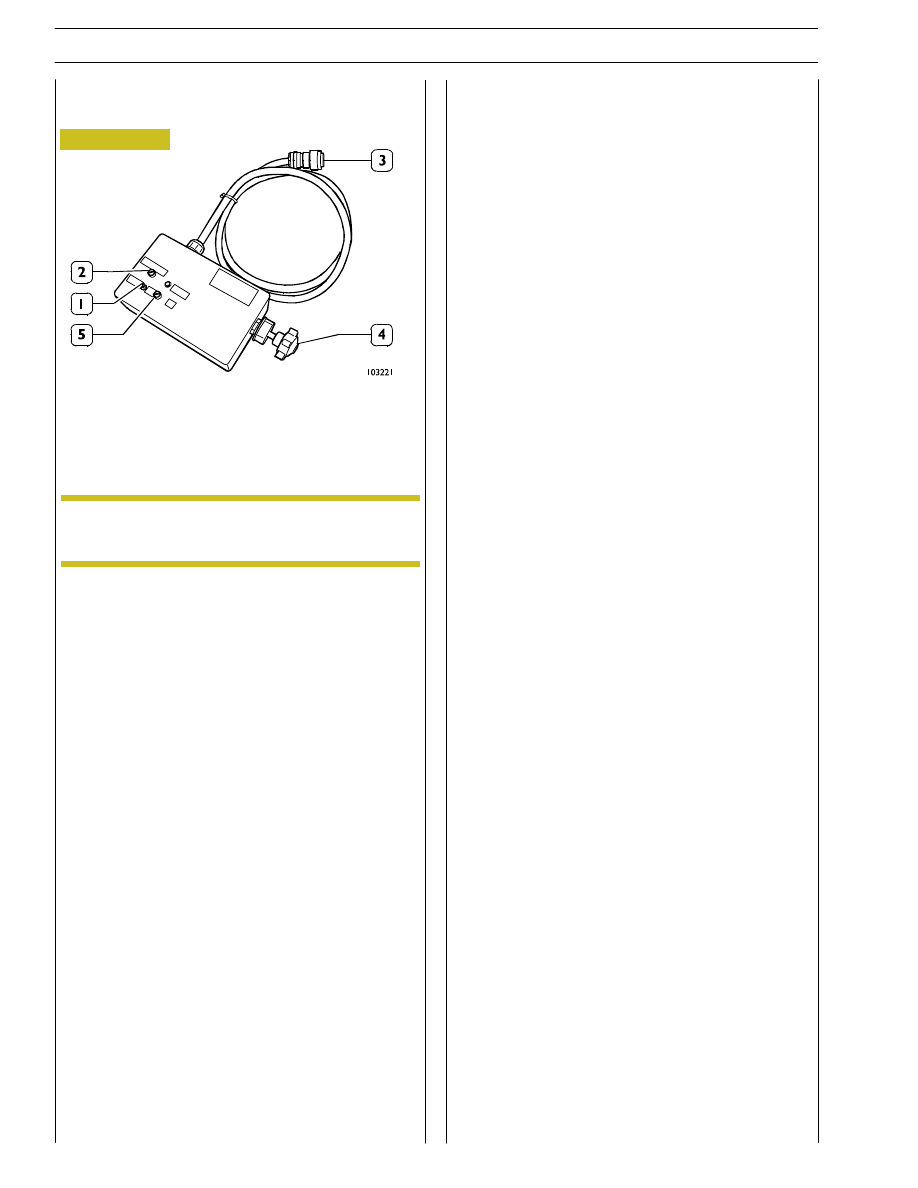
ILC SIMULATOR 99368543 TOOL
1. Switch - 2. Engine oil fill up pushbutton (prearranged
only for a few Vector versions) - 3. Connection to
electronic control unit - 4. Potentiometer for remote
intervention on engine rpm.
The ILC simulation tool is used to start the power unit
remotely and in order to be able to monitor operation via the
diagnostic equipment.
ILC simulator tool use:
- Connect connector (3) to the electrical shunt box on
which the unit is inserted.
- Press switch (1) (+15).
- Press START (5).
- If required use potentiometer (4) in order to increase
engine rpm.
- Pushbutton (2) used to fill up the sump with oil is not used
in this Vector version.
Figure 3
The connection (3) varies depending on the
application.
NOTE
70
SECTION 3 - INDUSTRIAL APPLICATION
VECTOR 8 ENGINES
Base - April 2006
Print P2D32V001E