Hyundai Sonata (2022 year). Manual in english - page 14
06
OADAS025SD
OADAS026SD
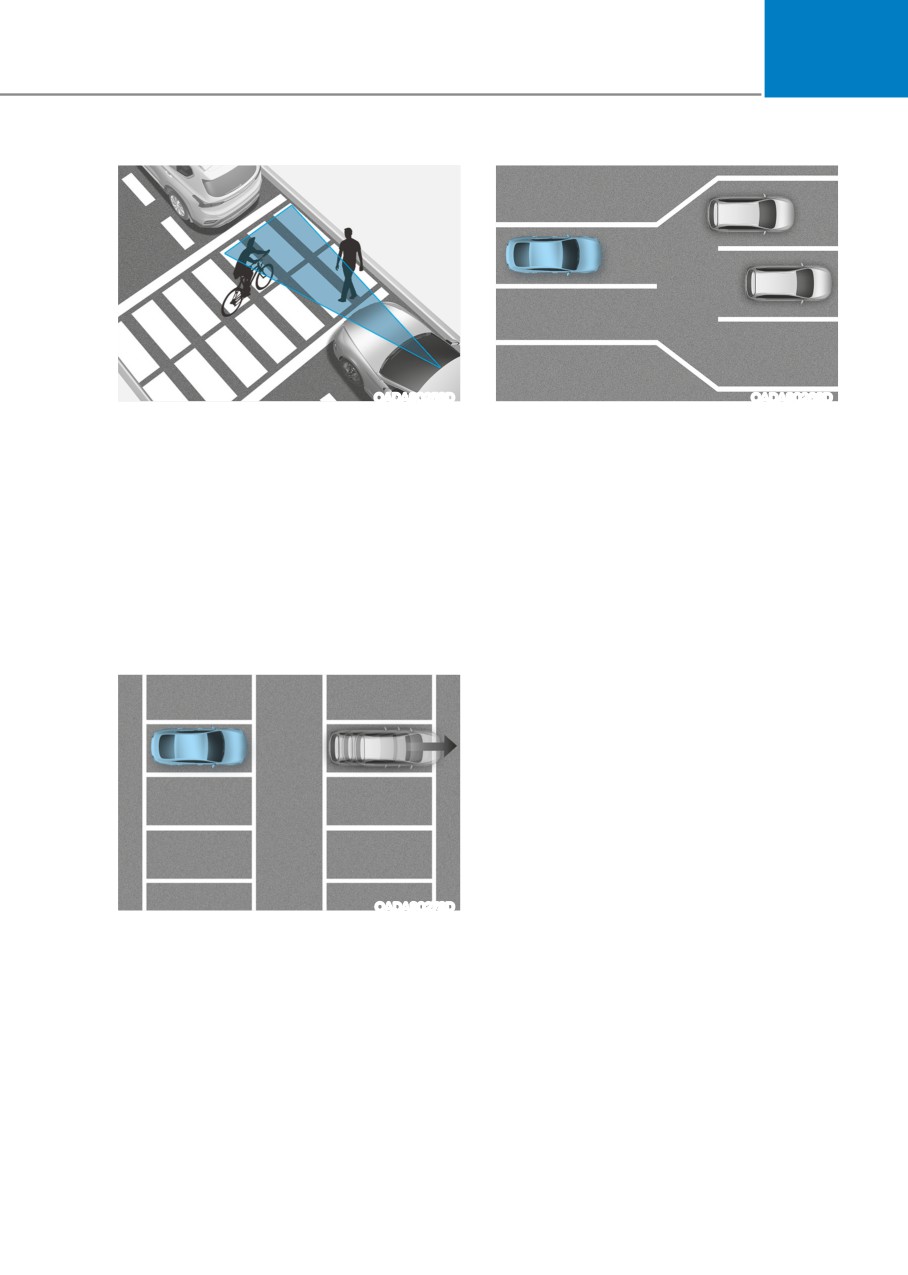
• When there is a pedestrian or bicycle
• When driving a road with lots of
between your vehicle and a vehicle
vehicles in front
ahead
If you pass a tollgate or intersection
- The function may misrecognize and
with lots of vehicles or you drive
alert to you if a pedestrian or bicycle
where lanes are merged or divided
moves around between your vehicle
frequently, it may not alert or alert in a
and a vehicle ahead.
wrong way since the function cannot
specify a vehicle in front.
- It may not alert to the driver for the
safety of pedestrians or bicycles
that pass around your vehicle even
though the vehicle in front departs.
OADAS027SD
• When parking your vehicle at a
parking lot, rest area or shoulder
If a vehicle in front tries to park and
moves far from your vehicle, the
function may alert.
6-103
While Driving
BlinD view monitor (Bvm) (if equippeD)
Left
•
The system is deactivated when one
of the following is performed.
- The Engine Start/Stop button is in
the OFF position.
- The turn signal is turned off
- The hazard warning flasher is on
- A warning screen pops up and
takes priority over Blind-Spot View
Monitor system.
ODN8A059141
Right
WARNING
•
This system is a supplemental system
only. It is the responsibility of the
driver to always check the area
around the vehicle before and while
making turns or changing lanes.
•
ALWAYS look around your vehicle
to make sure there are no objects or
obstacles before moving the vehicle
in any direction to prevent a collision.
•
Objects are closer than they appear.
ODN8A059142
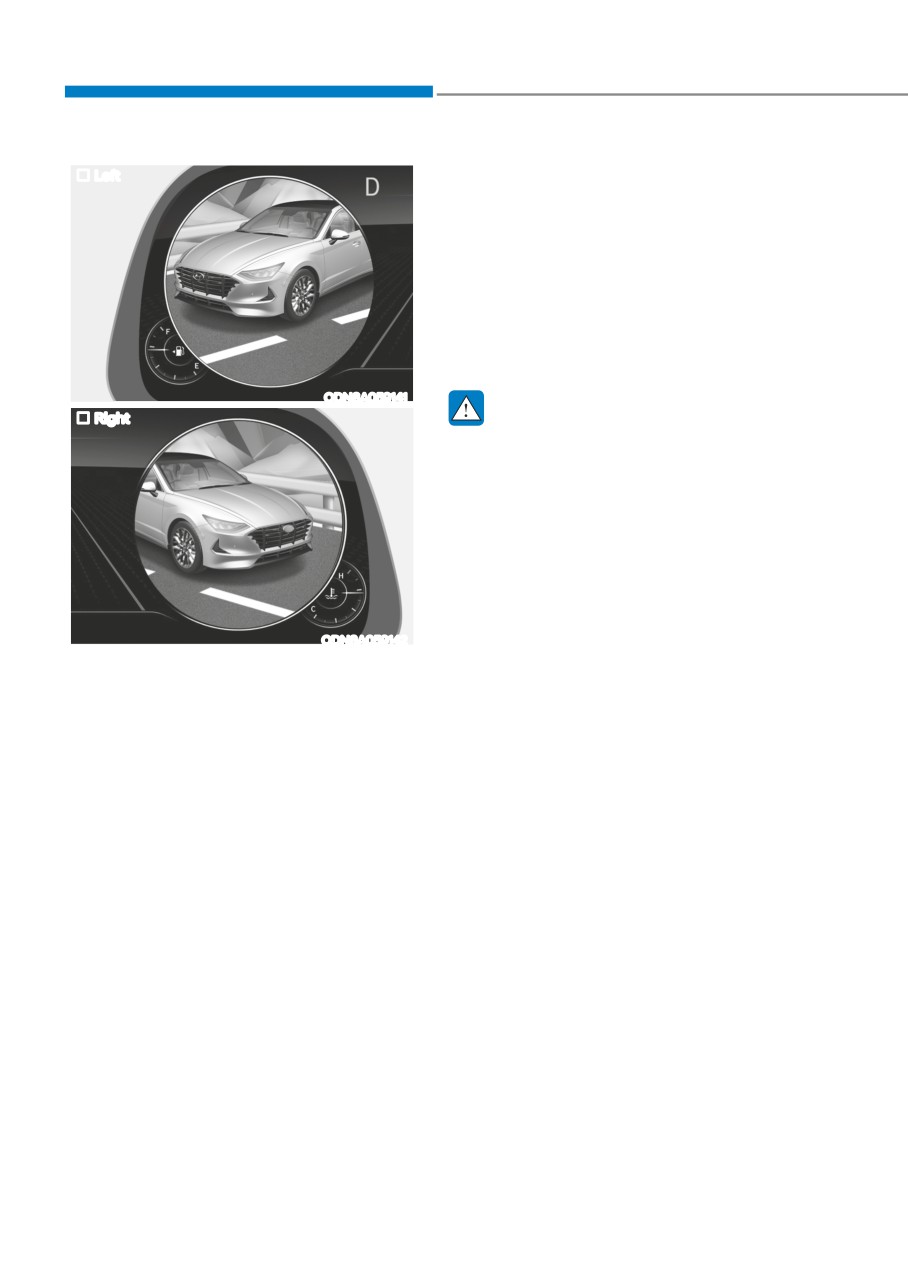
Failure to visually confirm that view
Blind View Monitor displays the left or
the blind spot area is safe to change
right side of the rear blind spot area of
the lane before doing so may result
your vehicle in the instrument cluster
in crash and serious injury or death.
when the left or right turn signal is on.
•
Always keep the camera lens clean.
This function helps you when changing
The camera may not work normally
lanes.
if the lens is covered with foreign
• The system is activated when the
substance.
following steps are performed.
1. The engine is running.
2. The turn signal is turned on.
6-104
06
smart cruise control (scc) (if equippeD)
WARNING
For your safety, please read the owner's
manual before using Smart Cruise
Control system.
WARNING
Smart Cruise Control system is not a
substitute for safe driving practices, but
a convenience function only. It is the
ODN8A069211C
responsibility of the driver to always
check the speed and distance to the
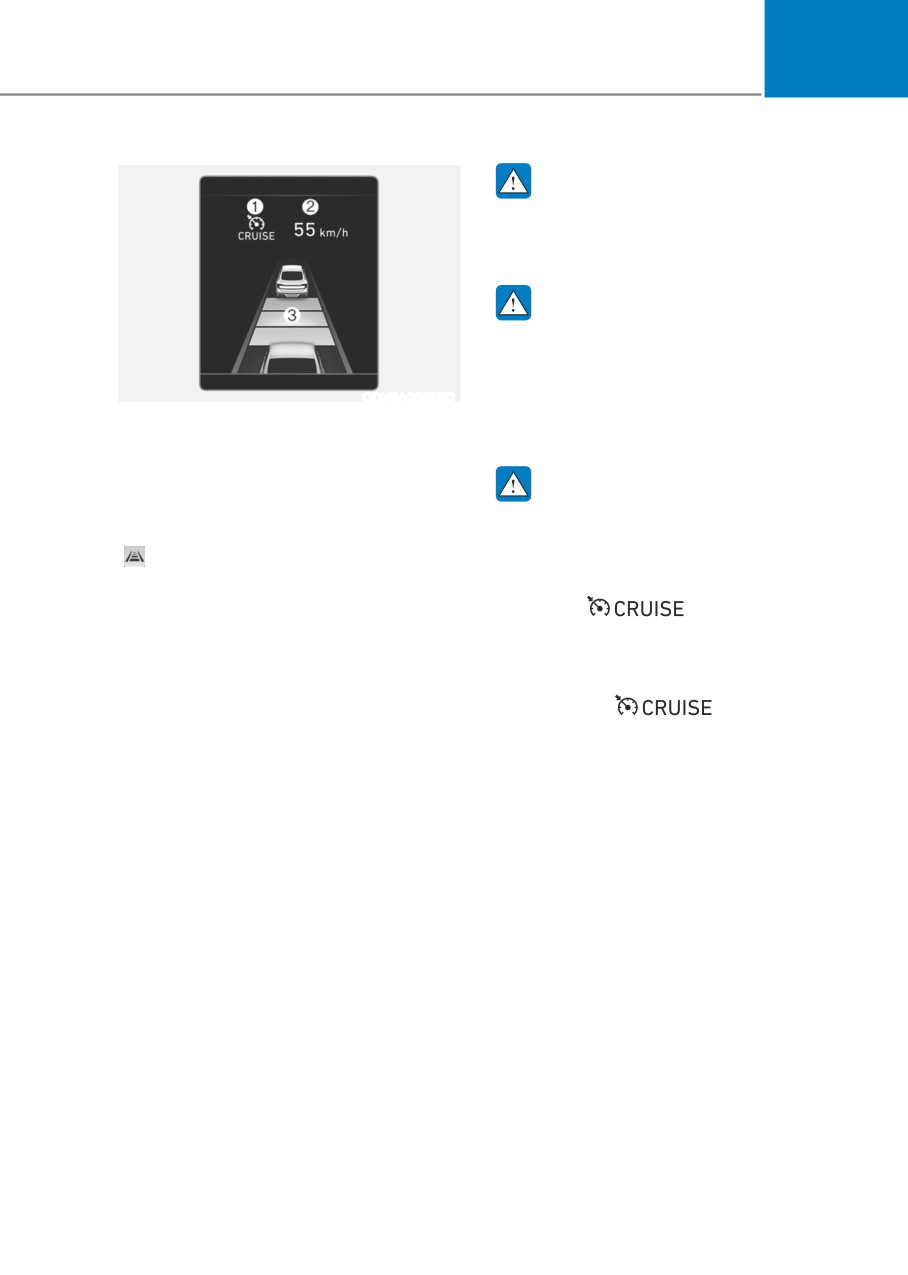
(1) Cruise indicator
vehicle ahead.
(2) Set speed
(3) Vehicle-to-vehicle distance
WARNING
To see the SCC screen on the LCD display
Take the following precautions:
in the cluster, select Driving Assist mode
• Always set the vehicle speed under
(
). For more information, refer to "LCD
the speed limit in your country.
Display Modes" section in chapter 4.
• If Smart Cruise Control is left on,
(cruise (
) indicator
Smart Cruise Control system allows you
light in the instrument cluster is
to program the vehicle to help maintain
illuminated) Smart Cruise Control
the desired speed and minimum distance
can be activated unintentionally.
between the vehicle ahead.
Keep Smart Cruise Control system
off (cruise (
) indicator
Smart Cruise Control system will
light OFF) when Smart Cruise Control
automatically adjust your vehicle speed
is not in use, to avoid inadvertently
to maintain your programmed speed
setting a speed.
and following distance without requiring
• Use Smart Cruise Control system only
you to depress the accelerator or brake
when traveling on open highways in
pedals.
good weather.
6-105
While Driving
•
Do not use Smart Cruise Control
Smart Cruise Control Switch
when it may not be safe to keep the
CRUISE/
: Turns cruise control system
vehicle at a constant speed:
on or off.
- When driving in heavy traffic or
RES+: Resumes or increases cruise
when traffic conditions make it
control speed.
difficult to drive at a constant
SET-: Sets or decreases cruise control
speed
speed.
- When driving on rainy, icy, or
:Sets vehicle-to-vehicle distance.
snow-covered roads
CANCEL (CNCL): Cancels cruise control
- When driving on a steep downhill
operation.
or uphill
- When driving in windy areas
To Convert to Cruise Control
Mode
- When driving in parking lots
The driver may choose to only use the
- When driving near crash barriers
conventional Cruise Control mode
- When driving on a sharp curve
(speed control function) by doing as
- When driving with limited view
follows:
(possibly due to bad weather, such
1. Turn Smart Cruise Control system on
as fog, snow, rain or sandstorm)
(the cruise indicator light will be on
- When the vehicle sensing
but the system will not be activated).
ability decreases due to vehicle
2. Push and hold the Vehicle-to-Vehicle
modification resulting level
Distance button for more than 2
difference of the vehicle's front
seconds.
and rear
3. Choose between “Smart Cruise
•
Unexpected situations may lead to
Control” and “Cruise Control”.
possible accidents. Pay attention
When the system is canceled using the
continuously to road conditions
CRUISE/ button or the CRUISE button
and driving even when smart cruise
is used after the engine is turned on, the
control system is being operated.
Smart Cruise Control mode will turn on.
WARNING
When using the Cruise Control mode,
you must manually adjust the distance
to other vehicles by depressing the
brake pedal. The system does not
automatically adjust the distance to
vehicles in front of you.
6-106
06
Smart Cruise Control Speed
To set Smart Cruise Control speed
ODN8069044
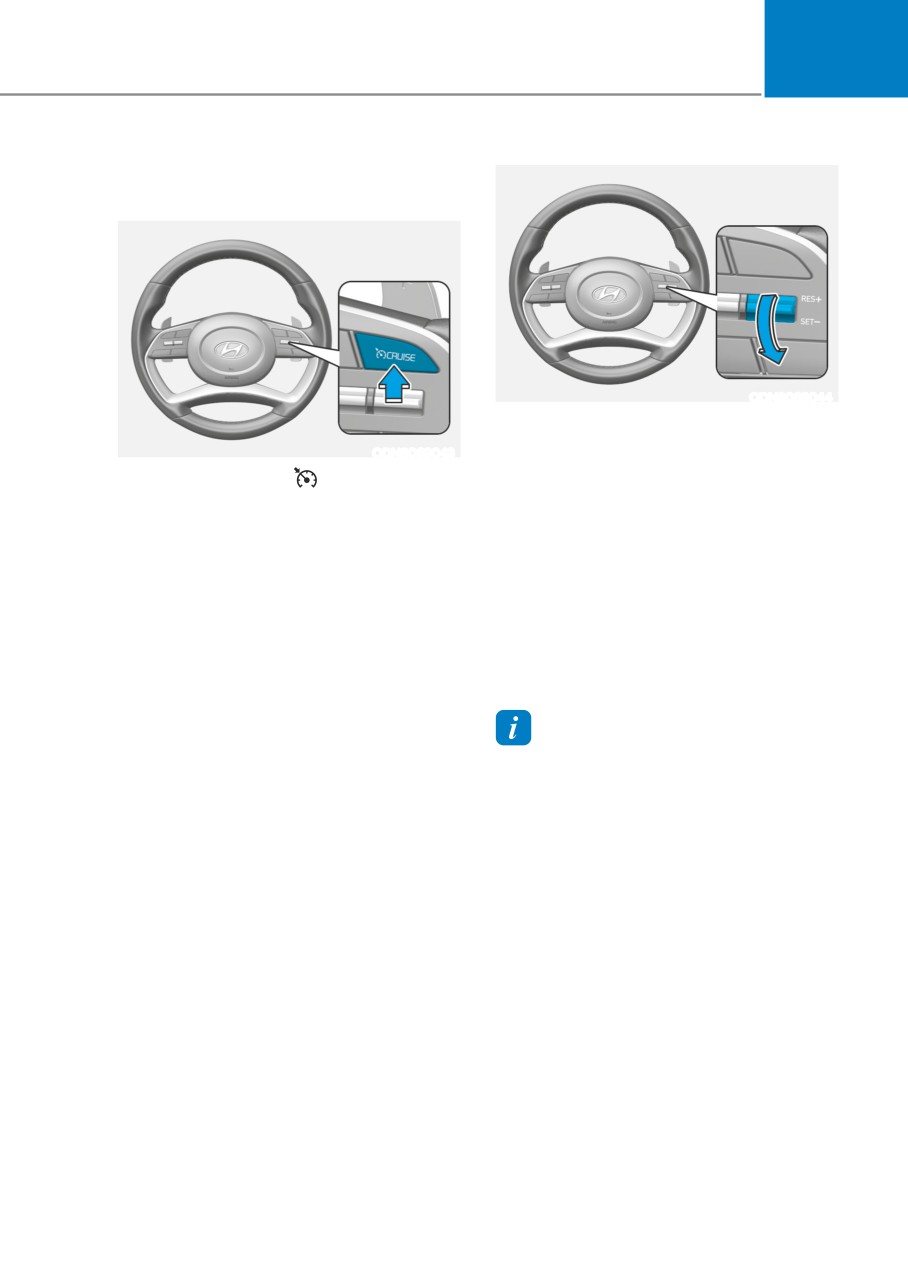
3. Push the toggle switch down (SET-).
The Set Speed and Vehicle-to-Vehicle
ODN8069043
Distance on the LCD display will
1.
Push the CRUISE/ button on the
illuminate.
steering wheel to turn the system on.
4. Release the accelerator pedal. The
The cruise indicator will illuminate.
desired speed will automatically be
2.
Accelerate to the desired speed.
maintained.
The Smart Cruise Control speed can
If there is a vehicle in front of you, the
be set as follows :
speed may decrease to maintain the
• 10 ~ 180 km/h (5 ~ 110 mph) : when
distance to the vehicle ahead.
there is no vehicle in front
On a steep grade, the vehicle may slow
• 0 ~ 180 km/h (0 ~ 110 mph) : when
down or speed up slightly while going
there is a vehicle in front
uphill or downhill.
Information
• Vehicle speed may decrease on an
upward slope and increase on a
downward slope.
• When you are setting the cruise control
speed, with a vehicle in front and your
vehicle speed is between 0 ~ 30 km/h (0
~ 20 mph), the speed will set to 30 km/h
(20 mph).
6-107
While Driving
To increase Smart Cruise Control set
To decrease the Smart Cruise
speed
Control set speed
ODN8069045
ODN8069044
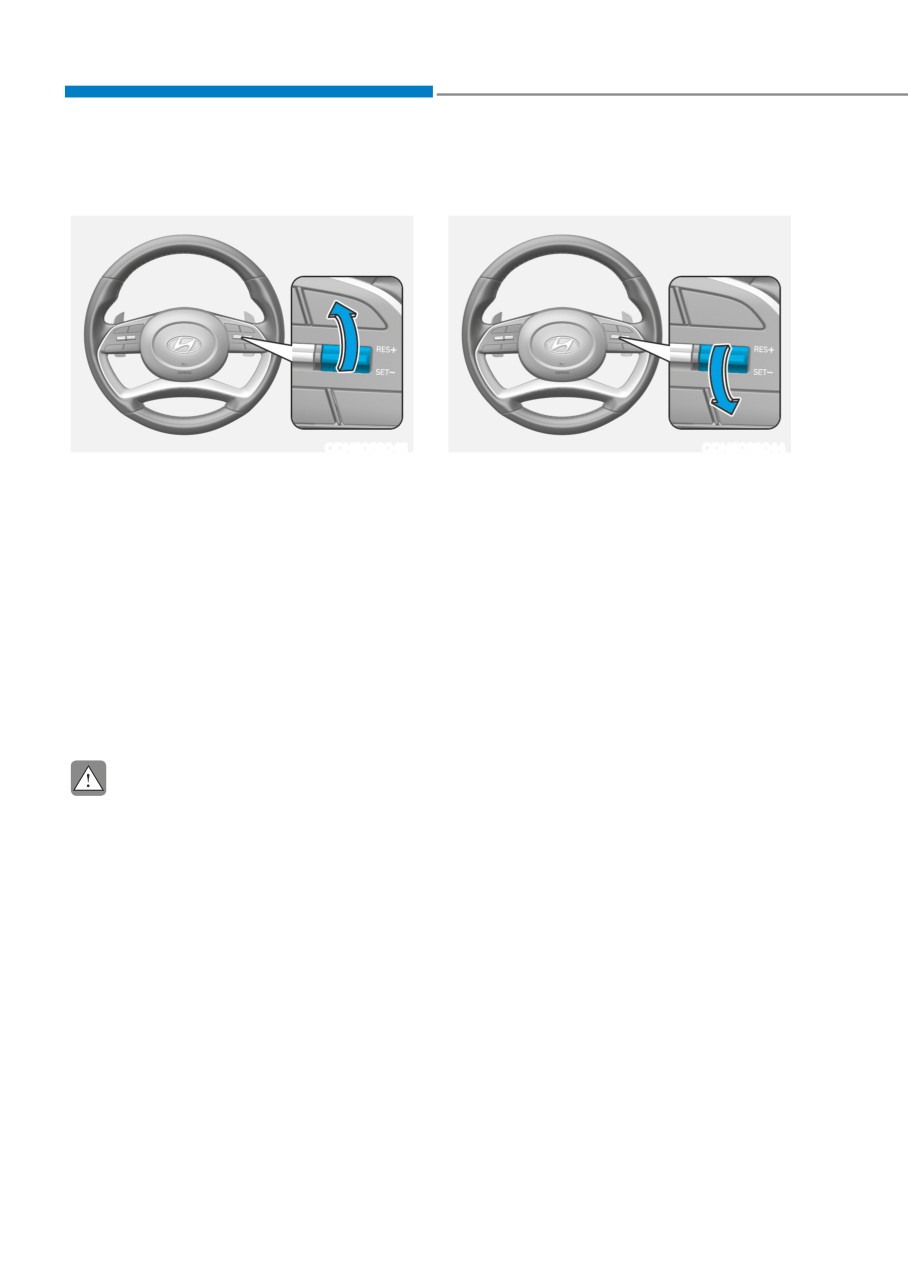
Follow either of these procedures:
Follow either of these procedures:
• Push the toggle switch up (RES+), and
• Push the toggle switch down
release it immediately. The cruising
(SET-), and release it immediately.
speed will increase by 1 km/h (1 mph)
The cruising speed will decrease by 1
each time you move the toggle switch
km/h (1 mph) each time you move the
up in this manner.
toggle switch down in this manner.
• Push the toggle switch up (RES+),
• Push the toggle switch down (SET-),
and hold it. Your vehicle set speed will
and hold it. Your vehicle set speed will
increase by 10 km/h (5 mph). Release
decrease by 10 km/h (5 mph). Release
the toggle switch at the speed you
the toggle switch at the speed you
want.
want.
• You can set the speed to 180 km/h
• You can set the speed to 30 km/h (20
(110 mph).
mph).
CAUTION
Check the driving condition before
using the toggle switch. Driving speed
sharply increases, when you push up
and hold the toggle switch.
6-108
06
To temporarily accelerate with
Smart Cruise Control will be
Smart Cruise Control on
temporarily canceled when:
If you want to speed up temporarily
when Smart Cruise Control is on, depress
the accelerator pedal. Increased speed
will not interfere with Smart Cruise
Control operation or change the set
speed.
To return to the set speed, take your foot
off the accelerator pedal.
If you push the toggle switch down
(SET-) at increased speed, the set speed
is updated.
ODN8069048
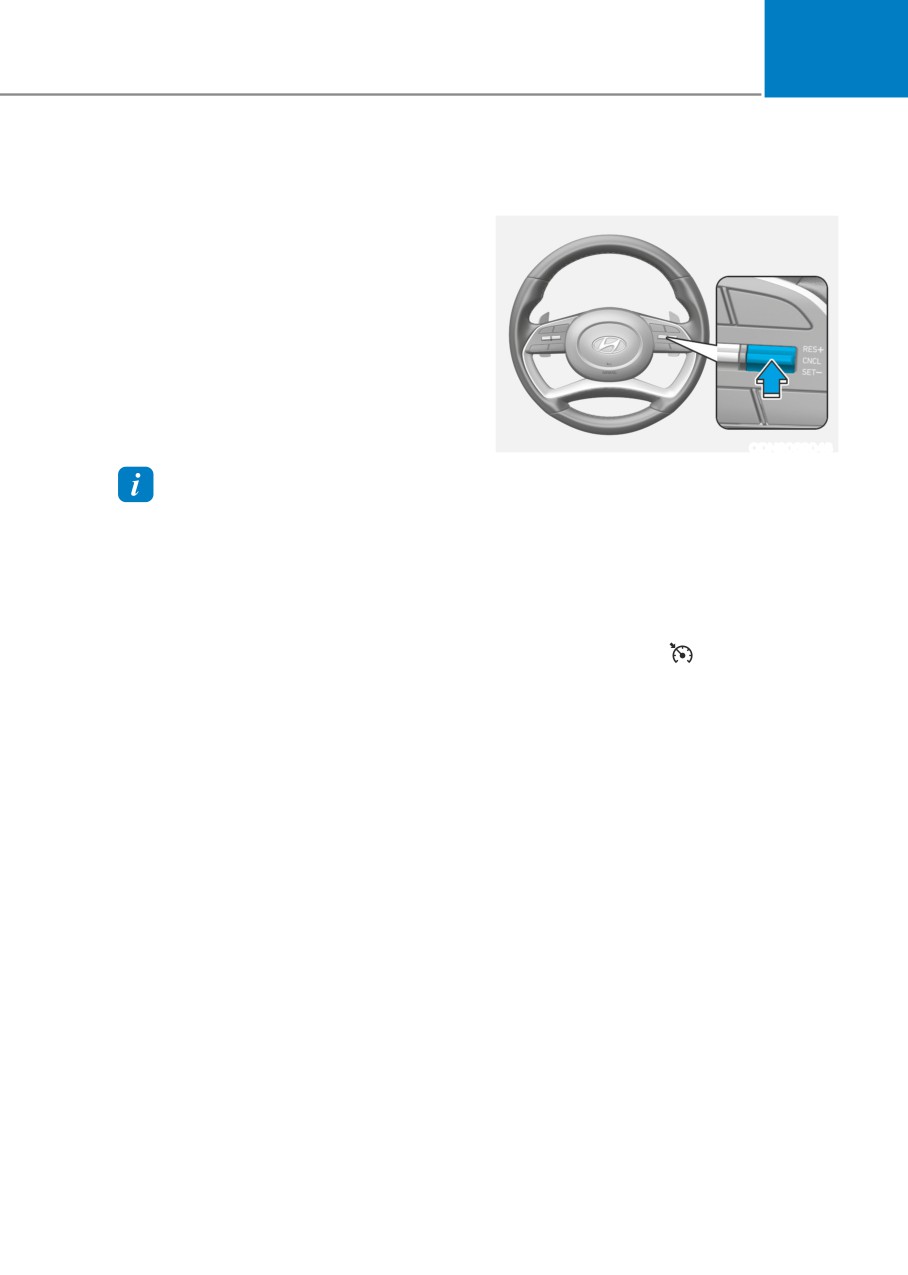
Cancelled manually
Information
• Depressing the brake pedal.
Be careful when accelerating temporarily,
• Pushing the CANCEL (CNCL) button
because the speed is not controlled
located on the steering wheel.
automatically at this time even if there is a
Smart Cruise Control turns off
vehicle in front of you.
temporarily when the Set Speed and
Vehicle-to-Vehicle Distance indicator on
the LCD display turns off.
The cruise indicator (
) is illuminated
continuously.
Cancelled automatically
• The driver’s door is opened.
• The vehicle is shifted to N (Neutral), R
(Reverse) or P (Park).
• The parking brake is applied.
• The vehicle speed is over 190 km/h
(120 mph).
• The ESC (Electronic Stability Control),
TCS (Traction Control System) or ABS
is operating.
• The ESC is turned off.
• The sensor or the cover is dirty or
blocked with foreign matter.
• The vehicle is stopped for a certain
period of time.
6-109
While Driving
•
The vehicle is stopped for more than
Information
5 minutes.
If Smart Cruise Control is cancelled by
•
The vehicle stops and goes repeatedly
other than the reasons mentioned, have
for a long period of time.
the vehicle inspected by an authorized
•
The accelerator pedal is continuously
HYUNDAI dealer.
depressed for a long period of time.
•
The accelerator pedal is continuously
depressed for more than one minute.
•
The engine performance is abnormal.
•
Engine rpm is in the red zone.
•
The driver starts driving by pushing
the toggle switch up (RES+)/down
(SET-) or depressing the accelerator
pedal, after the vehicle is stopped by
Smart Cruise Control system with no
other vehicle ahead.
•
The driver starts driving by pushing
OIK057096L
the toggle switch up (RES+)/down
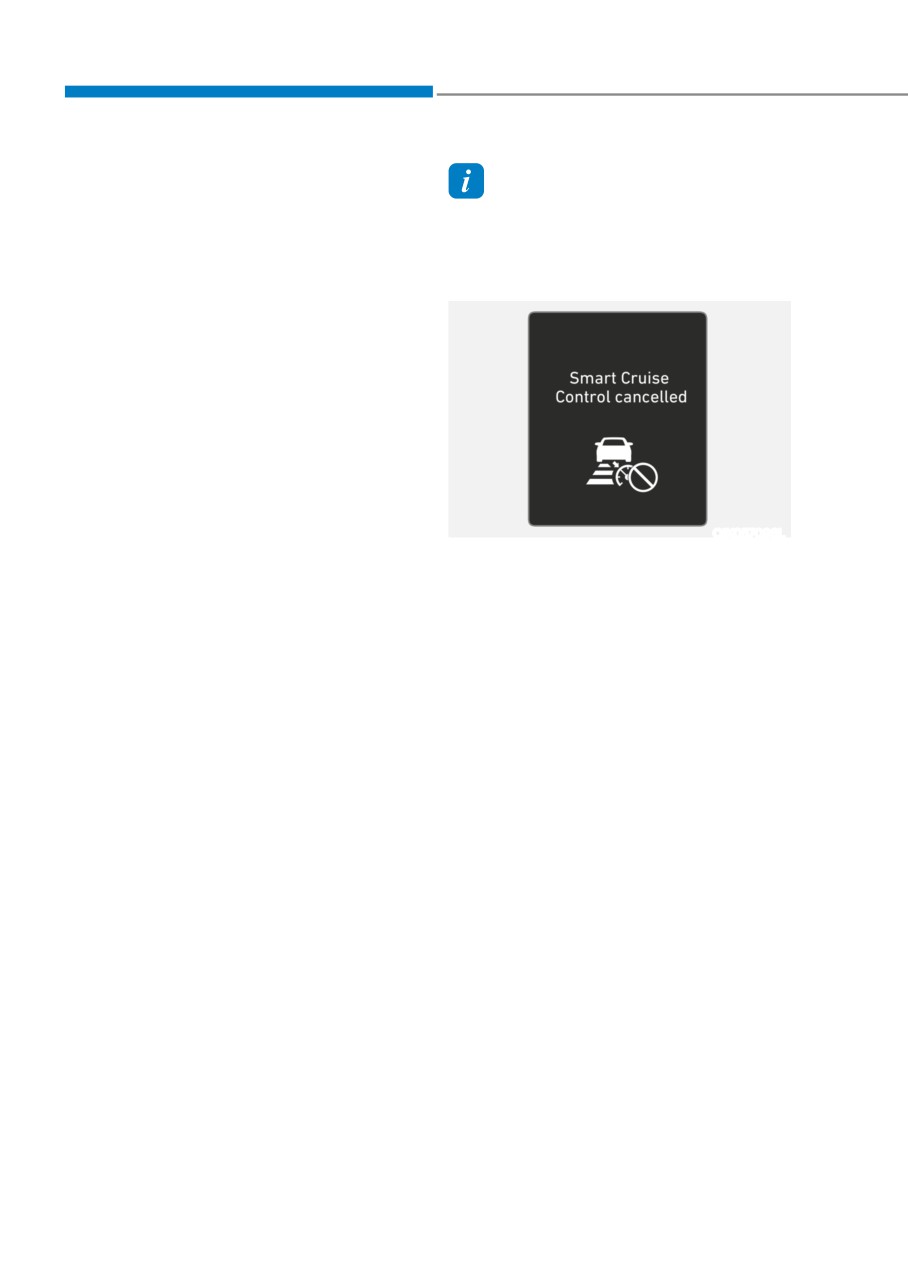
Smart Cruise Control cancelled
(SET-) or depressing the accelerator
If the system is cancelled, the warning
pedal, after stopping the vehicle with
chime will sound and a message will
a vehicle stopped far away in front.
appear for a few seconds.
•
Forward Collision-Avoidance Assist is
You must adjust the vehicle speed by
activated.
depressing the accelerator or brake
•
The engine speed is in dangerous
pedal according to the road condition
range.
ahead and driving condition.
•
When engine is stopped by ISG (Idle
Always check the road conditions. Do not
Stop & Go).
rely on the warning chime.
Each of these actions will cancel the
Smart Cruise Control operation. The Set
Speed and Vehicle-to-Vehicle Distance
on the LCD display will go off.
In a condition Smart Cruise Control is
cancelled automatically, Smart Cruise
Control will not resume even though the
RES+ or SET- toggle switch is pushed.
6-110
06
To resume Smart Cruise Control set
To turn Cruise Control off
speed
If any method other than the cruise
toggle switch was used to cancel
cruising speed and the system is still
activated, the cruising speed will
automatically resume when you push the
toggle switch up (RES+) or down (SET-).
If you push the toggle switch up (RES+),
the speed will resume to the recently set
speed. However, if vehicle speed drops
below 10 km/h (5 mph), it will resume
when there is a vehicle in front of your
ODN8069043
vehicle.
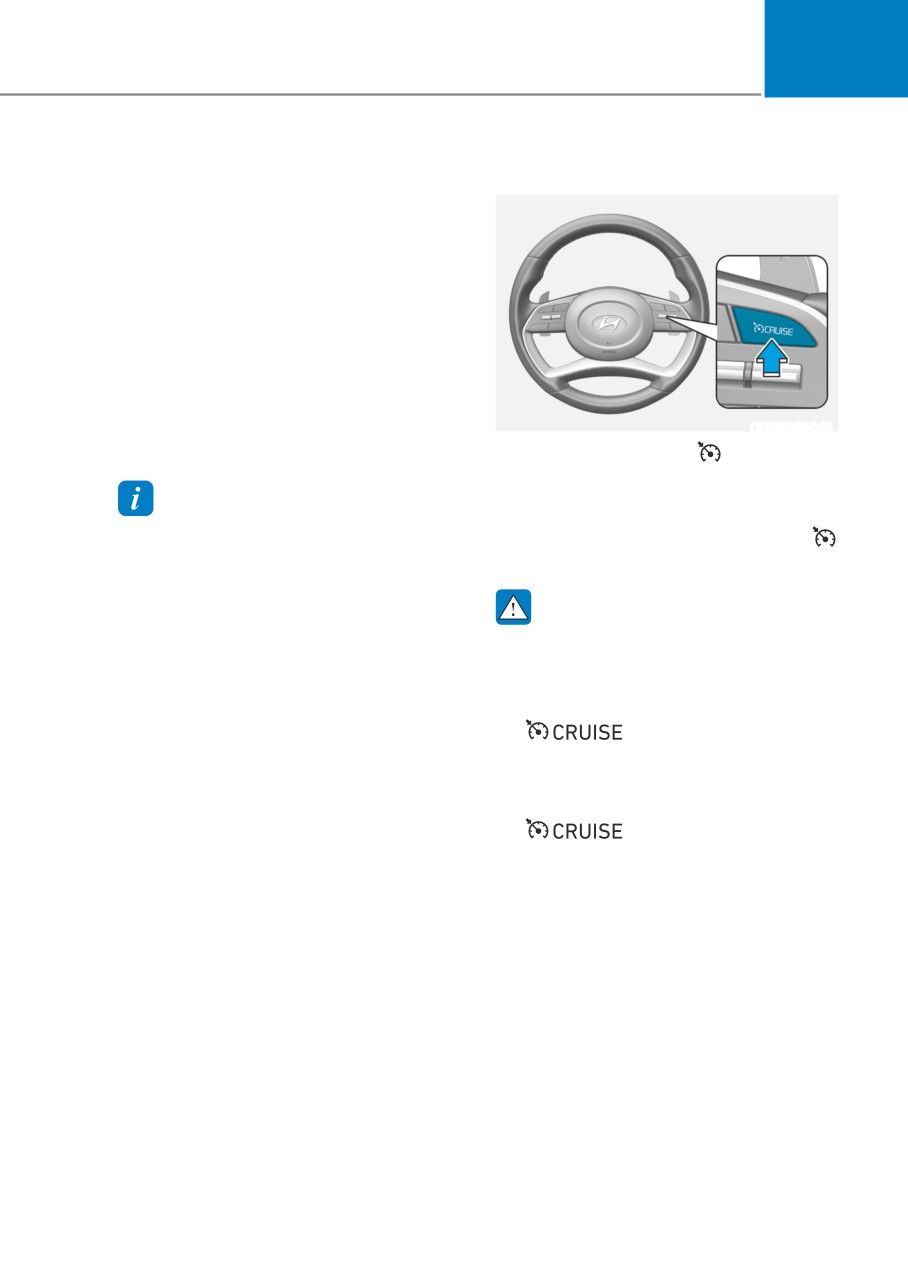
• Pushing the CRUISE/ button.
The cruise indicator will go off.
If you wish not to use the cruise
Information
control system, always turn the
Always check the road conditions when
system off by pushing the CRUISE/
you push the toggle switch up (RES+) to
button.
resume speed.
WARNING
Take the following precautions :
• Always set the vehicle speed under
the speed limit in your country.
• If Smart Cruise Control is left on,
(
indicator light in the
instrument cluster is illuminated)
Smart Cruise Control can be
activated unintentionally. Keep
Smart Cruise Control system off
(
indicator light OFF)
when Smart Cruise Control is not in
use, to avoid inadvertently setting a
speed.
• Use Smart Cruise Control system only
when traveling on open highways in
good weather.
6-111
While Driving
•
Do not use Smart Cruise Control
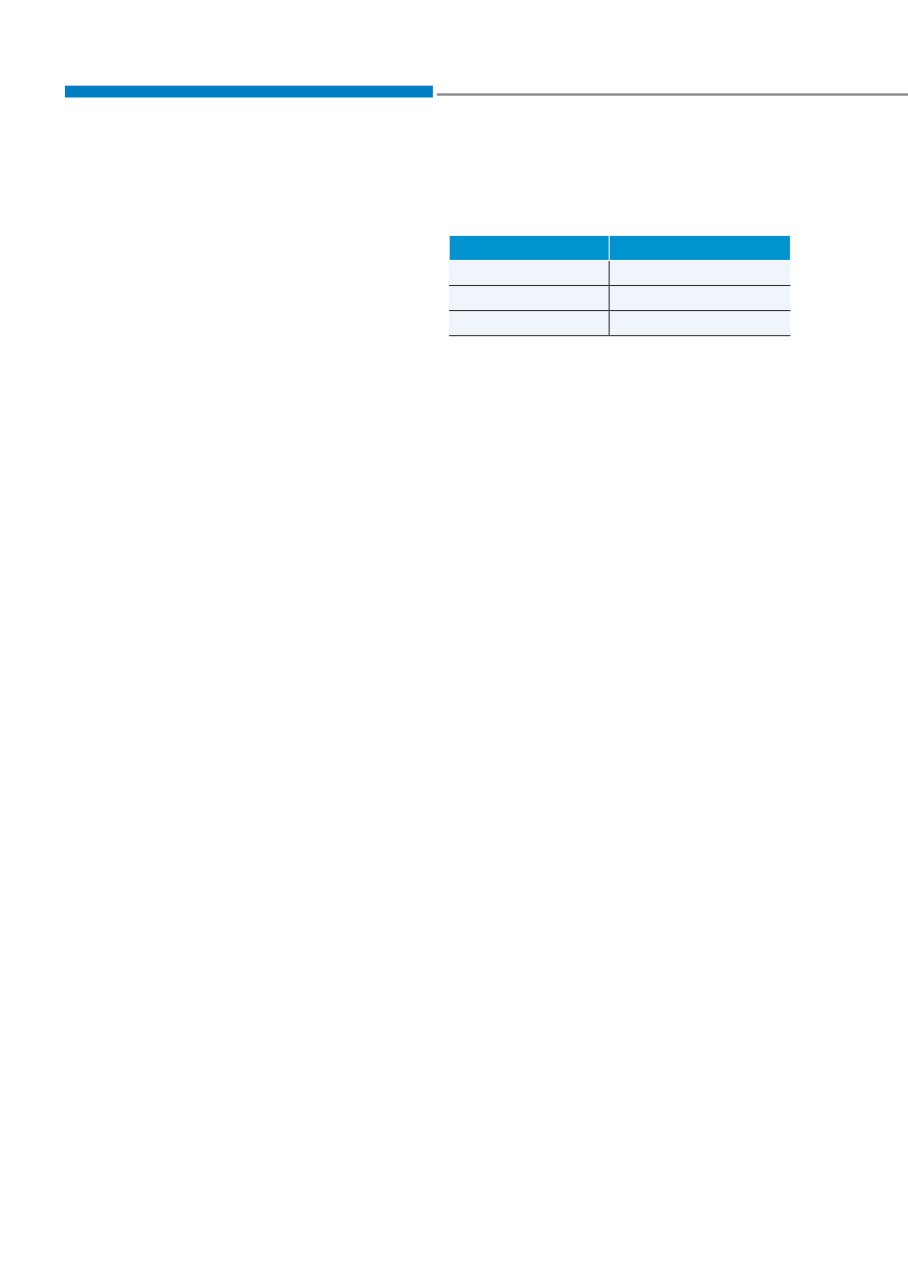
When changing the Drive mode setting,
when it may not be safe to keep the
the responsiveness of Smart Cruise
vehicle at a constant speed:
Control changes. (If equipped)
- When driving in heavy traffic or
Drive Mode
SCC Reaction
when traffic conditions make it
NORMAL
Normal
difficult to drive at a constant
speed
SMART
Normal
- When driving on rainy, icy, or
SPORT
Fast
snow-covered roads
In CUSTOM mode, SCC Reaction
- When driving on a steep downhill
operates according to the mode set in
or uphill
the Engine/Transmission.
- When driving in windy areas
(e.g. in CUSTOM mode, the driver select
mode of Engine/Transmission as SPORT,
- When driving in parking lots
SCC Reaction operates as Fast)
- When driving near crash barriers
- When driving on a sharp curve
- When driving with limited view
(possibly due to bad weather, such
as fog, snow, rain or sandstorm)
- When the vehicle sensing
ability decreases due to vehicle
modification resulting level
difference of the vehicle’s front
and rear
•
Unexpected situations may lead to
possible accidents. Pay attention
continuously to road conditions and
driving even when Smart Cruise
Control system is being operated.
6-112
06
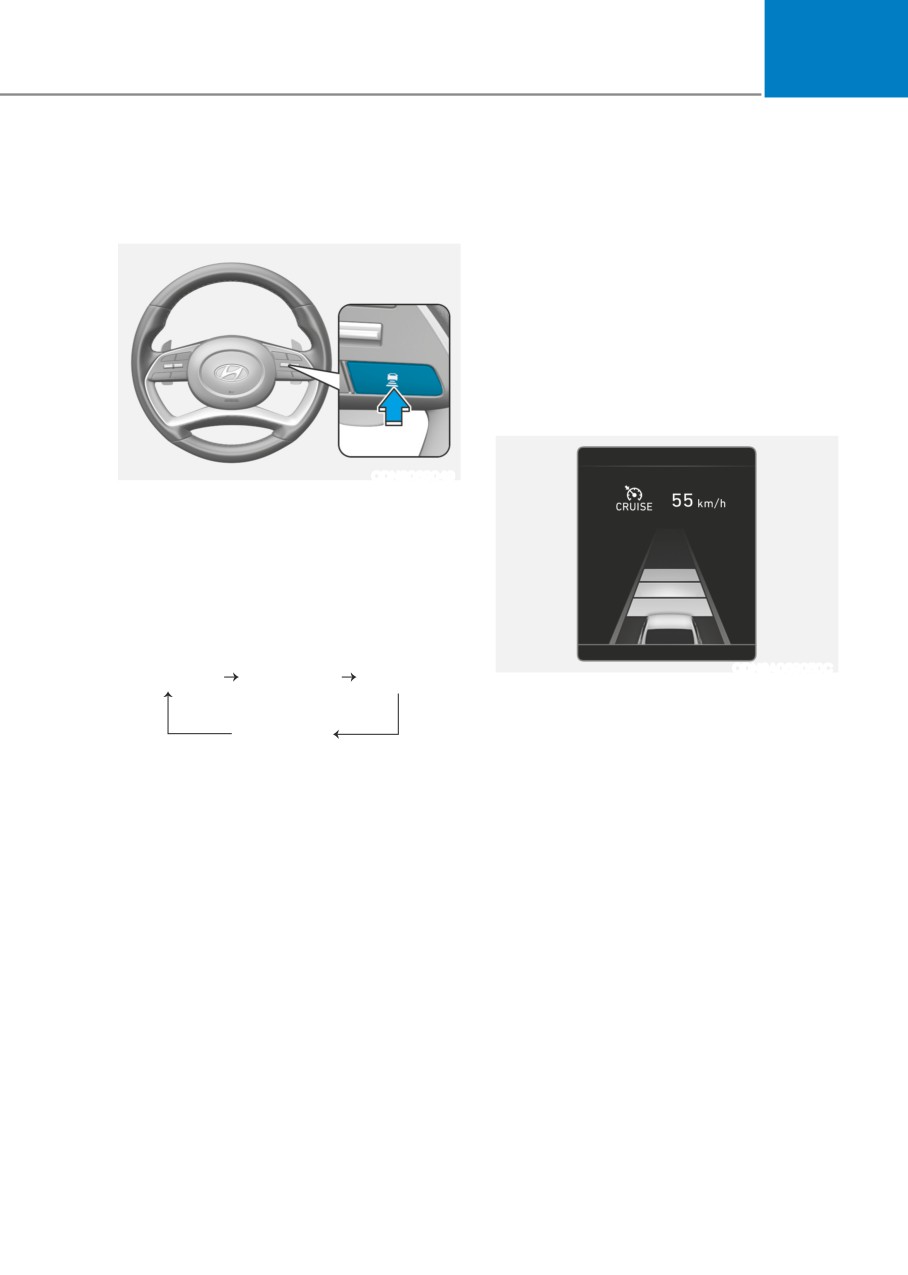
Smart Cruise Control Vehicle-to-
For example, if you drive at 90 km/h
(56 mph), the distance is maintained as
Vehicle Distance
follows:
To set Vehicle-to-Vehicle Distance
Distance 4 - approximately 52.5 m
(172 feet)
Distance 3 - approximately 40 m
(130 feet)
Distance 2 - approximately 32.5 m
(106 feet)
Distance 1 - approximately 25 m (82 feet)
When the lane ahead is clear:
ODN8069049
When Smart Cruise Control system
is ON, you can set and maintain the
distance from the vehicle ahead of you
without pressing the accelerator or brake
pedal.
Each time the button is pressed, the
vehicle to vehicle distance changes as
follows:
ODN8A069050C
Distance 4
Distance 3
Distance 2
The vehicle speed will maintain the set
speed.
Distance 1
6-113
While Driving
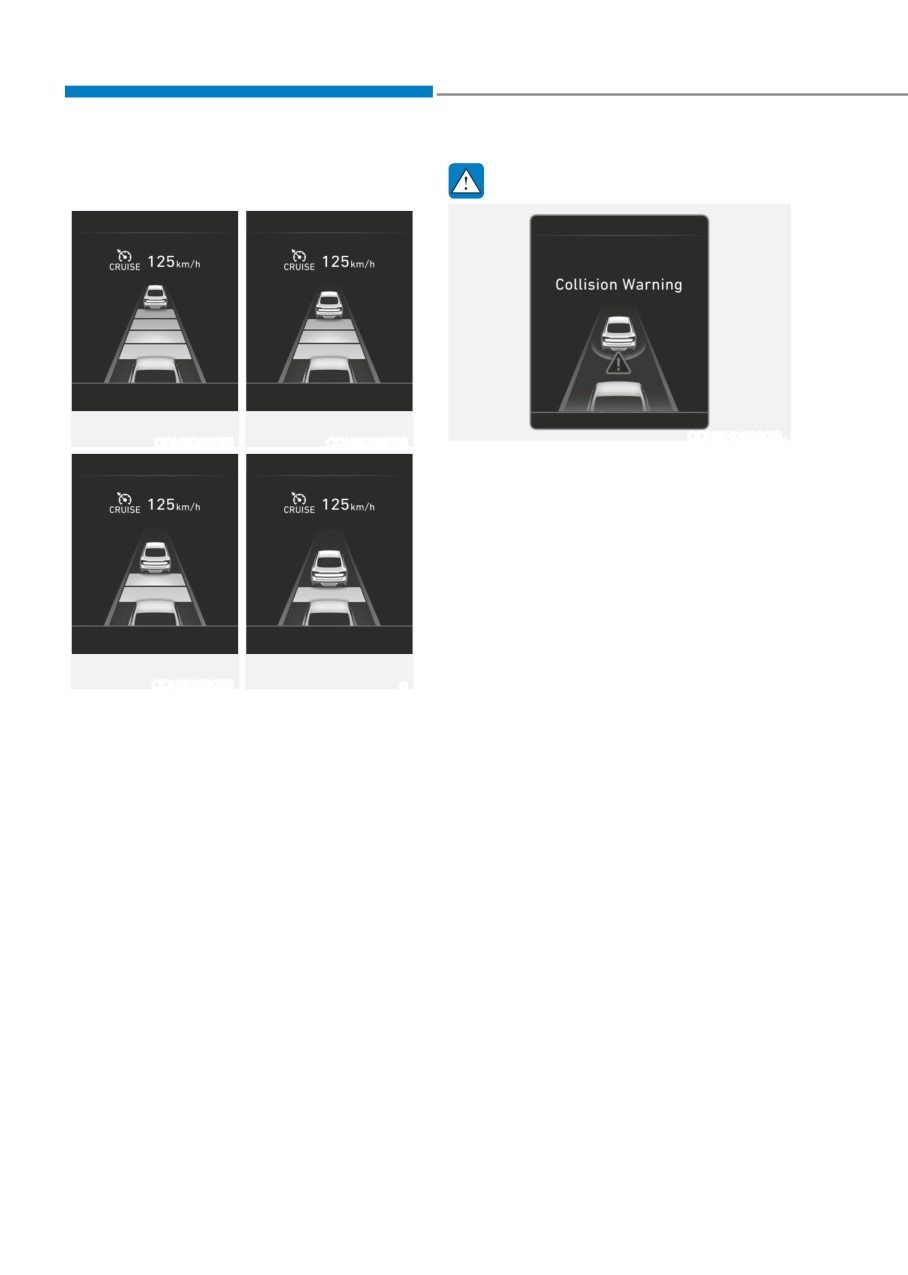
When there is a vehicle ahead of you
WARNING
in your lane:
Distance 4
Distance 3
ODN8H069205L
ODN8069051
ODN8069053
When using Smart Cruise Control
system:
• The warning message appears and
warning chime sounds if the vehicle
is unable to maintain the selected
distance from the vehicle ahead.
• If the warning message appears and
warning chime sounds, depress the
brake pedal to actively adjust the
vehicle speed, and the distance to
Distance 2
Distance 1
the vehicle ahead.
ODN8069052
a
• Even if the warning message does
Your vehicle speed will slow down or
not appear and warning chime does
speed up to maintain the selected
not sound, always pay attention to
distance.
the driving conditions to prevent
If the vehicle ahead speeds up, your
dangerous situations from occurring.
vehicle will travel at a steady cruising
• Playing the vehicle audio system at
speed after accelerating to the set speed.
high volume may prevent occupants
If distance from the front vehicle has
from hearing the system warning
been changed due to accelerating or
sounds.
decelerating of the front vehicle, the
distance on the LCD display may change.
6-114
06
In traffic situation
CAUTION
OOSH069118L
ODN8A069212
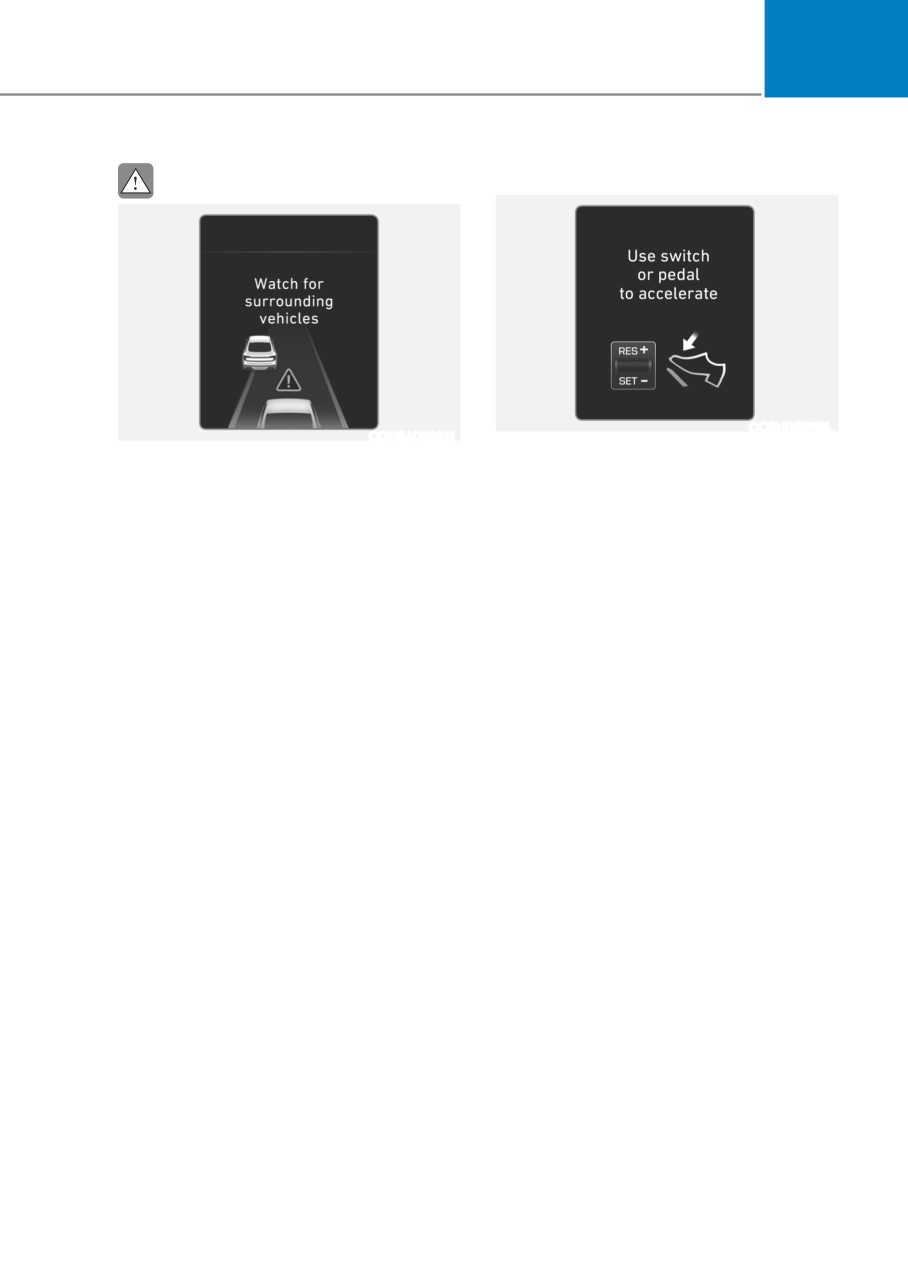
Use switch or pedal to accelerate
If the vehicle ahead (vehicle speed:
less than 30 km/h (20 mph)) disappears
• In traffic, your vehicle will stop if the
to the next lane, the warning chime
vehicle ahead of you stops. Also,
will sound and a message "Watch for
if the vehicle ahead of you starts
surrounding vehicles" will appear.
moving, your vehicle will start as well.
Adjust your vehicle speed for vehicles
However, if the vehicle stops for more
or objects that can suddenly appear in
than 3 seconds, you must depress
front of you by depressing the brake
the accelerator pedal or push up the
pedal.
toggle switch (RES+) to start driving.
Always pay attention to the road
• If you push Smart Cruise Control
condition ahead.
toggle switch (RES+ or SET-) while
Auto Hold and smart cruise control
is operating the Auto Hold will be
released regardless of accelerator
pedal operation and the vehicle
will start to move. The AUTO HOLD
indicator changes from green to
white.
6-115
While Driving
Sensor to detect distance to the
If the sensors are covered with snow, rain
vehicle ahead (Front view camera
or foreign substance, the system may
and Front Radar)
temporarily be cancelled and not work
properly until the system is cancelled
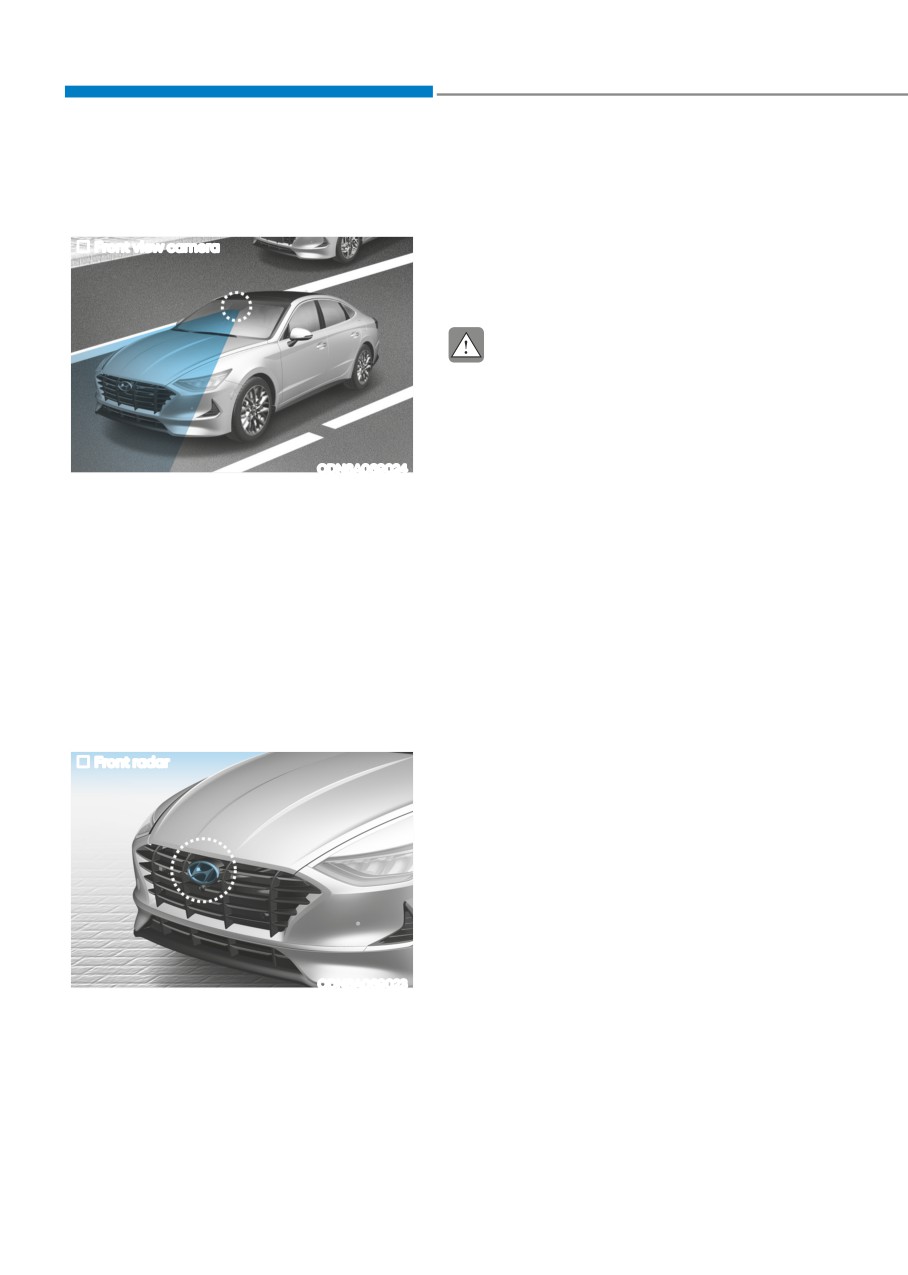
Front view camera
due to the degradation of the sensor’s
detection performance. Always keep the
sensor clean.
CAUTION
•
Do not apply license plate frame or
foreign objects such as a bumper
sticker or a bumper guard near the
radar sensor. Doing so may adversely
affect the sensing performance of
ODN8A069024
the radar.
Front view camera
•
Always keep the radar sensor and
The front view camera is a sensor
lens cover clean and free of dirt and
detecting the lane. If the sensors are
debris.
covered with snow, rain or foreign
•
Use only a soft cloth to wash the
substance, the system may temporarily
vehicle. Do not spray pressurized
be cancelled and not work properly
water directly on the sensor or
until the system is cancelled due to the
sensor cover.
degradation of the sensor’s detection
•
Be careful not to apply unnecessary
performance. Always keep the sensor
force on the radar sensor or sensor
clean.
cover. If the sensor is forcibly
Refer to “Lane Keeping Assist (LKA)”
moved out of proper alignment,
for cautions for the front camera.
Smart Cruise Control system
may not operate correctly. In this
Front radar
case, a warning message may not
be displayed. Have the vehicle
inspected by an authorized HYUNDAI
dealer.
•
If the front bumper becomes
damaged in the area around the
radar sensor, Smart Cruise Control
system may not operate properly.
Have the vehicle inspected by an
authorized HYUNDAI dealer.
ODN8A069023
•
Use only genuine HYUNDAI parts to
repair or replace a damaged sensor
Front radar
or sensor cover. Do not apply paint to
The front radar is a sensor detecting
the sensor cover.
vehicles in front and maintains the
distance between them.
6-116
06
Warning message
OIK057109L
OTM058061L
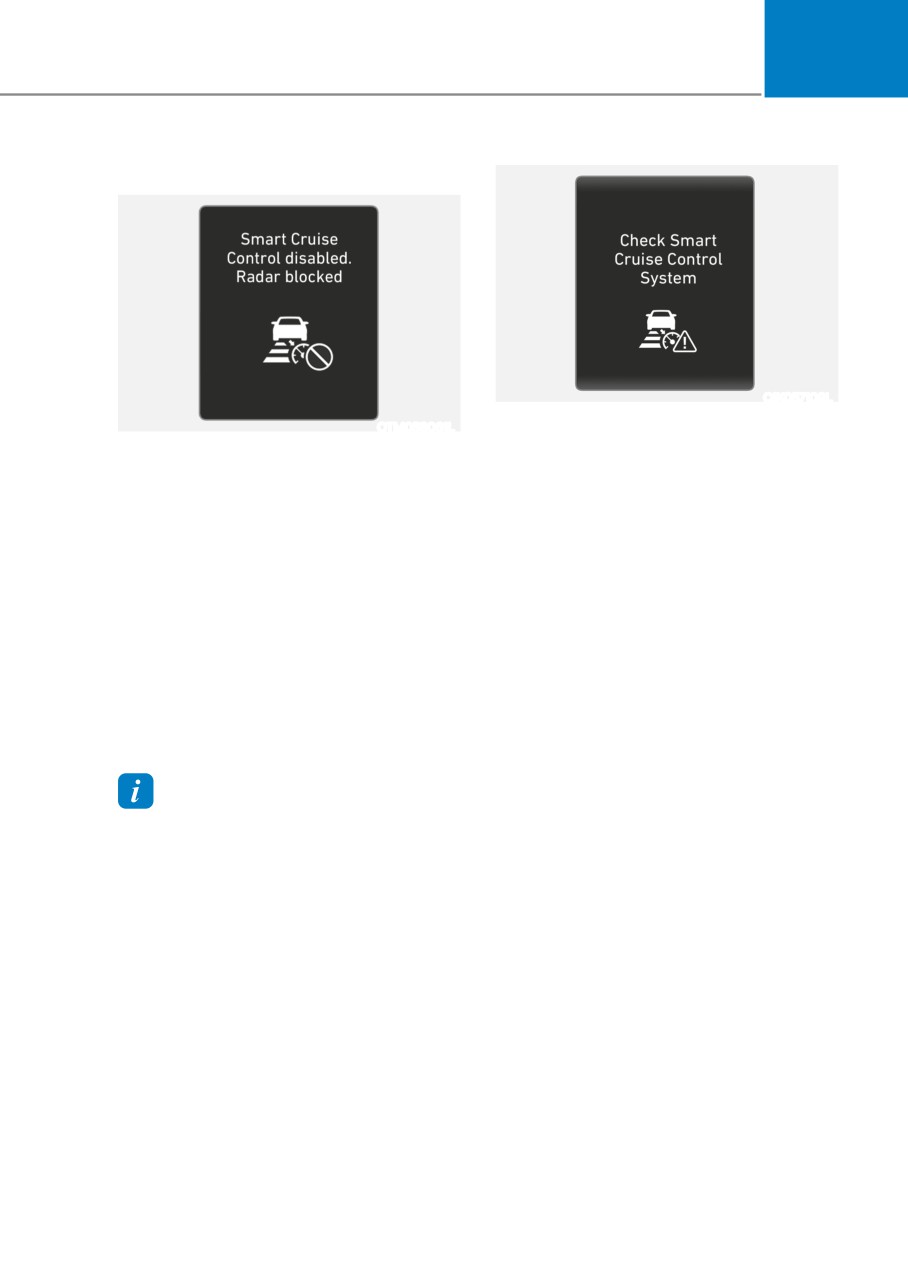
Check Smart Cruise Control System
Smart Cruise Control disabled.
The message will appear when the
Radar blocked
vehicle to vehicle distance control
system is not functioning normally.
When the sensor lens cover is blocked
with dirt, snow, or debris, Smart Cruise
Have the vehicle inspected by an
Control system operation may stop
authorized HYUNDAI dealer.
temporarily. If this occurs, a warning
message will appear on the cluster LCD
display. Remove any dirt, snow, or debris
and clean the radar sensor lens cover
before operating Smart Cruise Control
system. Smart Cruise Control system
may not properly activate, if the radar is
totally covered, or if any substance is not
detected after turning on the engine
(e.g. in an open terrain).
Information
For the SCC operation is temporarily
stopped if the radar is blocked, but you
wish to use cruise control mode (speed
control function), you must convert to the
cruise control mode (refer to "To convert
to Cruise Control mode" in the following
page.
6-117
While Driving
Limitations of the System
Smart Cruise Control system may have
limits to its ability to detect distance to
the vehicle ahead due to road and traffic
conditions.
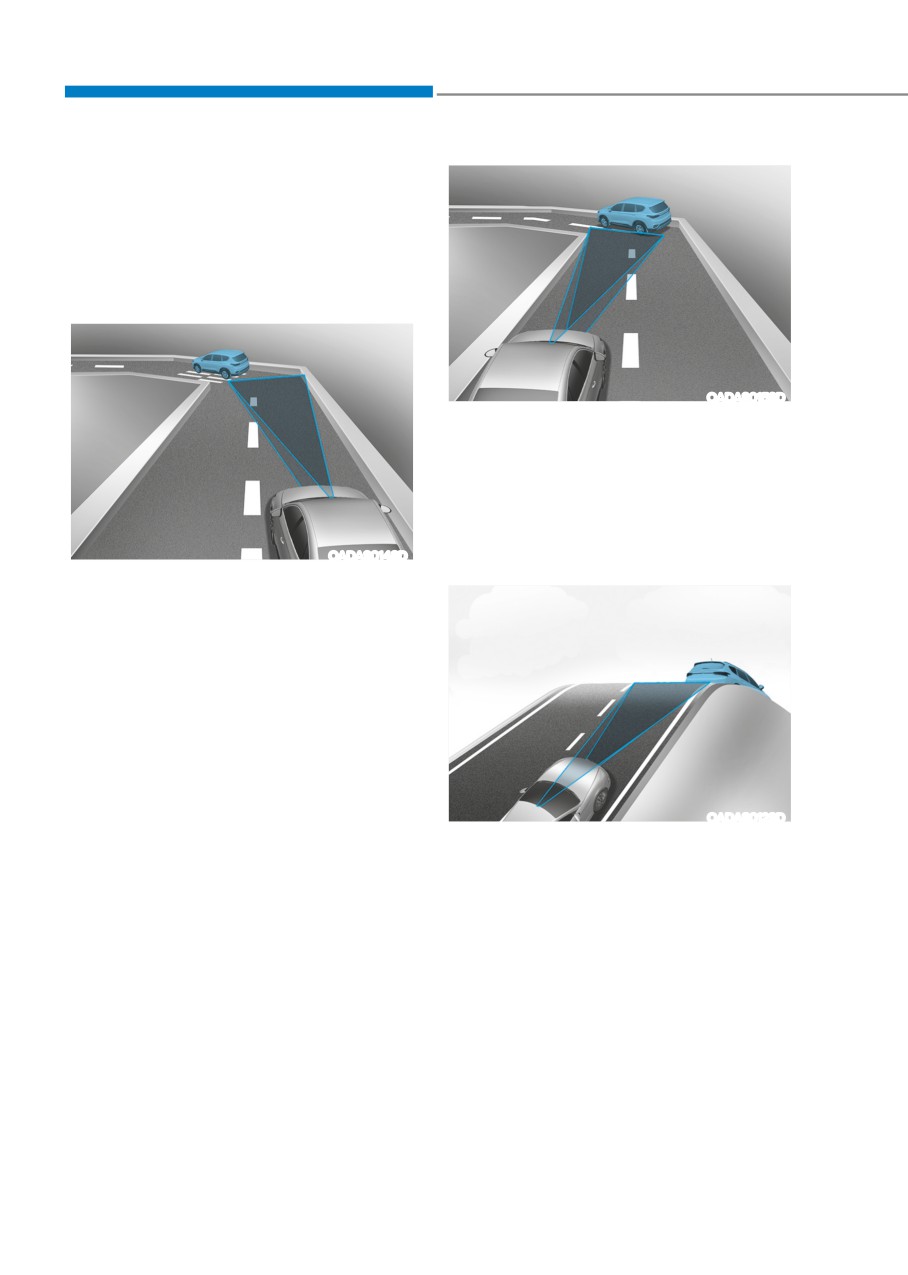
On curves
OADAS015SD
Your vehicle speed can be reduced due
to a vehicle in the adjacent lane.
Apply the accelerator pedal and select
the appropriate set speed. Check to be
sure that the road conditions permit safe
operation of Smart Cruise Control.
OADAS014SD
On inclines
• Smart Cruise Control system may
not detect a moving vehicle in your
lane, and then your vehicle could
accelerate to the set speed. Also, the
vehicle speed will decrease when the
vehicle ahead is recognized suddenly.
• Select the appropriate set speed
on curves and apply the brakes or
accelerator pedal if necessary.
OADAS012SD
• During uphill or downhill driving,
Smart Cruise Control system may not
detect a moving vehicle in your lane,
and cause your vehicle to accelerate
to the set speed. Also, the vehicle
speed will rapidly decrease when the
vehicle ahead is recognized suddenly.
• Select the appropriate set speed
on inclines and apply the brake or
accelerator pedal if necessary.
6-118
06
Lane changing
Vehicle recognition
ODN8H069196
ODN8H069198
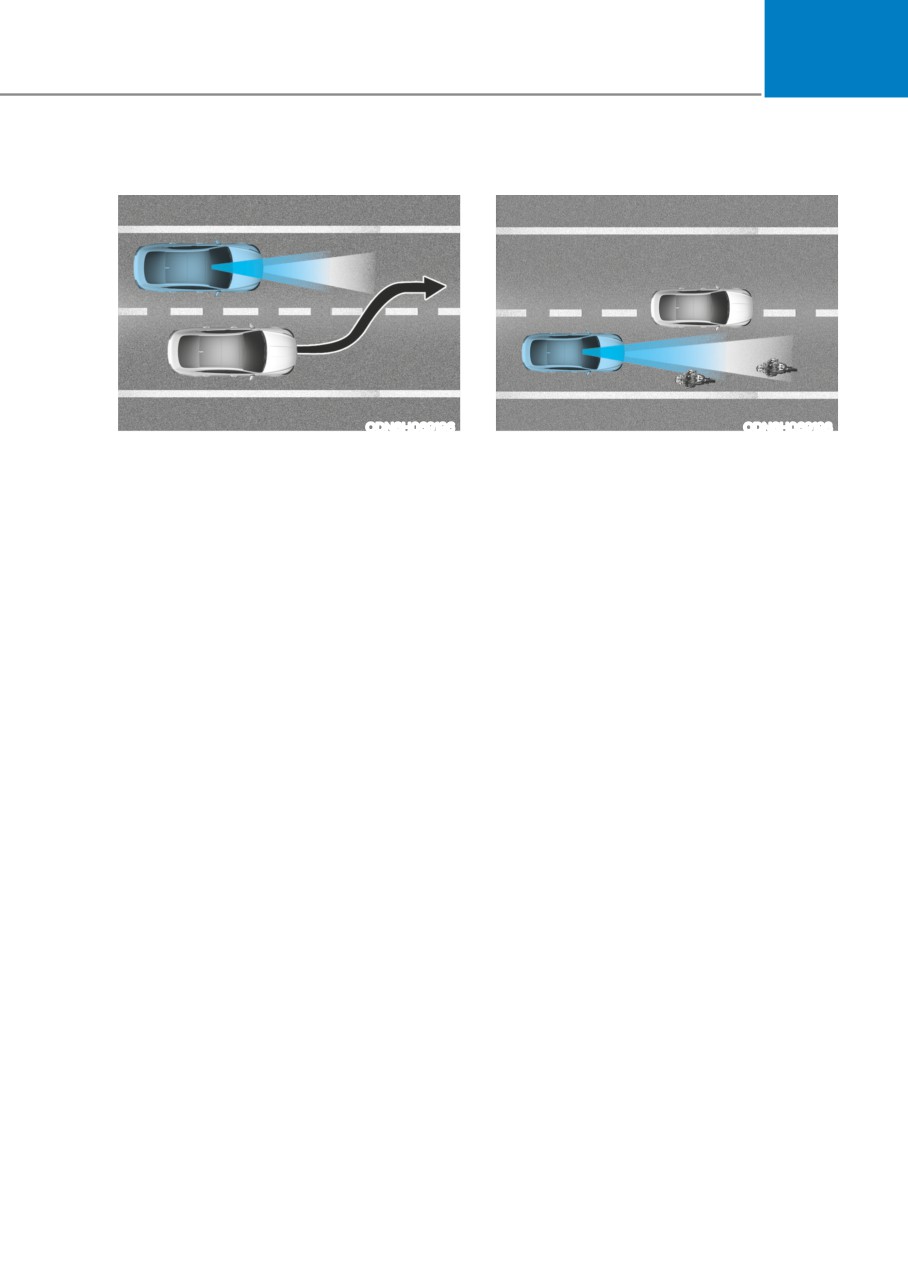
•
A vehicle which moves into your lane
• Some vehicles in your lane cannot be
from an adjacent lane cannot be
recognized by the sensor:
recognized by the sensor until it is in
- Narrow vehicles such as
the sensor's detection range.
motorcycles or bicycles
•
The radar may not detect immediately
- Vehicles offset to one side
when a vehicle cuts in suddenly.
- Slow-moving vehicles or sudden-
Always pay attention to the traffic,
decelerating vehicles
road and driving conditions.
- Stopped vehicles
•
If a slower vehicle moves into your
lane, your speed may decrease to
- Vehicles with small rear profile such
maintain the distance to the vehicle
as trailers with no loads
ahead.
• A vehicle ahead cannot be recognized
•
If a faster vehicle which moves into
correctly by the sensor if any of
your lane, your vehicle will accelerate
following occurs:
to the set speed.
- When the vehicle is pointing
upwards due to overloading in the
luggage compartment
- While the steering wheel is
operating
- When driving to one side of the lane
- When driving on narrow lanes or on
curves
Apply the brake or accelerator pedal if
necessary.
6-119
While Driving
OAE056108
OHI058323L
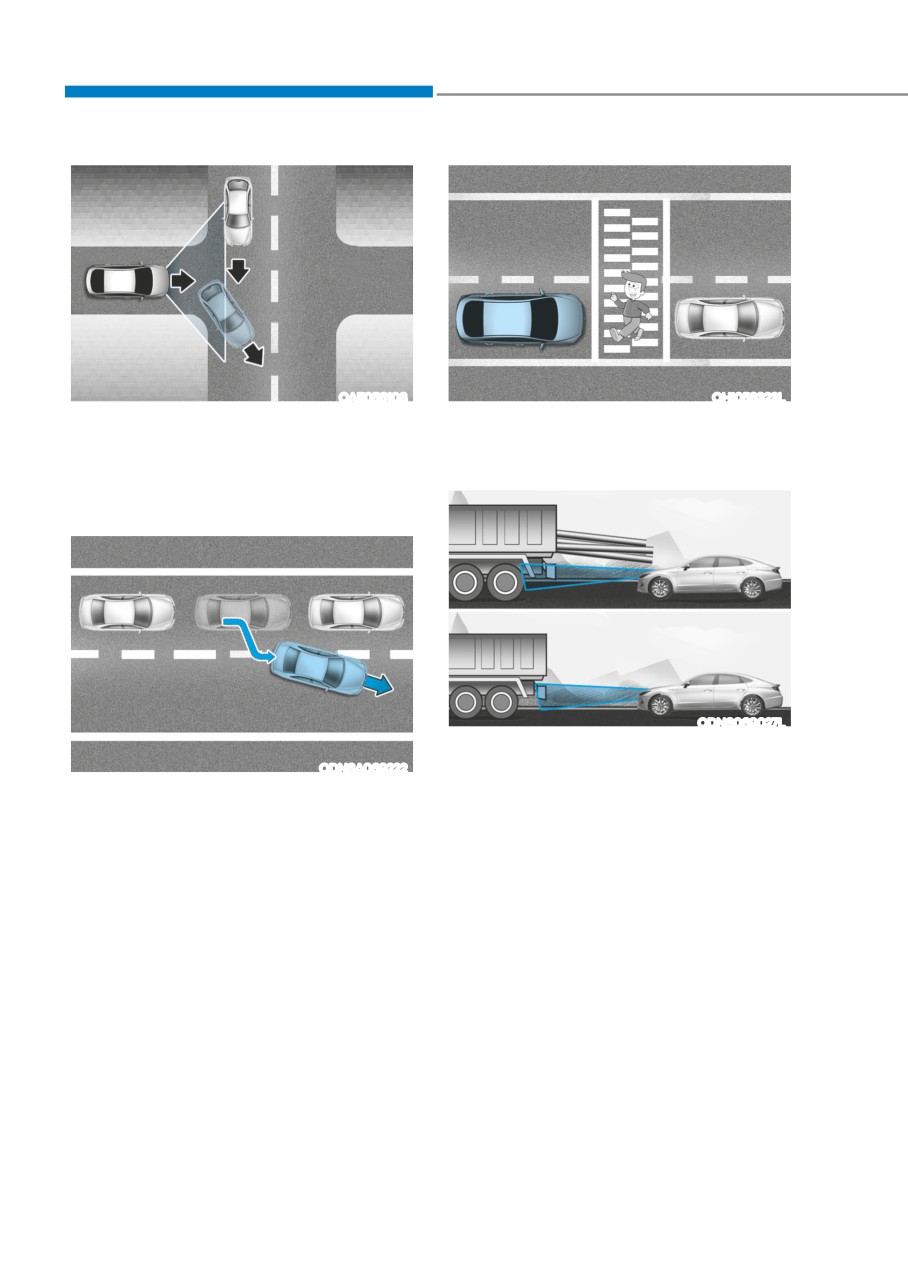
• Your vehicle may accelerate when a
• Always look out for pedestrians when
vehicle ahead of you disappears.
your vehicle is maintaining a distance
with the vehicle ahead.
• When you are warned that the vehicle
ahead of you is not detected, drive
with caution.
ODN8069027L
• Always be cautious for vehicles with
ODN8A069222
higher height or vehicles carrying
loads that sticks out from the back of
• When driving in stop-and-go traffic,
the vehicle.
and a vehicle in front of you merges
out of the lane, the system may not
immediately detect the new vehicle
that is now in front of you. In this case,
you must maintain a safe braking
distance, and if necessary, depress
the brake pedal to reduce your driving
speed in order to maintain a safe
distance.
6-120
06
• Smart Cruise Control system may
WARNING
recognize a pedestrian, bicycle,
When using Smart Cruise Control take
motorcycle, etc. as a vehicle. Always,
the following precautions:
look ahead cautiously to prevent
•
If an emergency stop is necessary,
unexpected and sudden situations
you must apply the brakes. The
from occurring.
vehicle cannot be stopped at every
• Turn off Smart Cruise Control system
emergency situation by using Smart
when the vehicle is being towed.
Cruise Control system.
•
Keep a safe distance according to
NOTICE
road conditions and vehicle speed. If
Smart Cruise Control system may not
the vehicle to vehicle distance is too
operate temporarily due to:
close during a high-speed driving, a
serious collision may result.
• Electrical interference
•
Always maintain sufficient braking
• Modifying the suspension
distance and decelerate your vehicle
• Differences of tire abrasion or tire
by applying the brakes if necessary.
pressure
•
Smart Cruise Control system cannot
• Installing different type of tires
recognize a stopped vehicle,
The brake control using Smart Cruise
pedestrians or an oncoming vehicle.
Control system may make a sound.
Always look ahead cautiously to
prevent unexpected and sudden
situations from occurring.
Information
•
Vehicles moving in front of you with
This device complies with Industry
a frequent lane change may cause
Canada RSS-210 standard.
a delay in the system's reaction or
may cause the system to react to a
Operation is subject to the following two
conditions:
vehicle actually in an adjacent lane.
Always drive cautiously to prevent
1. This device may not cause harmful
unexpected and sudden situations
interference.
from occurring.
2. This device must accept any
•
Always be aware of the selected
interference received, including
speed and vehicle to vehicle
interference that may cause undesired
distance. The driver should not solely
operation.
rely on the system but always pay
attention to driving conditions and
control your vehicle speed.
•
Smart Cruise Control system may not
recognize complex driving situations
so always pay attention to driving
conditions and control your vehicle
speed.
6-121
While Driving
navigation-BaseD smart cruise control
(if equipppeD)
Navigation-based Smart Cruise Control
Information
system will help automatically adjust
your speed when a curved road is ahead
•
Navigation-based Smart Cruise Control
by receiving road information from
system is available only on controlled
the navigation while the Smart Cruise
access road of certain highways.
Control is operating.
Controlled access road indicates
roads with limited entrances and
exits that allow uninterrupted high
WARNING
speed traffic flow. Only passenger
• Navigation-based Smart Cruise
cars and motorcycles are allowed on
Control system is not a substitute
controlled access roads.
for safe driving practices, but a
Available highway
convenience function. It is the
(Controlled access road)
responsibility of the driver to always
be aware of the surroundings and
Select Interstate
drive safely.
Highway and U.S.
USA
(Federal) and State
• Navigation-based Smart Cruise
Highways
Control system relies entirely on
the road information provided by
Select Provincial and
Canada
the navigation system and may
Territorial Highways
accelerate above speed limit. It is the
responsibility of the driver to follow
•
Additional highways may be expanded
traffic laws and avoid accidents.
by navigation updates.
• For your safety, please read the
owner's manual before using the
system.
6-122
06
System Setting and Operation
System setting
• With the Engine Start/Stop button in
the ON or START position, Navigation-
based Smart Cruise Control can
be activated by selecting 'Driver
Assistance → Highway Auto Curve
Slowdown' from the User Settings
mode on the infotainment system.
For detailed information, please refer
to the infotainment system manual
ODN8A069214C
separately supplied.
System in operation
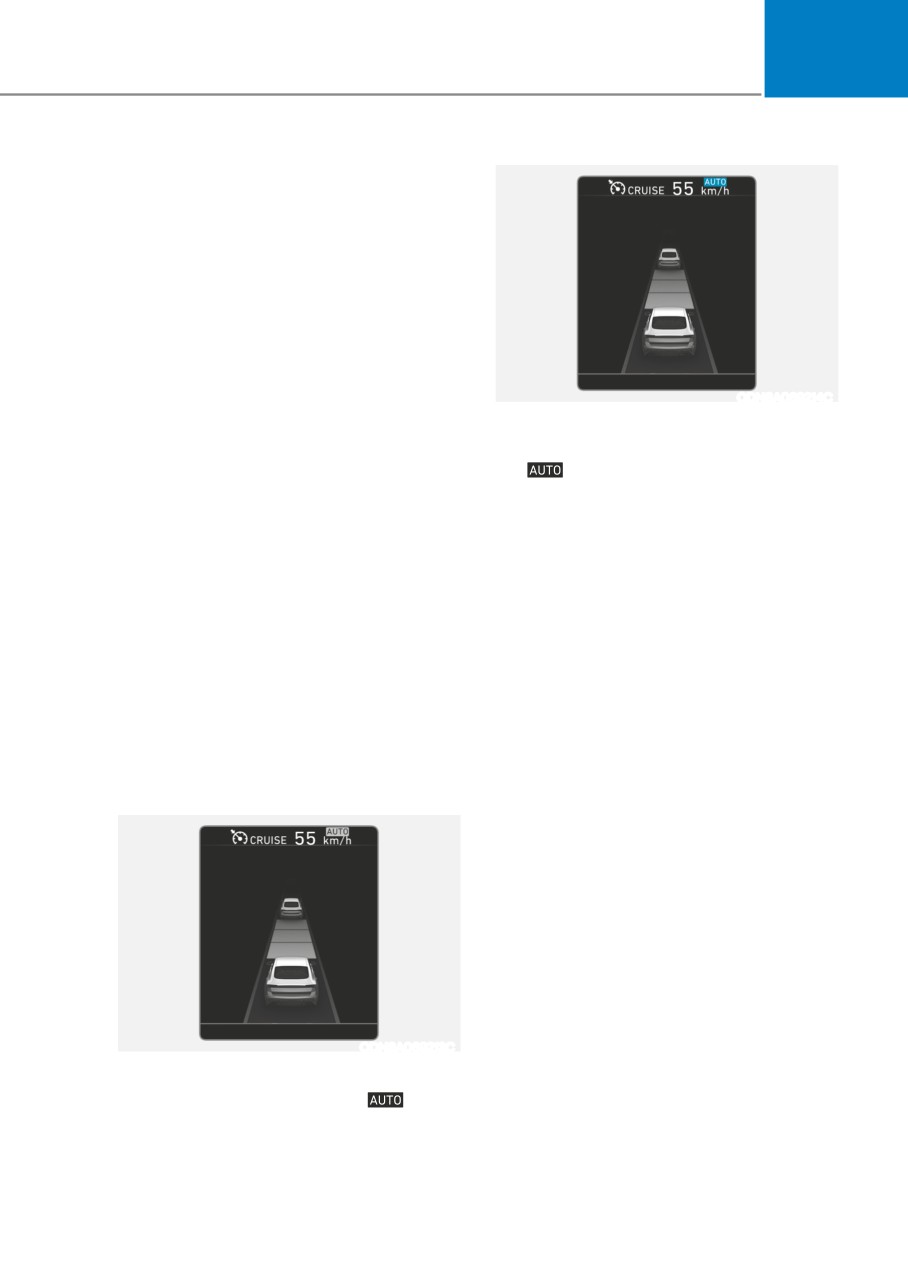
• If the engine is turned off then on
If the vehicle decelerates in a curve,
again, the system maintains the last
setting.
the
symbol on the cluster will
illuminate green.
Operating conditions
• This system works only for curved
sections located on highway main
Select 'Highway Auto Curve Slowdown'
lines.
from the Settings menu in the
infotainment system screen and satisfy
• Depending on the curve ahead on the
the following conditions for the system
road, the vehicle will decelerate, and
to operate.
after passing curve, the vehicle will
accelerate to Smart Cruise Control set
• Driving on the highway main line
speed.
• Smart Cruise Control is operating
• The higher the driving speed, the
If all the mentioned conditions are
faster the vehicle is decelerated.
satisfied, the system is ENABLED and
• The system responds to curves
the 'AUTO' symbol on the cluster will
located on the destination set in the
illuminate white.
navigation. If the destination is not
set, the system will respond to road
System operation
information of the expected route.
ODN8A069213C
System standby
If the system is ENABLED, the
symbol on the cluster will illuminate
white.
6-123
While Driving
•
Highway Driving Assist and
Information
Navigation-based Smart Cruise
•
Navigation-based Smart Cruise Control
Control uses the same
symbol
is limited in other countries.
that indicates the status of the system.
•
The system may not operate due to the
Therefore, even if Navigation-based
existence of leading vehicles and the
Cruise Control is off, the
symbol
driving situations of the vehicle.
may be displayed.
•
The system operates regardless of
•
If there is a problem with Navigation-
whether the sharp curve warning
based Smart Cruise Control, the system
appears on the navigation, but the time
cannot be activated in the AVN system
gap could occur between the warning
screen, and the
symbol will turn
and system operation.
off. However, if Highway Driving Assist
•
The navigation only provides curve
is activated, the
symbol will be
information within permitted speed
displayed.
ranges so that the system may not
•
After you pass through a tollgate on a
decrease its speed during extreme over-
highway, the system operates based
speed driving.
on the first lane. If you enter one of
•
The system is not designed to work on
the other lanes, the system might not
highways other than mentioned as a
properly decelerate.
controlled access road.
•
If you over speed, the system may not
•
The system automatically cancels when
decelerate the vehicle in a curve.
you leave the highway.
•
Deceleration by the system may not be
sufficient if the driver accelerates while
the system is operating,
•
Deceleration by the system may not be
sufficient due to road conditions such
as uneven road surfaces, narrow lanes,
etc.
•
If the road is controlled, due to
construction or holiday events, the
system might not work properly.
6-124
06
CAUTION
Information
Navigation-based Cruise Control
This device complies with Industry
system may not function properly in the
Canada RSS-210 standard.
following situations:
Operation is subject to the following three
•
The navigation is not working
conditions:
properly.
1. This device may not cause harmful
•
The navigation is not updated.
interference, and
•
The real-time GPS or map
2. This device must accept any
information provided has errors.
interference received, including
interference that may cause undesired
•
The navigation is overloaded by
operation.
performing functions such as route
search, video playback, voice
3. Changes or modifications not expressly
recognition, etc. are performing
approved by the party responsible
simultaneously.
for compliance could void the user's
authority to operate the device.
•
GPS signals are blocked in areas such
as a tunnel.
•
The driver goes off course or the
Information
route to the destination is changed
Radio frequency radiation exposure
or canceled by resetting the
information:
navigation.
This equipment complies with RSS
•
The vehicle enters a service station
radiation exposure limits set forth for an
or rest area.
uncontrolled environment.
•
A section of the highway’s shape has
This equipment should be installed and
changed.
operated with minimum distance of 20 cm
•
Android Auto or Car Play is operating.
(8 in.) between the radiator (antenna) and
•
The navigation cannot detect the
your body.
current vehicle position (ex: elevated
This transmitter must not be co-located or
roads including overpass adjacent to
operating in conjunction with any other
general roads or nearby roads exist
antenna or transmitter.
in a parallel way).
•
The navigation is being updated
while driving.
•
The navigation is being reset while
driving.
•
The road is slippery due to bad
weather such as rain or snow.
6-125
While Driving
lane following assist (lfa) (if equippeD)
WARNING
Take the following precautions when
using Lane Following Assist system:
•
Do not turn the steering wheel
suddenly when the steering wheel is
being assisted by the system.
•
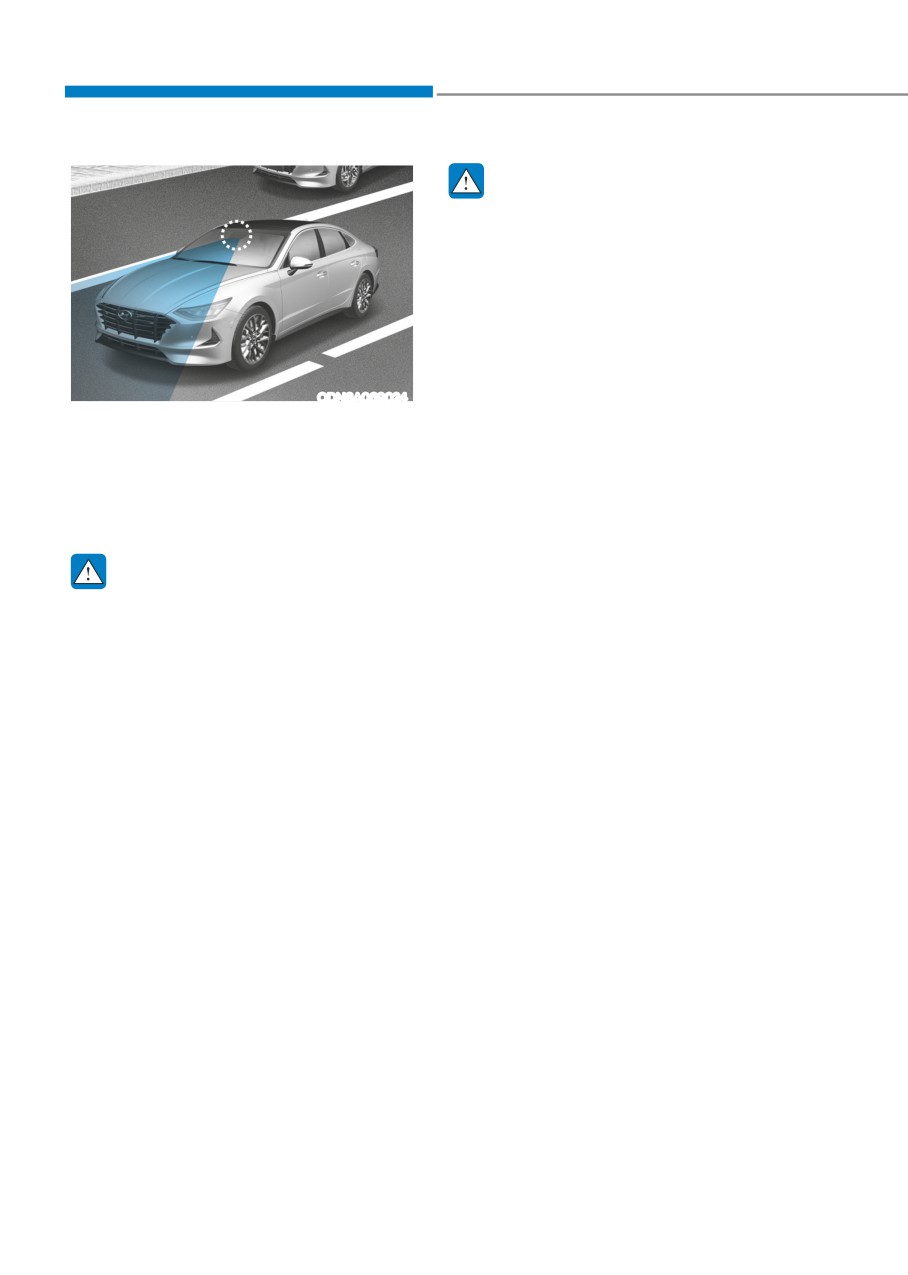
LFA system helps the driver to keep
the vehicle in the center of the lane
by assisting the driver’s steering.
However, the driver should not solely
ODN8A069024
rely on the system but always pay
Lane Following Assist system helps
attention on the steering wheel to
detect lane markers on the road
stay in the lane.
with a front view camera at the front
•
The operation of LFA system can
windshield, and assists the driver’s
be canceled or not work properly
steering to help keep the vehicle
according to road condition and
between lanes.
surroundings. Always be cautious
when driving.
WARNING
•
Do not disassemble LFA system
camera temporarily to tint the
Lane Following Assist system is not a
window or attach any types of
substitute for safe driving practices,
coatings and accessories. If you
but a convenience function. It is the
disassemble the camera and
responsibility of the driver to always be
assemble it again, have the vehicle
aware of the surroundings and steer the
inspected by an authorized HYUNDAI
vehicle.
dealer.
•
When you replace the windshield
glass, LFA system camera or related
parts of the steering wheel, have the
vehicle inspected by an authorized
HYUNDAI dealer.
•
The system helps detect lane
markers and controls the steering
wheel by a camera, therefore, if the
lane markers are hard to detect, the
system may not work properly.
•
Please refer to “Limitations of the
System”.
•
Do not remove or damage the related
parts of LFA system.
•
You may not hear a warning sound
of LFA system if the audio volume is
high.
6-126
06
•
Do not place objects on the
LFA Operation
dashboard that reflects light such as
mirrors, white paper, etc. This may
prevent LFA system from functioning
properly.
•
Always have your hands on the
steering wheel while LFA system is
activated. If you continue to drive
with your hands off the steering
wheel after the “Keep hands on
steering wheel” warning message
appears, the system will turn off
automatically.
ODN8069079
However, if the driver has their
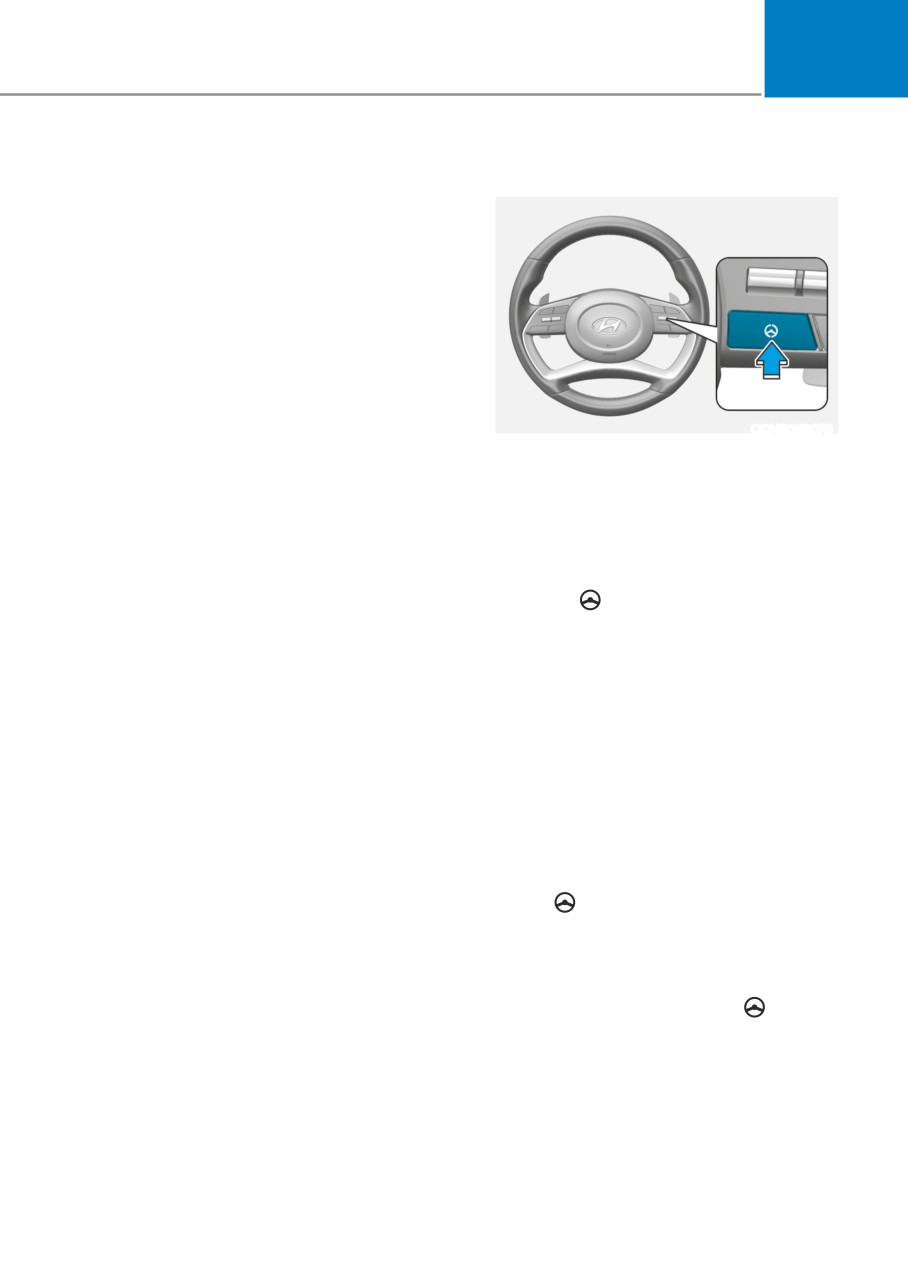
With the Engine Start/Stop button
hands on the steering wheel again,
is in the ON or START position, Lane
the system will start controlling the
Following Assist can be activated by
steering wheel.
pressing the button.
•
The steering wheel is not
continuously controlled so if the
Operating conditions
vehicle speed is at a higher rate
When the system is activated, the
when leaving a lane the vehicle may
indicator (
) on the cluster will
not be controlled by the system. The
illuminate. The color of the indicator will
driver must always follow the speed
change depending on the condition of
limit when using the system.
LFA system.
•
If you attach objects to the steering
- Green: Steering assist mode is ON
wheel, the system may not assist
steering or the hands off alarm may
- White: Steering assist mode is OFF
not work properly.
LFA system operation
• If the vehicle is inside the lane with
both lanes detected by the system
(lane color changes from gray to
white), and there is no abrupt steering
made by the driver, LFA system
changes to steering assist mode.
The indicator light will come on
green, and the system helps the
vehicle stay in line by controlling the
steering wheel.
When the steering wheel is not
controlled temporarily, the
indicator light will flash green and
change to white.
6-127
While Driving
Warning Message
OOSH069079L
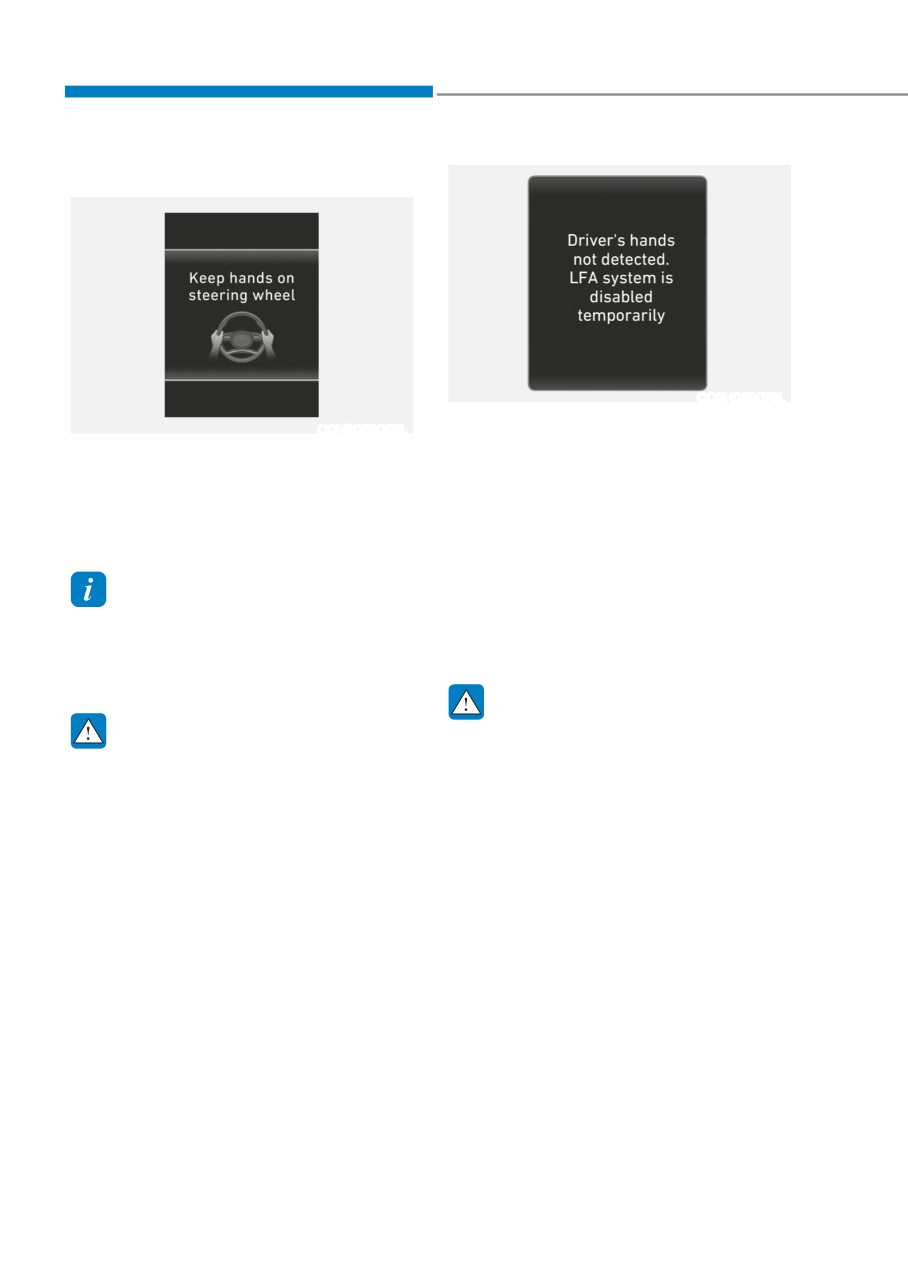
Driver’s hands not detected.
ODN8069068L
LFA system is disabled temporarily
Keep hands on steering wheel
If the driver still does not have their
If the driver takes their hands off the
hands on the steering wheel after the
steering wheel for several seconds while
message “Keep hands on steering
LFA system is activated, the system will
wheel”, the system will not control the
warn the driver.
steering wheel and warn the driver
only when the driver crosses the lane
markers.
Information
However, if the driver has their hands on
Hold the steering wheel tight. Otherwise,
the steering wheel again, the system will
LFA system could misjudge that the
start controlling the steering wheel.
driver’s hands are off the steering wheel,
and the above warning may occur.
WARNING
WARNING
• LFA system is a supplemental system
only. It is the responsibility of the
The warning message may appear
driver to safely steer the vehicle and
late according to road conditions.
to maintain it in its lane.
Therefore, always have your hands on
the steering wheel while driving.
• Turn off LFA system and drive
without using the system in the
following situations:
- In bad weather
- In bad road conditions
- When the steering wheel needs
to be controlled by the driver
frequently
- A trailer or carrier is installed.
6-128
06
LFA system will not be in the ENABLED
Information
state and/or the steering wheel will not be
• Even though the steering is assisted by
assisted when:
the system, the driver may control the
•
The turn signal is turned on before
steering wheel.
changing a lane. If you change
• The steering wheel may feel heavier
lanes without the turn signal on, the
when the steering wheel is assisted by
steering wheel might be controlled.
the system than when it is not.
•
The vehicle is not driven in the middle
of the lane when the system is turned
on or right after changing a lane.
•
ESC (Electronic Stability Control) or
VSM (Vehicle Stability Management)
is activated.
•
The vehicle is driven on a sharp curve.
•
If vehicle speed is over 153 km/h (95
mph)
•
The vehicle makes sharp lane
changes.
ODN8069070L
•
The vehicle brakes suddenly.
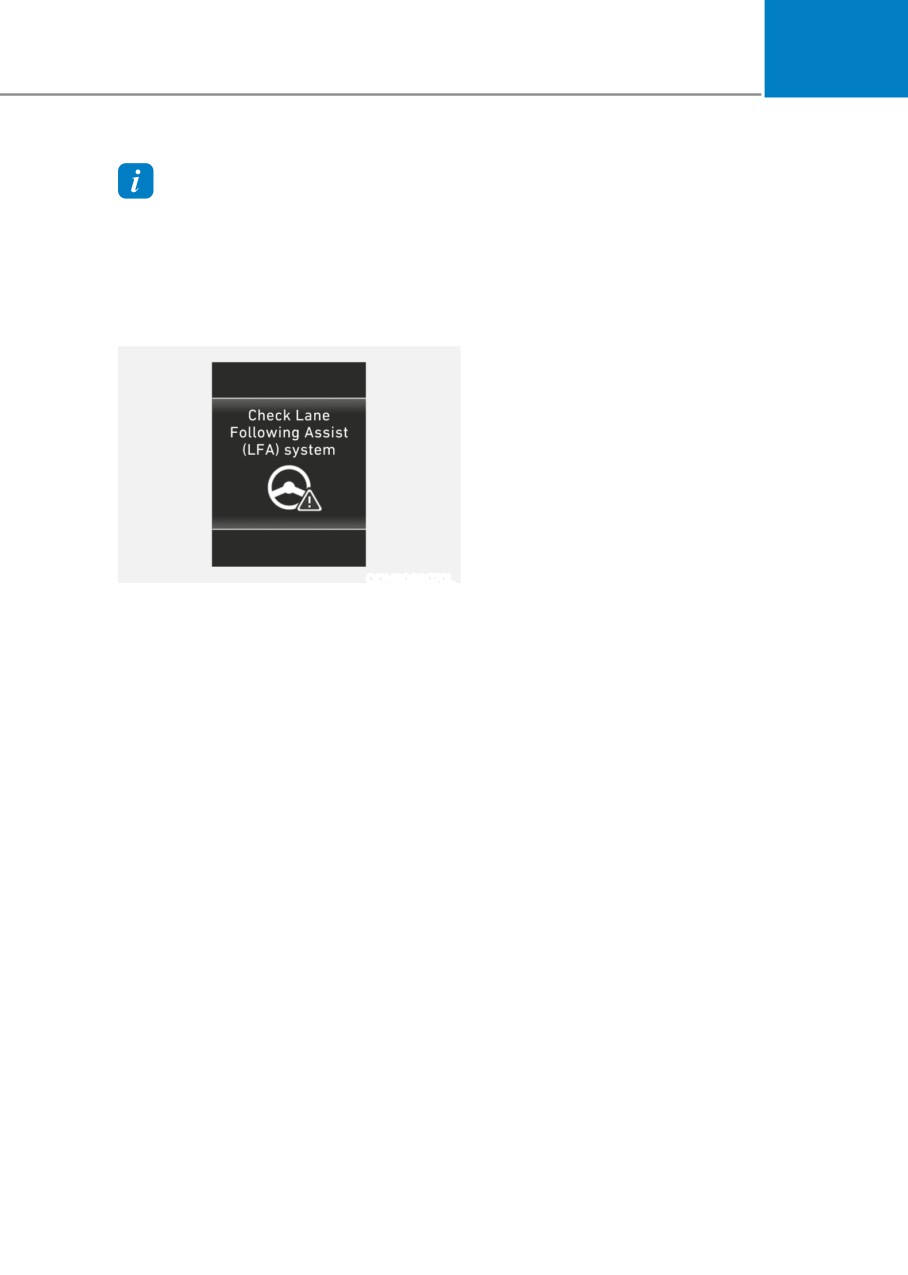
Check LFA (Lane Following Assist) system
•
Only one lane marker is detected.
If there is a problem with the system a
•
The lane is very wide or narrow.
message will appear for a few seconds. If
•
There are more than two lane markers
the problem continues LFA system failure
on the road (e.g. construction area).
indicator will illuminate.
•
Radius of a curve is too small.
•
The vehicle is driven on a steep
incline.
•
The steering wheel is turned suddenly.
•
The system may not operate for 15
seconds after the engine is started or
the camera is initialized.
6-129
While Driving
Limitations of the System
• The shadow is on the lane marker by
a median strip, trees, guardrail, noise
LFA system may operate prematurely
barriers, etc.
even if the vehicle does not depart from
the intended lane, OR, LFA system may
• The lane markers are complicated or a
not assist your steering or warn you if the
structure substitutes for the lines such
vehicle leaves the intended lane under
as a construction area.
the following circumstances:
• There are crosswalk signs or other
symbols on the road.
When the lane and road conditions are
• The lane marker in a tunnel is stained
poor
with oil, etc.
•
It is difficult to distinguish the lane
• The lane suddenly disappears such as
marking from the road surface or the
at the intersection.
lane marking is faded or not clearly
• Driving the shared lane usage (bicycle
marked.
lane, pedestrians lane, etc.)
•
It is difficult to distinguish the color of
the lane marker from the road.
When external condition is intervened
•
There are markings on the road
• The brightness outside changes
surface that look like a lane marker
suddenly such as when entering or
that is inadvertently being detected
exiting a tunnel, or when passing
by the camera.
under a bridge.
•
The lane marker is indistinct or
• The brightness outside is too low such
damaged.
as when the headlamps are not on at
•
The lane marker is merged or divided
night or the vehicle is going through
(e.g. tollgate).
a tunnel.
•
The lane number increases or
• There is a boundary structure in the
decreases or the lane marker are
roadway such as a concrete barrier,
crossing complicatedly.
guardrail and reflector post that is
•
There are more than two lane markers
inadvertently being detected by the
on the road in front of you.
camera.
•
The lane marker is very thick or thin.
• When light coming from a street light
or an oncoming vehicle is reflected on
•
The lane is very wide or narrow.
a wet road surface such as a puddle in
•
The lane marker ahead is not visible
the road.
due to rain, snow, water on the road,
• The field of view in front is obstructed
damaged or stained road surface, or
by sun glare.
other factors.
6-130
06
• There is not enough distance between
you and the vehicle in front to be
able to detect the lane marker or the
vehicle ahead is driving on the lane
marker.
• Driving on a steep grade, over a hill, or
when driving on a curved road.
• The adverse road conditions cause
excessive vehicle vibrations while
driving.
• The surrounding of the inside rear
view mirror temperature is high due to
direct sunlight, etc.
• The sensor recognition changes
suddenly when passing over a speed
bump or driving on a steep up/down
or right/left grade
When front visibility is poor
• The windshield or the camera lens is
blocked with dirt or debris.
• The windshield glass is fogged up; a
clear view of the road is obstructed.
• Placing objects on the dashboard, etc.
• The sensor cannot detect the lane
because of fog, heavy rain or snow.
6-131
While Driving
highway Driving assist (hDa) (if equippeD)
Highway Driving Assist system helps
Information
keep the vehicle between lanes, maintain
a distance with the vehicle ahead, and
•
Highway Driving Assist system is
automatically adjusts the vehicle speed
available only on controlled access road
to the speed limit while driving on the
of certain highways.
highway.
Controlled access road indicates
roads with limited entrances and
exits that allow uninterrupted high
WARNING
speed traffic flow. Only passenger
• Highway Driving Assist system is
cars and motorcycles are allowed on
not a substitute for safe driving
controlled access roads.
practices, but a convenience
Available highway
function. It is the responsibility of
(Controlled access road)
the driver to always be aware of the
surroundings and drive safely.
Select Interstate
Highway and U.S.
• Highway Driving Assist system relies
USA
(Federal) and State
entirely on the road information
Highways
provided by the navigation system.
Select Provincial and
It is the responsibility of the driver
Canada
to follow traffic laws and avoid
Territorial Highways
accidents.
•
Additional highways may be expanded
• For your safety, please read the
by navigation updates.
owner's manual before using the
system.
6-132