Hyundai Sonata Plug-in Hybrid (2017 year). Instruction - part 30
Driving your vehicle
Warning Light and Message
The LDWS does not operate when:
Limitations of the system
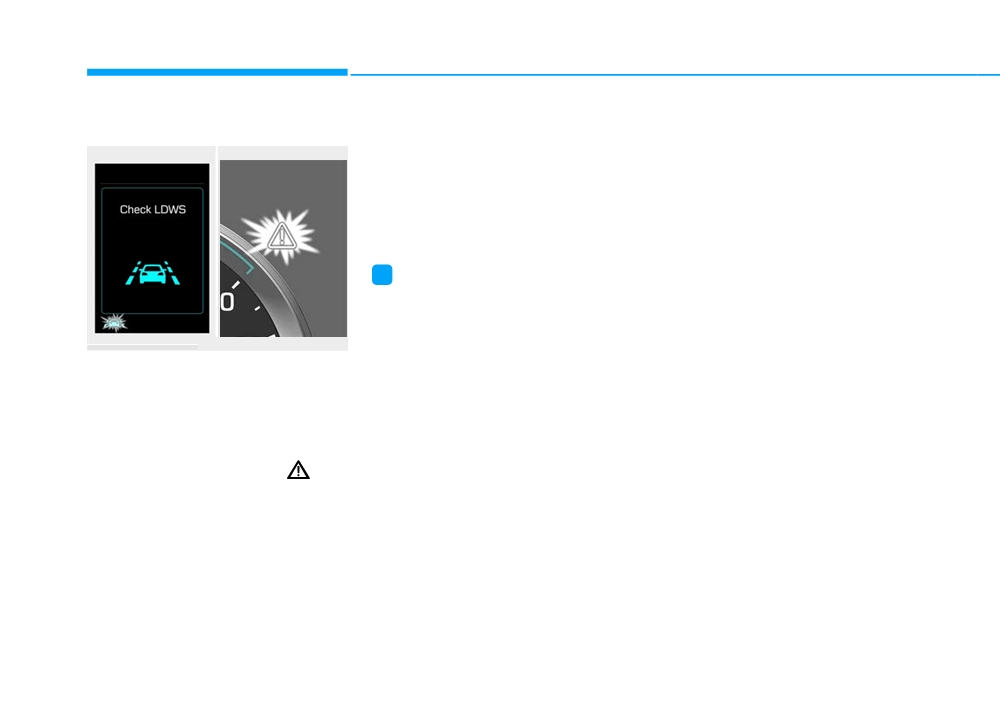
■ Warning message
■ Master warning light
• The driver turns on the turn signal
The LDWS may operate prematurely
to change lanes or operates the
even if the vehicle does not depart
hazard warning flasher.
from the intended lane, OR, the
• The camera recognition system
LDWS may not warn you if the vehi-
detects that the vehicle is driving
cle leaves the intended lane under
on the lane lines.
the following circumstances:
•
The lanes ahead are not visible
i
Information
due to rain, snow, water on the
road, damaged or stained road
Always operate the turn signal before
surface, or other factors
changing lanes.
•
The brightness outside changes
OLF054433N/OLFH054433N
suddenly such as when entering or
exiting a tunnel
If there is a malfunction with the
LDWS, the indicator on the cluster
•
The brightness outside is too low
will illuminate yellow. Additionally, a
such as when the headlamps are
message that reads, "Check LDWS",
not on at night or the vehicle is
will appear on the cluster LCD dis-
going through a tunnel
play. After the message disappears,
•
It is difficult to distinguish the lane
the master warning light (
) will
marking from the road surface or
illuminate.
the lane marking is faded or not
clearly marked
Take your vehicle to an authorized
•
Driving on a steep grade or over a
HYUNDAI dealer and have the sys-
hill, or when driving on a curved
tem checked.
road
5-58
•
When light coming from a street
•
There is a boundary structure in
light or an oncoming vehicle is
the roadway such as a concrete
reflected on a wet road surface
barrier that is inadvertently being
such as a puddle in the road
detected by the camera
•
The windshield or the LDWS cam-
•
There is not enough distance
era lens is blocked with dirt or
between you and the vehicle in
debris
front to be able to detect the lane
line or the vehicle ahead is driving
•
The field of view in front is
on the lane line
obstructed by sun glare
•
The lanes are incomplete or the
•
The vehicle while driving vibrates
excessively due to adverse road
area is in a construction zone
conditions
•
There are more than two lane lines
•
The field of view in front is
on the road in front of you The lane
obstructed by sun glare
markings are not clearly visible
5
from the road
•
The lanes are incomplete or the
area is in a construction zone
•
The camera recognition system
cannot properly detect the lanes
•
There are more than two lane lines
due to fog, heavy rain, or snow
on the road in front of you
•
The lane width differs from stan-
dard (either very wide or very nar-
row)
•
The windshield glass is fogged up;
a clear view of the road is obstruct-
ed
•
There are markings on the road
surface that look like a lane line
that is inadvertently being detected
by the camera
5-59
Driving your vehicle
CRUISE CONTROL
Cruise Control operation
WARNING
(Continued)
- When driving on hilly or
Take the following precautions:
windy roads
•
If the Cruise Control is left on,
- When driving in windy areas
("CRUISE" indicator light in
- When driving with limited
the instrument cluster is illu-
view
(possibly due to bad
minated) the Cruise Control
weather such as fog, snow,
can be activated unintention-
rain and sandstorm)
ally. Keep the Cruise Control
• Do not use cruise control
system off ("CRUISE" indica-
when towing a trailer.
tor light OFF) when the Cruise
Control is not in use, to avoid
OLF054040
inadvertently setting a speed.
i
Information
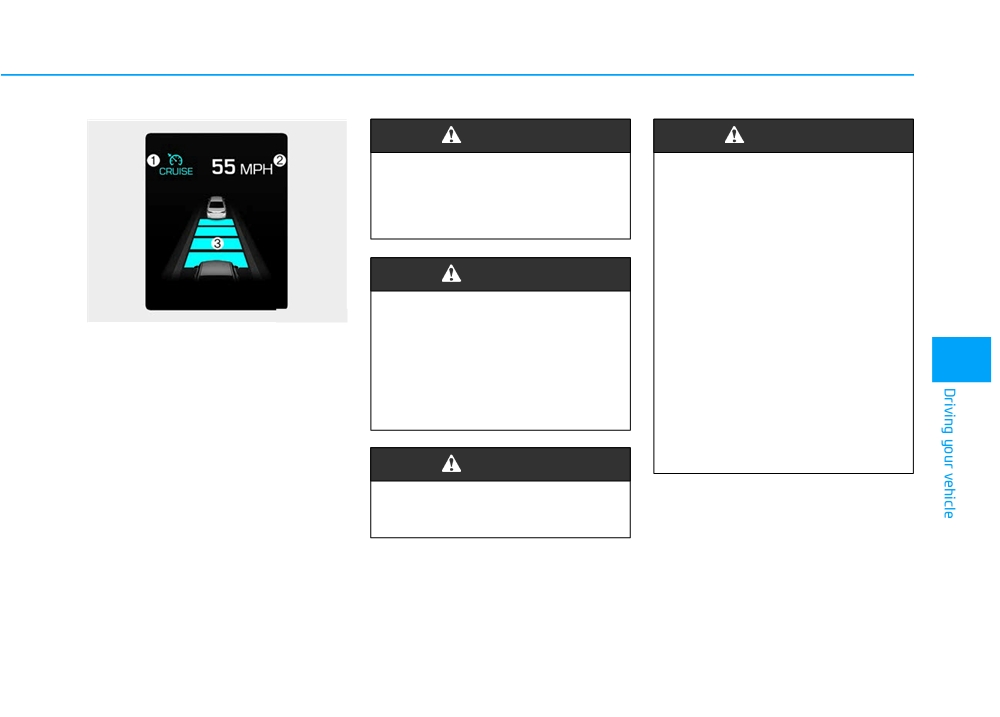
1. CRUISE indicator
•
Use the Cruise Control sys-
•
During normal cruise control opera-
tem only when traveling on
2. SET indicator
tion, when the SET switch is activat-
open highways in good
ed or reactivated after applying the
weather.
brakes, the cruise control will ener-
The Cruise Control system allows
•
Do not use the Cruise Control
gize after approximately 3 seconds.
you to drive at speeds above 20 mph
when it may be unsafe to keep
This delay is normal.
(30 km/h) without depressing the
the vehicle at a constant
•
Before activating the cruise control
accelerator pedal.
speed:
function, the system will check to
- When driving in heavy traffic
verify that the brake switch is oper-
or when traffic conditions
ating normally. Depress the brake
make it difficult to drive at a
pedal at least once after turning ON
constant speed
the ignition or starting the engine.
- When driving on rainy, icy, or
snow-covered roads
(Continued)
5-60
To set Cruise Control speed
To increase Cruise Control
speed
OLF054042/Q
3. Push the toggle switch (1) down
OLF054041
(SET-), and release it. The SET
OLF054043/Q
5
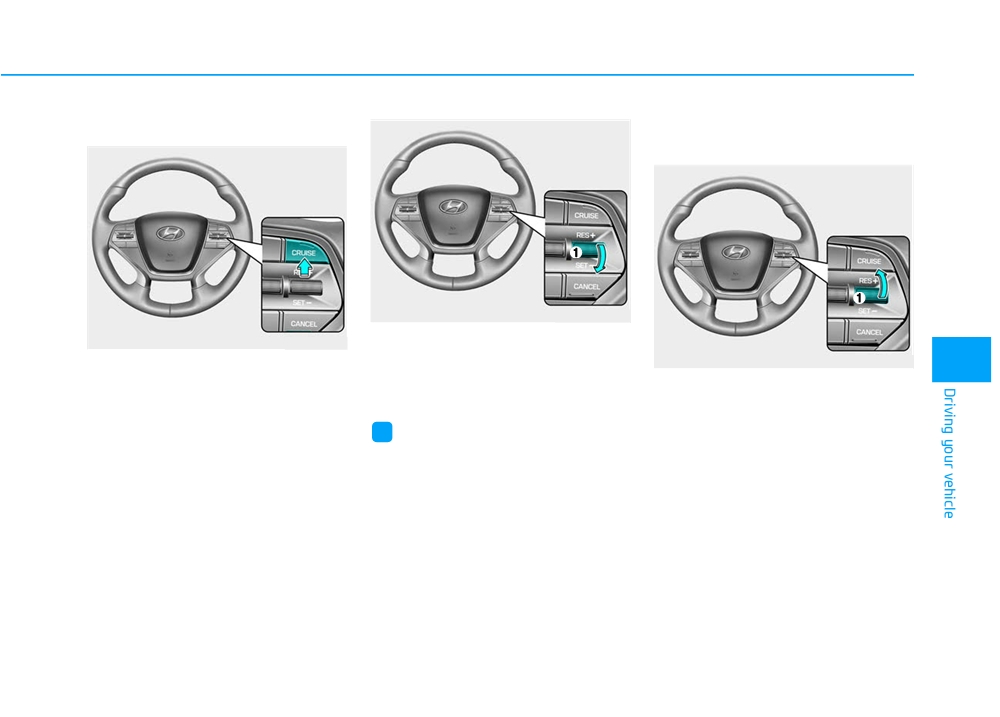
1. Press the CRUISE button on the
indicator light will illuminate.
steering wheel to turn the system
•
Push the toggle switch
(1) up
4. Release the accelerator pedal.
on. The "CRUISE" indicator will
(RES+) and hold it, while monitor-
illuminate.
ing the SET speed on the instru-
i
Information
ment cluster.
2. Accelerate to the desired speed,
which must be more than 20 mph
On a steep slope, the vehicle may
Release the toggle switch when
(30 km/h).
slightly slow down or speed up, while
the desired speed is shown and
driving uphill or downhill.
the vehicle will accelerate to that
speed.
•
Push the toggle switch
(1) up
(RES+) and release it immediately.
The cruising speed will increase
1.0 mph (1.6 km/h) each time the
toggle switch is operated in this
manner.
5-61
Driving your vehicle
• Depress the accelerator pedal.
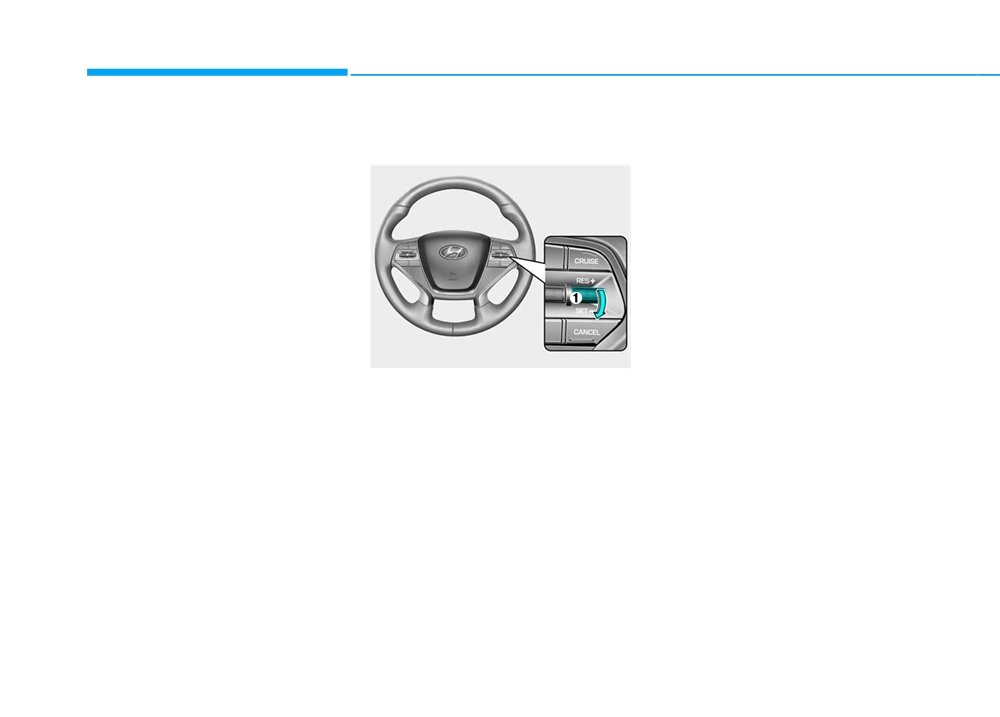
To decrease Cruise Control
To temporarily accelerate with
When the vehicle attains the
speed
the Cruise Control ON
desired speed, push the toggle
Depress the accelerator pedal. When
switch (1) down (SET-).
you take your foot off the accelerator,
the vehicle will return to the previ-
ously set speed.
If you push the toggle switch down
(SET-) at the increased speed, the
Cruise Control will maintain the
increased speed.
OLF054042/Q
•
Push the toggle switch (1) down
(SET-) and hold it. Your vehicle will
gradually slow down. Release the
lever at the speed you want to
maintain.
•
Push the toggle switch (1) down
(SET-) and release it immediately.
The cruising speed will decrease
1.0 mph (1.6 km/h) each time the
toggle switch is operated in this
manner.
•
Lightly tap the brake pedal. When
the vehicle attains the desired
speed, push the toggle switch (1)
down (SET-).
5-62
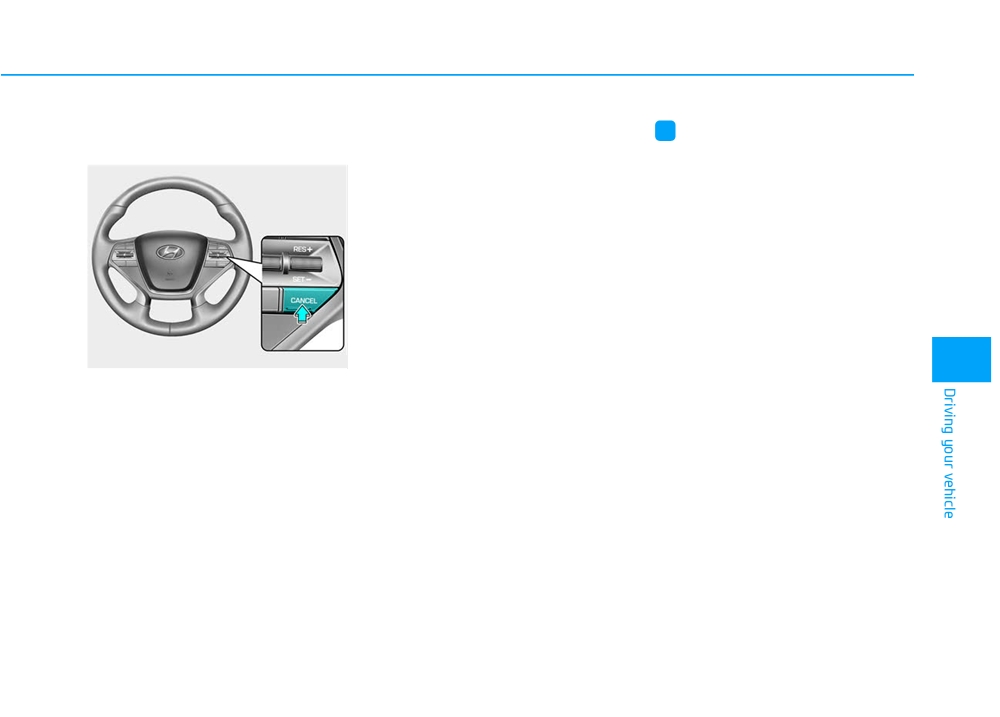
Cruise Control will be canceled
• Decreasing the vehicle speed to
i
Information
when:
less than approximately
20 mph
(30 km/h).
Each of the above actions will cancel
Cruise Control operation (the "SET"
• The ESC
(Electronic Stability
indicator in the instrument cluster will
Control) is operating.
go off), but only pressing the CRUISE
• Downshifting to 2nd gear when in
button will turn the system off. If you
Manual Shift mode.
wish to resume Cruise Control opera-
tion, push the lever up (RES+) located
on your steering wheel. You will
return to your previously preset
speed, unless the system was turned
off using the CRUISE button.
OLF054044
5
• Depressing the brake pedal.
• Pressing the CANCEL button
located on the steering wheel.
• Pressing the CRUISE button. Both
the CRUISE indicator and the
"SET" indicator will turn OFF.
• Moving the shift lever into N
(Neutral).
5-63
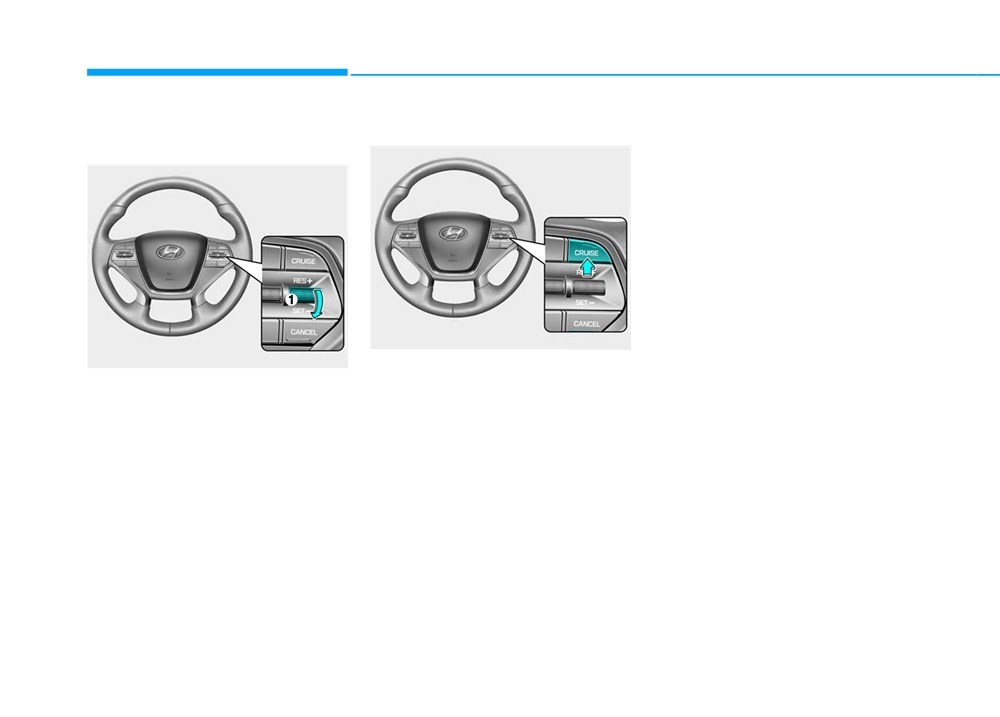
Driving your vehicle
To resume preset Cruising
To turn Cruise Control off
speed
OLF054041
OLF054042/Q
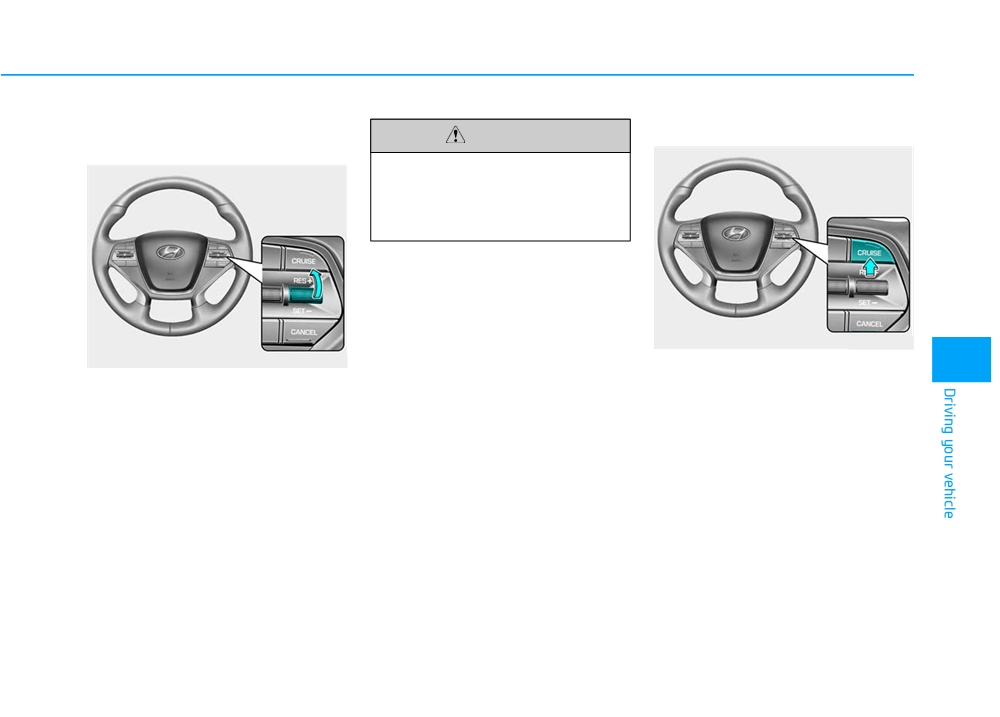
• Press the CRUISE button
(the
Push the toggle switch
(1) up
"CRUISE" indicator light will go
(RES+). If the vehicle speed is over
off).
20 mph (30 km/h), the vehicle will
• Turn the vehicle OFF.
resume the preset speed.
5-64
SMART CRUISE CONTROL SYSTEM (IF EQUIPPED)
WARNING
WARNING
For your safety, please read the
Take the following precautions:
owner's manual before using
•
If the Smart Cruise Control is
the Smart Cruise Control sys-
left on,
("CRUISE" indicator
tem.
light in the instrument cluster
is illuminated) the Smart
Cruise Control can be activat-
WARNING
ed unintentionally. Keep the
Smart Cruise Control System
The Smart Cruise Control
off
("CRUISE" indicator light
OLF054430N
System is not a substitute for
OFF) when the Smart Cruise
➀ Cruise Indicator
safe driving practices, but a
Control is not in use, to avoid
➁ Set Speed
convenience function only. It is
inadvertently setting a speed.
5
the responsibility of the driver
➂ Vehicle-to-Vehicle Distance
•
Use the Smart Cruise Control
to always check the speed and
System when traveling on
distance to the vehicle ahead.
open highways in good
The Smart Cruise Control System
weather.
allows you to program the vehicle to
maintain constant speed and dis-
(Continued)
WARNING
tance detecting the vehicle ahead
without depressing the accelerator/
Do not use cruise control when
brake pedal.
towing a trailer.
5-65
Driving your vehicle
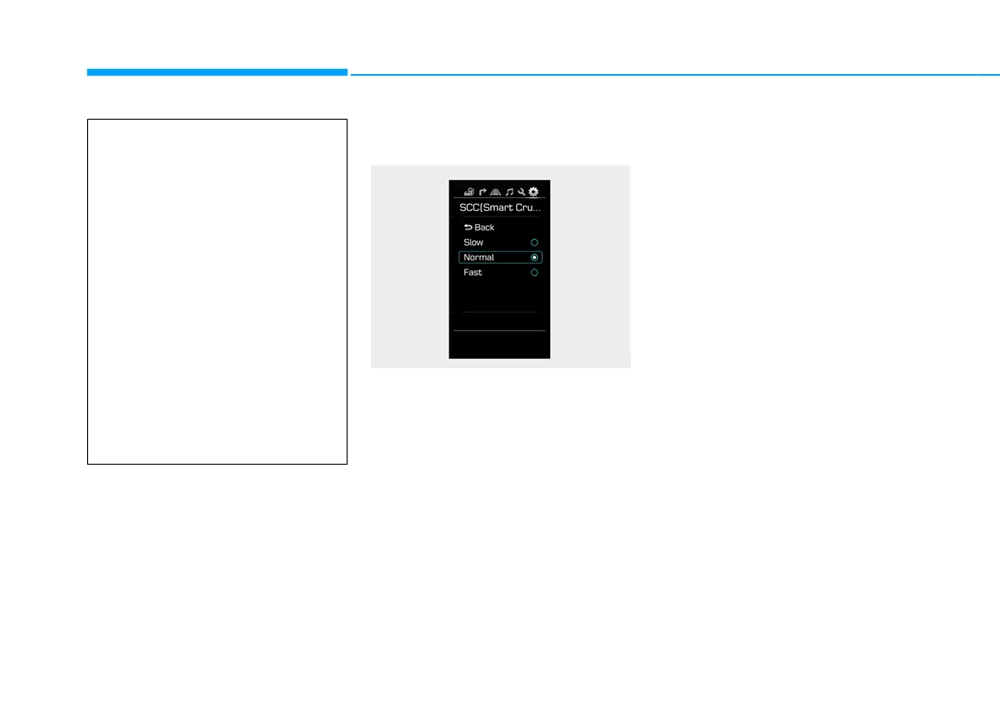
To adjust the sensitivity of
•
Normal:
(Continued)
Smart Cruise Control
Vehicle speed following the front
•
Do not use the Smart Cruise
vehicle to maintain the set distance
Control when it may not be
is normal
safe to keep the vehicle at a
•
Fast:
constant speed:
Vehicle speed following the front
- When driving in heavy traffic
vehicle to maintain the set distance
or when traffic conditions
is faster than normal speed.
make it difficult to drive at a
constant speed
- When driving on rainy, icy, or
snow-covered roads
- When driving on hilly or
windy roads
OLF054441N
- When driving in windy areas
The sensitivity of vehicle speed
- When driving with limited
when following the front vehicle to
view
(possibly due to bad
maintain the set distance can be
weather such as fog, snow,
adjusted. Go to the User Settings
rain and sandstorm)
Mode (Driving Assist) and select
SCC (Smart Cruise Control). You
may select one of the three stages
you prefer.
• Slow:
Vehicle speed following the front
vehicle to maintain the set distance
is slower than normal speed.
5-66
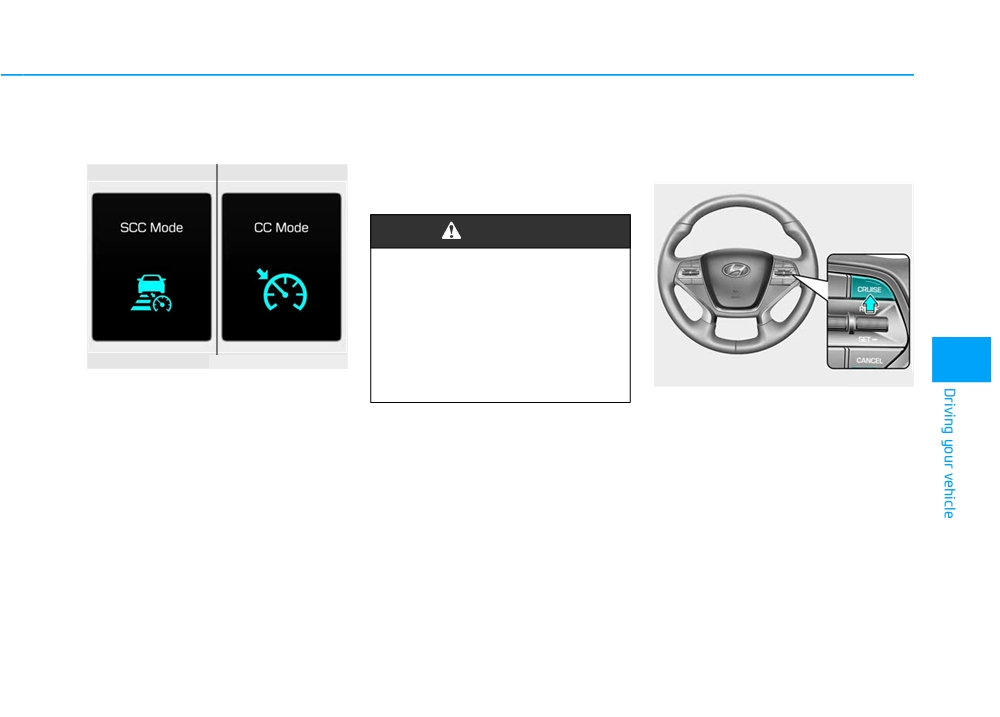
To convert to Cruise Control
When the system is canceled using
Smart Cruise Control speed
Mode
the CRUISE button or the CRUISE
To set Smart Cruise Control
button is used after the engine is
speed
turned on, the SCC Mode will turn
on.
WARNING
When using the Cruise Control
Mode, you must manually
adjust the distance to other
vehicles by depressing the
accelerator or brake pedal. The
system does not automatically
OLF054205N/OLF054431N
5
adjust the distance to vehicles
OLF054041
The driver may choose to only use
in front of you.
the Cruise Control Mode (speed con-
1. Push the CRUISE button on the
trol function) by doing as follows:
steering wheel to turn the system
1. Turn the Smart Cruise Control
on. The "CRUISE" indicator will
System on (the "CRUISE" indica-
illuminate.
tor will be on but the system will
2. Accelerate to the desired speed.
not be activated).
The Smart Cruise Control speed
2. Press and hold the Vehicle-to-
can be set as follows:
Vehicle Distance button for more
• 20 mph (30 km/h)~110 mph (180
than 2 seconds.
km/h): when there is no vehicle
3. Choose between "Smart Cruise
in front
Control (SCC) Mode" and "Cruise
• 0 mph (0 km/h)~110 mph (180
Control (CC) Mode".
km/h): when there is a vehicle in
front
5-67
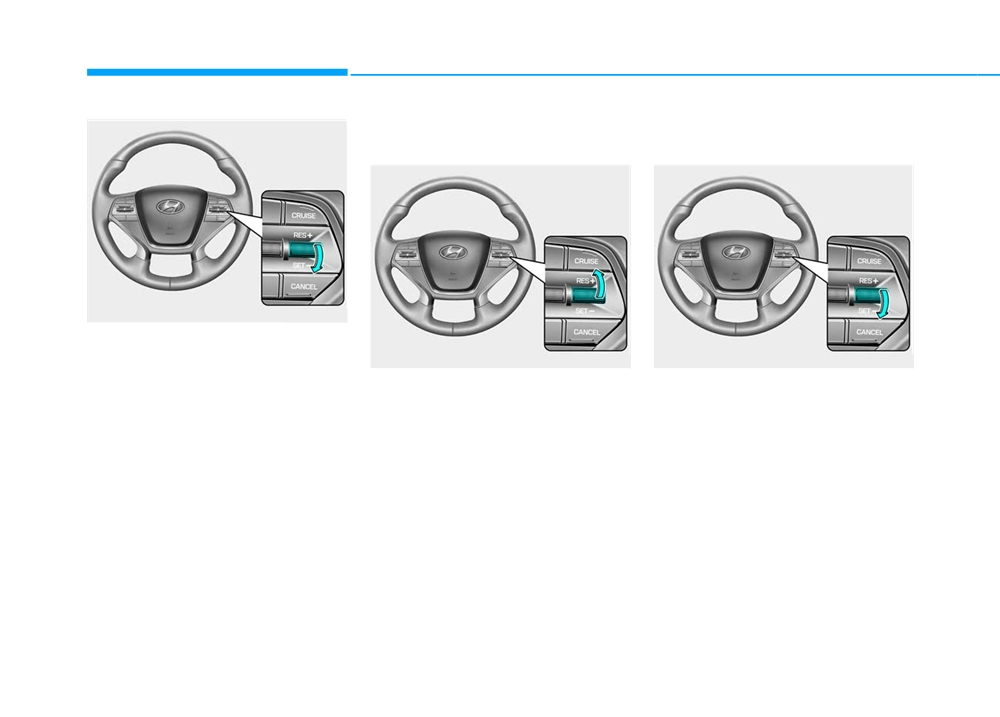
Driving your vehicle
To increase Smart Cruise
To decrease the Smart Cruise
Control set speed
Control set speed
OLF054042
3. Push the toggle switch down
(SET-), and release it at the
OLF054043
OLF054042
desired speed. The Set Speed
Follow either of these procedures:
Follow either of these procedures:
and Vehicle-to-Vehicle Distance
on the LCD display will illuminate.
• Push the toggle switch up (RES+),
• Push the toggle switch down (SET-),
and hold it. Your vehicle set speed
and hold it. Your vehicle set speed
4. Release the accelerator pedal.
will increase by 5 mph (10 km/h).
will decrease by 5 mph (10 km/h).
The desired speed will automati-
Release the toggle switch at the
Release the toggle switch at the
cally be maintained.
speed you want.
speed you want.
If there is a vehicle in front of you, the
• Push the toggle switch up (RES+),
• Push the toggle switch down (SET-),
speed may decrease to maintain the
and release it immediately. The
and release it immediately. The
distance to the vehicle ahead.
cruising speed will increase by 1.0
cruising speed will decrease by 1.0
On a steep grade, the vehicle may
mph (1.0 km/h) each time you
mph (1.0 km/h) each time you move
slow down or speed up slightly while
move the toggle switch up in this
the toggle switch down in this man-
going uphill or downhill.
manner.
ner.
• You can set the speed to 110 mph
• You can set the speed to 20 mph
(180 km/h).
(30 km/h).
5-68
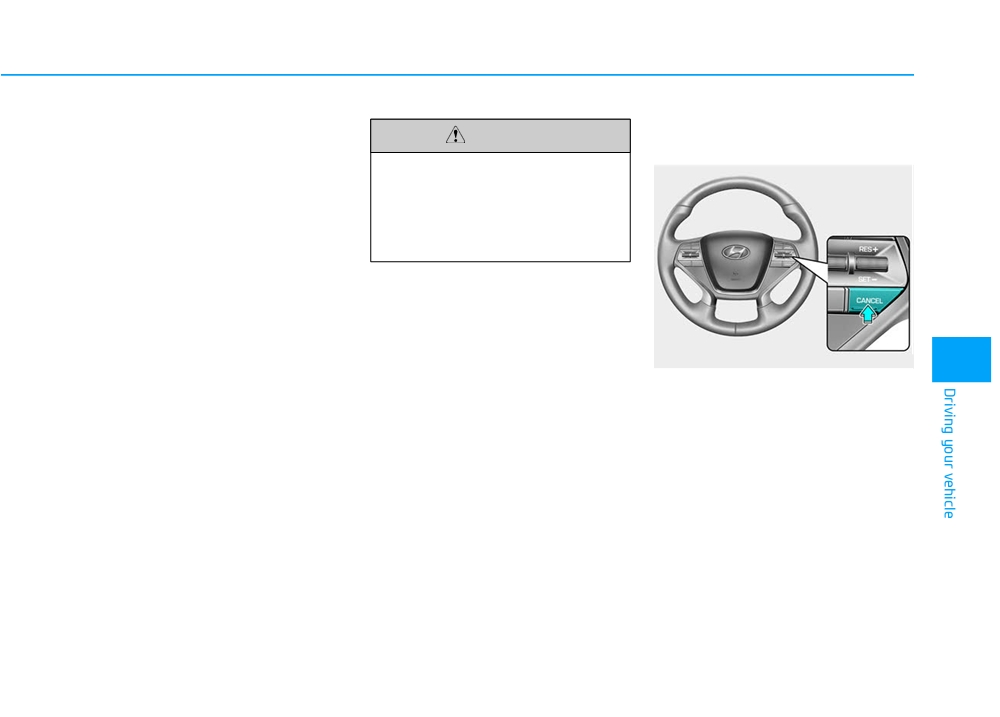
To temporarily accelerate with
Smart Cruise Control will be
CAUTION
the Smart Cruise Control on
temporarily canceled when:
If you want to speed up temporarily
Be careful when accelerating
when the Smart Cruise Control is on,
temporarily, because the speed
depress the accelerator pedal.
is not controlled automatically
Increased speed will not interfere
at this time even if there is a
with Smart Cruise Control operation
vehicle in front of you.
or change the set speed.
To return to the set speed, take your
foot off the accelerator.
If you push the toggle switch down
(SET-) at increased speed, the cruis-
ing speed will be set again.
OLF054044
5
Canceled manually
• Depressing the brake pedal.
• Pressing the CANCEL button
located on the steering wheel.
• Depress the brake pedal and press
the CANCEL button at the same
time, when the vehicle is at a
standstill.
The Smart Cruise Control turns off
temporarily when the indicator on the
LCD display turns off.
The CRUISE indicator is illuminated
continuously.
5-69
Driving your vehicle
Canceled automatically
•
The driver starts driving by pushing
the toggle switch up (RES +) or
•
The driver’s door is opened.
down (SET -) or depressing the
•
The shift lever is shifted to N
accelerator pedal, after stopping
(Neutral), R (Reverse) or P (Park).
the vehicle with a vehicle stopped
•
The EPB
(Electronic Parking
far away in front.
Brake) is applied.
•
The accelerator pedal is continu-
•
The vehicle speed is over 120 mph
ously depressed for more than one
(190 km/h)
minute.
•
The ESC
(Electronic Stability
Each of these actions will cancel
Control), TCS
(Traction Control
the Smart Cruise Control opera-
System) or ABS is operating.
OLF054201N
tion. (The Set Speed and Vehicle-
•
The ESC is turned off.
to-Vehicle Distance on the LCD
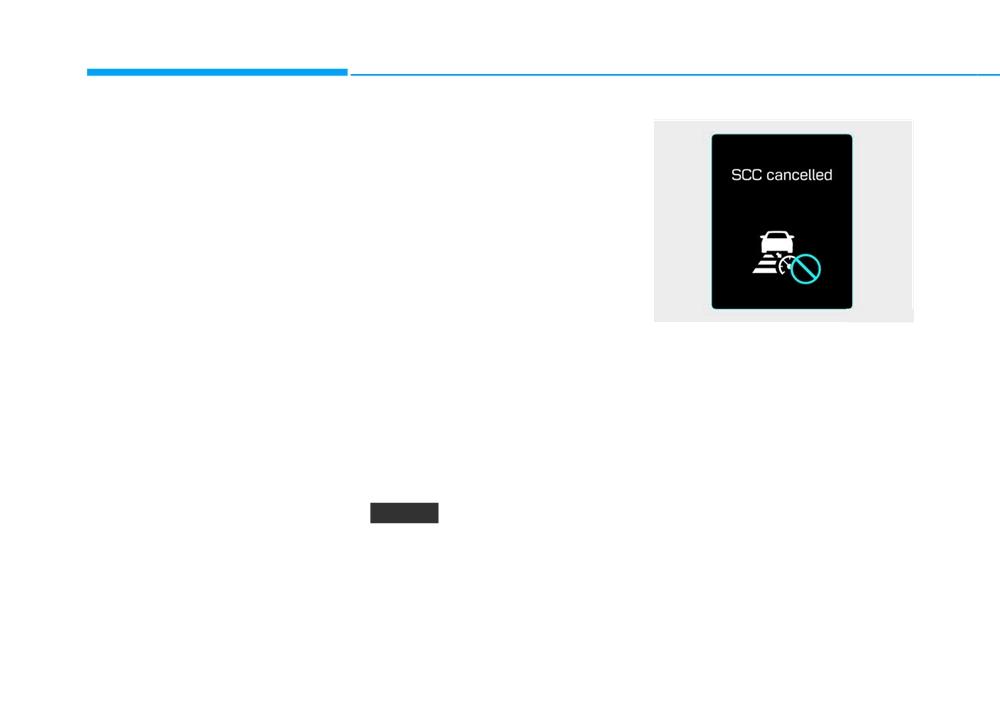
If the system is canceled, the warn-
display will go off.)
ing chime will sound and a message
•
The radar or the cover is dirty or
blocked with foreign matter.
In a condition the Smart Cruise
will appear for a few seconds.
Control is canceled automatically,
You must adjust the vehicle speed by
•
The SCC system has malfunc-
the Smart Cruise Control will not
depressing the accelerator or brake
tioned.
resume even though the RES+ or
pedal according to the road condition
•
When the vehicle is stopped for
SET- toggle switch is pushed. Also,
ahead and driving condition.
more than 5 minutes.
the EPB will be applied when the
Always check the road conditions.
•
The driver starts driving by pushing
vehicle is stopped.
Do not rely on the warning chime.
the toggle switch up (RES +) or
down (SET -) or depressing the
NOTICE
accelerator pedal, approximately 3
seconds after the vehicle is
If the Smart Cruise Control is can-
stopped by the Smart Cruise
celed by other than the reasons
Control System with no other vehi-
mentioned, have your vehicle
cle ahead.
checked by an authorized HYUNDAI
dealer.
5-70
To resume Smart Cruise Control
To turn Cruise Control off
CAUTION
set speed
Always check the road condi-
tions when you push the toggle
switch up
(RES+) to resume
speed.
OLF054041
OLF054043
5
Press the CRUISE button
(the
If any method other than the cruise
"CRUISE" indicator light will go off).
lever was used to cancel cruising
speed and the system is still activat-
ed, the cruising speed will automati-
cally resume when you push the tog-
gle switch up (RES+) or down (SET-).
If you push the toggle switch up
(RES+), the speed will resume to the
recently set speed. However, if vehi-
cle speed has dropped below
approximately 20 mph (30 km/h), it
will resume when there is a vehicle in
front of your vehicle.
5-71
Driving your vehicle
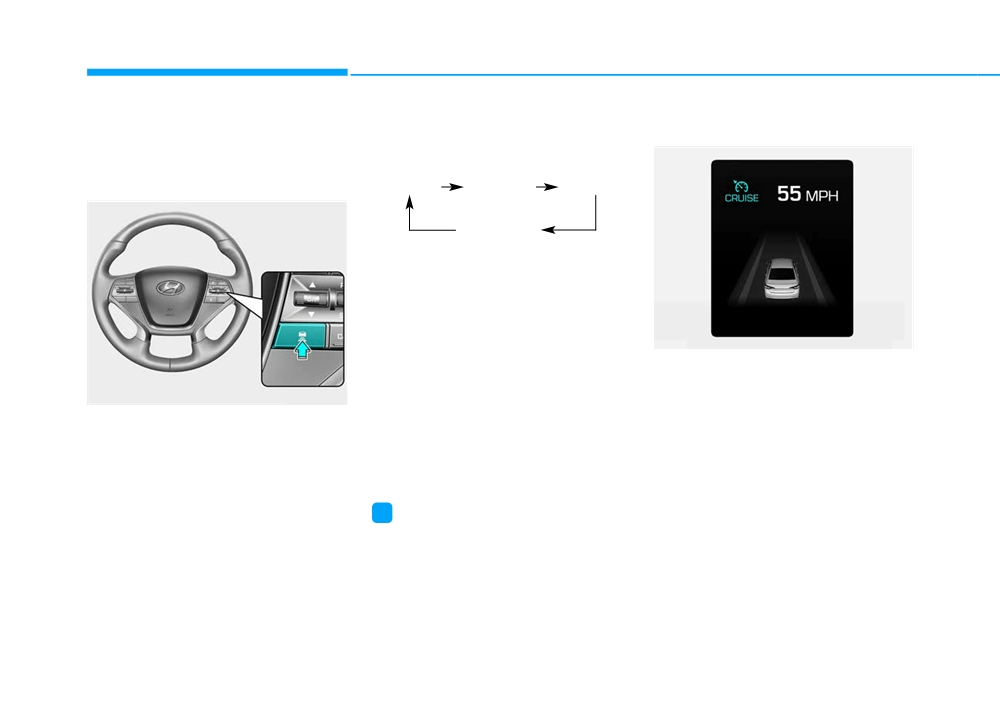
Smart Cruise Control vehicle-
Each time the button is pressed, the
When the lane ahead is clear:
to-vehicle distance
vehicle to vehicle distance changes
as follows:
To set Vehicle-to-Vehicle
Distance
Distance 4
Distance 3
Distance 2
Distance 1
For example, if you drive at 56 mph
(90 km/h), the distance maintain as
follows:
Distance 4 - approximately 172 feet
OLF054447N
(52.5 m)
The vehicle speed will maintain the
Distance 3 - approximately 130 feet
set speed.
OLF054045
(40 m)
Distance 2 - approximately 106 feet
When the Smart Cruise Control
(32.5 m)
System is ON, you can set and main-
tain the distance from the vehicle
Distance 1 - approximately
82 feet
ahead of you without pressing the
(25 m)
accelerator or brake pedal.
i
Information
Distance 4 is always set when the sys-
tem is used for the first time after
starting the engine.
5-72
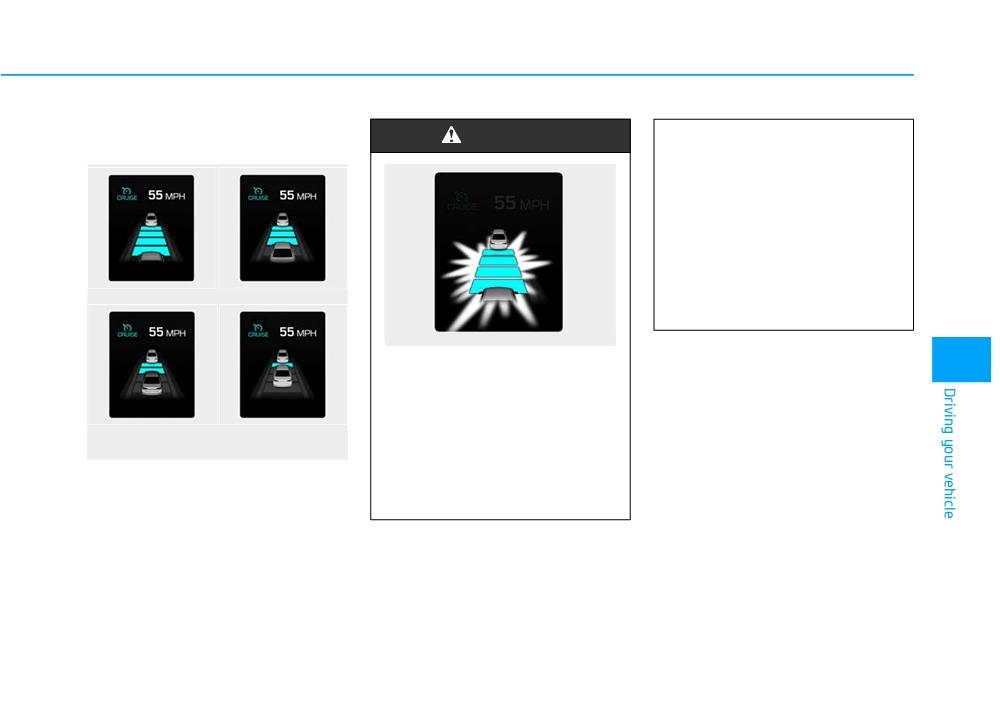
When there is a vehicle ahead
WARNING
(Continued)
of you in your lane:
•
If the warning chime sounds,
depress the accelerator or
brake pedal to actively adjust
the vehicle speed, and the dis-
tance to the vehicle ahead.
•
Even if the warning chime is
not activated, always pay
attention to the driving condi-
Distance 4
Distance 3
tions to prevent dangerous
situations from occurring.
OLF054031N
When using the Smart Cruise
5
Control System:
• The warning chime sounds
and the Vehicle-to Vehicle
Distance 2
Distance 1
Distance indicator blinks if
OLF054213N/OLF054214N/
the vehicle is unable to main-
OLF054215N/OLF054216N
tain the selected distance
•
Your vehicle speed will slow down
from the vehicle ahead.
or speed up to maintain the select-
(Continued)
ed distance.
•
If the vehicle ahead speeds up,
your vehicle will travel at a steady
cruising speed after accelerating to
the set speed.
5-73
Driving your vehicle
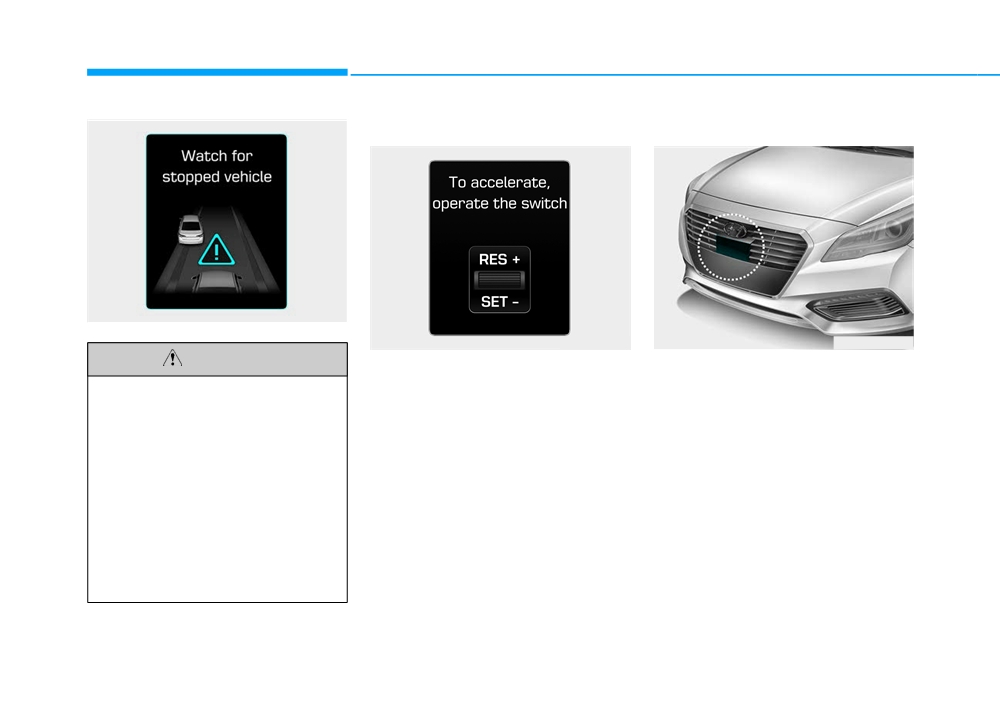
In traffic situation
SCC front radar sensor
OLF054203N
OLF054204N
OLFH054032N
CAUTION
In traffic, your vehicle will stop if the
The Smart Cruise Control uses a
vehicle ahead of you stops. Also, if
radar to detect distance to the vehi-
If the vehicle ahead
(vehicle
the vehicle ahead of you starts mov-
cle ahead.
speed: less than
20 mph
ing, your vehicle will start as well.
(30km/h)) disappears to the next
However, if the vehicle stops for
lane, the warning chime will
more than
3 seconds, you must
sound and a message will
depress the accelerator pedal or
appear. Adjust your vehicle
push up the toggle switch (RES+ or
speed for vehicles or objects
SET-) to start driving.
that can suddenly appear in
front of you by depressing the
brake pedal.
Always pay attention to the road
condition ahead.
5-74