Honda Passport (2022 year). Manual in english - page 8
124
Co
ntrols
Clock
Adjusting the Clock
You can adjust the time manually in the audio/information screen, with the power
mode in ON.
■
Using the Settings menu on the audio/
information screen
1.
Select
, then select
Settings
.
2.
Select
System
.
3.
Select
Date & Time
.
4.
Select
Set Date & Time
.
5.
Select
Automatic Date & Time
, then
select
OFF
.
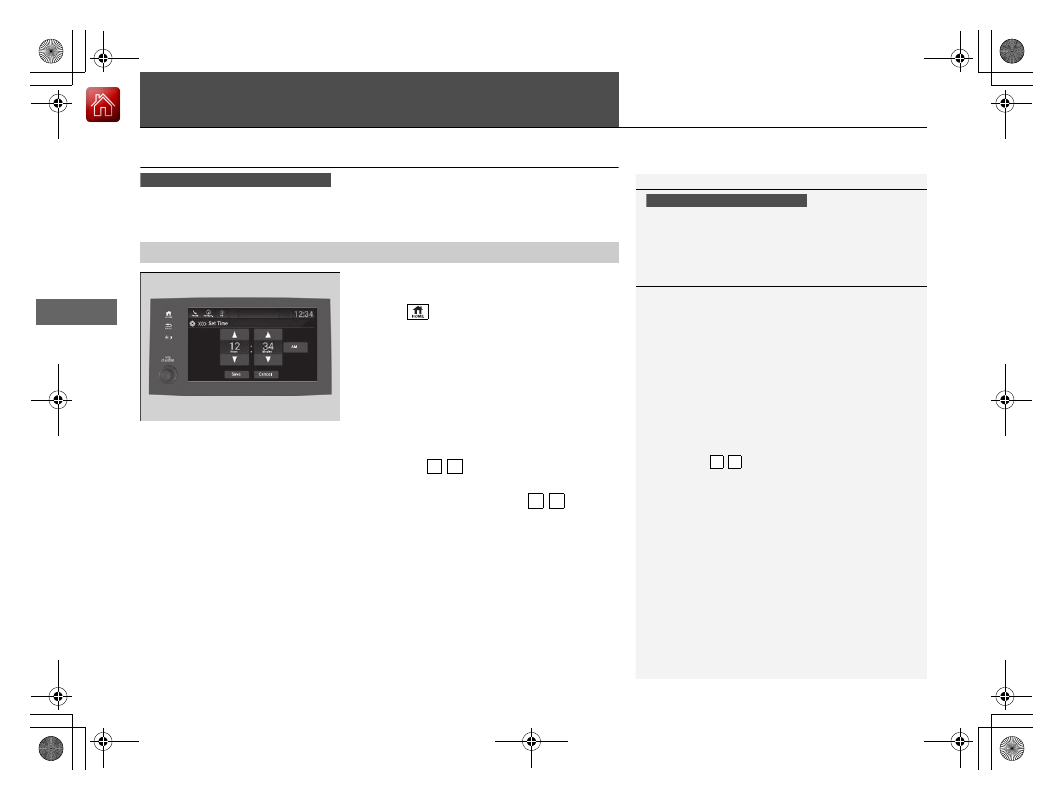
To adjust time:
6.
Select
Set Time
.
7.
Selecting /
.
u
AM/PM icon can be switched to each
other either by selecting
/
, or by
directly touching the icon.
u
When you customize the clock display to
24 hour clock, AM/PM icon is not
displayed.
2
8.
Select
Save
to set the time.
■
Adjusting the Time
1
The clock is automatically updated through the
navigation system, so the time does not need to be
adjusted.
Models with navigation system
Models without navigation system
1
Using the Settings menu on the audio/information screen
You can also adjust the clock by touching the clock
displayed on the upper right corner of the display or
the
Clock
icon on the home screen.
1. Touch the clock on the display.
The clock screen of the select face-type appears.
2. Select
Settings
.
3. Select
Date & Time Settings
.
4. Select
Set Date & Time
.
5. Select
Automatic Date & Time
, then select
OFF
.
6. Select
Set Date
or
Set Time
.
7. Adjusting the dates, hours and minutes by
selecting /
.
8. Select
Save
to set the time.
You can customize the clock display to show the 12
hour clock or 24 hour clock.
2
P. 327
3 4
3 4
3 4