Honda CR-V Hybrid (2022 year). Manual in english - page 21
333
uu
Audio System Basic Operation
u
Apple CarPlay
TM
Continued
Features
Apple CarPlay
TM
If you connect an Apple CarPlay
TM
-compatible iPhone to the system via the 1.5A USB
port, you can use the audio/information screen, instead of the iPhone display, to
make a phone call, listen to music, view maps (navigation), and access messages.
2
P. 245
■
Phone
Access the contact list, make phone calls, or listen to voice mail.
■
Messages
Check and reply to text messages, or have messages read to you.
■
Music
Play music stored on your iPhone.
■
Apple CarPlay
TM
Menu
1
Only iPhone 5 or newer versions with iOS 8.4 or later
are compatible with Apple CarPlay
TM
.
Park in a safe place before connecting your iPhone to
Apple CarPlay
TM
and when launching any compatible
apps.
To directly access the Apple CarPlay
TM
phone
function, select
Phone
on the home screen. While
connected to Apple CarPlay
TM
, calls are only made
through Apple CarPlay
TM
. If you want to make a call
with
Bluetooth
®
HandsFreeLink
®
, turn Apple
CarPlay
TM
OFF or detach the USB cable from your
iPhone.
2
When your iPhone is connected to Apple CarPlay
TM
, it
is not possible to use the
Bluetooth
®
Audio or
Bluetooth
®
HandsFreeLink
®
. However, other
previously paired phones can stream audio via
Bluetooth
®
while Apple CarPlay
TM
is connected.
2
P. 430
For details on countries and regions where Apple
CarPlay
TM
is available, as well as information
pertaining to function, refer to the Apple homepage.
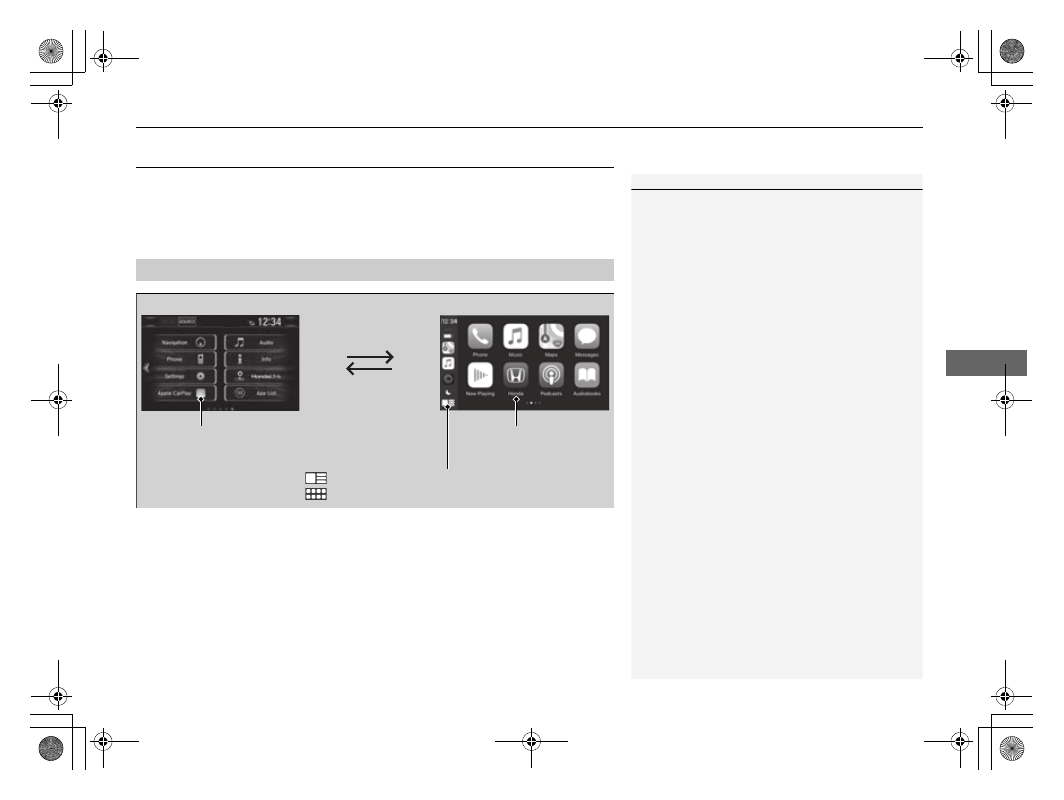
Home screen
Apple CarPlay
TM
icon
Apple CarPlay
TM
menu screen
Select the Honda icon to
go back to the home
screen
: Go back to the Apple CarPlay
TM
Dashboard screen
: Go back to the Apple CarPlay
TM
menu screen