Honda e (2021 year). Manual in english - page 18
274
uu
Display Audio
u
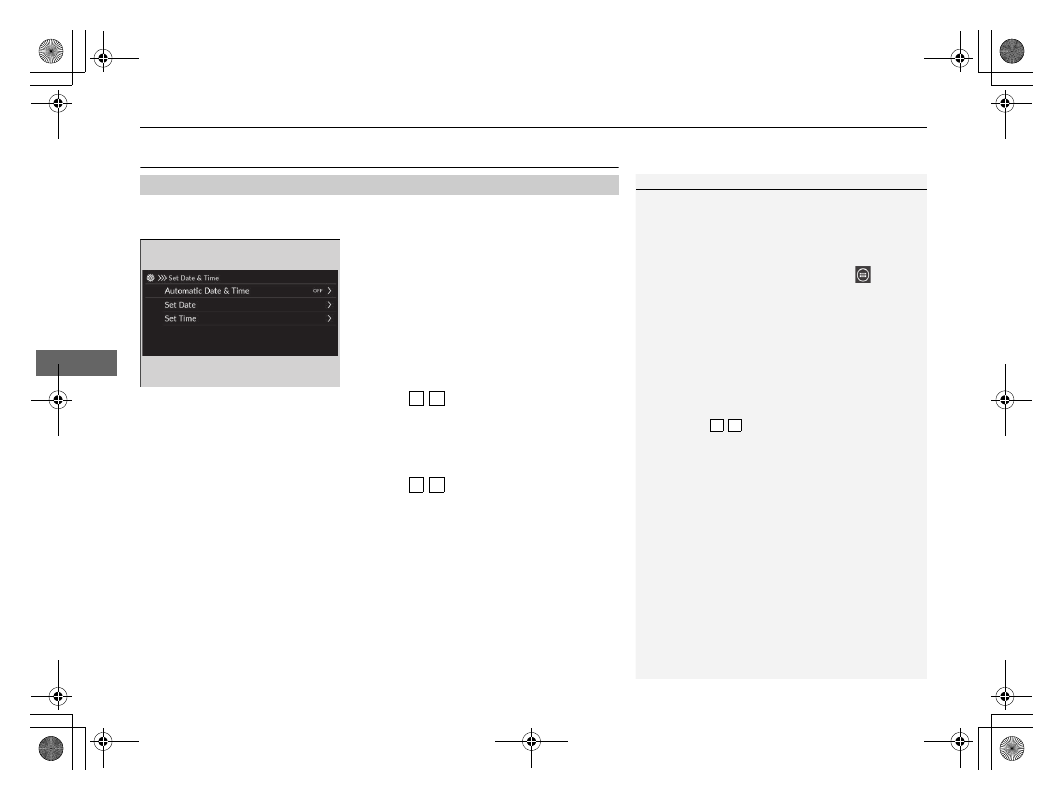
Clock Setup
Features
Clock Setup
You can adjust the time manually and set the wallpaper of the clock in the audio/
information screen.
1.
Select
General Settings
.
2.
Select
System
.
3.
Select
Date & Time
.
4.
Select
Set Date & Time
.
5.
Select
Automatic Date & Time
, then
select
OFF
.
To adjust date:
6.
Select
Set Date
.
7.
Select /
.
8.
Select
Save
to set the date.
To adjust time:
6.
Select
Set Time
.
7.
Select /
.
8.
Select
Save
to set the time.
■
Adjusting the Clock
1
The clock is automatically updated through the audio
system.
You can also adjust the clock by touching the clock
displayed on the header area of the centre screen,
Clock
displayed on the shortcut area, or
All
Apps
.
1. Touch the clock on the screen.
The clock screen of the face-type appears.
2. Select
Settings
.
3. Select
Date & Time
.
4. Select
Set Date & Time
.
5. Select
Automatic Date & Time
, then select
OFF
.
6. Select
Set Date
or
Set Time
.
7. Adjusting the dates, hours and minutes by
selecting /
.
8. Select
Save
to set the time.
You can customise the clock display.
2
3 4
3 4
3 4