Ford Expedition (2022 year). Manual in english - page 22
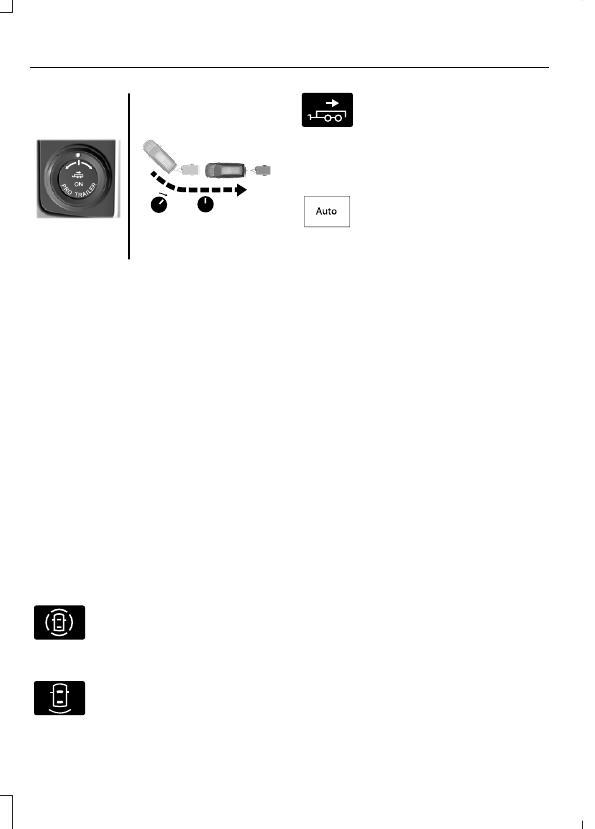
E349264
Release the knob when the trailer is
moving in the direction you want.
Note:
The more you turn the knob, the
sharper the trailer turns.
Note:
Quickly turning and releasing the
knob results in a jerky movement of the
vehicle.
Note:
You may have to use the knob to
correct the trailer direction when attempting
to move the trailer straight back under some
conditions.
USING THE TRAILER BACKUP
ASSISTANCE VIEWS -
VEHICLES WITH: 12.3 INCH
SCREEN
Up to three camera views could be
available when using trailer backup
assistance. Use the view that helps you the
most when reversing your vehicle and
trailer.
E310996
360° camera view. Shows a
360° view on the right-hand side
of the touchscreen with a rear
camera view on the left-hand side of the
touchscreen.
E310967
Rear view camera view. Shows
your trailer hitch or what is
directly behind your vehicle.
E310965
Trailer reverse guidance view.
Shows you a view of the sides of
your vehicle and the trailer. In
auto mode, this view moves as the trailer
moves so that you do not have to adjust
the camera as you turn. Left and right
arrows let you see other camera views.
E315644
Auto. Press to return to auto
view.
Note:
Auto mode is the default setting.
Hitch Angle Graphic
The hitch angle graphic shows a small
representation of your vehicle and trailer
with visual feedback to help you monitor
the trailer. The graphic shows two different
colored lines for the trailer hitch angle. A
black line shows you where your trailer is
in relation to your vehicle. The white line
represents the amount the trailer can turn
based on knob input.
The graphic shows a yellow and red zone
for the hitch angle to warn you of a high
angle condition that could require you to
pull forward to reduce the hitch angle. The
angle limits for each zone vary based on
the trailer length.
The yellow zone indicates you are
approaching the maximum controllable
trailer angle for the system. When the
trailer enters this zone, it is more difficult
to reduce the trailer turn when backing up.
It may be necessary to put your vehicle
back into drive (D) and pull forward to get
your vehicle and trailer back to an in-line
position.
The red zone indicates you have exceeded
the maximum controllable trailer angle for
the system. Immediately stop reversing.
Put your vehicle into drive (D) and pull
forward until the trailer is no longer in the
red zone.
360
Trailer Backup Assistance
(If Equipped)