Ford Ranger (2022 year). Manual in english - page 22
You can press this multiple times to
change to a media device or scroll through
the media sources using the arrow buttons.
Press
OK
to select a source.
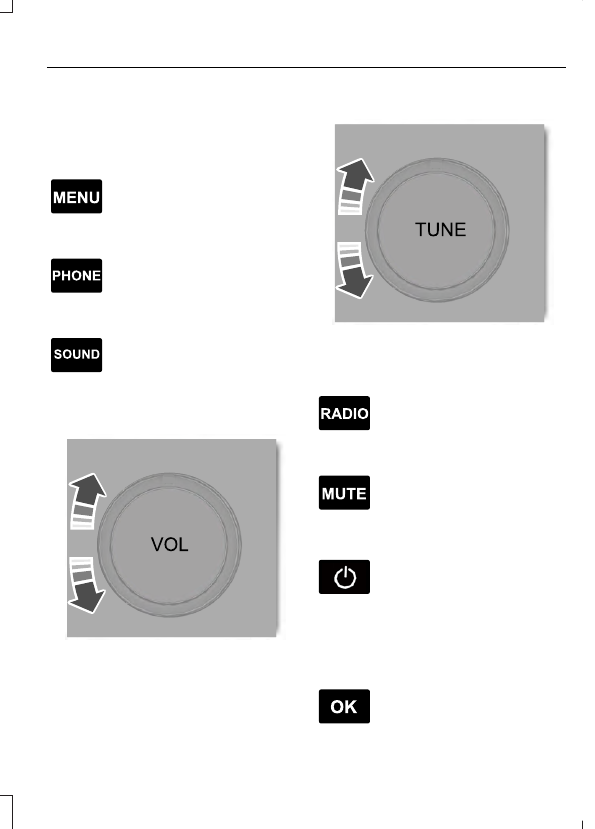
Accessing the Menu
E265038
Press and release the button to
access different audio system
features.
Accessing the Phone Features
E265037
Press and release the button to
access the phone features of the
system.
Accessing the Sound Settings
E265271
Press and release the button to
access settings for Treble,
Midrange, Bass, Fade and
Balance.
Adjusting the Volume
E265373
Turn to adjust the volume.
Changing Radio Stations
E265696
In radio mode, turn to search through the
radio frequency band.
Listening to the Radio
E265033
Press and release the button to
listen to the radio or change the
radio frequency band.
Muting the Audio
E265043
Press and release the button to
mute the playing audio.
Switching the Audio Unit On and
Off
Press and release the button.
Using the Display Control
Use the up and down arrow buttons to
select the various settings. When you make
your selection, press the left and right
arrow buttons to change the settings.
E265041
Press and release to confirm a
selection.
343
Audio System