Ford Ranger (2022 year). Manual in english - page 14
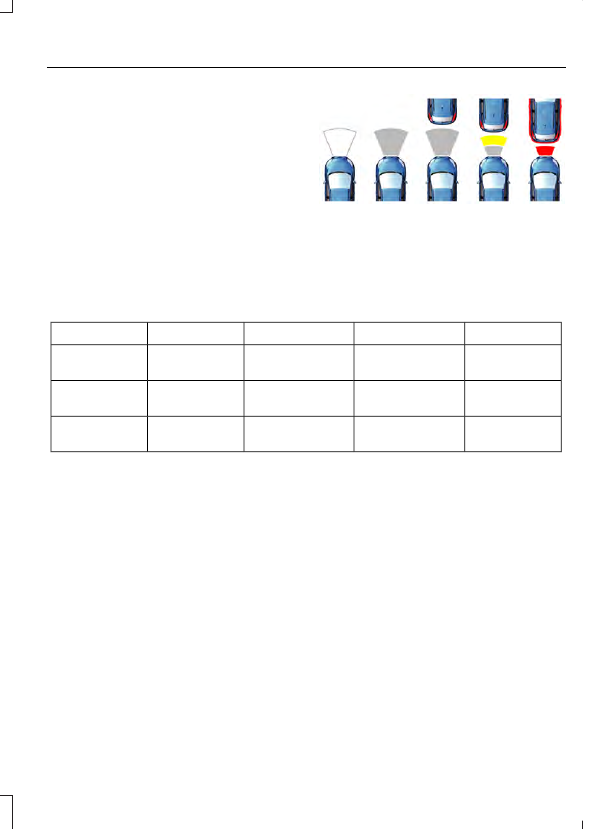
Distance Indication and Alert
This function provides a graphical
indication of the time gap to other
preceding vehicles traveling in the same
direction. The distance indication and alert
screen in the information display shows a
graphic similar to the one that follows.
E190004
If the time gap to a preceding vehicle is
small, a red visual indication displays to
the driver.
Note:
Distance indication and alert
deactivates and the graphics do not display
when adaptive cruise control is active.
Time Gap
Distance Gap
Graphics
Sensitivity
Speed
>0.9sec
>82 ft (25 m)
Grey
Normal
62 mph
(100 km/h)
0.6sec - 0.9sec
56–82 ft
(17–25 m)
Yellow
Normal
62 mph
(100 km/h)
<0.6sec
<56 ft (17 m)
Red
Normal
62 mph
(100 km/h)
Adjusting Pre-Collision Assist Settings
You can adjust alert and distance alert
sensitivity to one of three possible settings
by using the information display control.
See
You can switch the distance alert and
indication function off using the
information display controls. See
If required, you can switch active braking
off using the information display controls.
See
Note:
We recommend that you turn the
Pre-Collision Assist system off if you install
a snow plow or similar object in such a way
that it may block the radar sensor. Your
vehicle remembers the last selected setting
when you switch it off and then back on.
215
Driving Aids