Ford Windstar (2003 year). Manual - part 15
 

  Index      Ford     Ford Windstar - service manual 2003 year in english


Search            


Content   ..  13  14  15  16   ..


Ford Windstar (2003 year). Manual - part 15


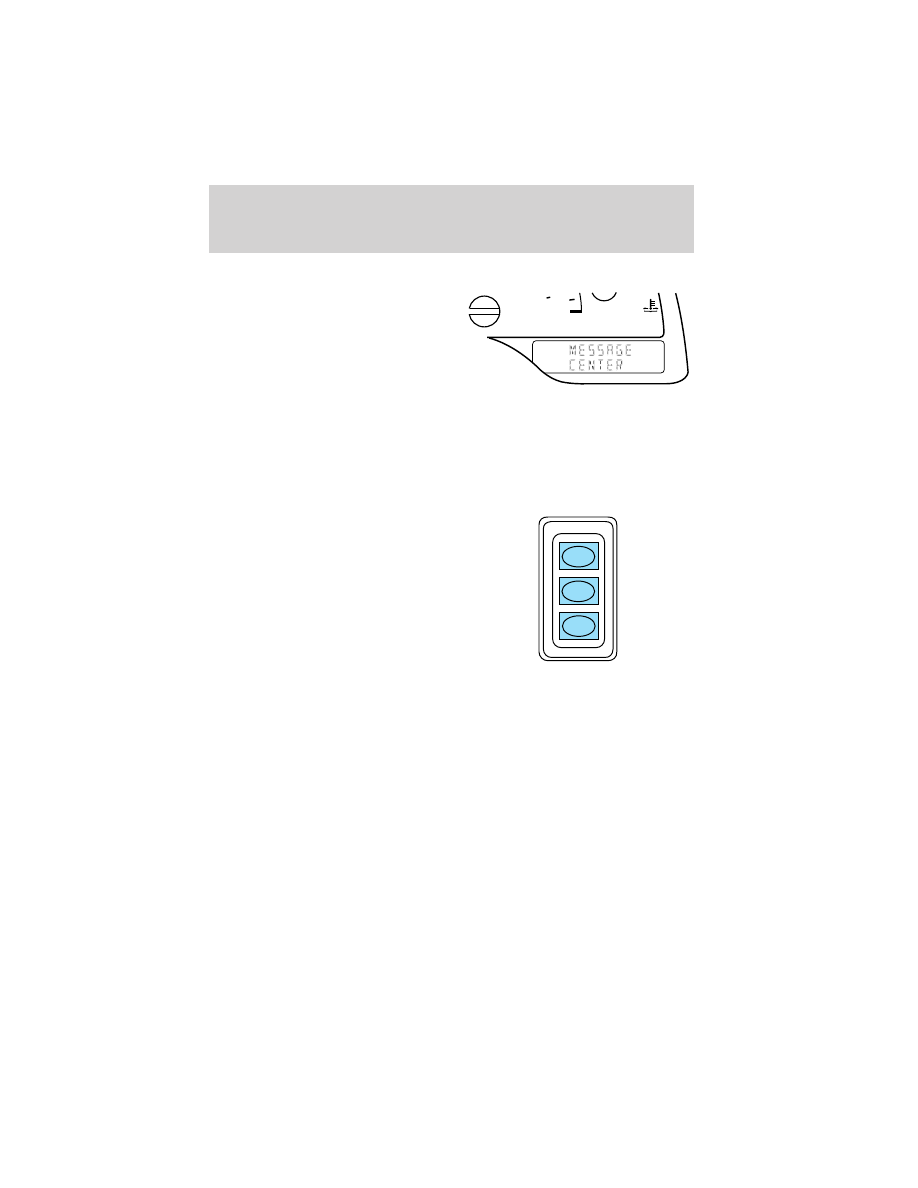
MESSAGE CENTER (IF EQUIPPED)

With the ignition in the ON position,
the message center, located on your
instrument cluster, displays
important vehicle information
through a constant monitor of
vehicle systems. You may select
display features on the message
center for a display of status preceded by a brief indicator chime. The
system will also notify you of potential vehicle problems with a display of
system warnings followed by a long indicator chime.

Selectable features

Info menu

This control displays the following
control displays:
• Compass/Outside Temperature
• Distance to Empty
• Average Fuel Economy
• Trip Elapsed Drive Time
• Display On/Off

Setup menu

Press this control for the following displays:
• Language
• Units (English/Metric)
• System Check
• Single/Dual Display Mode

Reset

Press this control to select and reset functions shown in the INFO menu
and SETUP menu.

200

120

km/h

INFO

SETUP

RESET

Driver Controls

62

Language

1. Select this function from the
SETUP menu for the current
language to be displayed.

2. Pressing the RESET control
cycles the message center through
each of the language choices.

3. Press and hold the RESET
control to set the language choice.

Units (English/Metric)

1. Select this function from the
SETUP menu for the current units
to be displayed.

2. Press the RESET control to
change from English to Metric.

System check

Selecting this function from the
SETUP menu causes the message
center to cycle through each of the
systems being monitored. For each
of the monitored systems, the
message center will indicate either an OK message or a warning message
for three seconds.

Pressing the RESET control cycles the message center through each of
the systems being monitored.

The sequence of the system check report is as follows:

1. oil life in XX%

2. charging system

3. washer fluid level

4. brake fluid level

Driver Controls

63

5. doors closed (driver and passenger side). This message can only be
reset by closing the door(s). If the RESET control is pressed, PLEASE
CLOSE DOOR will be displayed.

6. rear liftgate status

7. exterior lamps (headlamps, front turn, brake, tail and cornering/side
repeater lamp status)

8. Traction Control

娂 or AdvanceTrac娂 (if equipped)

9. fuel level

10. distance to empty

Single/Dual Display Mode

1. Select this function from the
SETUP menu for the current display
mode.

2. Press the RESET control to
change from the Single to the Dual
display.

Temporary display mode (if equipped)

These messages will display for 4 seconds when speed control is ON,
refer to Speed control in this chapter for operation.

“SPEED CONTROL READY” will be
displayed when the speed control
ON button is pressed.

“SPEED CONTROL OFF” will be
displayed when the speed control
OFF button is pressed.

“SPEED CONTROL SET” will be
displayed when either the speed
control SET or COAST buttons are
pressed.

Driver Controls

64

“SPEED CONTROL CANCELLED”
will be displayed when the brake
pedal pressed.

System warnings

System warnings alert you to possible problems or malfunctions in your
vehicle’s operating systems.

In the event of a multiple warning situation, the message center will
cycle the display to show all warnings by displaying each one for 4
seconds.

The message center will display the last selected feature if there are no
more warning messages. This allows you to use the full functionality of
the message center after you acknowledge the warning by pressing the
RESET control and clearing the warning message.

Warning messages that have been reset are divided into two categories:
• They will reappear on the display ten minutes from the reset.
• They will not reappear until an ignition OFF-ON cycle has been

completed.

This acts as a reminder that these warning conditions still exist within
the vehicle.

Driver’s door ajar

Warning cannot be reset

Passenger door ajar

Driver rear door ajar

Passenger rear door ajar

Check charging system

Warning returns after 10 minutes

Transmission overheated

Check transmission

Low fuel level

Driver Controls

65


Content   ..  13  14  15  16   ..