Ford Low Cab Forward (Ford year). Manual - part 13
 

  Index      Ford     Ford Low Cab Forward - service manual Ford year in english


Search            


Content   ..  11  12  13  14   ..


Ford Low Cab Forward (Ford year). Manual - part 13


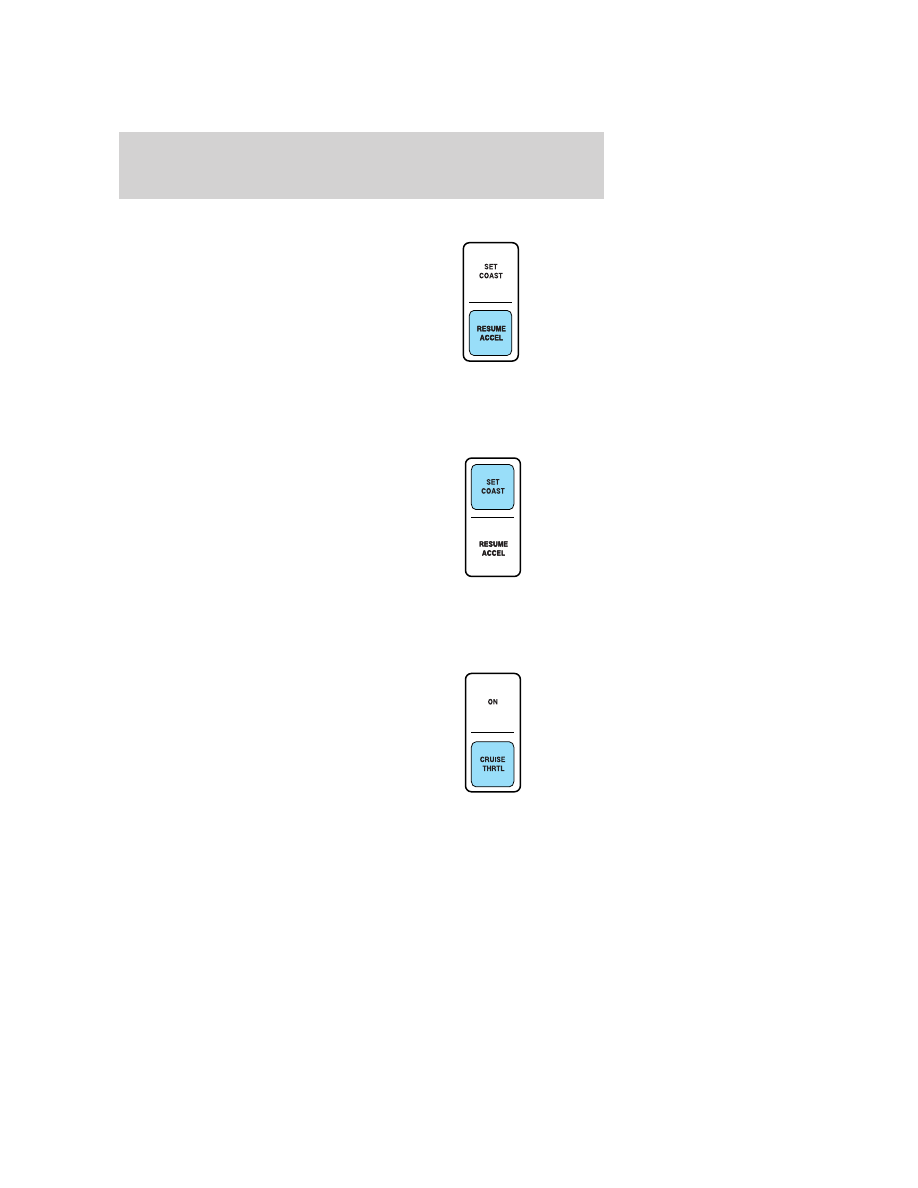
To set a higher set speed

Press and hold RESUME ACCEL. If
the vehicle is moving, this will
increase vehicle speed; if the vehicle
is stationary, this will increase
engine RPM. Release the control
when the desired vehicle
speed/engine RPM is reached.

Press and release RESUME ACCEL
to operate the tap-up function. Each
press will increase the set speed by 1 mph (1.6 km/h) or engine RPM in
idle mode.

To set a lower set speed

Press and hold SET COAST. If the
vehicle is moving, this will decrease
vehicle speed; if the vehicle is
stationary, this will decrease engine
RPM. Release the control when the
desired vehicle speed/engine RPM is
reached.

Press and release SET COAST to
operate the tap-down function. Each
press will decrease the set speed in increments of 1 mph (1.6 km/h) or
engine RPM in idle mode.

To disengage speed control

Depress the brake pedal or press
CRUISE THRTL. Disengaging the
speed control will not erase the
previously programmed set speed or
engine RPM.

Turning off the ignition will erase the previously programmed set speed
or engine RPM.

Driver Controls

54

To return to a previously set speed

Press RESUME ACCEL.

Driver Controls

55

KEYS

The key operates all locks on your vehicle. In case of loss, replacement
keys are available from your dealer.

You should always carry a second key with you in a safe place in case
you require it in an emergency.

POWER DOOR LOCKS (IF EQUIPPED)

Both doors lock and unlock automatically when the driver’s door is
locked or unlocked with a key.

Both doors lock automatically when the driver’s door lock button is
pushed down and unlock when it is pulled up.

Manually locking the vehicle without the key

Depress the door locks button(s). When closing the door(s), lift the door
handle, then release the door handle once the door is closed.

REMOTE ENTRY SYSTEM (IF EQUIPPED)

This device complies with part 15 of the FCC rules and with RS-210 of
Industry Canada. Operation is subject to the following two conditions:
(1) This device may not cause harmful interference, and (2) This device
must accept any interference received, including interference that may
cause undesired operation.

Changes or modifications not expressly approved by the party
responsible for compliance could void the user’s authority to
operate the equipment.

The typical operating range for your remote entry transmitter is
approximately 33 feet (10 meters). A decrease in operating range could
be caused by:
• weather conditions,
• nearby radio towers,
• structures around the vehicle, or
• other vehicles parked next to your vehicle.

Locks and Security

56

Your vehicle has an all-door remote entry system.

The all-door remote entry system
allows you to:
• lock or unlock both vehicle doors

without a key.

• activate the panic alarm.
The remote entry features only
operate with the ignition in the 1
(LOCK) position.

If there are problems with the
remote entry system, make sure to
take ALL remote entry transmitters with you to the dealership in
order to aid in troubleshooting the problem.

Unlocking the doors

1. Press UNLOCK to unlock the driver’s door.
2. Press UNLOCK again within three seconds to unlock both doors.
Note: The vehicle doors may be unlocked by using the remote entry
transmitter, however, in the event of a low battery charge, the door can
be manually unlocked and opened by inserting the key into the driver’s
door lock cylinder and turning counter clockwise.

Locking the doors
Press LOCK once to lock both doors. Pressing LOCK a second time will
sound the horn to confirm the doors are locked.

Sounding a panic alarm

Press

to activate the alarm. Press

again, or turn the ignition to the

3 (ON) position to deactivate.
Note: The panic alarm will only operate when the ignition is in the 1
(LOCK) position.

Replacing the battery
The remote entry transmitter uses one button type three-volt lithium
battery CR2025 or equivalent.
To replace the battery:
1. Twist a thin coin between the two halves of the remote entry
transmitter near the key ring. DO NOT TAKE THE RUBBER COVER
AND CIRCUIT BOARD OFF THE FRONT HOUSING OF THE REMOTE
ENTRY TRANSMITTER.

Locks and Security

57


Content   ..  11  12  13  14   ..