Ford Freestyle (2007 year). Manual - part 19
 

  Index      Ford     Ford Freestyle - service manual 2007 year in english


Search            


Content   ..  17  18  19  20   ..


Ford Freestyle (2007 year). Manual - part 19


Erasing HomeLink

姞 buttons

To erase the three programmed
buttons (individual buttons cannot
be erased):
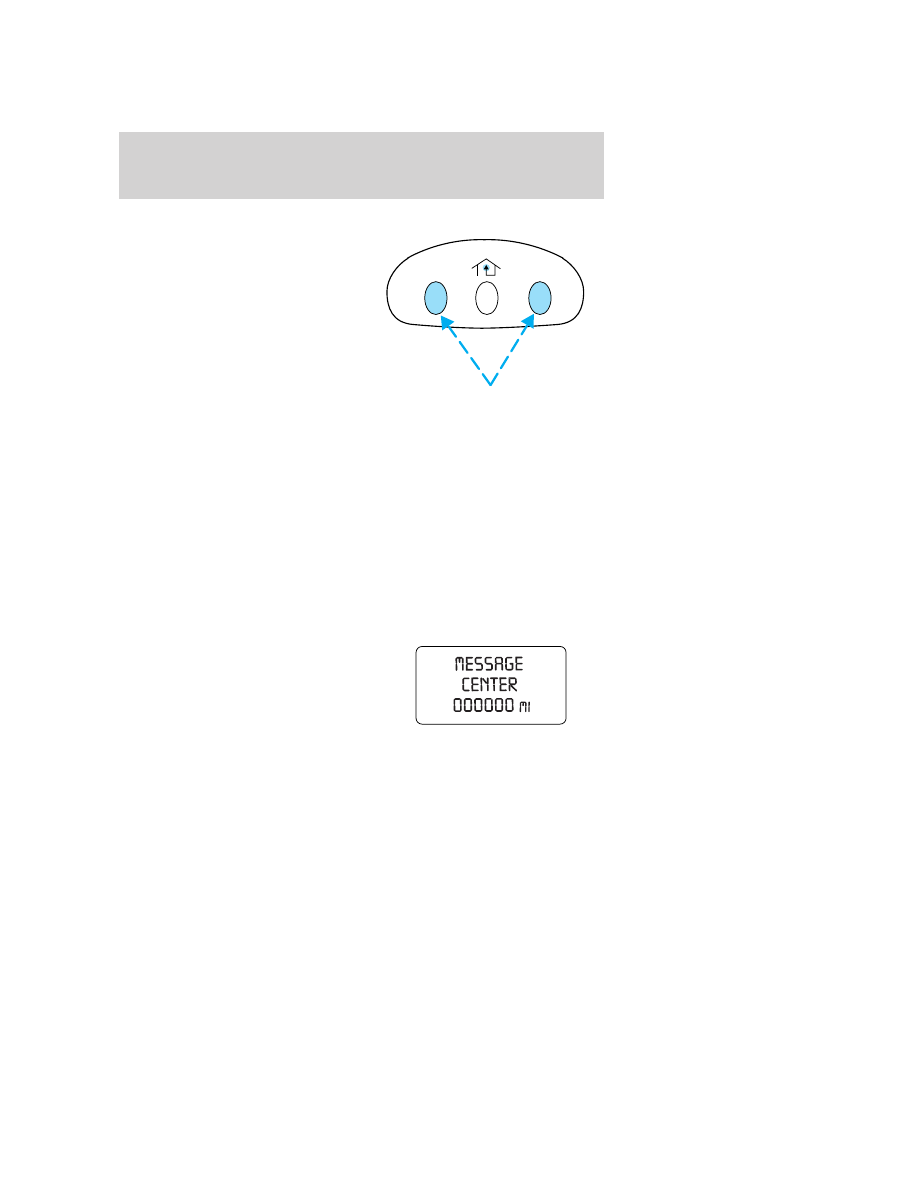
• Press and hold the two outer

HomeLink

威 buttons until the

indicator light begins to
flash-after 20 seconds. Release
both buttons. Do not hold for
longer that 30 seconds.

HomeLink

威 is now in the train (or

learning) mode and can be programmed at any time beginning with Step
2 in the “Programming” section.

Reprogramming a single HomeLink

姞 button

To program a device to HomeLink

威 using a HomeLink威 button previously

trained, follow these steps:
1. Press and hold the desired HomeLink

威 button. Do NOT release the

button.
2. The indicator light will begin to flash after 20 seconds. Without
releasing the HomeLink

威 button, follow Step 2 in the “Programming”

section.
For questions or comments, contact HomeLink

威 at www.homelink.com

or 1–800–355–3515.

MESSAGE CENTER (IF EQUIPPED)

With the ignition in the ON position,
the message center, located on your
instrument cluster, displays
important vehicle information
through a constant monitor of
vehicle systems. You may select
display features on the message
center for a display of status preceded by a brief indicator chime. The
system will also notify you of potential vehicle problems with a display of
system warnings followed by an indicator chime.

Selectable features

Reset
Press this control to select and reset functions shown in the INFO menu
and SETUP menu.

Driver Controls

78

Info menu

This control displays the following
options:
• Odometer
• Distance to Empty
• Trip Odometer
• Average Fuel Economy
• Trip Elapsed Drive Time
• Display On/Off (top two lines)
Odometer/Trip Odometer
Refer to Gauges in the Instrument Cluster chapter.
Distance to empty (DTE)

Selecting this function from the
INFO menu estimates approximately
how far you can drive with the fuel
remaining in your tank under
normal driving conditions.
Remember to turn the ignition OFF
when refueling to allow this feature
to correctly detect the added fuel.
DTE is calculated using a running average fuel economy, which is based
on your recent driving history of 500 miles (800 km). This value is not
the same as the average fuel economy display. The running average fuel
economy is reinitialized to a factory default value if the battery is
disconnected.
Average Fuel Economy (AFE)

Select this function from the INFO
menu to display your average fuel
economy in 100 miles/gallon or
liters/100 km.

If you calculate your average fuel
economy by dividing gallons of fuel
used by 100 miles traveled (kilometers traveled by liters used), your
figure may be different than displayed for the following reasons:
• your vehicle was not perfectly level during fill-up

• differences in the automatic shut-off points on the fuel pumps at

service stations

INFO

SETUP

RESET

Driver Controls

79

• variations in top-off procedure from one fill-up to another
• rounding of the displayed values to the nearest 0.1 gallon (liter)
1. Drive the vehicle at least 5 miles (8 km) with the speed control
system engaged to display a stabilized average.

2. Record the highway fuel economy for future reference.

It is important to press the RESET control after setting the speed
control to get accurate highway fuel economy readings.

Trip elapsed drive time

Select this function from the INFO
menu to display your trip elapsed
drive time. When selected the
display will accumulate when the
key is in the ON position.

1. Press the INFO control until the
message center display shows the TRIP TIME XX:XX:XX.

2. Hold the RESET control down for two seconds to clear display.

Display on/off

Select this function from the INFO menu to turn the upper two lines of
the message center display OFF or ON.

Setup menu

Press this control for the following
displays:
• Language
• Units (English/Metric)
• System Check

INFO

SETUP

RESET

Driver Controls

80

Language

1. Select this function from the
SETUP menu for the current
language to be displayed.

2. Pressing the RESET control
cycles the message center through
each of the language choices.

3. Press and hold the RESET
control for 2 seconds to set the
language choice.

Units (English/Metric)

1. Select this function from the
SETUP menu for the current units
to be displayed.

2. Press the RESET control to
change from English to Metric.

System check

Selecting this function from the
SETUP menu causes the message
center to cycle through each of the
systems being monitored. For each
of the monitored systems, the
message center will indicate a
warning message for three seconds
when there is a malfunction.

Driver Controls

81


Content   ..  17  18  19  20   ..