Ford Explorer (2018 year). Manual - part 21
 

  Index      Ford     Ford Explorer - service manual 2018 year in english


Search            


Content   ..  19  20  21  22   ..


Ford Explorer (2018 year). Manual - part 21


Overriding the System

When you switch on the high beams,
pushing or pulling the stalk provides a
temporary override to low beam.

Automatic High Beam Indicator

 (If

Equipped)

The indicator lamp illuminates
to confirm when the system is
ready to assist.

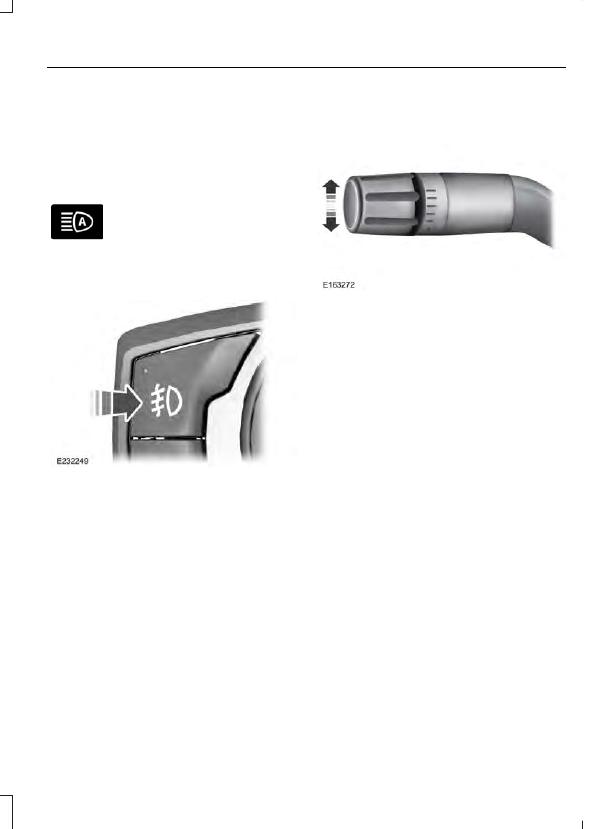
FRONT FOG LAMPS

 (If Equipped)

Press to switch the fog lamps on or off.

You can switch the fog lamps on when the
lighting control is in any position except
automatic high beam or off.

DIRECTION INDICATORS

To operate the left direction indicator,
push the lever down until it stops.

To operate the right direction indicator,
push the lever up until it stops.

Note: Tap the lever up or down to make the
direction indicators flash three times.

INTERIOR LAMPS

The lamps turn on when:

Any door is opened.

You adjust the instrument panel
dimmer until the courtesy lamps turn
on.

You press a remote control button and
the ignition is off.

Dome Lamp

Without Fog Lamps

With Fog Lamps

Press the button to switch the lamps on
or off.

Map Lamps

 (If Equipped)

Front Row Map Lamps

Second Row Dome and Map Lamps

Second Row Dome and Courtesy
Lamps

Third Row Cargo Lamp

Press the button to switch the lamps on
or off.

Battery Saver

If you leave the courtesy lamps, interior
lamps or headlamps on, the battery saver
shuts them off 10 minutes after you switch
the ignition off.

The parking lamps do not turn off if you
switch them on.

AMBIENT LIGHTING

 (If Equipped)

Adjust the ambient lighting using the
touchscreen. See your SYNC information.

POWER WINDOWS

WARNINGS

Do not leave children unattended in
your vehicle and do not let them play
with the power windows. Failure to

follow this instruction could result in
personal injury.

When closing the power windows,
verify they are free of obstruction and
make sure that children and pets are

not in the proximity of the window
openings.

Note:  You may hear a pulsing noise when
just one of the windows is open.  Lower the
opposite window slightly to reduce this
noise.

Press the switch to open the window.

Lift the switch to close the window.

One-Touch Down

Press the switch fully and release it.  Press
again or lift it to stop the window.

One-Touch Up

Lift the switch fully and release it. Press or
lift it again to stop the window.

Resetting One-Touch Up

Start the engine.

1.

Lift and hold the window switch until
the you fully close the door window.
Continue to hold the switch for a few
seconds after you close the window.

2. Release the window switch.

3. Press and hold the window switch until

you fully open the door window.

4. Release the window switch.

5. Lift and hold the window switch until

you fully close the window.

6. Test for correct window operation by

carrying out the one-touch down and
one-touch up features.

Bounce-Back

The window will stop automatically while
closing.  It reverses some distance if there
is an obstacle in the way.

Overriding the Bounce-Back Feature

WARNING

When you override the bounce-back
feature the window will not reverse
if it detects an obstacle. Take care

when closing the windows to avoid
personal injury or damage to your vehicle.

Pull up the window switch and hold within
a few seconds of the window reaching the
bounce-back position.  The window travels
up with no bounce-back protection.  The
window stops if you release the switch
before the window fully closes.


Content   ..  19  20  21  22   ..