Ford Expedition (2018 year). Manual - part 13
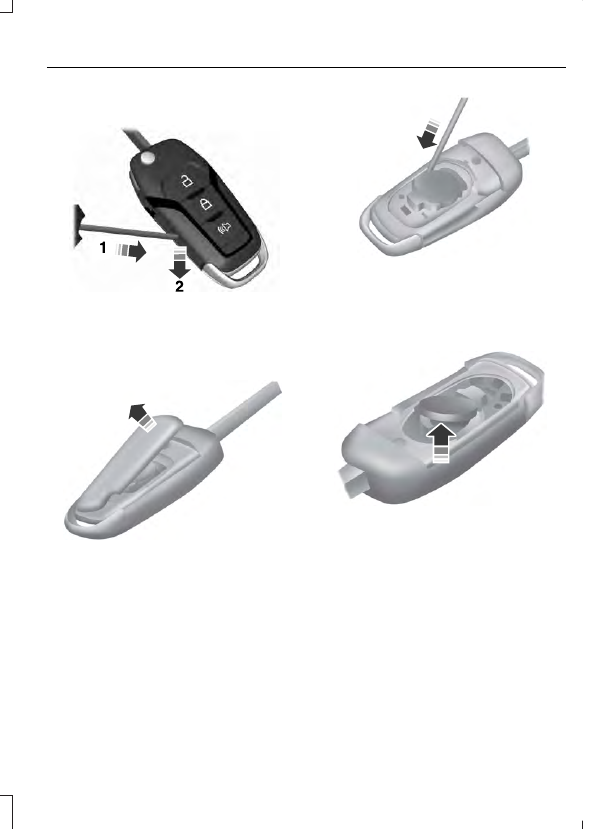
Press the button to release the key blade
before beginning the procedure.
E191533
1.
Insert a suitable tool, for example a
screwdriver, in the position shown and
gently push the clip.
2. Press the clip down to release the
battery cover.
E151799
3. Carefully remove the cover.
E151800
Note:
Do not touch the battery contacts or
the printed circuit board with the
screwdriver.
4. Insert the screwdriver as shown to
release the battery.
E151801
5. Remove the battery.
6. Install a new battery with the + facing
upward.
7.
Reinstall the battery cover.
Intelligent Access Key
The remote control uses one coin-type
three-volt lithium battery CR2450 or
equivalent.