Ford C-MAX Hybrid / Energi (2017 year). Manual - part 24
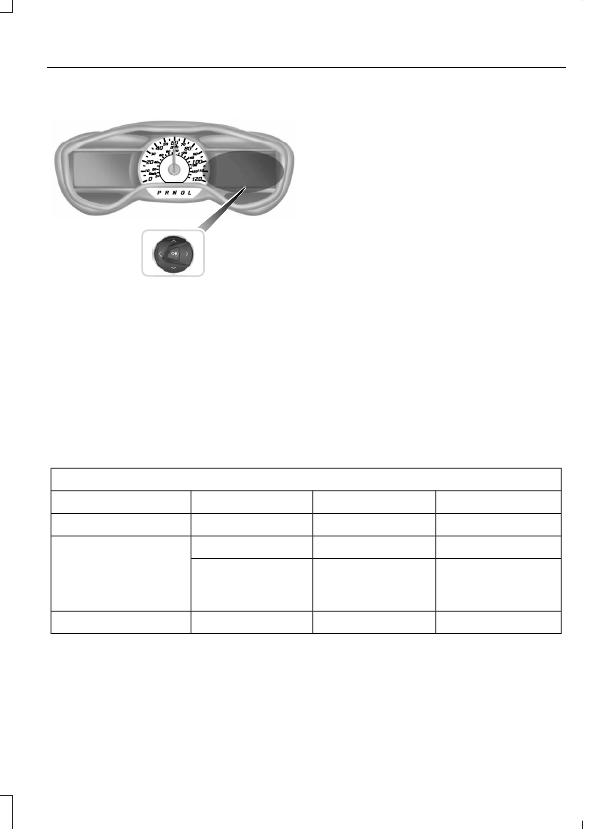
Right Information Display Controls
E179398
•
Press the up and down arrow buttons
to scroll through and highlight the
options within a menu.
•
Press the right arrow button to enter a
sub-menu.
•
Press the left arrow button to exit a
menu.
•
Press the OK button to choose and
confirm your selection.
Main menu
From the main menu bar on the right side
of the information display, you can choose
from the following categories:
Entertainment
See your SYNC information.
Navigation or Compass
See your SYNC information.
Phone
See your SYNC information.
Fuel Economy
Use the up or down arrow buttons to
choose between the following display
options.
Note: The information display will remember the menu level 2 state when you change the
individual key state from the RUN to the OFF position.
Fuel Economy
Menu level 5
Menu level 4
Menu level 3
Menu level 2
—
—
Help
Efficiency Leaves
—
5, 10 or 30 minutes
Duration
Fuel History
(Instantaneous Fuel
Economy + Fuel
Economy History + Avg
Fuel Economy)
—
—
Help
—
—
Help
Coach