Lincoln Navigator (2022 year). Manual in english - page 23
Note: Trailer reverse guidance camera views
are available with no trailer setup. However,
complete functionality including graphics
and automatic view switching is enabled by
setup. Setup is required to enable trailer
backup assistance.
E209766
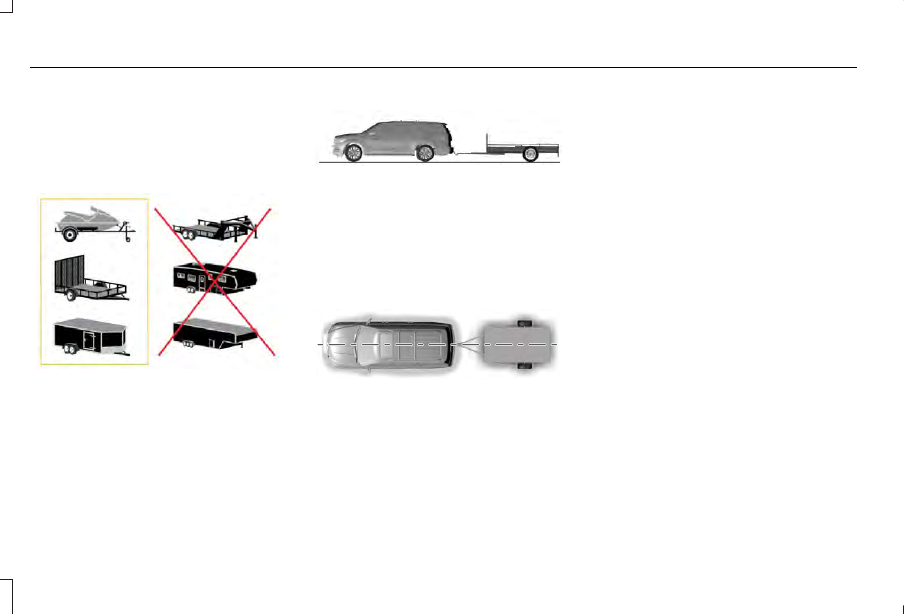
Positioning the Trailer
Hitch the trailer to your vehicle and connect
the electrical wiring harness. Check to make
sure that the wiring is working. See
Connecting a Trailer (page 345).
E247482
Park your vehicle and hitched trailer on a
level surface.
For best results, make sure that your trailer
rides level with the ground when you hitch
your vehicle. See Connecting a Trailer
(page 345).
E247481
Make sure that the trailer and your vehicle
are in line with each other. You can do this
by putting the transmission in drive (D) and
pulling straight forward.
Configuring the Trailer in the
Touchscreen
1. Shift to reverse (R).
2. Press the camera view button.
3. Press the trailer view icon.
4. Press Add Trailer.
5. Follow the directions on the touchscreen
to enter the trailer name, then proceed
to the sticker setup. See Applying the
Trailer Reverse Aid Sticker (page 376).
APPLYING THE TRAILER REVERSE AID
STICKER
Place the sticker in an area visible by the rear
view camera. The entire sticker must be
within 4–19 in (10–48 cm) from the center of
the hitch ball, as shown in the following
illustration.
376
Trailer Reverse Guidance
(If Equipped)