Lincoln Lincoln LS (2006 year). Manual - part 5
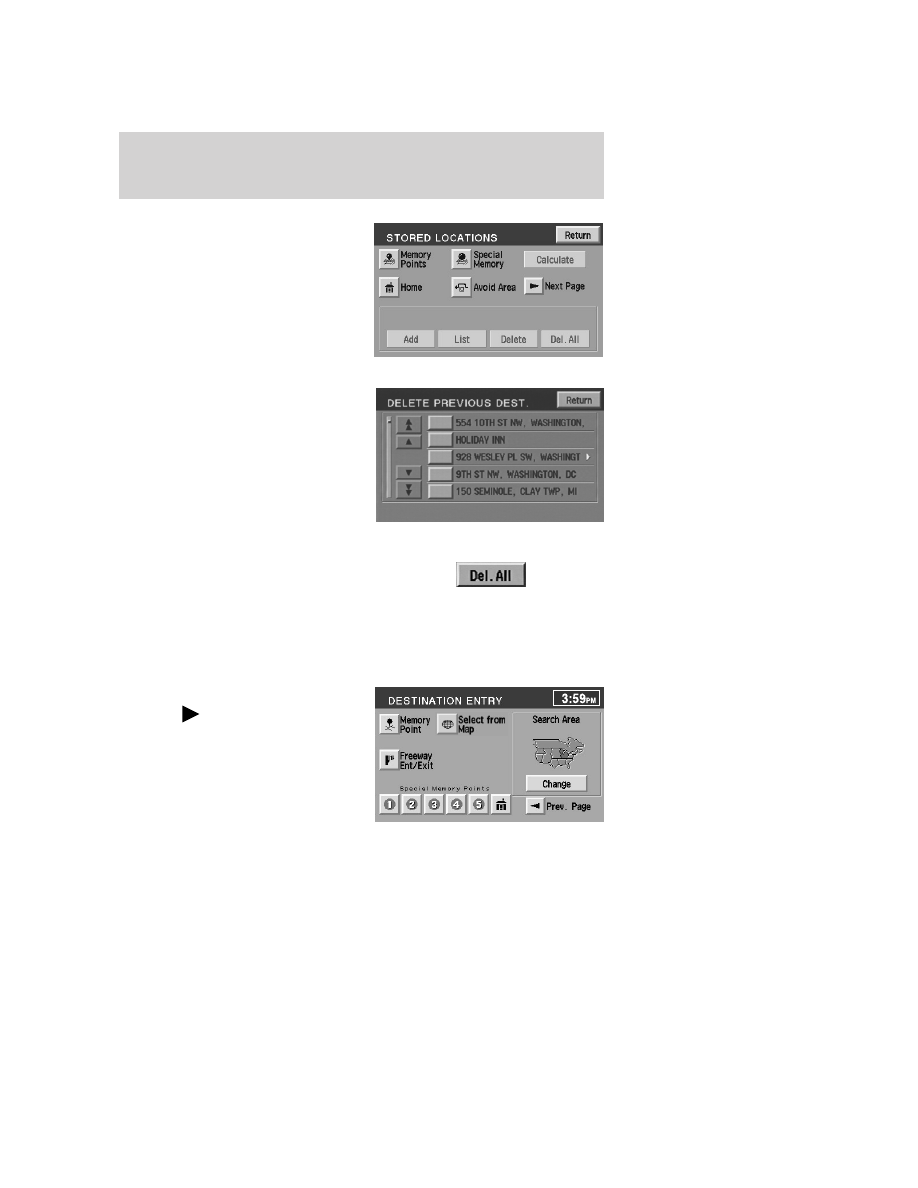
4. Select the desired item you wish
to delete (previous destination,
memory point, etc.).
5. Press “Delete” at the bottom of
the screen.
6. The list of stored locations will be
displayed.
7. Select (touch) the entry to be
deleted. The item details will be
listed.
8. Press YES to confirm the
deletion.
9. Press DELETE ALL to delete all
stored locations.
Memory point
Your navigation system allows you to go to special destinations you may
wish to again visit. To view any of these “memory points” without a route
calculated:
1. Press the DEST hard control.
2. Press “
Next page” on the
Destination Entry screen.
3. Select “Memory Point”.
4. Select the desired item.
5. Confirm the details.
6. Press “Destination” to calculate a
route to that memory point.
Note: The list can be sorted by date, name or icon by pressing the
appropriate button.
2006 Lincoln LS (dew)
Owners Guide (post-2002-fmt)
USA (fus)
Entertainment Systems
72